Segnaletica digitale della sala d'attesa
Segnaletica digitale della sala d'attesa che calma i pazienti e tiene informati tutti
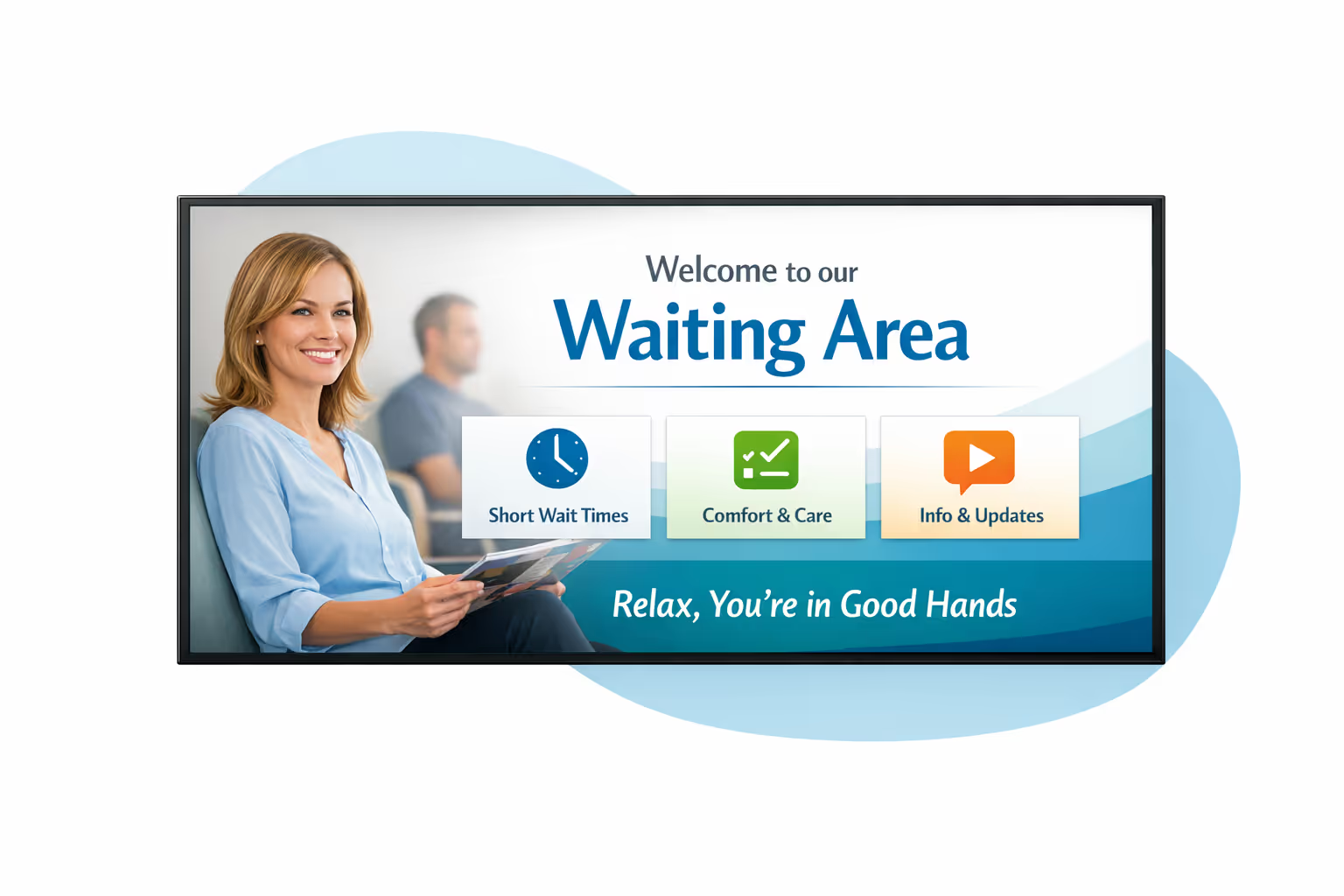
Fai sentire ogni minuto più breve con aggiornamenti chiari, contenuti utili e un'esperienza coerente sullo schermo. Con Disign, puoi programmare messaggi di salute, indicazioni per la fila e gli appuntamenti, orientamento, annunci di servizio e promozioni in pochi minuti, in un unico sito o in ogni località, con controllo in tempo reale.

Sfide nella sala d'attesa: quando la comunicazione si interrompe
In una sala d'attesa affollata, le persone hanno bisogno di indicazioni chiare nel momento in cui arrivano. Quando le informazioni sono sparse o difficili da vedere, l'incertezza si trasforma in domande ripetute, code più lunghe e un'impressione iniziale stressante.
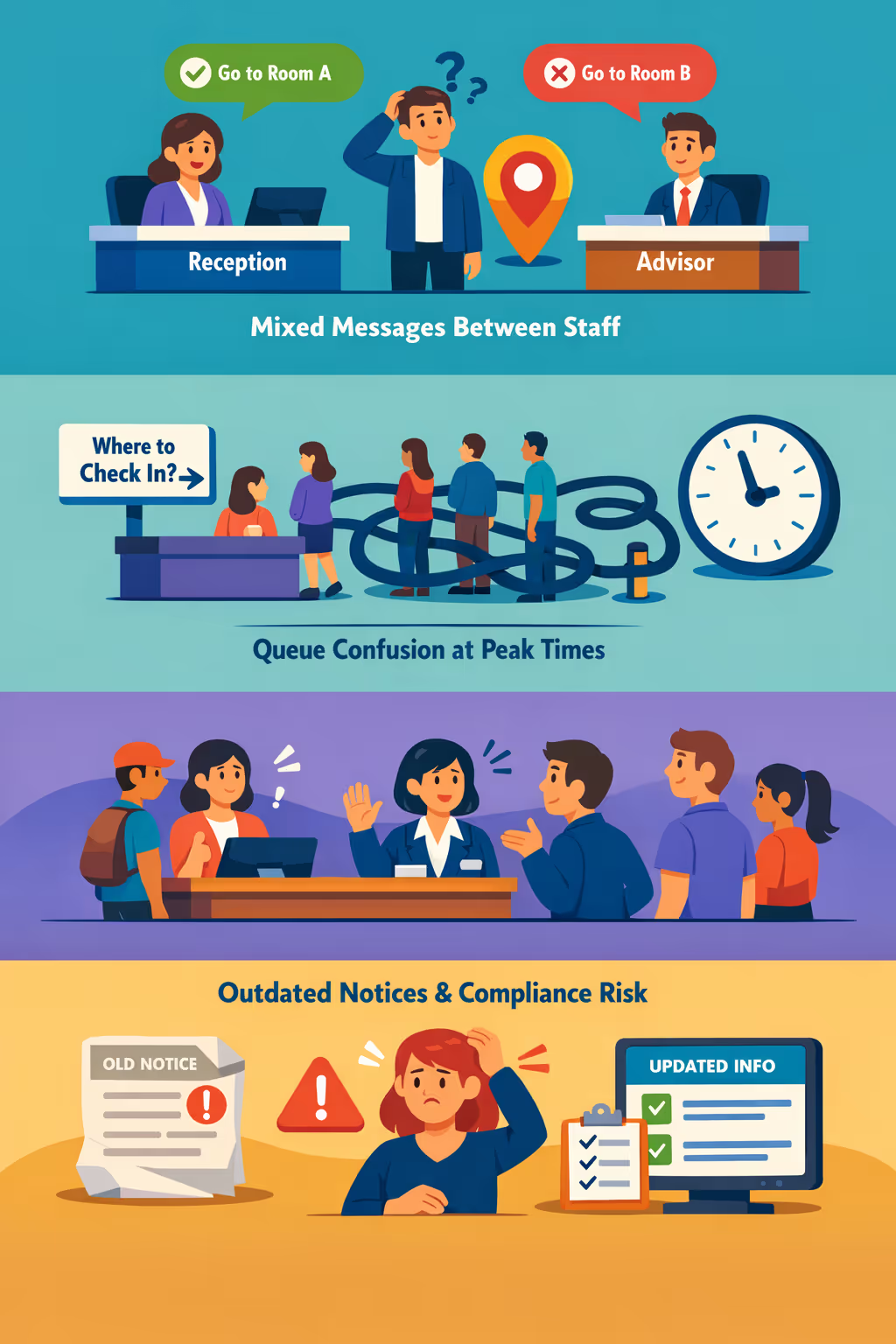
Orari, disponibilità del servizio e documenti richiesti possono cambiare rapidamente. Quando la reception, i consulenti e i diversi siti danno risposte differenti, le persone perdono fiducia e piccoli malintesi possono trasformarsi in reclami.
I visitatori vogliono sapere dove registrarsi, cosa preparare e quanto tempo dovranno aspettare. Senza indicazioni chiare e visibili, il personale viene costantemente distolto per ripetere le stesse indicazioni invece di aiutare la persona successiva.
Le informazioni nella sala d'attesa devono essere accurate e coerenti con le regole attuali. Quando manifesti, fogli stampati o aggiornamenti locali non vengono aggiornati ovunque allo stesso tempo, le persone seguono i passi sbagliati, ritardando il servizio e creando rischi evitabili.
Segnaletica digitale in sala d'attesa che migliora l'esperienza del paziente e aumenta il ROI
Fai in modo che ogni minuto nella tua area d'attesa lavori per te. Disign aiuta le cliniche, gli ospedali e le pratiche private ad aggiornare i contenuti in pochi secondi, ridurre i costi di stampa, informare i pazienti in modo chiaro e trasformare il tempo di attesa inattivo in risultati misurabili attraverso un segnaletica digitale in sala d'attesa più intelligente.
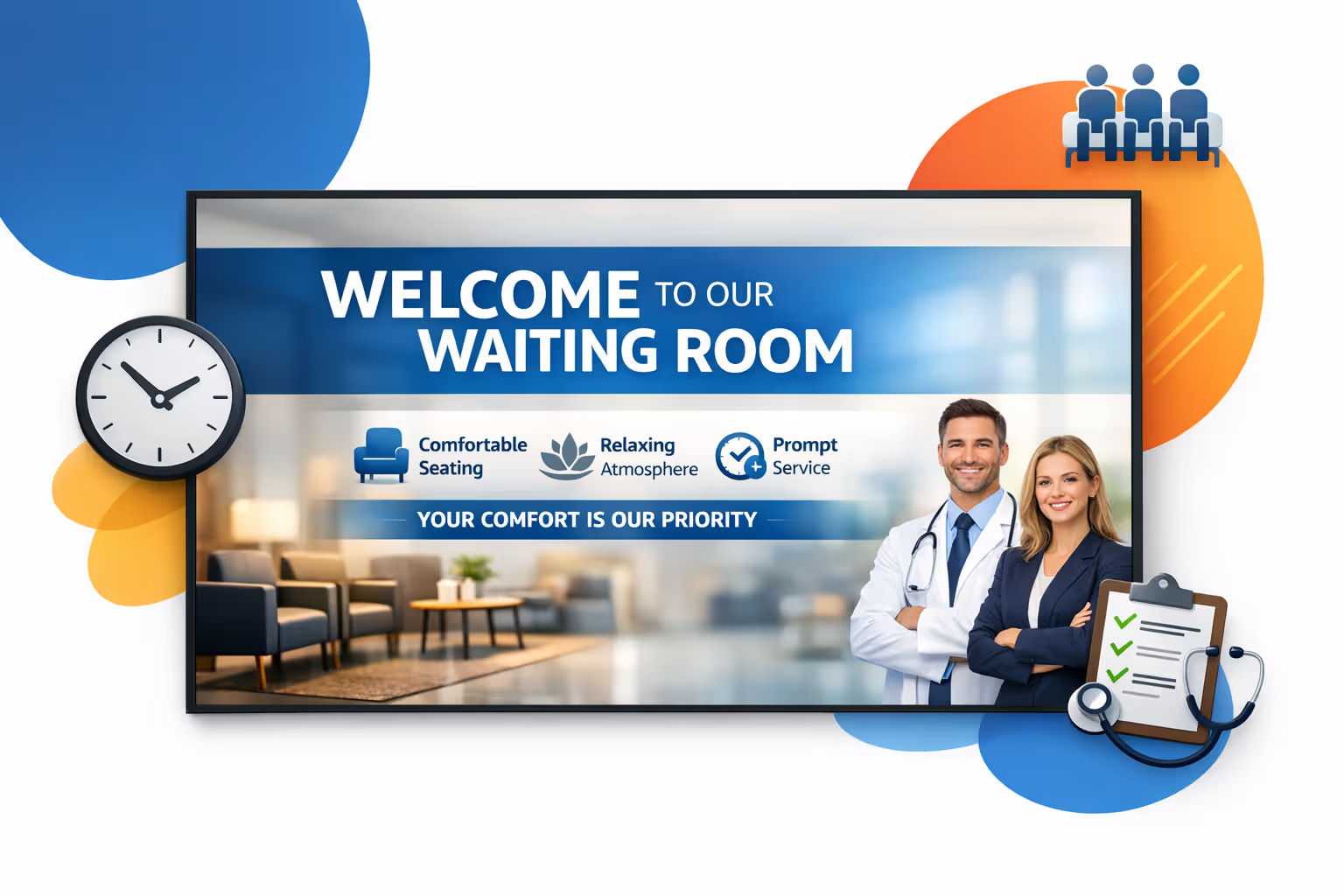
Condividi aggiornamenti, servizi e messaggi sulla salute in tempo reale
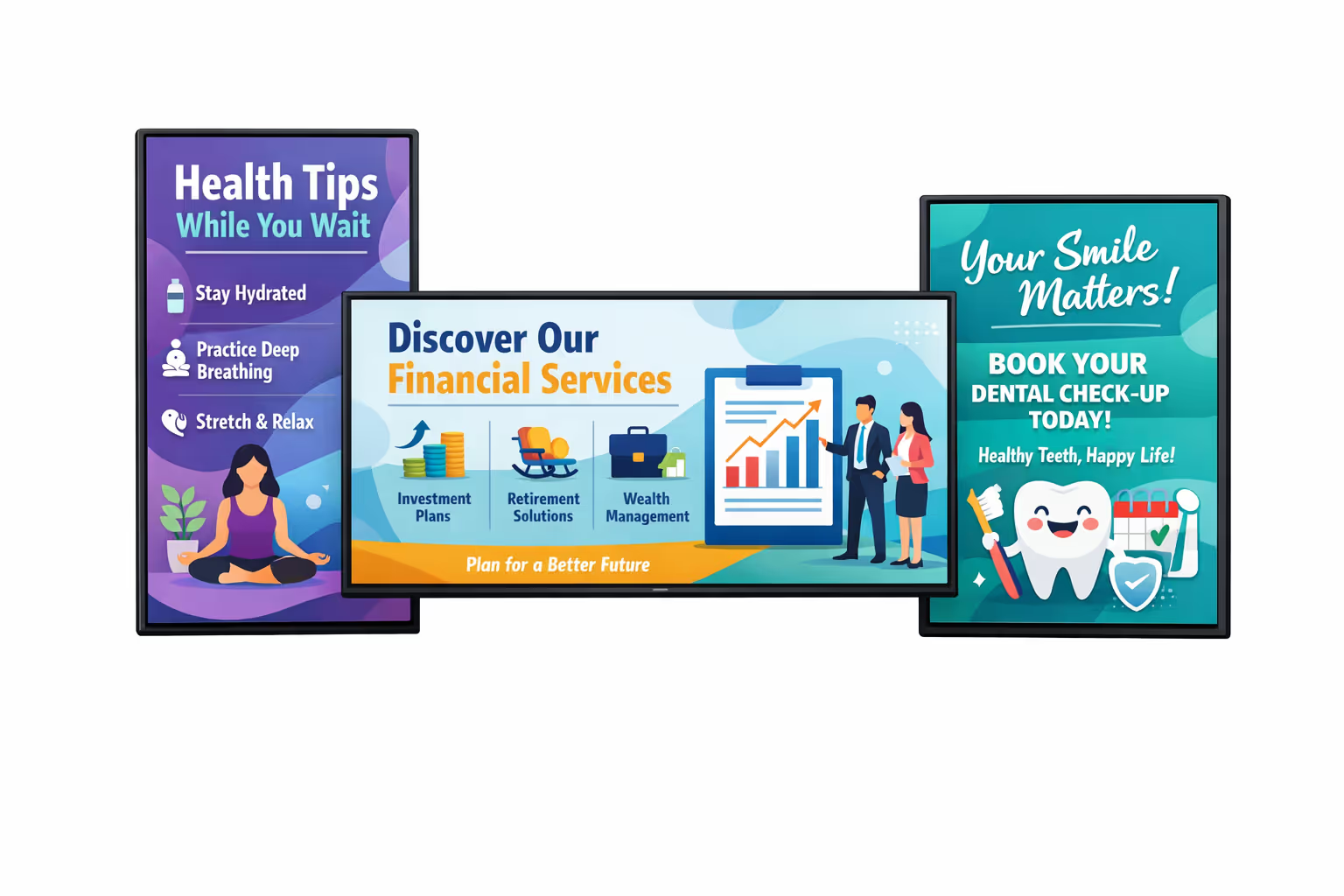
Pubblica informazioni sui vaccini, servizi della clinica, suggerimenti di prevenzione stagionale e annunci dell'ultimo minuto in modo istantaneo. Mantieni i messaggi accurati e tempestivi su ogni schermo senza dover ristampare poster.
Riduci i tempi di attesa percepiti e migliora il flusso di cura
Usa contenuti calmanti, indicazioni per le code e istruzioni semplici per stabilire aspettative e ridurre la frustrazione. Quando i pazienti si sentono informati, il check-in risulta più fluido e il personale spende meno tempo a ripetere informazioni di base.
Mostra il ROI con messaggi mirati e una comunicazione più chiara con i pazienti
Promuovi servizi di valore più elevato, promemoria per appuntamenti e opzioni di self-service per posizione, tempo o pubblico di pazienti. L'segnaletica digitale in sala d'attesa aumenta l'adozione riducendo i costi operativi.
Mantieni il branding e le informazioni obbligatorie coerenti su tutti i siti
Standardizza i layout e le approvazioni in modo che ogni struttura comunichi in modo chiaro e professionale. Aggiorna rapidamente le regole di visita, le informazioni sulla sicurezza e i diritti dei pazienti rimanendo allineato con il tuo marchio.
Riduci i costi di stampa e libera tempo per il personale
Sostituisci i cambiamenti costanti di poster con un flusso di lavoro centralizzato. Risparmia su stampa e rielaborazione e mantieni ogni schermo in sala d'attesa aggiornato da un'unica dashboard.
Fornisci contenuti localizzati e multilingue per ogni area d'attesa
Adatta i messaggi in base a posizione, dipartimento o lingua per servire meglio la tua comunità. Fornisci contenuti pertinenti che sembrano personali mantenendo uno standard coerente in tutta l'organizzazione.
Casi d'uso dell'segnaletica digitale in sala d'attesa su cui fanno affidamento pazienti e personale
Da cliniche e ospedali a studi privati, Disign ti aiuta a impostare le aspettative, rispondere a domande comuni prima che raggiungano il banco accogliente e costruire fiducia con aggiornamenti chiari e coerenti che i pazienti possono vedere a colpo d'occhio.
- Cliniche e studi medici: condividi i passaggi per la registrazione, i documenti richiesti e le informazioni sui servizi apprezzate dai pazienti
- Aree di attesa: mostra indicazioni in tempo reale per le code, tempi di attesa approssimativi e promemoria per gli appuntamenti per ridurre l'incertezza
- Zone di accoglienza e auto registrazione: visualizza istruzioni rispettose della privacy, promemoria per l'assicurazione e avvisi sulla salute e sicurezza
- Reti multi-sito: mantieni i messaggi coerenti con aggiornamenti sulle politiche, campagne stagionali e standard dell'esperienza dei pazienti in tutte le sedi
Come funziona l'segnaletica digitale di Disign
Pianifica i tuoi contenuti da qualsiasi luogo con la nostra soluzione di segnaletica digitale basata sul cloud. Pianifica facilmente cosa trasmettere, quando e dove—su uno schermo o su migliaia.
Progetta scenari e playlist personalizzati in base al tuo pubblico e ai tuoi obiettivi.
Imposta date e orari precisi per far riprodurre automaticamente i tuoi contenuti.
Distribuisci contenuti istantaneamente attraverso la tua rete di digital signage con un solo clic.

Pronto a migliorare la tua sala d'attesa con un segnaletica digitale che riduce l'ansia e tiene informati i visitatori?
Inizia la tua prova gratuita di 28 giorni di Disign e pubblica aggiornamenti chiari sui tempi di attesa, indicazioni per la fila e annunci utili in pochi minuti. Nessuna carta di credito richiesta, solo un semplice segnaletica digitale della sala d'attesa che puoi lanciare oggi.
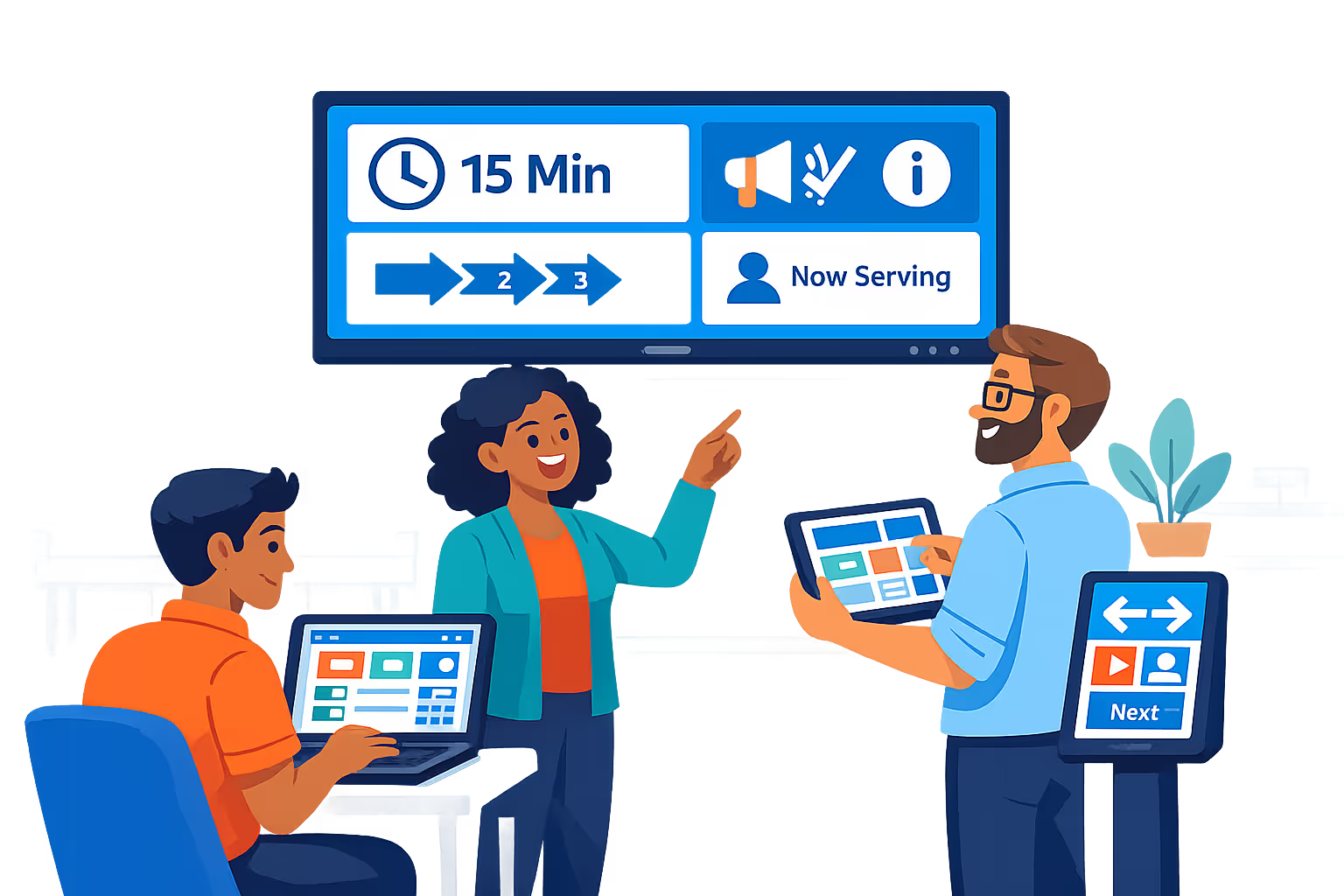
Segnaletica digitale nella sala d'attesa progettato per una comunicazione calma e chiara
Disign ti aiuta a gestire l'segnaletica digitale nella sala d'attesa che rimane affidabile, sicuro e facile da aggiornare. Pubblica lo stato delle code in tempo reale, i tempi di attesa stimati e le informazioni sui servizi da un'unica dashboard, con accesso controllato e piena tracciabilità.
Gestione centrale per ogni area d'attesa
Controlla l'segnaletica digitale della sala d'attesa da un'unica console
Gestisci uno schermo o centinaia con targeting per posizione, playlist riutilizzabili e accesso basato sui ruoli. Mantieni i contenuti coerenti tra i siti consentendo aggiornamenti locali all'interno di confini approvati.
Accesso sicuro e governance dei dispositivi
Proteggi gli schermi, i contenuti e i permessi
Limita chi può creare, approvare e pubblicare con permessi granulari. Usa il login sicuro, il pairing dei dispositivi e i registri delle attività affinché l'segnaletica digitale della sala d'attesa rimanga controllato, auditabile e sicuro da gestire.
Flussi di lavoro di approvazione che riducono gli errori
Rivedi e pubblica con controllo delle versioni
Standardizza la pubblicazione con bozza, revisione, approvazione e poi programmazione. Tieni traccia delle versioni per avvisi, prezzi e istruzioni così che il messaggio giusto venga mostrato sullo schermo giusto al momento giusto.
Automazione della programmazione per le ore di punta
Contenuti basati sul tempo e campagne ricorrenti
Automatizza i messaggi della sala d'attesa con orari di programmazione e playlist ricorrenti. Cambia i contenuti per gli orari di apertura, i periodi affollati, gli aggiornamenti stagionali o le interruzioni del servizio senza modifiche manuali.
Affidabilità della riproduzione con monitoraggio
Controlli di salute, avvisi e diagnosi remota
Mantieni gli schermi operativi con monitoraggio del player e verifica della consegna. Rileva dispositivi offline, conferma la riproduzione e mantieni uno stabile segnaletica digitale della sala d'attesa anche in più località.
Supporto al deployment progettato per i team IT
Dall'implementazione alle operazioni quotidiane
Ricevi aiuto pratico per standardizzare i modelli, integrare i team e risolvere problemi con i dispositivi. Disign mantiene il tuo segnaletica digitale della sala d'attesa stabile, prevedibile e semplice da mantenere nel tempo.
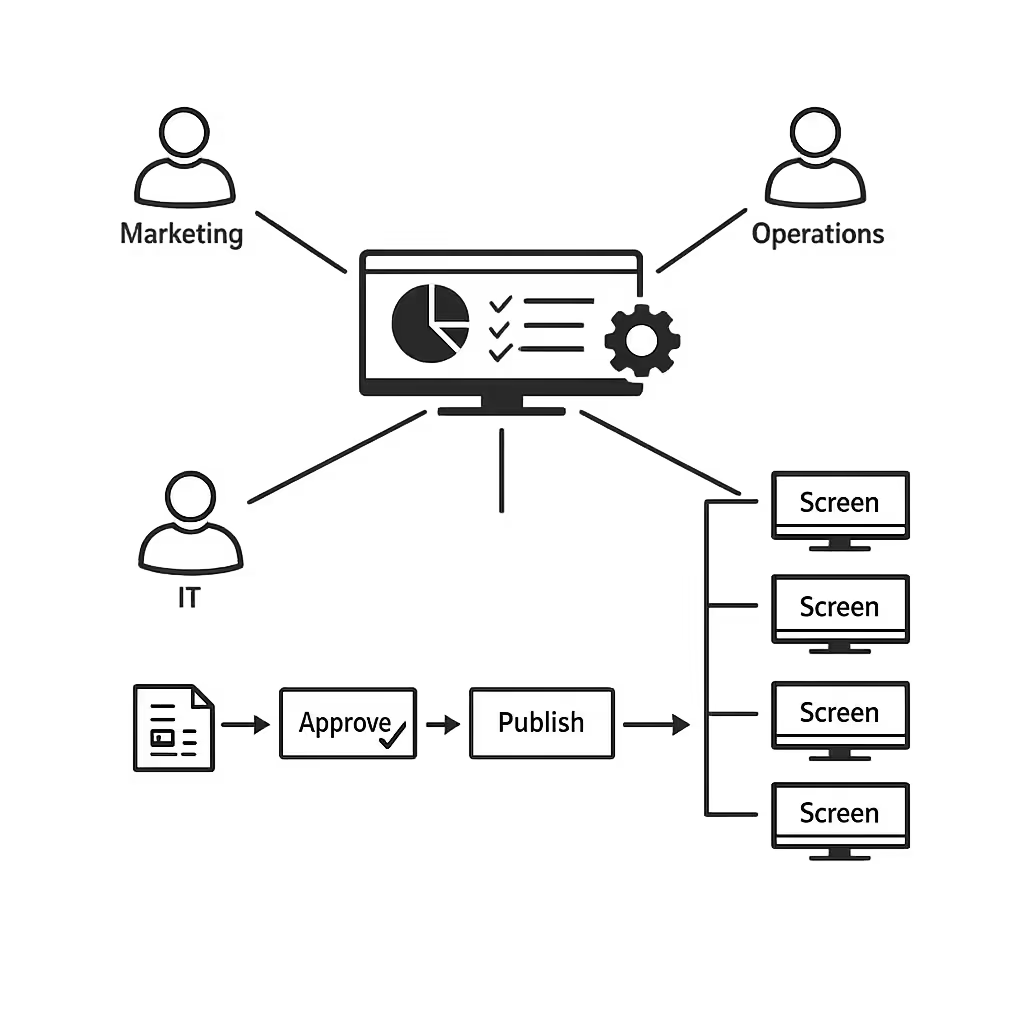
Gestione centralizzata dei contenuti per l'segnaletica digitale in sala d'attesa
Gestisci ogni schermo di segnaletica digitale in sala d'attesa da un'unica area di lavoro sicura Disign. Il marketing pubblica più velocemente, le operazioni mantengono le informazioni accurate e l'IT rimane in controllo con ruoli, approvazioni e riproduzione coerente tra i luoghi.
Un'unica piattaforma per ogni schermo in sala d'attesa
Controllo multi sito con opzioni di contenuto locale
Mantieni il messaggio del marchio coerente mentre ciascun sito può aggiungere contenuti locali approvati come aggiornamenti delle code, indicazioni specifiche delle stanze e orari di apertura. Marketing, IT e operazioni lavorano secondo le stesse regole e gli stessi modelli.
Il messaggio giusto al momento giusto in ogni sala d'attesa
Pianifica i contenuti dell'segnaletica digitale in sala d'attesa per posizione, playlist o tipo di schermo. Pianifica campagne, promemoria di servizio e informazioni stagionali in modo che gli aggiornamenti vengano attivati automaticamente e rimangano accurati in tutta la tua rete.
Progettato per governance IT e sicurezza
Controlla chi può creare, approvare e pubblicare con permessi basati su ruoli e flussi di lavoro compatibili con gli audit. Standardizza le politiche di riproduzione affinché ogni schermo in sala d'attesa segua i requisiti di sicurezza e conformità.
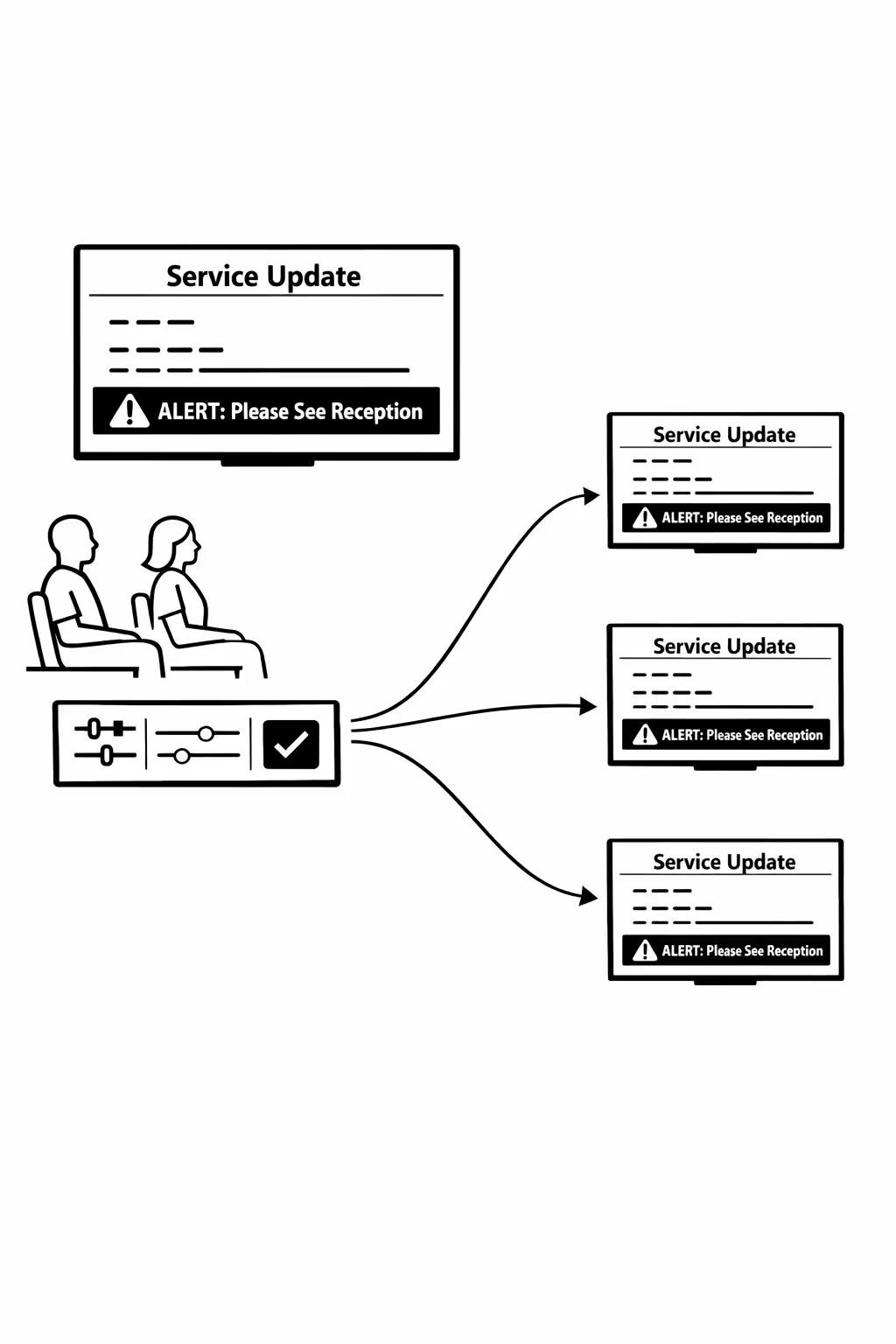
Aggiornamenti in tempo reale per servizi e operazioni
Invia avvisi urgenti, indicazioni sui tempi di attesa e annunci di servizio istantaneamente. Mantieni l'segnaletica digitale in sala d'attesa accurato durante i periodi di picco, le interruzioni o i cambiamenti dell'ultimo minuto, senza dover inseguire ogni posizione.
Scalabilità per reti di sale d'attesa in crescita con segnaletica digitale nella sala d'attesa
Espandi l'segnaletica digitale nella sala d'attesa su più sedi con un'unica piattaforma cloud. Rilascia aggiornamenti in pochi minuti, mantieni una governance rigorosa e preserva un'esperienza coerente per gli ospiti man mano che la tua rete si espande.
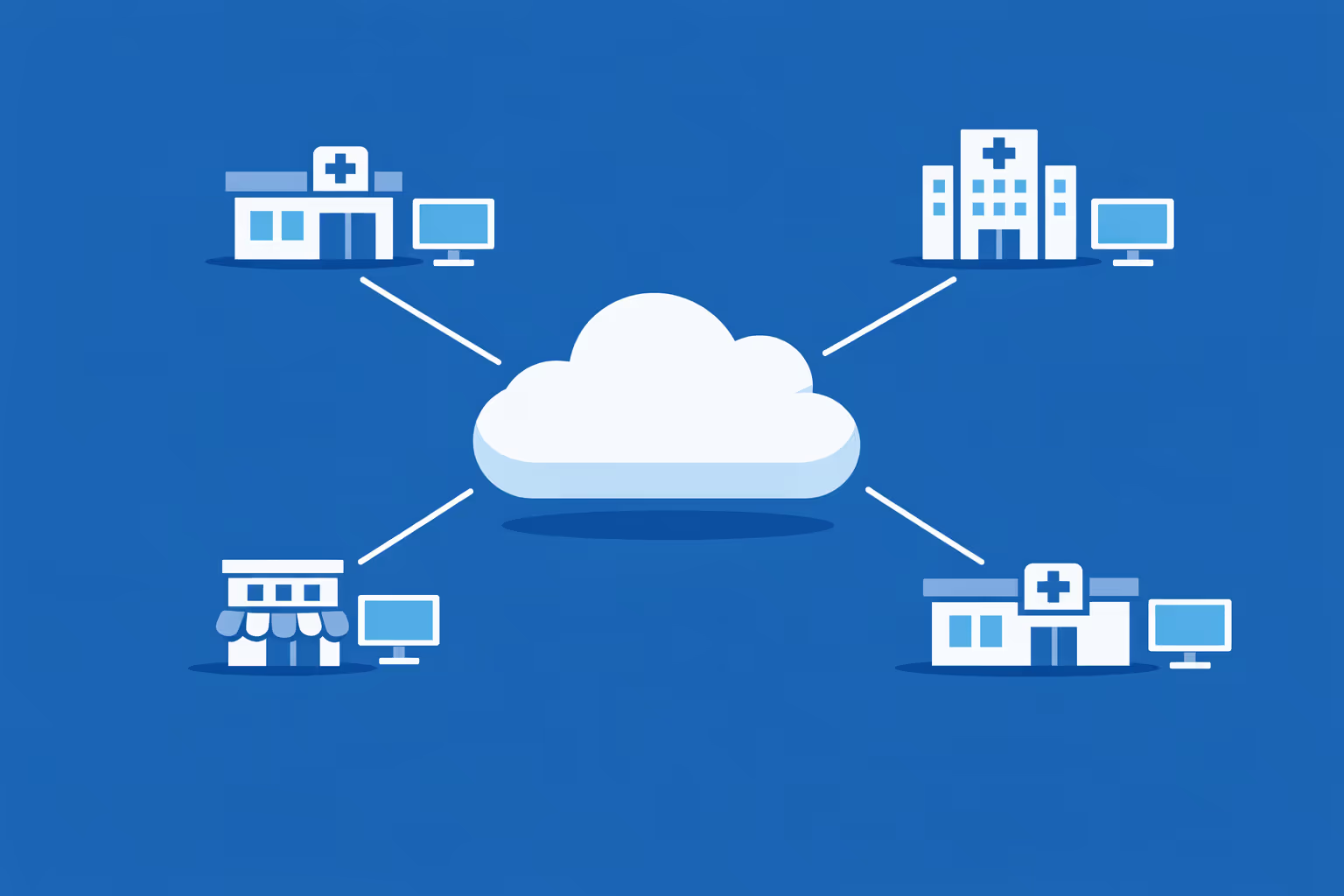
Gestione multi-sito da un'unica dashboard cloud
Supervisiona l'segnaletica digitale nella sala d'attesa in ogni località da un'unica vista. Pubblica contenuti istantaneamente, verifica cosa viene riprodotto su ogni schermo e mantieni standard di marca coerenti in tutti i siti.
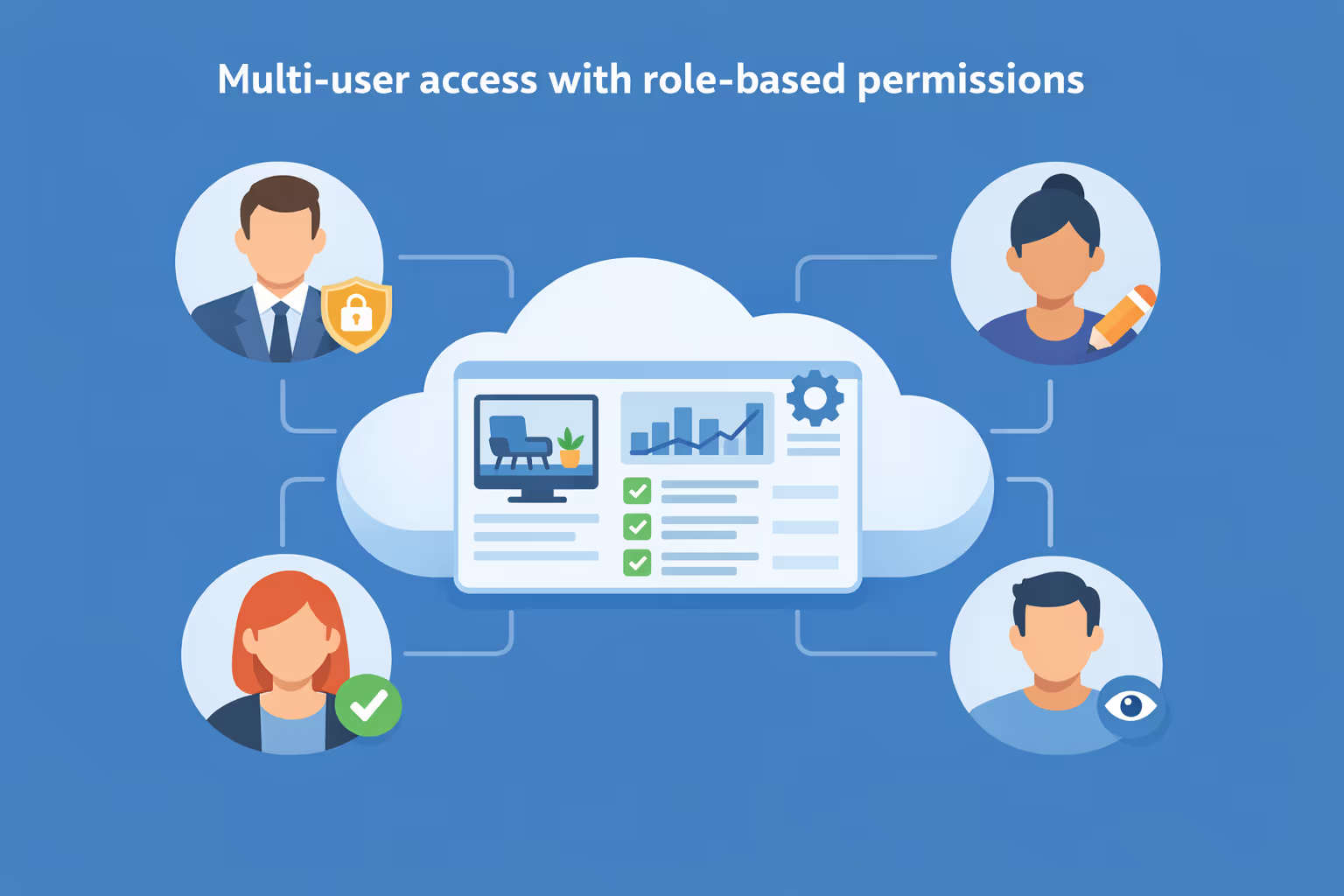
Accesso multi-utente con permessi basati sui ruoli
Fornisci ai team il giusto accesso in base al ruolo, alla posizione o al dipartimento. Mantieni i flussi di lavoro chiari con approvazioni e responsabilità, così gli aggiornamenti dell'segnaletica digitale nella sala d'attesa rimangono sicuri e organizzati nella tua rete.
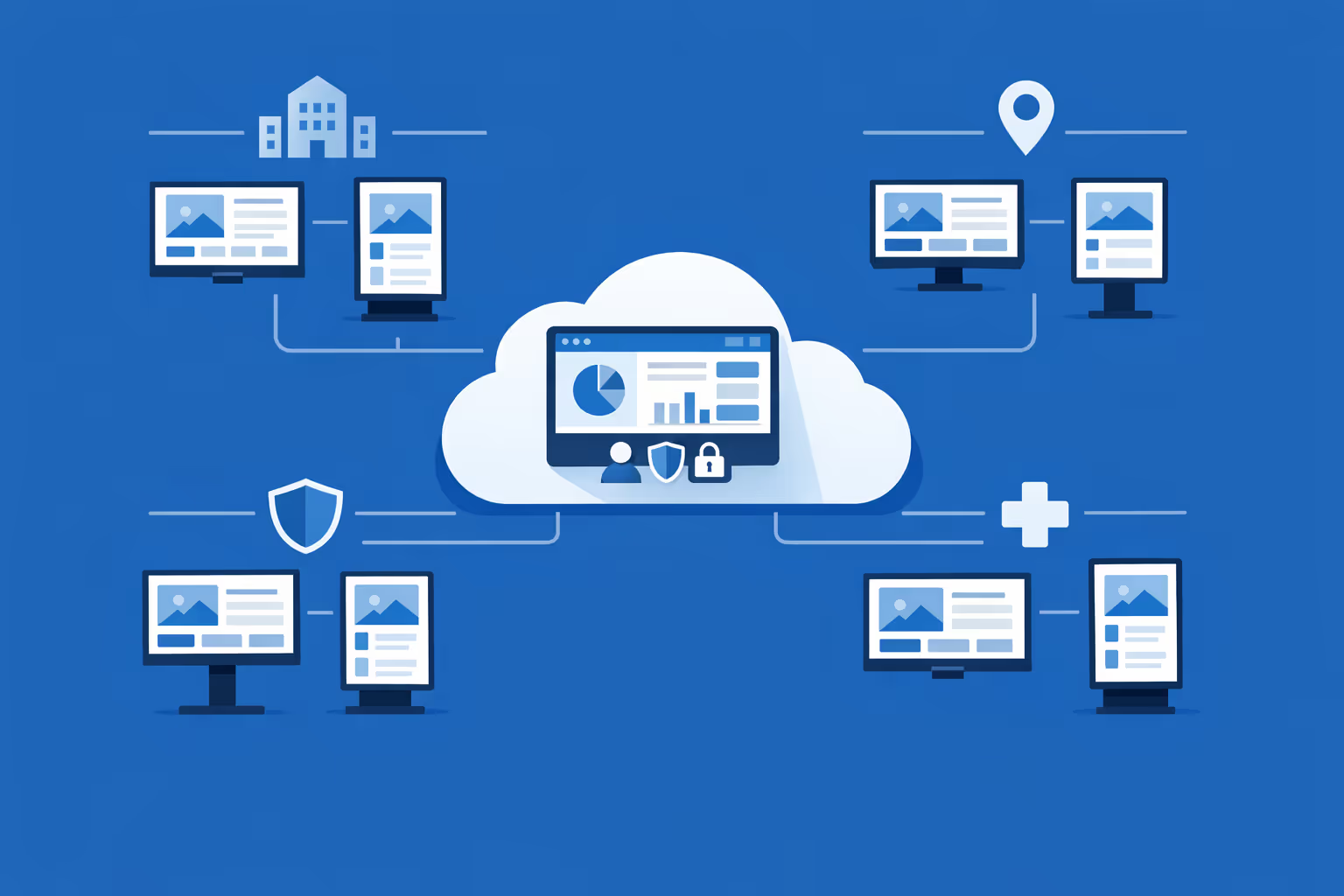
Pronto per più schermi e più organizzazioni
Gestisci migliaia di schermi e più organizzazioni all'interno di un unico account. Segmenta l'segnaletica digitale nella sala d'attesa per marca, regione o sede per crescere rapidamente mantenendo ogni località rilevante.
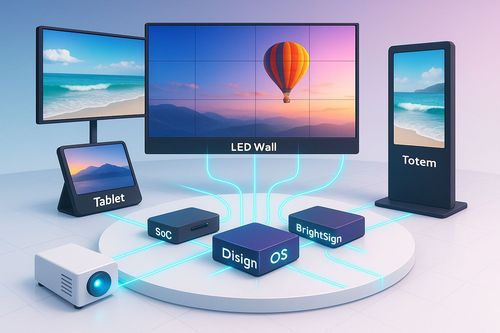
Disign è compatibile con tutti gli schermi per digital signage
Il digital signage con Disign ti consente di gestire e visualizzare contenuti su una varietà di dispositivi. La nostra soluzione è compatibile con molti player esterni come Disign OS basato su Raspberry Pi, BrightSign e qualsiasi hardware Android. Disign supporta anche tecnologie integrate in schermi Samsung, LG e Android TV. Con questa ampia compatibilità, puoi facilmente implementare soluzioni di digital signage su diversi tipi di hardware, garantendo una gestione semplificata e un'esperienza utente ottimale.


Integrate with your favorite Applications
80+ Applications and infinite integration with API, Database, and any data source
Easily integrate third-party applications and web content such as YouTube or Vimeo, optimized for seamless playback. Display data from RSS feeds or formats like CSV, JSON, or XML directly on your digital signage screens. Extend display capabilities with advanced applications like grids or collections to enrich Disign scenarios.

We designed Disign to be as open and customizable as possible, both in its visual scenes and in its data sources.
Florent MondoloniCo-Founder, Disign

Video
Utilisez vos medias

RSS Feed
Use your own RSS Feed

Database
Databases

Canva
Create your Design and import it

Google Sheets
Import CSV, Live data...

Website/API
Affiche your website or use API
Tutto ciò che devi sapere su Disign Affichage Dynamique Per La Sala D'Attesa
Waiting room digital signage FAQ: everything facilities and patient experience teams want to know
Waiting room digital signage is one of the simplest upgrades you can make to improve the experience in a lobby without adding work for front desk staff. If you manage a clinic, dental office, hospital outpatient center, urgent care, veterinary practice, or any service business with a waiting area, you already know the pressure points: uncertain wait times, repeated questions at the desk, stressed visitors, and missed opportunities to educate people about services and next steps.
This FAQ is written for the persona who typically leads or influences a waiting room project: patient experience managers, clinic directors, practice owners, operations leaders, and IT or facilities teams asked to make screens reliable and easy to manage. The focus keyword for this page is waiting room digital signage, and the answers are designed to be practical, not theoretical.
You will find clear guidance on content, hardware, security, governance, accessibility, and rollout. You will also see where a platform like Disign fits, especially when you want to manage screens across one location or many, without relying on USB sticks or manual updates.
What is waiting room digital signage?
Waiting room digital signage is a system of professionally managed screens used to display information and media in waiting areas. Unlike a consumer TV running a single channel, waiting room digital signage is centrally controlled, scheduled, and updated so the right content appears at the right time.
In a real waiting room, it commonly includes:
- a main lobby screen that sets expectations and reduces uncertainty
- a smaller screen near reception with check in instructions or policy reminders
- screens in hallways or service corridors showing wayfinding or status information
- education screens in specific departments such as pediatrics or imaging
- optional internal screens for staff announcements behind the scenes
The purpose is not only entertainment. The best waiting room digital signage helps people understand what to do, what will happen next, and how to get help, while also strengthening trust in your organization.
Why use waiting room digital signage instead of posters or a static TV channel?
Posters are slow to update and usually become background noise. A static TV channel may distract, but it rarely answers the questions that actually create friction in a waiting room.
Waiting room digital signage is preferred because it can:
- reduce repeated questions by showing clear instructions and policies
- help visitors feel informed about delays and next steps
- keep messaging consistent across the entire facility or network
- update content instantly, which is critical during schedule changes, seasonal surges, or service disruptions
- support multiple audiences, such as patients, families, and visitors, with targeted playlists
- remove the ongoing cost of printing and replacing materials
Most importantly, it gives you control. With Disign, a receptionist or nurse should not have to be the person who edits content. You can centralize updates while still letting local teams request changes through a defined process.
What problems does waiting room digital signage solve for patient experience?
Waiting areas create stress when people do not know what to expect. Even when service is excellent, uncertainty can make time feel longer.
Waiting room digital signage supports patient experience by:
- setting expectations for wait times and visit flow
- reducing confusion about check in, forms, insurance, and payment steps
- communicating policies in a calm, clear way, such as mask guidance or visitor rules
- reinforcing empathy, such as acknowledging delays and explaining why they happen
- providing practical education so people feel the visit is valuable even while waiting
The goal is a smoother, quieter lobby. Not a louder one. That means content should be purposeful and easy to scan from a distance.
Where should screens be placed for waiting room digital signage?
Placement matters as much as content. A screen that no one can comfortably see becomes expensive decor.
Common placements for waiting room digital signage include:
- above or near reception, visible from seating areas
- near the entrance for first instructions such as check in steps and forms
- near high traffic corridors leading to exam rooms, imaging, labs, or elevators
- in pediatric areas where content needs to be calm and family friendly
- near checkout desks where billing and follow up instructions matter most
A good approach is to map the waiting room journey: arrival, check in, waiting, being called, and checkout. Then choose screens that reduce friction at each step.
What content works best on waiting room digital signage?
The most effective waiting room digital signage content is short, relevant, and designed for people who are anxious or distracted. Think of it as visual customer service.
High performing content includes:
- check in instructions and what to do if you have questions
- how appointments are called and what affects timing
- reminders to update contact information and insurance details
- forms and documents to prepare, shown in a simple checklist
- clinic policies such as photography, phone calls, or visitor rules
- health education aligned with your services, such as vaccination reminders or dental hygiene tips
- introductions to your team and what different roles do
- what happens after the visit, such as prescriptions, results, and follow up scheduling
Avoid dense paragraphs. If you must include a lot of information, break it into multiple slides with a single idea per slide. Waiting room digital signage works best when people can understand the message in three to five seconds.
How often should we update waiting room digital signage content?
A screen that looks neglected reduces trust. People notice outdated holiday hours, old promotions, or messages that do not match reality.
A practical update rhythm is:
- weekly or biweekly refresh for education and service highlights
- daily or as needed updates for operational messaging, such as temporary provider changes
- immediate updates for unexpected closures, check in changes, or weather disruptions
- monthly review to remove outdated references and keep language consistent
With Disign, updating content can be fast enough that you treat screens like a real operational channel, not a once per quarter project.
Can waiting room digital signage show estimated wait times?
Yes, and it can make a major difference. Even a basic message about average waits can reduce anxiety. If you can integrate a data source, it becomes even more useful.
There are several approaches:
- a simple informational slide stating typical wait ranges and why delays happen
- a rotating message acknowledging delays and explaining next steps
- a live integration displaying queue status, room readiness, or appointment progression when your systems allow it
- department specific messaging, such as lab, imaging, or urgent care statuses
If you do not have an integration available, you can still reduce perceived wait time by clarifying what the process is and what patients can do while they wait.
Does waiting room digital signage help reduce perceived wait time?
Yes. People experience time differently when they feel uncertain. Waiting room digital signage reduces uncertainty and gives people useful tasks, which makes the wait feel shorter.
It helps by:
- explaining the visit flow in plain language
- showing what information to have ready
- clarifying that the next step is to be called by name or by a number
- providing calming education that feels relevant, not random entertainment
- setting expectations with empathy, such as thanking visitors for patience
The real win is fewer tense interactions at reception. When people understand what is happening, they ask fewer repetitive questions and they are less likely to assume they were forgotten.
Can waiting room digital signage support different departments or service lines?
Yes. A single organization often has very different needs across departments. Pediatrics, orthopedics, imaging, and urgent care have different patient expectations and different educational priorities.
A strong waiting room digital signage setup supports:
- department specific playlists
- location based scheduling, so each waiting area sees its own relevant content
- time based playlists, for example different messaging mornings vs afternoons
- language variants to match the local community
Disign supports centralized management while letting you segment by location, screen group, or department, so your content feels personal without becoming hard to maintain.
How do we keep waiting room digital signage content compliant and approved?
Even outside of highly regulated industries, waiting rooms have compliance concerns: privacy, accuracy of health information, and brand governance. You need a publishing approach that prevents random edits and accidental errors.
A safe workflow typically includes:
- role based access, so the right people can create, review, and publish
- template based design so key elements stay consistent
- approval steps for sensitive content such as policy notices or medical claims
- scheduling rules so time sensitive messages automatically stop on the right date
- an audit friendly history of who changed what and when
Disign supports structured permissions and organized content management so your screens stay accurate and consistent across sites.
Is waiting room digital signage safe for patient privacy?
Yes, when implemented correctly. The biggest privacy risk is showing personal data on public screens. Most waiting room digital signage should avoid any content that can identify a person.
Good privacy practices include:
- never displaying full names, birthdays, or patient identifiers on public screens
- using general queue messaging rather than personal details
- avoiding mirrored desktop sessions that could accidentally show sensitive information
- using a dedicated digital signage player and locked down browsing modes when web content is displayed
- limiting who can publish and ensuring content is reviewed
If you want to display queue calls, consider using ticket numbers or first name plus initial depending on your local policies and privacy standards.
What hardware do we need for waiting room digital signage?
At a minimum, waiting room digital signage requires:
- a commercial grade display or a reliable TV
- a media player or compatible device to run the signage software
- network access, wired or secure Wi Fi depending on your environment
- a mount and safe cable management for a professional installation
Commercial displays are recommended for long hours and higher reliability. In a medical environment, you also want a screen that can be cleaned safely and placed where it does not interfere with clinical workflows.
Disign is designed to work with common signage hardware setups so you can standardize over time without being forced into one device model on day one.
Can we reuse existing TVs for waiting room digital signage?
Often, yes. If the display is reliable and has a safe mounting solution, you can usually add a media player and turn it into a managed sign.
Before reusing screens, check:
- how many hours per day the display runs and whether it is rated for that usage
- brightness and viewing angle for your lobby lighting conditions
- whether the screen has burn in risk with static elements
- whether the location allows safe power and network access
If a screen fails frequently or looks dim, it may cost more in support time than a replacement would. Waiting room digital signage should reduce workload, not create it.
What should we look for in a waiting room digital signage software platform?
Waiting room environments need more than simple slide playback. You want a platform that supports operations, governance, and scale.
Key features to look for include:
- easy content updates without design expertise
- templates that keep content consistent and readable
- scheduling by date, time, and location
- playlists and screen grouping for multi site control
- secure user access and clear permissions
- monitoring to ensure screens are online and playing the correct content
- support for images, videos, and web content where appropriate
Disign is built to make content management straightforward while keeping control where it belongs, especially if you manage more than one screen or more than one location.
Can waiting room digital signage be managed centrally across multiple locations?
Yes, and that is where a platform like Disign is especially valuable. Many organizations start with one clinic and quickly expand.
Central management allows you to:
- push system wide policy updates instantly
- keep branding consistent across every lobby
- reuse approved templates and content blocks
- tailor messages by location without duplicating work
- monitor screens to spot outages before staff report them
For multi location healthcare groups, a consistent waiting room experience can become a differentiator that supports patient trust and loyalty.
How does scheduling work for waiting room digital signage?
Scheduling lets you show the right content at the right time without manual intervention.
Common scheduling patterns include:
- dayparting, such as morning check in tips and afternoon follow up reminders
- weekday vs weekend schedules for urgent care or emergency overflow areas
- seasonal messaging, such as flu shot reminders in fall
- time boxed operational notices, such as construction directions that expire automatically
- special event messaging for visiting specialists or community programs
With Disign, you can set schedules once and rely on them, which reduces last minute scrambling and keeps content current.
Should waiting room digital signage include news or entertainment?
It can, but it should never replace operational clarity. If news increases anxiety or becomes polarizing, it can hurt the atmosphere.
A balanced approach is:
- prioritize essential visit information first
- add calming content such as wellness tips, gentle visuals, or neutral programming
- avoid content with loud audio or intense imagery
- ensure anything external is reliable and appropriate for all ages
Most waiting rooms benefit more from helpful guidance than from generic TV. When patients feel informed, entertainment becomes a nice extra, not a substitute.
Can waiting room digital signage support multilingual communication?
Yes, and it is one of the most practical uses for screens. Clear multilingual messaging reduces misunderstandings and helps people feel welcome.
Best practices include:
- using plain language and short sentences
- rotating languages on a schedule if the audience is mixed
- assigning specific languages to specific locations when demographics are predictable
- keeping critical instructions consistent, such as check in steps and required documents
- ensuring text is large enough to read and not squeezed by translations
Disign makes it easier to manage language variants by organizing playlists and templates so translations remain consistent across the network.
How do we design accessible waiting room digital signage?
Accessibility is essential. Waiting rooms include older adults, people with low vision, and visitors who may be stressed or tired.
Accessible design guidelines include:
- high contrast colors and simple backgrounds
- large readable fonts, especially for key instructions
- limited text per slide with clear hierarchy
- captions for any video content
- avoiding fast scrolling tickers that are hard to track
- consistent placement of important information, like where to ask for help
Using templates in Disign helps you standardize accessible layouts so every location meets the same quality bar.
What are the security requirements for waiting room digital signage?
Even if your content is public, the system controlling it should be secured. Screens are endpoints, and you need to prevent unauthorized content changes or misuse.
Important security requirements include:
- secure authentication and permission management
- encrypted connections for content delivery and admin access
- device pairing and controlled provisioning so random devices cannot join
- screen monitoring so you can detect offline players quickly
- the ability to lock down web content display if used
- activity logs that support accountability
Disign is built for professional signage operations where reliability and controlled access matter.
Is waiting room digital signage cloud based or on premises?
Many organizations prefer cloud based management because it reduces local maintenance and simplifies updates. Some environments require strict network rules.
A cloud based approach typically provides:
- faster rollout across locations
- centralized content management without local servers
- easier updates to templates and schedules
- scalability when you add screens
Disign is designed for centralized management, while still allowing your IT team to apply network controls, device policies, and operational standards.
How do we avoid annoying or overwhelming visitors with digital signage?
Bad signage feels like advertising noise. Good waiting room digital signage feels like a helpful guide.
To avoid overwhelm:
- keep slides calm, with limited motion and clear spacing
- limit playlist length and avoid repeating the same message too often
- prioritize what people need now, not everything you want them to know
- avoid loud audio and flashing transitions
- test content from the seating distance and angle
A simple way to check quality is to sit in the waiting area for five minutes and watch. If you feel calmer and more informed, the content is working.
Can waiting room digital signage help reduce workload at the front desk?
Yes. Front desk teams often answer the same questions all day. Waiting room digital signage can take pressure off by addressing common points proactively.
Examples include:
- how to check in and when to approach the desk
- what to do if you need to update insurance or contact details
- what happens if you are late
- where restrooms, water, and exits are located
- how prescription refills and results communication work
- reminders to complete forms on a phone via QR code if appropriate
The result is fewer interruptions, smoother flow, and staff who can focus on individuals who truly need help.
What KPIs should we track to measure waiting room digital signage success?
Waiting room digital signage ROI is often measured through operational and experience improvements, not just marketing metrics.
Useful indicators include:
- reduction in common front desk questions and interruptions
- fewer missed appointments due to clear check in instructions
- improved patient satisfaction scores related to communication and waiting experience
- fewer complaints about delays because expectations are set
- faster rollout of policy updates across locations
- reduced printing costs and time spent replacing posters
You can also track operational metrics, such as how quickly you can publish an urgent notice and how consistently screens stay online.
How do we get started with waiting room digital signage using Disign?
A smooth start is usually a pilot, not a big bang rollout. The point is to prove that the screens reduce friction and are easy to manage.
A practical first plan:
- choose one or two waiting areas with clear pain points, such as check in confusion
- define a simple content set: check in steps, what to expect, and key policies
- build templates that match your brand and accessibility standards
- set roles for who creates, who approves, and who publishes
- install hardware and verify reliability, visibility, and network stability
- collect feedback from staff and visitors and refine messaging
Once the foundation is solid, scaling waiting room digital signage becomes a repeatable process. With Disign, you can expand screen groups, reuse templates, and maintain a consistent experience across every location without increasing chaos.
Ultimi post del blog sulla segnaletica digitale correlati


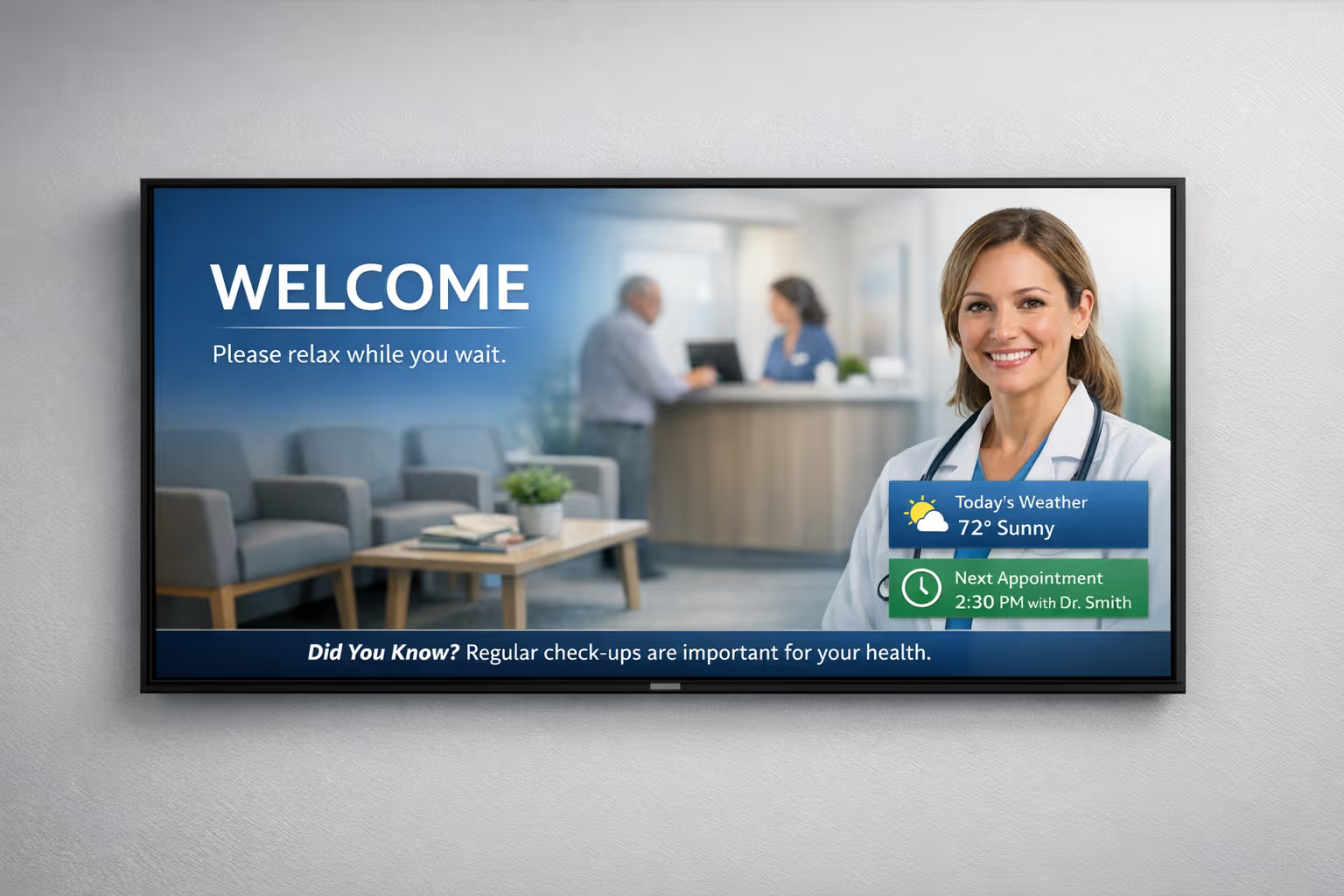


Unisciti alla comunità di oltre 4.000 persone
Segnaletica digitale nella sala d'attesa che riduce l'incertezza e tiene i clienti informati
Disign ti aiuta a pubblicare messaggi chiari e tempestivi su ogni schermo nella sala d'attesa da un'unica dashboard sicura. Condividi aggiornamenti sulle code, prossimi passi, orari dei servizi, promemoria per i documenti e annunci importanti affinché le persone sappiano cosa fare e il personale spenda meno tempo a ripetere informazioni.
Pronto a provare l'segnaletica digitale nella sala d'attesa senza attriti. Inizia con una prova gratuita di 28 giorni, senza necessità di carta di credito. Se desideri assistenza per scegliere la configurazione giusta o creare il tuo primo contenuto, contattaci e ti guideremo attraverso i tuoi primi schermi e playlist.