Train station digital signage software for clear passenger communication
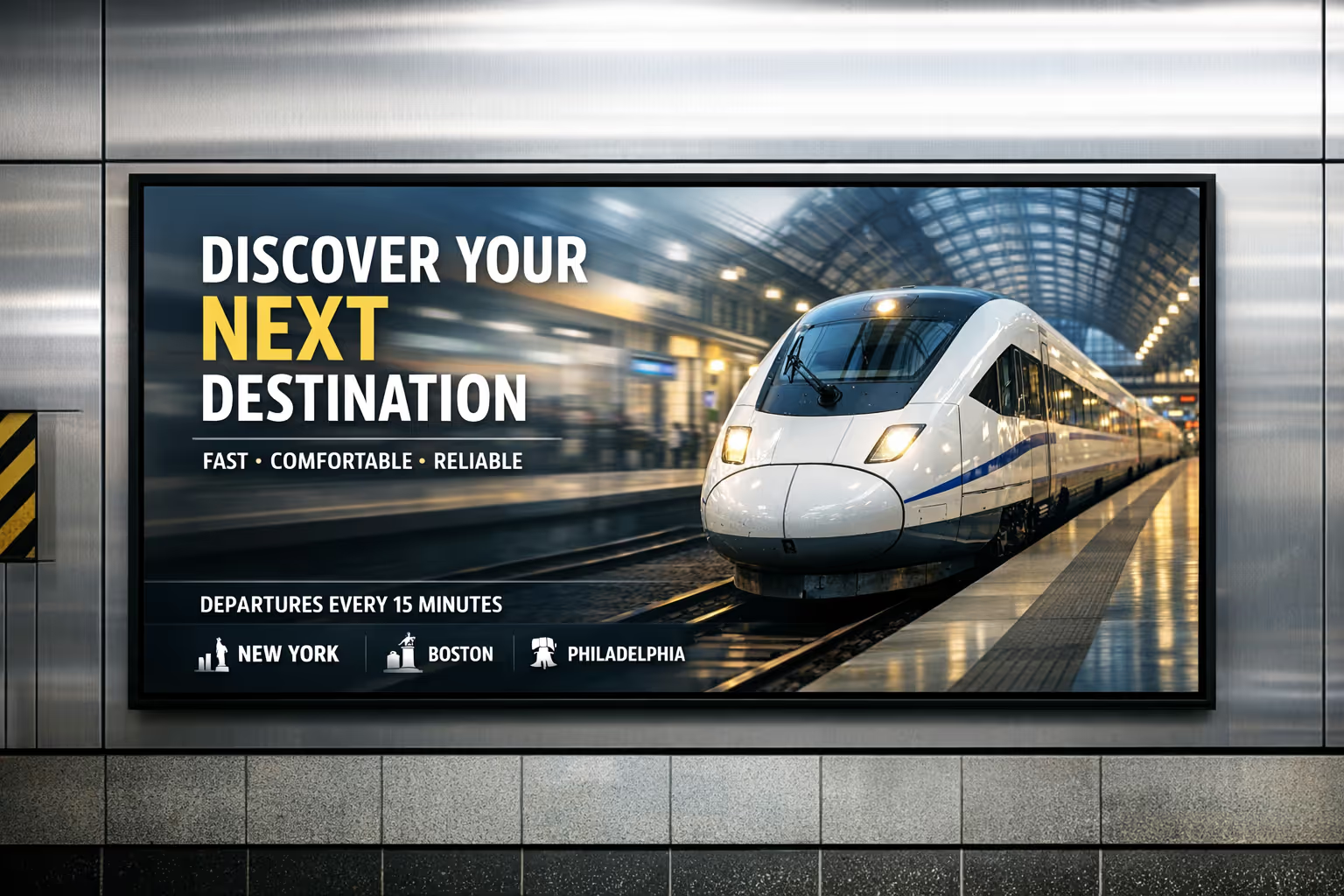
Train station digital signage that keeps passengers moving and informed
Deliver real time departures, platform changes, disruption notices, wayfinding, and safety messages on every screen with Disign. Update content in minutes, stay consistent across the station, and reduce confusion during peak hours.


Used by 4,000+ people

Challenges in train station communication when information does not reach people in time
In a busy station, passengers and staff rely on clear, up to date guidance the moment they arrive. When messages are hard to find or change too late, confusion spreads fast, queues grow, and frontline teams spend their time repeating the same answers.
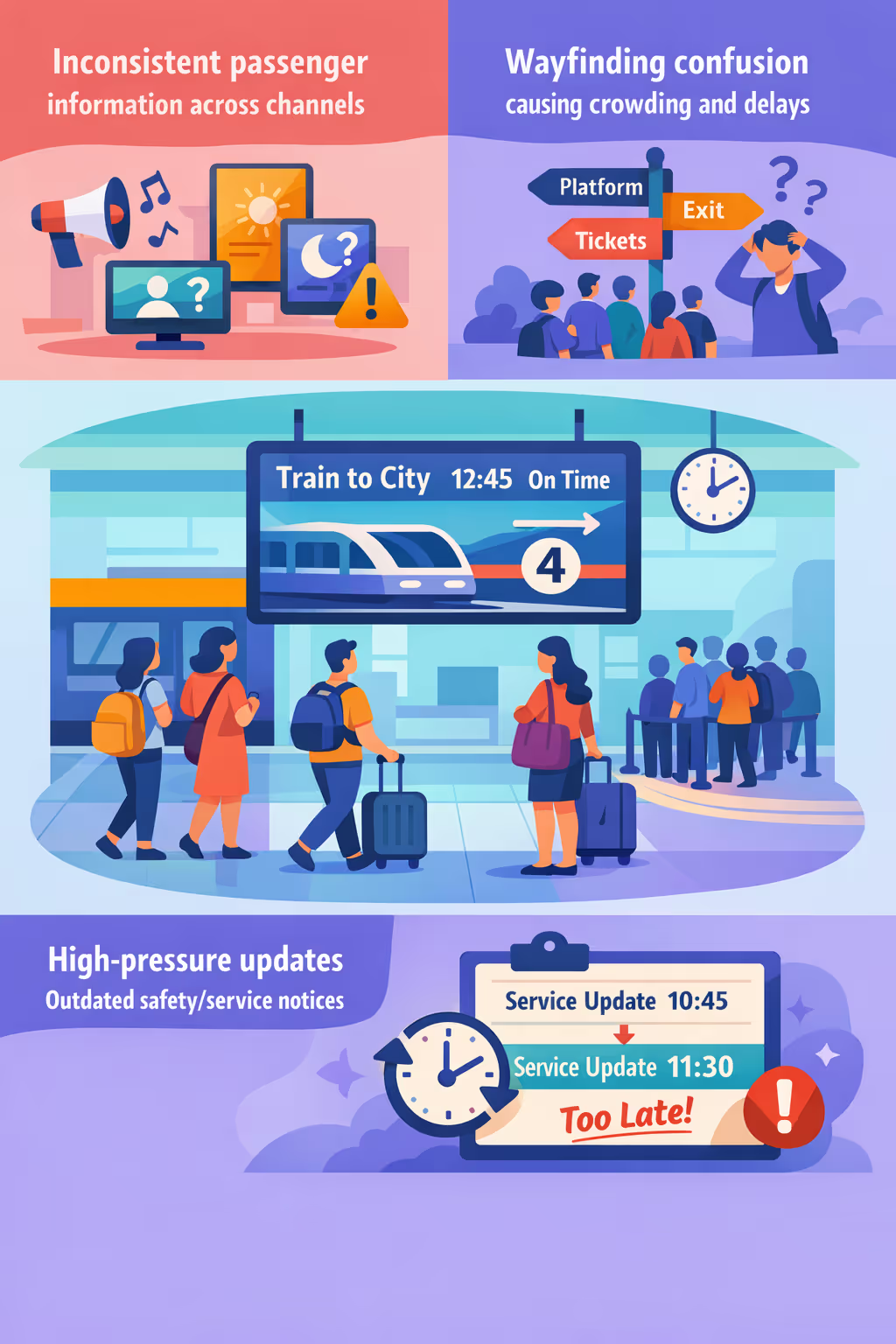
Disruptions, platform changes, and service notices can shift within minutes. When staff announcements, printed posters, and on site screens do not match, passengers lose trust and station teams face more complaints at the desk and on the concourse.
People need simple directions to platforms, exits, ticketing, and accessibility routes. When signage is unclear or overloaded with details, staff get pulled into constant guidance and crowd flow becomes harder to manage during peak periods.
Station communication has to be accurate, timely, and consistent for safety, operations, and customer care. When updates are not pushed everywhere at the same time, passengers can miss critical information, follow the wrong route, or gather in the wrong place.
Train station digital signage that improves passenger flow and boosts revenue
Keep every passenger informed and moving with Disign. Publish live departures, platform changes, safety alerts, and retail promotions in seconds across all screens. Reduce confusion, cut printing costs, support accessibility, and prove ROI with fewer missed trains, smoother operations, and higher retail conversion.
Publish live departures and disruption updates instantly
Push real time departure boards, platform changes, and service alerts across the station without manual poster swaps. When information is accurate and immediate, passenger stress drops and staff time is freed for higher value tasks.
Improve wayfinding and reduce congestion at peak times
Guide passengers to platforms, exits, elevators, and amenities with clear, dynamic directions that adapt to crowd levels and closures. Better flow means fewer bottlenecks, safer circulation, and a more reliable on time experience.
Increase non fare revenue with targeted retail and ad campaigns
Schedule promos by time of day, audience, or zone to match commuter patterns. Train station digital signage turns waiting time into sales opportunities for food, coffee, and partners, delivering measurable uplift with lower operational costs.
Strengthen safety, accessibility, and consistent messaging
Standardize templates for emergency instructions, accessibility guidance, and mandatory notices. Keep communications consistent across locations while allowing fast updates when conditions change, helping you meet compliance and build passenger trust.
Cut printing costs and simplify station operations
Replace recurring poster runs with centralized content management. Reduce printing and distribution spend while giving teams a faster workflow for updates, approvals, and brand consistency across every station screen.
Deliver multilingual, location aware content across the station
Show the right message on the right screen, from concourse to platform, in the languages your passengers use. Support tourists and commuters with clearer information, fewer help desk requests, and a smoother journey from entry to boarding.
Train station digital signage use cases that travelers trust
From concourses to platforms, train station digital signage helps passengers find the right information fast, reduces pressure on staff, and builds confidence with clear, consistent updates that people can rely on.
- Main hall and concourse: highlight departures, arrivals, service changes, and wayfinding to platforms and exits
- Platforms and corridors: show real time disruption alerts, safety messages, and onward travel guidance when schedules change
- Ticketing and self service areas: display purchase steps, fare information, queue guidance, and contactless payment instructions
- Staff and operations zones: share SOPs, incident updates, KPIs, and compliance notices so teams stay aligned across shifts
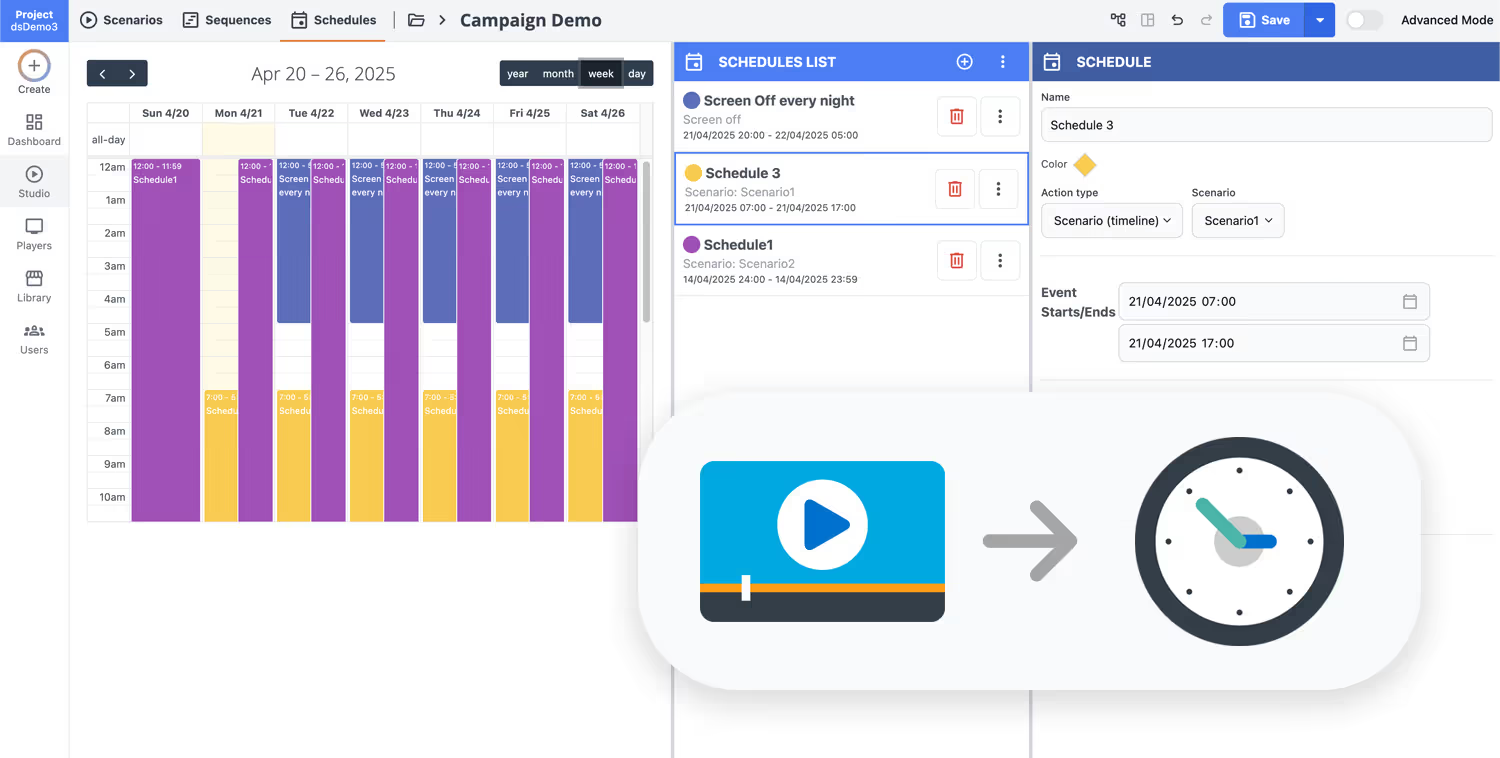
How Disign digital signage works
Schedule your content from anywhere with our cloud-based digital signage solution. Easily plan what plays, when, and where—across one screen or thousands.
Desenhe cenários e playlists personalizados adaptados ao seu público e objetivos.
Defina datas e horários precisos para que seu conteúdo seja reproduzido automaticamente.
Implante conteúdo instantaneamente em sua rede de affichage dynamique com apenas um clique.
Start your train station digital signage in minutes
Try Disign free for 28 days, no credit card required. Publish platform updates, wayfinding, safety messages, delay notices, and service alerts across every screen from one simple dashboard.
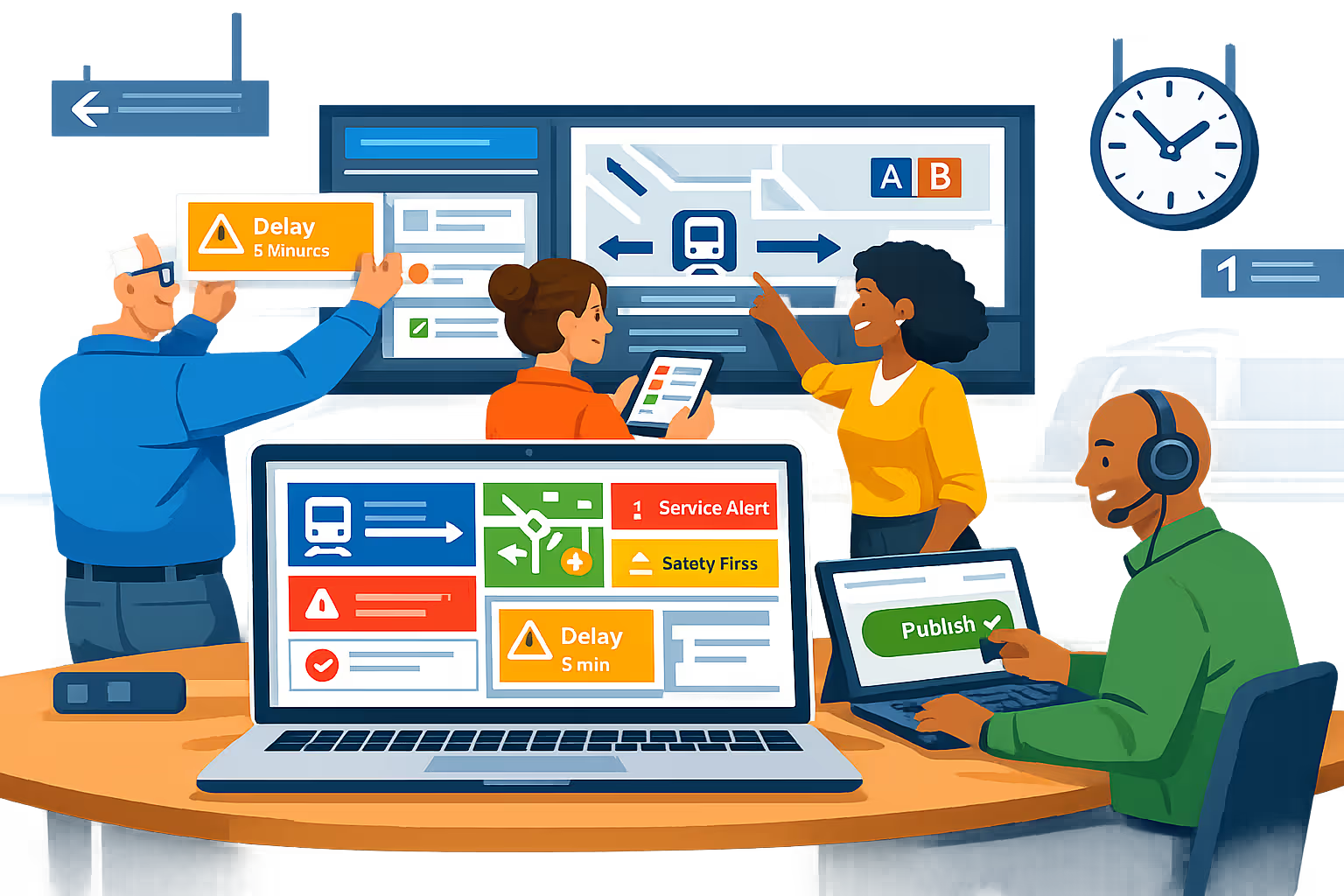
Train station digital signage engineered for live passenger information
Keep every screen accurate and on time with Disign. Publish real time train updates, platform changes, disruption alerts, wayfinding, and safety messaging from one dashboard, with controlled access, audit trails, and reliable playback across your station network.
Centralized control for station networks
Manage train station digital signage from a single console
Publish to one screen or hundreds across concourses, platforms, entrances, and retail zones. Use role based permissions, station and zone targeting, and reusable playlists to keep passenger information consistent while allowing local teams to update approved content fast.
Security and access governance
Protect content, devices, and operator accounts
Control who can create, approve, and publish with granular permissions. Support secure sign in, device pairing, and audit friendly workflows so your train station digital signage stays protected, accountable, and ready for operations.
Operational workflows with approvals
Structured publishing for safety and service messages
Reduce mistakes with a clear process: draft, review, approve, then schedule. Keep version control on disruption notices, emergency instructions, accessibility messages, and wayfinding to ensure the right information reaches passengers at the right moment.
Smart scheduling and automation
Dayparting, service windows, and rapid updates
Automate station communications with time based schedules and recurring campaigns. Switch content for peak hours, planned engineering works, events, or incident response, so train station digital signage stays relevant without constant manual changes.
Reliable playback and device monitoring
Visibility into uptime across every screen
Keep screens running with health status, remote diagnostics, and playback verification. Detect offline players, confirm content delivery, and maintain trustworthy passenger information across platforms and concourses.
Deployment and technical support
Rollout support for IT and station operations
Get practical help from rollout to day to day operations. We assist with player onboarding, template standardization, and troubleshooting so your train station digital signage remains stable, secure, and easy to operate across shifts.
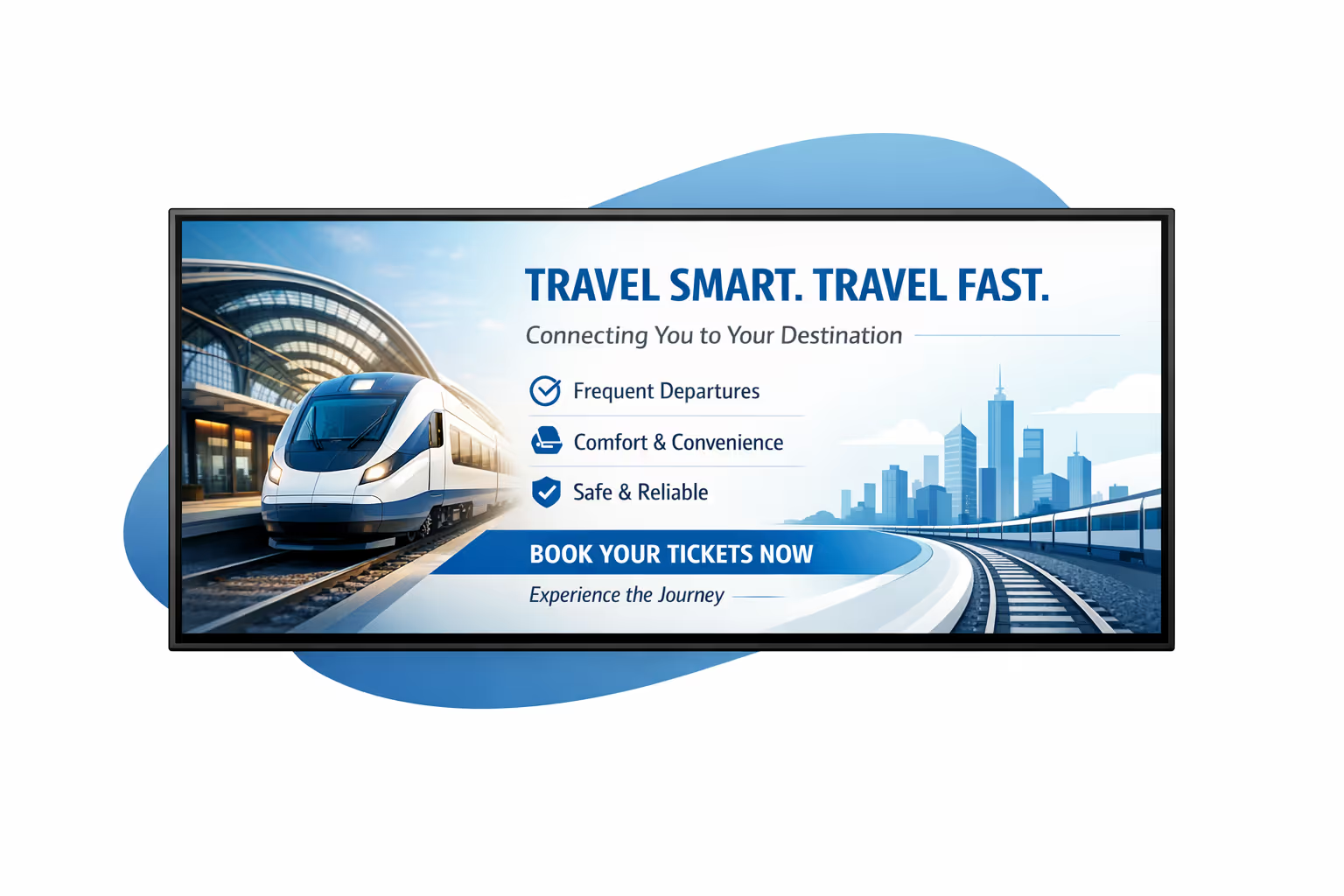
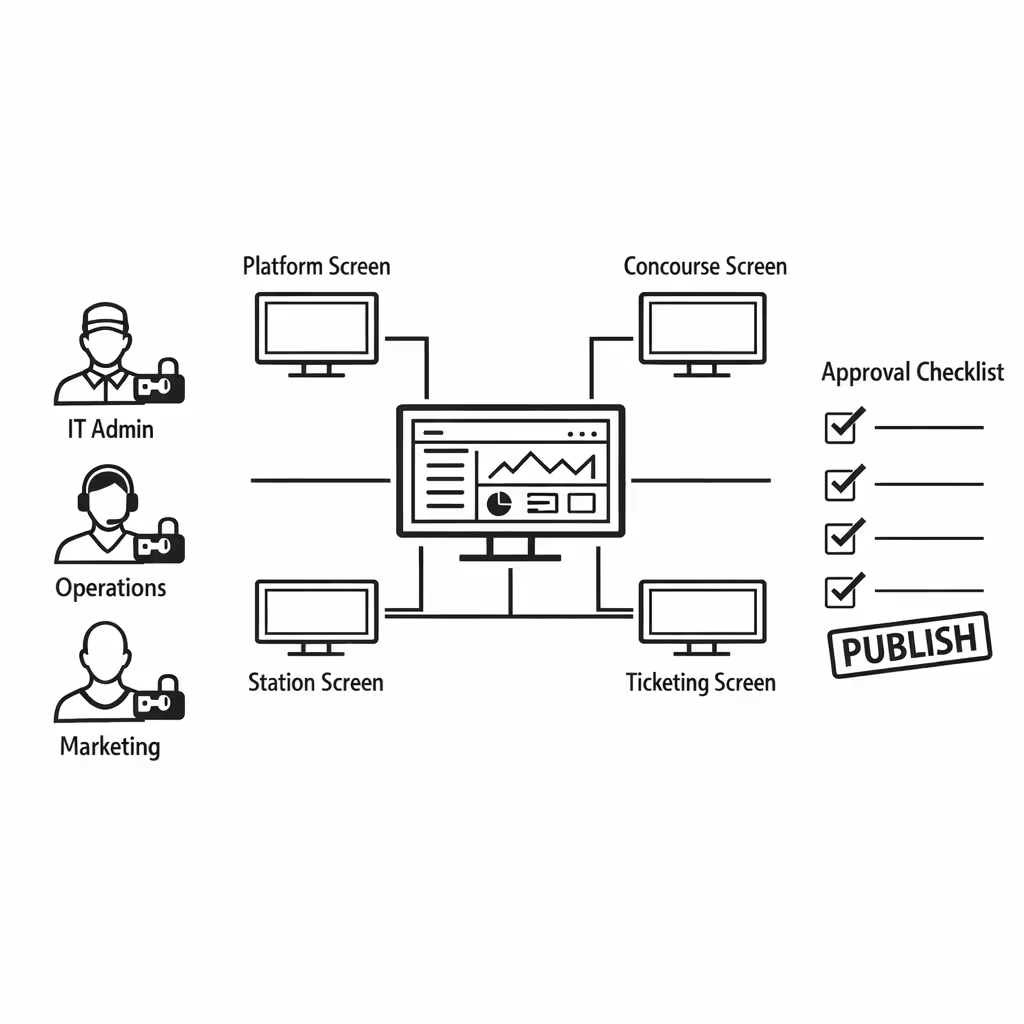
Centralized content management for train station digital signage
Manage train station digital signage from one secure platform. Create, approve, schedule, and publish passenger information and campaigns across concourses, platforms, ticketing areas, and retail zones with the governance IT requires and the speed marketing and operations need.
One source of truth for every station screen
Network wide control with local flexibility
Launch consistent messaging across the full station network while allowing local teams to publish approved updates such as platform changes, crowd guidance, accessibility notices, and retail promos that match the day to day reality on site.
Campaigns and passenger messages, scheduled by location
Schedule content by station, zone, or screen type. Keep wayfinding and safety messaging accurate, align peak hour content to operations plans, and ensure every train station digital signage display plays the right message at the right time.
Designed for IT governance and security
Centralize access with role based permissions, structured approvals, and consistent playback policies so every update follows your station standards, supports compliance, and meets audit expectations across the entire train station digital signage network.
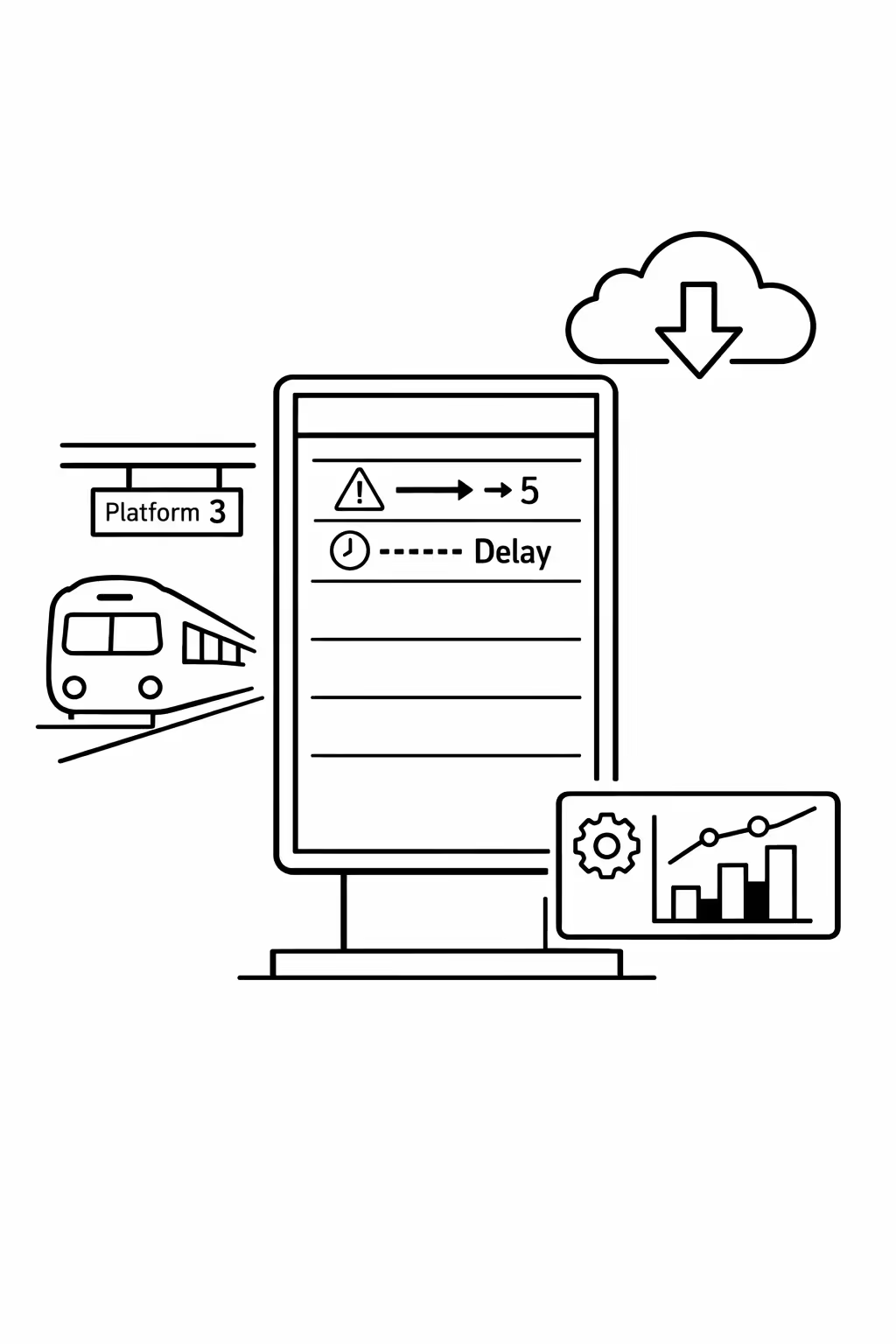
Real time updates for service and operations teams
Push disruptions, delays, platform reassignment, and safety alerts in seconds. Keep every screen aligned during peak traffic, incidents, or planned works, without chasing multiple station teams or relying on manual USB updates.
Scalability for growing train station networks with train station digital signage
Scale train station digital signage across stations, regions, and operating units from one secure cloud platform. Roll out service updates in minutes, keep governance tight, and maintain a consistent passenger experience as your network expands.
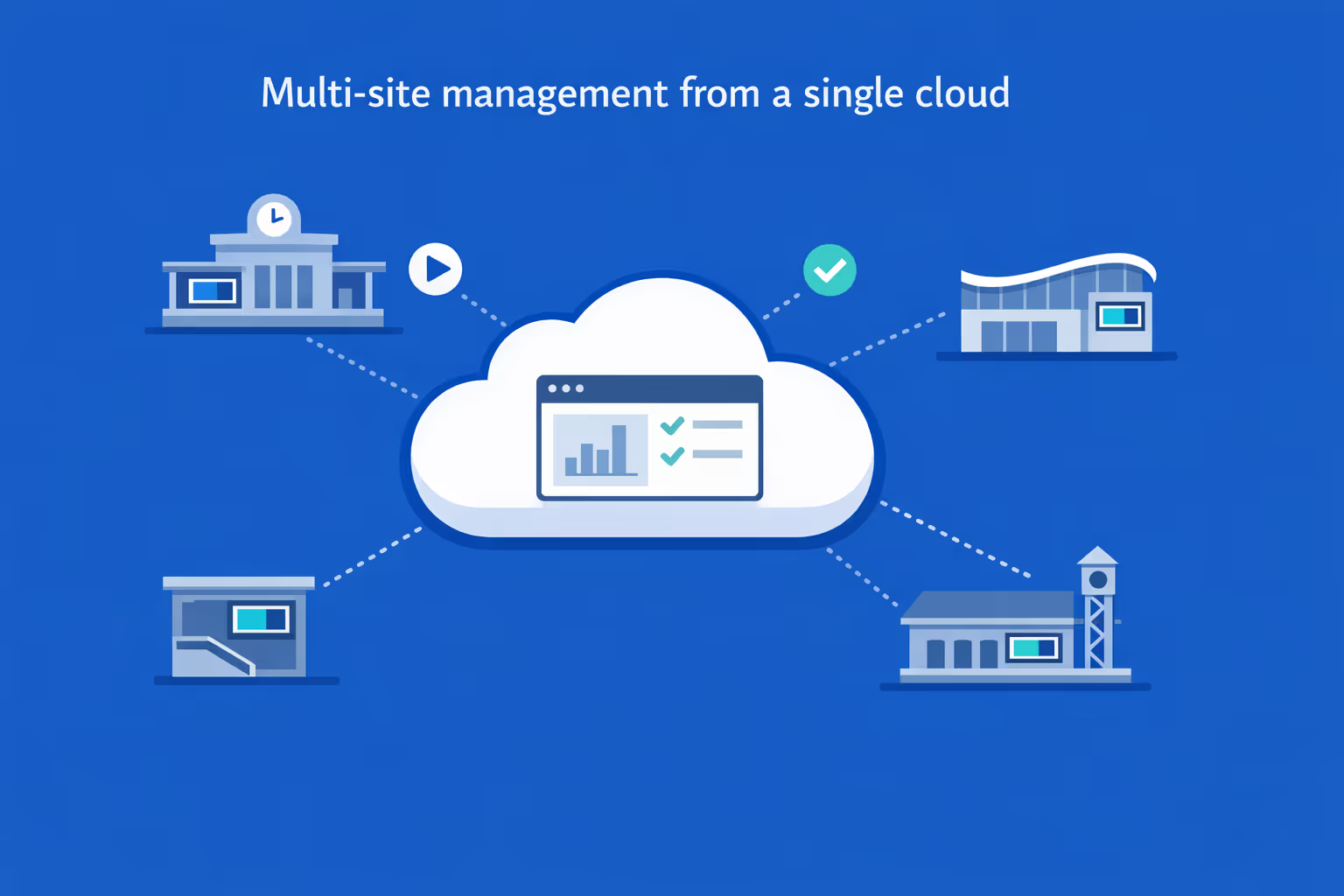
Multi-site management from one cloud dashboard
Oversee train station digital signage across every station from a single view. Deploy content instantly, verify what is playing on each screen, and keep network-wide messaging consistent while still allowing local updates.
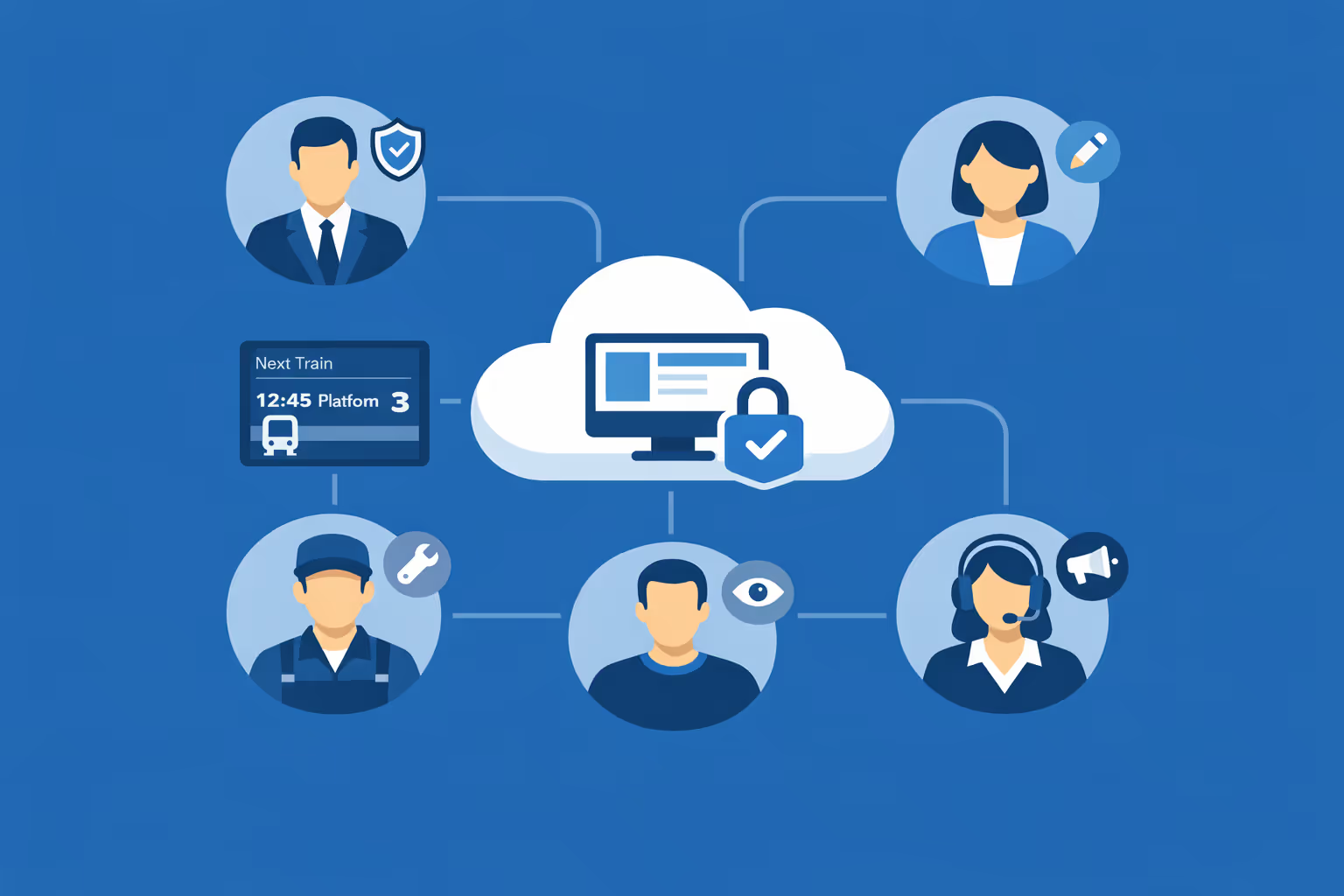
Multi-user access with role-based permissions
Assign roles and permissions for control rooms, network comms, station managers, and external partners. Keep edits organized, approvals clear, and access secure across your train station network.
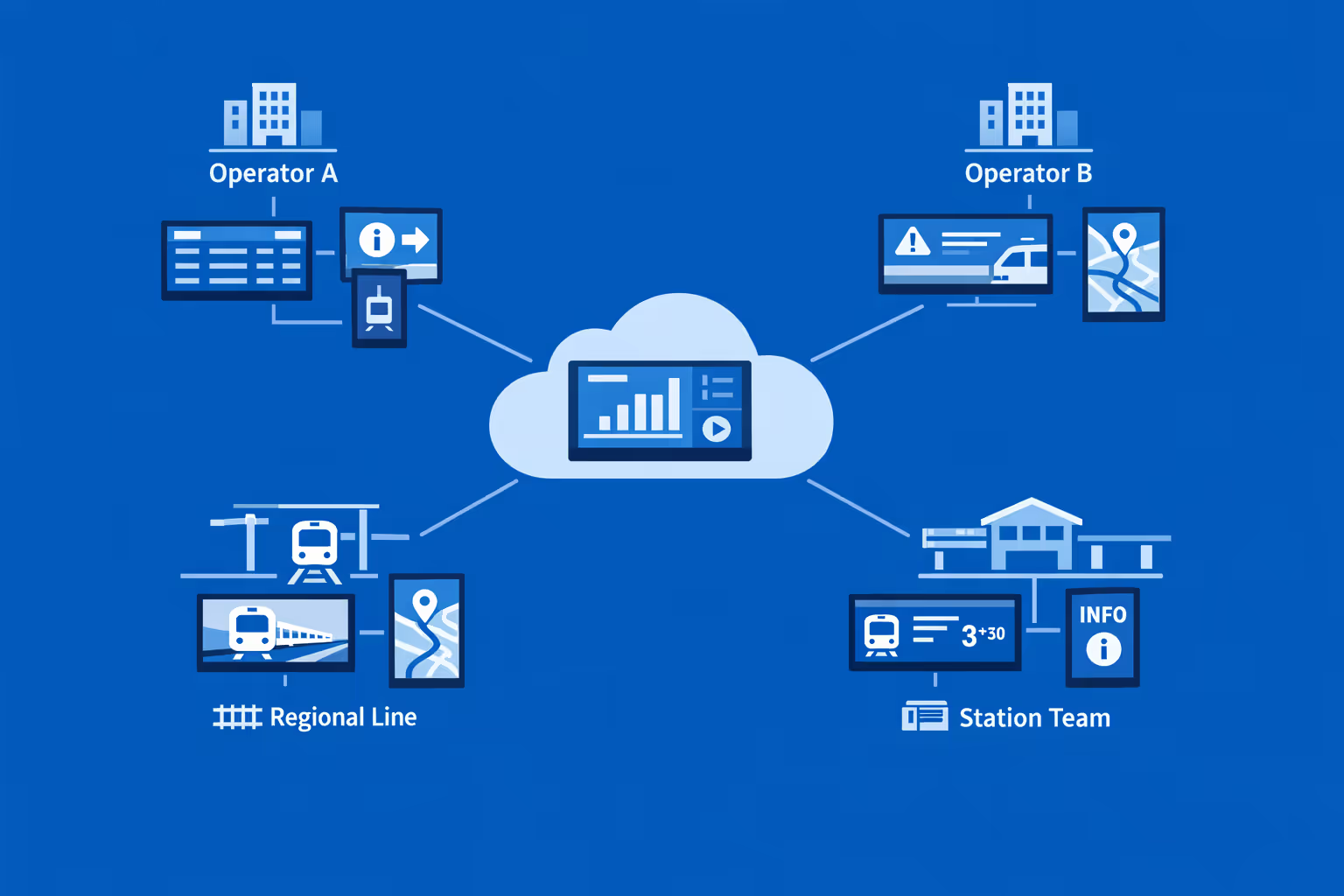
Multi-screen and multi-organization ready
Control thousands of screens and manage multiple organizations from one account. Segment train station digital signage by operator, line, region, and station so you can scale fast without losing local accuracy and relevance.
Disign é compatível com todas as telas para sinalização digital
A sinalização digital com Disign permite que você gerencie e exiba conteúdo em uma variedade de dispositivos. Nossa solução é compatível com muitos players externos, como Disign OS baseado em Raspberry Pi, BrightSign e qualquer hardware Android. Disign também suporta tecnologias embutidas em telas Samsung, LG e Android TV. Com essa ampla compatibilidade, você pode facilmente implementar soluções de sinalização digital em diferentes tipos de hardware, garantindo gestão simplificada e uma experiência ideal para o usuário.


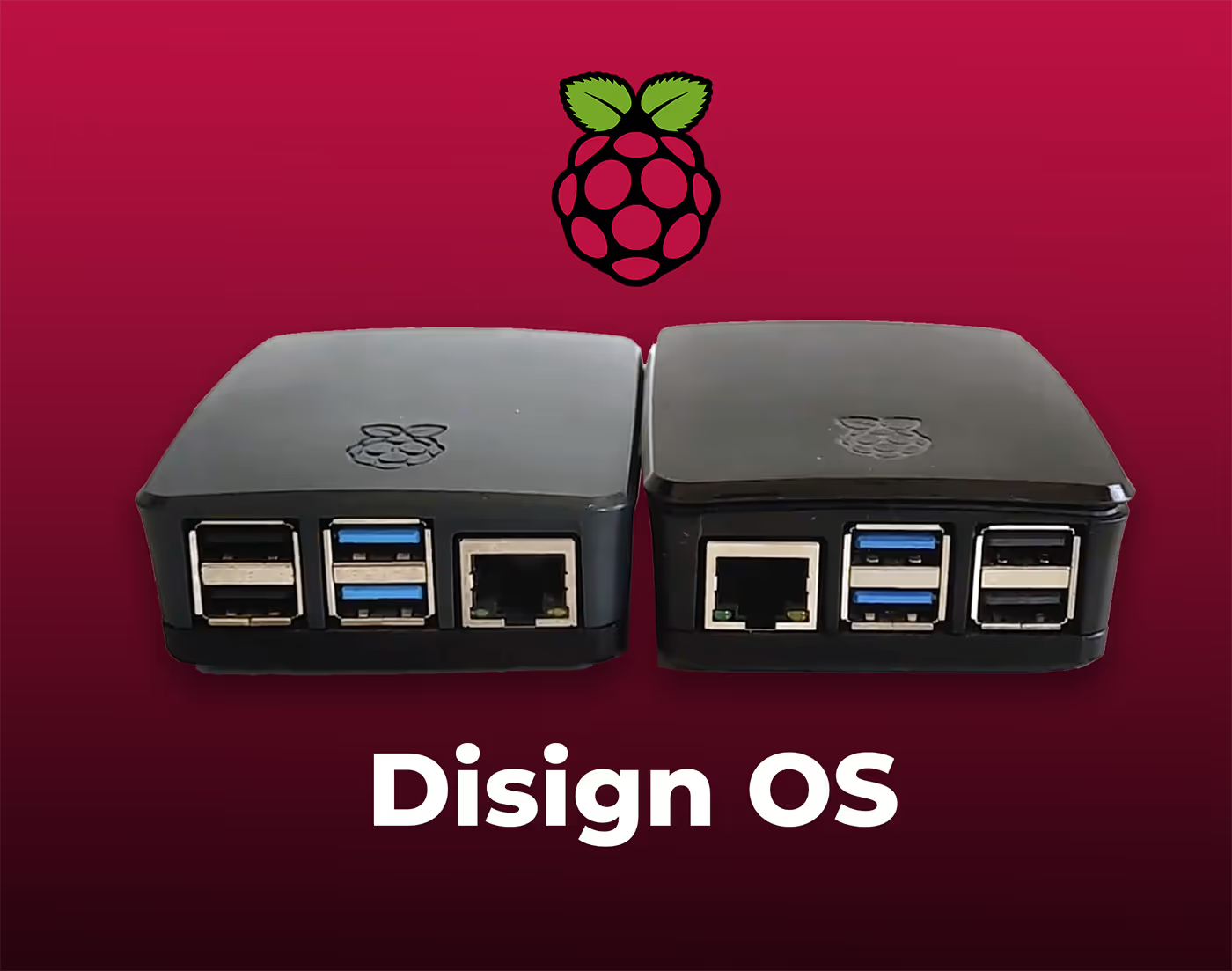
Trusted by train station teams using Disign for train station digital signage across concourses, platforms, and customer service areas
What train station professionals say about Disign
“We replaced a mix of printed posters and last minute PA notes with Disign. Now our train station digital signage updates are quick, and everyone sees the same message at the ticket hall, entrances, and platforms. The best part is that station duty managers can update service messages without waiting for a designer.”
“I manage campaigns for station retail and passenger info screens. Disign gives us one place to control layouts, fonts, and timing, so the network looks consistent. At the same time, local stations can add community notices and accessibility reminders without going off brand.”
“From an IT point of view, the reliability matters more than flashy features. Our train station digital signage runs long hours, often on older players, and Disign has been steady. When something does go wrong, support talks in plain terms and we get to a fix quickly.”
Integrate with your favorite Applications
70+ Applications and infini integration with API, Database, and any data source
Easily integrate third-party applications and web content such as YouTube or Vimeo, optimized for seamless playback. Display data from RSS feeds or formats like CSV, JSON, or XML directly on your digital signage screens. Extend display capabilities with advanced applications like grids or collections to enrich Disign scenarios.

We designed Disign to be as open and customizable as possible, both in its visual scenes and in its data sources.
Florent MondoloniCo-Founder, Disign

Video
Utilisez vos medias

RSS Feed
Use your own RSS Feed

Database
Databases

Canva
Create your Design and import it

Google Sheets
Import CSV, Live data...

Website/API
Affiche your website or use API
Everything you need to know about Disign Digital Signage For TrainStation
Train station digital signage FAQ: practical answers for station managers and operations teams
Train station digital signage is now a core passenger communication channel. It helps you keep people moving safely, reduce confusion during disruptions, and deliver real time information across every concourse, platform, hallway, ticketing zone, and retail area. This FAQ is written for station managers, passenger information teams, rail operators, infrastructure owners, IT and cybersecurity teams, and commercial partners who need a reliable way to publish accurate messages at scale.
Below are the most common questions teams ask when evaluating a platform like Disign for train station digital signage, with clear guidance focused on day to day station realities: crowds, safety, tight timelines, multiple stakeholders, and constant change.
What is train station digital signage and where is it used?
Train station digital signage is a network of centrally managed screens that display dynamic, timely information to passengers and staff. Unlike printed posters, content can change instantly, be targeted by screen location, and be scheduled around service patterns.
Typical placements include:
- departure and arrival boards in main halls and secondary entrances
- platform screens with next train details, stopping pattern, and safety notices
- wayfinding screens at corridors, exits, elevators, and interchange routes
- ticketing and customer service zones for queue guidance and requirements
- disruption and incident communication screens in high footfall areas
- retail and advertising screens in commercial zones where permitted
- staff only screens in control rooms, break rooms, and back of house corridors
The goal is simple: deliver the right information to the right people at the right moment, with consistent branding and governance, so passengers feel guided instead of overwhelmed.
What problems does train station digital signage solve for station operations?
Stations are complex environments. People are moving, stressed, often unfamiliar with the layout, and highly sensitive to uncertainty. Train station digital signage reduces friction in several ways:
- fewer repetitive questions at help desks because key information is visible
- faster passenger flow through clearer wayfinding and platform guidance
- lower perceived crowding because people spread more evenly when informed
- better incident response with rapid updates and consistent messaging
- improved accessibility support through clear visuals and multilingual options
- stronger coordination between operator, station staff, and retail partners
It also protects your credibility. Passengers may forgive delays, but they rarely forgive silence or contradictory instructions. A well run signage network keeps communication aligned.
Why use digital signage instead of printed posters in a train station?
Print has a role for static rules and permanent notices, but it struggles in a station because information changes constantly. Train station digital signage is often chosen because it helps you:
- update messages instantly during delays, cancellations, platform changes, and emergencies
- avoid outdated posters that cause confusion or compliance issues
- reduce printing and distribution costs across multiple entrances and platforms
- standardize messaging so every screen says the same thing at the same time
- schedule content automatically by time of day, service pattern, or events
- show real time data like service status, weather alerts, and crowd guidance
For a busy station, the operational value is the speed and control. When something changes at 07:42, you cannot rely on someone taping up a new poster at 08:10.
What information should train station digital signage display to passengers?
The most useful passenger information is clear, immediate, and location specific. Effective train station digital signage typically focuses on:
- departures and arrivals with platform number, time, and status
- platform changes and short formations, with explicit boarding guidance
- disruption messages with plain language and next best actions
- station wayfinding: exits, interchanges, elevators, accessible routes
- safety messages: mind the gap, escalator rules, emergency procedures
- ticketing reminders: validation, peak restrictions, and required documents
- local service information: first and last train, engineering works, strikes
- accessibility notices: out of service lifts, alternative step free routes
The best screens answer the question passengers are thinking right now: What do I do next?
How can train station digital signage reduce congestion and improve passenger flow?
Passenger flow improves when uncertainty drops. Digital signage helps by making movement predictable:
- directional wayfinding that adapts to footfall patterns or closures
- clear calls to action during platform changes, including alternate routes
- queue screens that show where to line up for tickets and assistance
- reminders to use multiple entrances, exits, and stairways where available
- timed messages that encourage early platform access or staggered boarding
- crowd management content for events, holiday peaks, or replacement buses
Even without advanced analytics, simple location based messaging can change behavior. A screen at a corridor entrance telling passengers which side leads to which platform can prevent bottlenecks that build in minutes.
Can train station digital signage show real time train data?
Yes, and it is one of the highest value use cases. Train station digital signage can display real time data when your data source is available in a format the signage system can consume.
Common approaches include:
- embedding a secure web page from your passenger information system
- connecting to an API feed for departures, arrivals, and service status
- showing a rendered view provided by your existing CIS or PIS vendor
- displaying a curated disruption feed approved by operations
Disign can be used to present real time views safely, while still giving you control over branding, layout, and how disruption messaging is prioritized. Your IT team can decide what integrations are appropriate, and your operations team keeps ownership of the message.
How do stations handle platform changes and last minute updates with digital signage?
Platform changes create stress because they require fast comprehension and fast movement. A good train station digital signage setup supports:
- immediate content updates across all relevant screens, not only the main board
- targeted messaging by zone: entrances, concourse, interchange corridors, platforms
- short, high contrast alerts with a clear instruction and a reason when possible
- repeat prompts such as updated platform number and direction arrows
- scheduled follow ups as the situation stabilizes
The key is not only publishing the change, but reducing ambiguity. Instead of only saying Platform changed, say Platform changed to 7. Follow signs to the east concourse. Train departs in 6 minutes.
Can train station digital signage support disruption communication and incident response?
Yes. Disruptions are where signage proves its worth. When trains are delayed, cancelled, or diverted, passengers need a consistent story and a clear next action.
Train station digital signage can support disruption response by:
- distributing a single approved disruption message across multiple zones instantly
- prioritizing critical messages above non essential content
- showing alternative routes, replacement buses, and interchange instructions
- communicating estimated time to next update to reduce frustration
- supporting staff by reducing repeated questions and crowd pressure
Disign helps teams publish quickly while keeping governance in place, so you do not get conflicting messages from different departments.
What is the difference between passenger information screens and advertising screens?
Passenger information screens exist primarily for safety and operational communication. Advertising screens exist to monetize footfall, often managed by a commercial team or partner.
In practice, many stations run both. The key is governance:
- passenger information must take priority during incidents and peak congestion
- advertising should comply with brand, local regulations, and placement rules
- commercial content should never obscure essential wayfinding or safety notices
A flexible train station digital signage platform makes it possible to separate screen groups, assign different content rules, and still manage everything from one place if that is how your organization operates.
How do you keep train station digital signage content accurate and consistent across many screens?
Consistency is a process, not a hope. Stations often succeed with:
- screen grouping by location type: concourse, platform, entrance, ticketing, retail
- approved templates for common message types such as disruption and wayfinding
- role based permissions so only the right people can publish
- scheduled content windows aligned to service patterns and staffing
- a single source of truth for operational messages
Disign is designed to help you structure permissions and reuse templates so updates are fast but controlled. That matters when you have hundreds of screens and multiple teams who all feel responsible for passenger communication.
Who typically owns train station digital signage: operations, IT, or marketing?
It is usually shared. The healthiest setup is clear ownership by responsibility:
- operations owns passenger information and disruption messaging
- IT owns devices, network, security standards, and monitoring
- marketing or commercial teams own promotions, retail, and brand campaigns
- safety and compliance stakeholders review critical policies and emergency content
Train station digital signage works best when your platform supports shared control without shared chaos. Disign supports permissions by group and role so each team can do their job without stepping on the others.
What security features should we require for train station digital signage?
Stations are critical infrastructure. Screens are endpoints and must be treated accordingly. Important security capabilities to evaluate include:
- strong authentication and role based access control
- encrypted connections for management and content delivery
- device registration and the ability to revoke access quickly
- monitoring that confirms what is playing and whether a device is online
- audit logs for publishing actions and administrative changes
- controlled methods for showing external web content safely
Disign is built for centralized management and structured access, so station teams can publish quickly while IT maintains control. If your organization requires specific network constraints, those can be addressed in your deployment approach.
Can train station digital signage work with a segmented network or restricted internet access?
Yes, depending on your architecture and policies. Many stations restrict outbound access, use network segmentation, and apply strict firewall rules. A train station digital signage project typically includes:
- defining what endpoints need access and to which domains
- deciding whether screens can reach only the signage platform and approved feeds
- separating passenger information devices from public networks
- applying standard device hardening and patching policies
Disign can fit within controlled network approaches, and your IT team can validate the connectivity model during a pilot.
What hardware is needed for train station digital signage?
Hardware choices depend on environment: brightness, reliability, vandal resistance, and operating hours. Typical components include:
- commercial grade displays for long operating hours and high brightness zones
- media players or system on chip displays that can run the signage player
- mounts, protective enclosures, and cabling designed for public spaces
- stable connectivity, wired where possible for reliability
- power planning with safe routing and maintenance access
A good approach is to standardize hardware by zone. Platforms may need sunlight readable screens; corridors may not. Disign can support a range of hardware strategies so you can evolve over time.
How do we ensure train station digital signage is readable in bright areas and at distance?
Readability is a design and hardware combination. Best practices include:
- use high brightness displays in areas with daylight or glare
- increase font size and simplify layouts for long viewing distances
- keep contrast high and avoid busy backgrounds
- use clear hierarchy: what, where, when, and next step
- keep animations minimal and avoid small scrolling tickers
Templates help enforce these rules. With Disign, teams can create approved layouts so every message stays legible, even when different people publish content.
How does train station digital signage support accessibility?
Accessibility is essential in stations. Digital signage can support inclusive communication by:
- providing large text and strong contrast for low vision users
- using clear icons alongside text for fast understanding
- supporting multiple languages in communities that need it
- avoiding flashing or overly fast motion that can be uncomfortable
- using captions when video is used without audio
- highlighting step free routes and lift status when available
The goal is not to add more information, but to make essential information easier to act on quickly.
Can train station digital signage be multilingual?
Yes. Multilingual signage is often a practical requirement, not a nice to have. Common strategies include:
- rotating languages by time of day or by screen location
- dedicating certain screens to tourist oriented information
- using simple phrasing and avoiding internal railway jargon
- pairing critical instructions with universal pictograms
With Disign, you can build playlists per language and assign them to specific stations or zones. You can also schedule language rotation when that fits your passenger mix.
How do we handle emergency messaging on train station digital signage?
Emergency communication must be reliable, clear, and prioritized. A strong train station digital signage plan usually includes:
- predefined emergency templates with short, unambiguous wording
- the ability to override regular content across selected screen groups
- clear instructions: evacuate, do not enter, use alternative exit, seek staff
- coordination with public address and staff instructions
- regular testing and drills to validate workflow
Your safety team should define the message playbook. Your signage platform should make it easy to execute without improvisation. Disign supports centralized publishing and quick updates so your team can act fast when seconds matter.
How do we prevent unauthorized content or hijacking of screens?
Risk is reduced through layered controls:
- strict role based permissions and least privilege access
- multi factor authentication where required by policy
- device registration so unknown devices cannot join the network
- audit logs to track who changed what and when
- secure methods for embedding external content only from approved sources
- monitoring and alerts for offline devices or playback errors
The goal is not only security, but confidence. You want operators to trust the screens, especially during disruption.
Can we manage multiple stations and hundreds of screens from one platform?
Yes. Multi site management is a core requirement for modern train station digital signage. A scalable setup includes:
- centralized provisioning and grouping by station, zone, and screen type
- bulk assignment of playlists and templates
- scheduling rules that apply across networks with local exceptions
- health monitoring so you know which screens need attention
Disign is designed for multi location environments, so you can run consistent communication across a network while still allowing station specific messaging where approved.
How do we organize content workflows between rail operator, station staff, and commercial partners?
Stations often involve multiple stakeholders. A practical operating model looks like:
- passenger information team owns operational and disruption templates
- station managers can publish local service notices within approved formats
- commercial team manages advertising playlists on designated screens
- IT administers users, devices, and network policies
- compliance and safety teams approve critical templates and emergency wording
Disign supports this kind of governance with permissions and content structure, so collaboration does not turn into last minute confusion.
How often should train station digital signage content be updated?
Frequency depends on content type:
- real time data updates continuously if integrated
- operational notices update daily or whenever conditions change
- planned engineering works and campaigns update weekly
- evergreen wayfinding and safety reminders refresh monthly or seasonally
Passengers quickly notice stale content, especially if it conflicts with reality. Because Disign makes updates fast, teams can keep screens accurate without creating extra work for station staff.
Can train station digital signage reduce pressure on customer service desks?
Yes. Many common passenger questions can be answered visually before someone joins a queue:
- where is my platform and how do I get there
- what does delayed mean and when is the next update
- where do I buy or validate tickets
- what is the accessible route today if a lift is out of service
- where are toilets, exits, taxis, buses, and interchanges
When screens answer these questions consistently, staff spend less time repeating directions and more time helping passengers with complex needs.
How do we measure ROI for train station digital signage?
ROI in stations is usually measured through operational and service quality outcomes, not only revenue:
- fewer complaints about missing information during disruption
- improved passenger satisfaction scores and perceived organization
- faster clearance of platforms and corridors after changes
- reduced printing and manual poster management
- fewer missed connections due to clearer wayfinding
- higher commercial performance where advertising is part of the model
You can also track execution metrics: time to publish an update, percentage of screens online, and consistency across station zones.
What should we look for in templates and scheduling capabilities?
Templates and scheduling determine whether your signage program stays controlled as it scales. Look for:
- templates for common scenarios: disruption, wayfinding, queue guidance, safety
- locked areas for critical phrasing, icons, and safety colors
- flexible components for station name, platform number, time, and next steps
- scheduling by station, zone, time of day, and special event windows
- reuse across formats so you do not redesign for every screen size
Disign helps teams create approved templates once and reuse them network wide, which speeds up publishing and reduces risk.
Can train station digital signage display web pages, dashboards, or third party content?
Often yes, with the right controls. Stations may want to show:
- passenger information dashboards
- weather alerts
- event information for major venues
- retail partner content in designated zones
- internal operational dashboards in staff areas
The key is to do it securely and predictably. External content should be from approved sources, tested for readability, and monitored so a broken page does not become a blank screen.
Can train station digital signage be used for internal communication?
Yes. Staff screens are valuable because station teams work across shifts and may not be sitting at computers. Internal train station digital signage can share:
- shift briefings and daily priorities
- safety reminders and incident learnings
- service change summaries and talking points for passenger questions
- staffing updates, training reminders, and maintenance notices
- recognition messages that support morale
With Disign, you can separate staff only screens from public screens while keeping the same governance and scheduling tools.
How quickly can we deploy a train station digital signage project?
Timelines depend on hardware readiness, network approvals, and content planning. Many organizations succeed with a phased approach:
- pilot in one station or one zone to validate templates, workflows, and IT policies
- integrate real time data sources if needed
- expand to additional zones and stations using repeatable provisioning steps
- define steady state operations: who publishes, who approves, who monitors
Because Disign is centrally managed, scaling is easier once your templates and permissions are set. The main work becomes operational discipline, not manual screen handling.
What makes Disign a good choice for train station digital signage?
Station teams need speed, reliability, and governance. Disign is designed to support train station digital signage programs with:
- centralized management for multi station and multi zone deployments
- permissions and structure so the right teams can publish without losing control
- templates that help keep messages readable, consistent, and on brand
- scheduling and targeting so content matches location and time of day
- practical operations tools to keep networks healthy and content up to date
If you are planning or upgrading train station digital signage, Disign helps you deliver clear passenger information at scale, without adding complexity for frontline staff.
What are the next steps to start with train station digital signage?
A strong start is structured and realistic:
- map your station zones and define the purpose of each screen group
- identify stakeholders: operations, IT, safety, accessibility, commercial
- choose pilot screens where impact is high, such as concourse and platform access
- build a small set of templates: disruption, wayfinding, service notice, safety
- define publishing rules: who can update, who approves, and how quickly
- plan monitoring and maintenance so screens stay reliable
Once these basics are in place, train station digital signage becomes a dependable communication layer that passengers trust and staff rely on.



Join community of 4k+ people
Train station digital signage that keeps passengers informed and teams aligned
Publish real time updates across every screen with Disign. Share departure and platform changes, disruption alerts, wayfinding, safety notices, and service messages from one secure dashboard, so travelers always know what to do next.
Ready to try train station digital signage without the hassle. Start your 28 day free trial, no credit card required, and launch your first playlists in minutes. If you want guidance on screens, content, or rollout, contact us and we will help you get it live.