Events digital signage by Disign
Events digital signage that keeps attendees informed, moving, and engaged
Deliver real-time schedules, room directions, sponsor messages, and urgent updates across every screen. With Disign, your team can publish and switch content in minutes, keep branding consistent, and elevate the on-site experience from doors open to closing remarks.


Used by 4,000+ people
Challenges in the events industry when communication breaks down on site
In fast-moving venues, attendees, staff, and vendors rely on clear updates the moment they arrive. When information is scattered or outdated, small uncertainties turn into repeated questions, longer lines, and a stressful event experience.
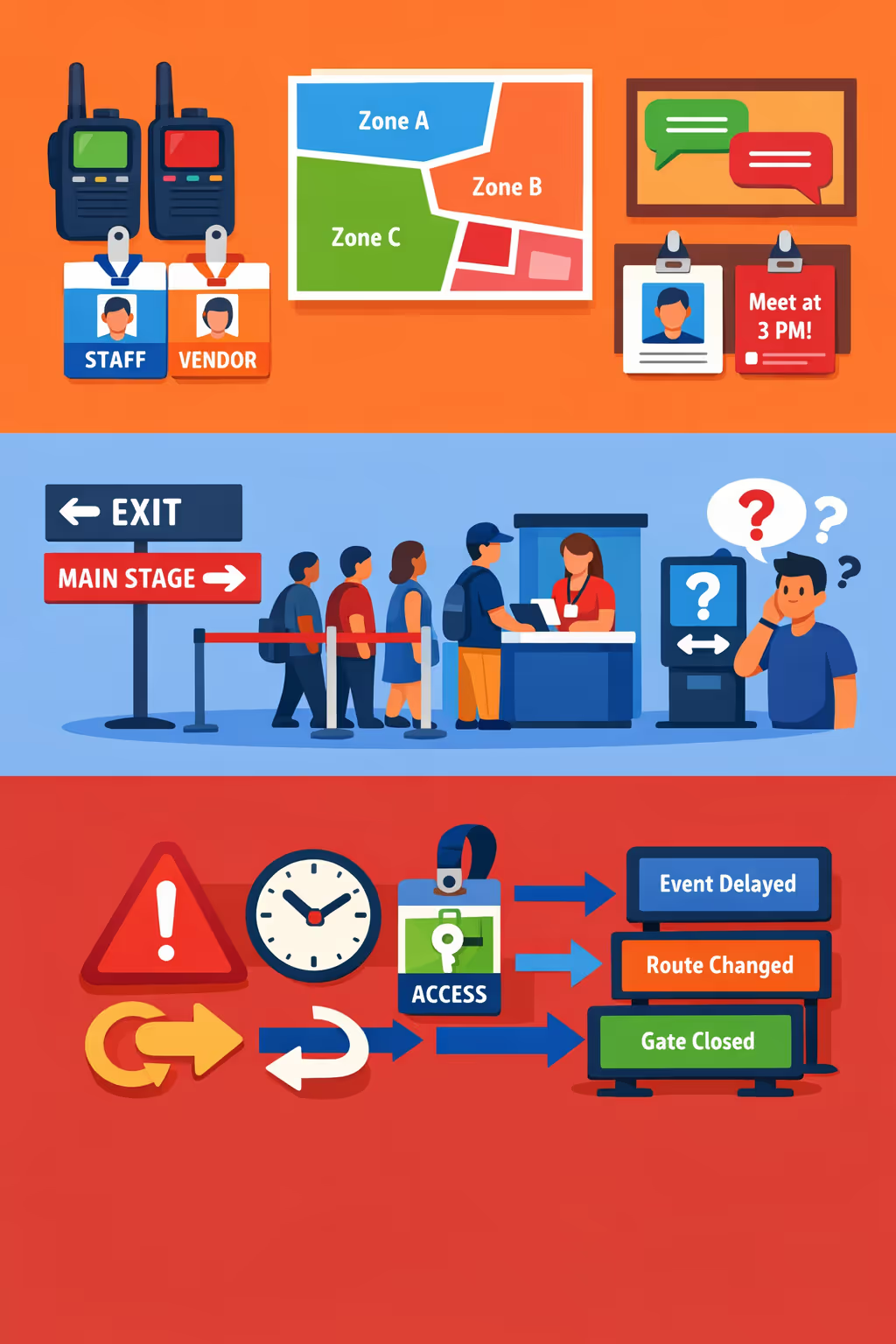
Run-of-show updates, room changes, and access rules can shift within minutes. When operations, security, hosts, and vendors share different instructions, attendees lose trust and staff spend the day correcting misunderstandings instead of running the event.
People want to know where to go next, what time sessions start, and what they need for entry. Without clear events digital signage, teams get pulled into nonstop directions and queue management, which slows down check-in and increases friction.
On-site communication must be accurate and consistent, especially during reroutes, delays, or incident responses. When printed notices or ad hoc messages are not updated everywhere at once, people follow the wrong instructions and the situation escalates quickly.
Events digital signage that boosts attendee experience and event ROI
Keep every screen in sync with your show. Disign lets event teams update schedules, sponsor content, and wayfinding in seconds, reduce printing and staffing pressure, and deliver a smoother guest journey that drives measurable revenue.
Publish schedule updates and agenda changes instantly
When sessions move, speakers run late, or rooms change, update every screen in real time. Reduce confusion, prevent crowding, and keep attendees confident they are in the right place.
Improve wayfinding and speed up attendee flow
Guide guests with clear directions for entrances, check in, rooms, and amenities. Better flow means shorter lines, safer corridors, and more time spent in sessions and expo areas.
Drive sponsor value and prove ROI on placements
Deliver sponsor messages on the right screens at the right times, near relevant zones or sessions. Run more sellable inventory, refresh content quickly, and show partners a stronger return from your events digital signage.
Keep event branding consistent across venues and days
Use approved templates so every room, lobby, and expo hall looks on brand. Maintain a premium experience for attendees while protecting sponsor guidelines and messaging standards.
Cut print spend and reduce last minute workload
Replace reprints with a centralized digital workflow. Save on printing and rush orders, avoid outdated signage on site, and free your team to focus on attendee support.
Personalize screens by audience, zone, or language
Tailor content for VIP areas, exhibitors, sponsors, or general attendees, and switch languages when needed. Make your messaging feel local and relevant while keeping full control from one platform.
Events digital signage use cases for smoother, more trusted attendee journeys
Across venues, sponsor zones, and backstage areas, events digital signage keeps information consistent and easy to find. It reduces last minute questions, improves flow, and builds confidence with clear updates people can rely on.
- Entrances and registration: welcome attendees, show check in steps, and share real time gate and badge pickup guidance
- Session areas: display agendas, room changes, speaker lineups, and live announcements so no one misses key moments
- Sponsor and expo zones: highlight partners, promotions, and product demos with consistent branding and approved messaging
- Operations and safety: communicate wayfinding, crowd guidance, emergency instructions, and service updates with confidence
How Disign digital signage works
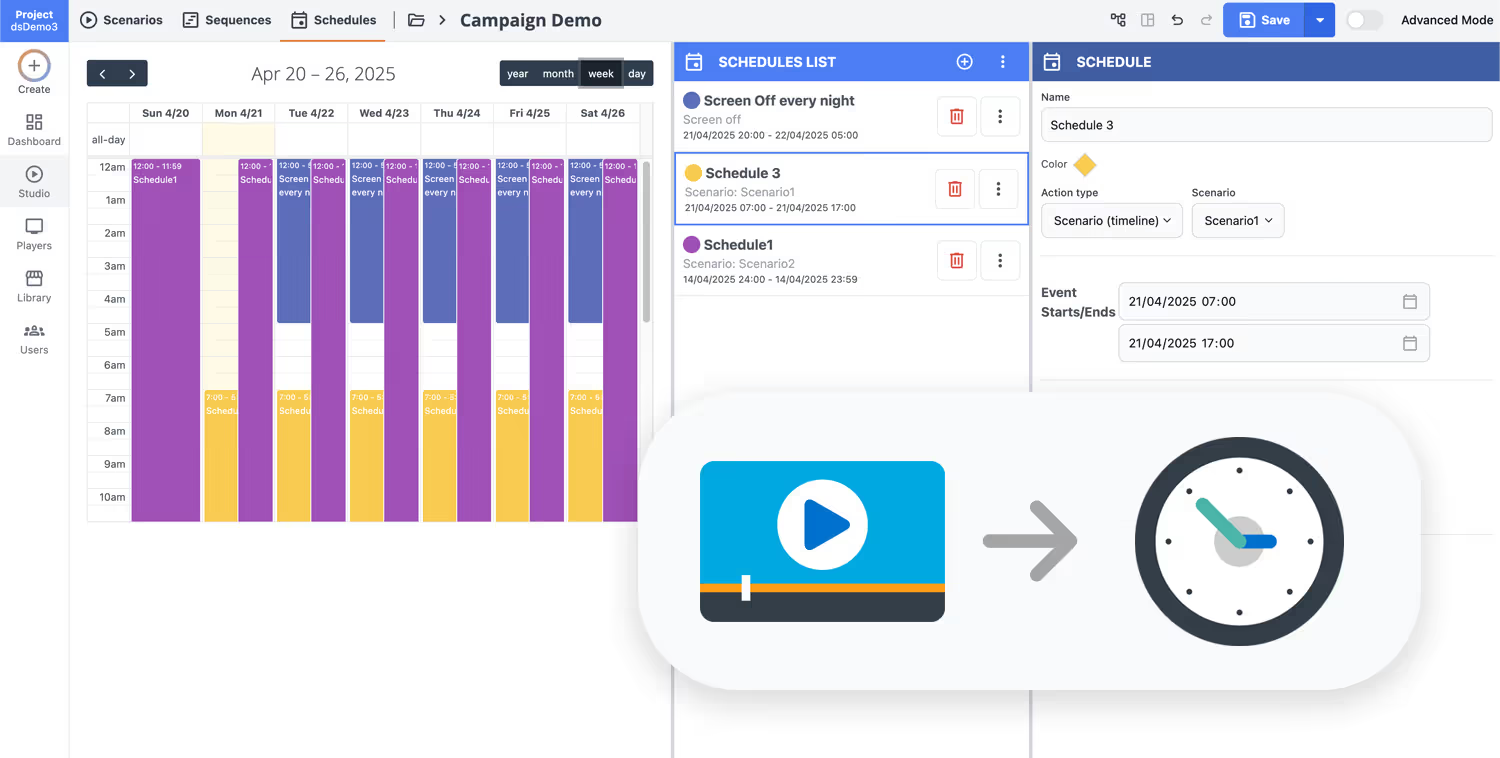
Schedule your content from anywhere with our cloud-based digital signage solution. Easily plan what plays, when, and where—across one screen or thousands.
Desenhe cenários e playlists personalizados adaptados ao seu público e objetivos.
Defina datas e horários precisos para que seu conteúdo seja reproduzido automaticamente.
Implante conteúdo instantaneamente em sua rede de affichage dynamique com apenas um clique.
Ready to launch events digital signage that keeps attendees informed?
Start your 28 day free trial with Disign, no credit card required. Publish schedules, wayfinding, sponsor content, live updates, and emergency messages to every screen in minutes, so your event runs smoothly from doors open to closing.
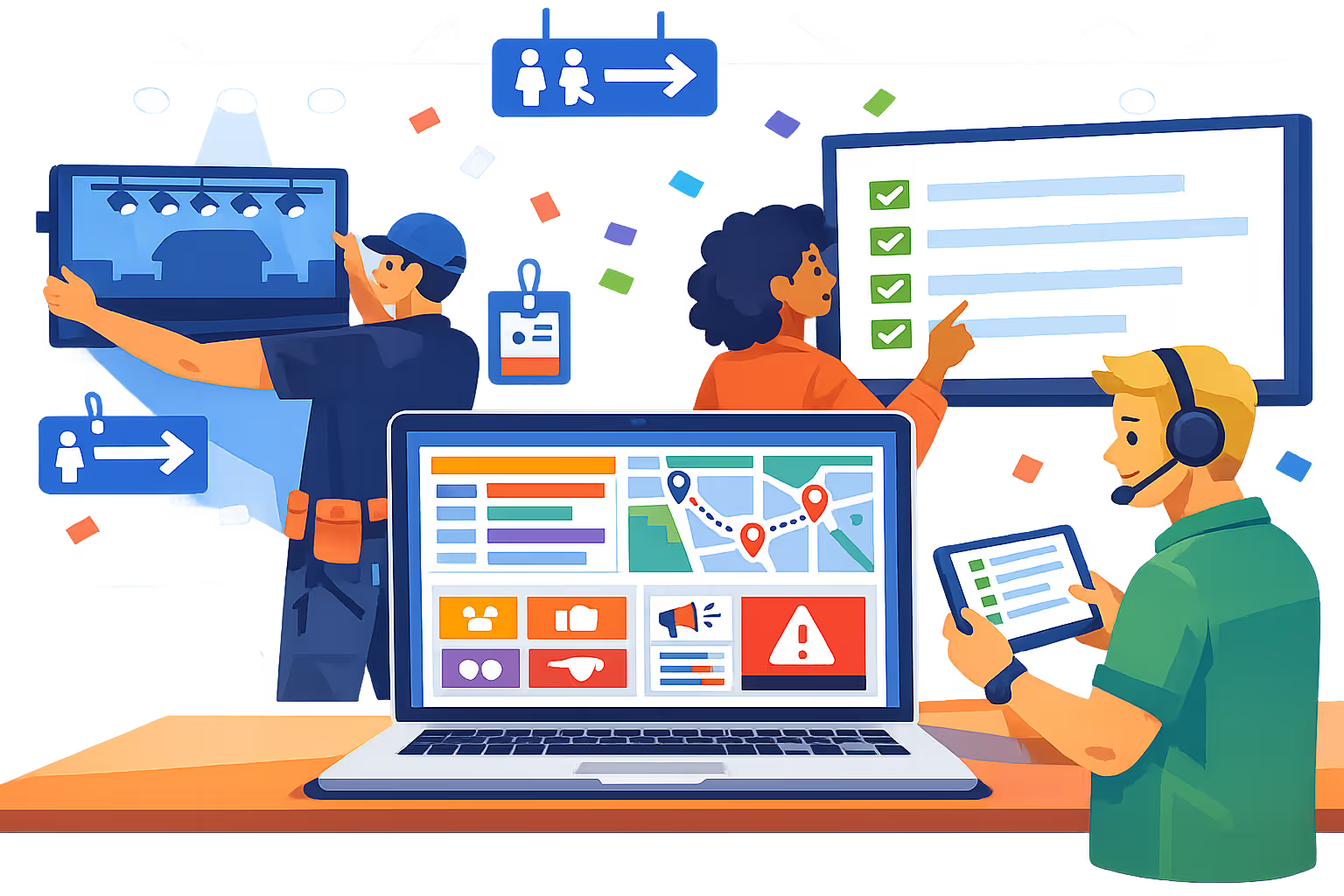
Events digital signage that keeps every venue on schedule
Run real time, screen accurate messaging across entrances, halls, stages, booths, and VIP zones. With Disign, your team can publish session updates, wayfinding, sponsor content, safety notices, and live changes from one dashboard, with controlled access and full traceability.
Centralized venue and screen management
Operate events digital signage from one console
Control a single screen or an entire event footprint with location targeting, screen groups, and reusable playlists. Push the right message to the right zone so attendees see consistent information without slowing down your operations team.
Role based access and content security
Keep devices and publishing rights protected
Assign permissions by role and team so only the right people can edit, approve, or publish. Secure device pairing and controlled credentials help you keep sponsor assets, emergency messages, and operational screens safe during high traffic days.
Approval workflows for brand and sponsor compliance
Review paths before content goes live
Reduce last minute mistakes with structured publishing: draft, review, approve, then schedule. Maintain version control on sponsor creatives, venue guidelines, and safety notices so every screen displays the correct, approved message.
Schedule driven automation for event days
Timelines, dayparting, and instant overrides
Automate events digital signage with time based schedules and recurring campaigns. Switch content for doors open, session blocks, breaks, after parties, or safety announcements, and override instantly when the schedule changes.
Playback reliability and remote monitoring
Stay confident during peak attendance
Maintain smooth playback with device health visibility and remote diagnostics. Detect offline players, verify content delivery, and reduce on site intervention so your event team can focus on attendees, not screens.
Deployment support for AV and IT teams
From setup to showtime operations
Get hands on help to standardize templates, onboard staff, and validate device setups before the event opens. When timing is tight, Disign helps you keep events digital signage stable, predictable, and easy to run across every location.
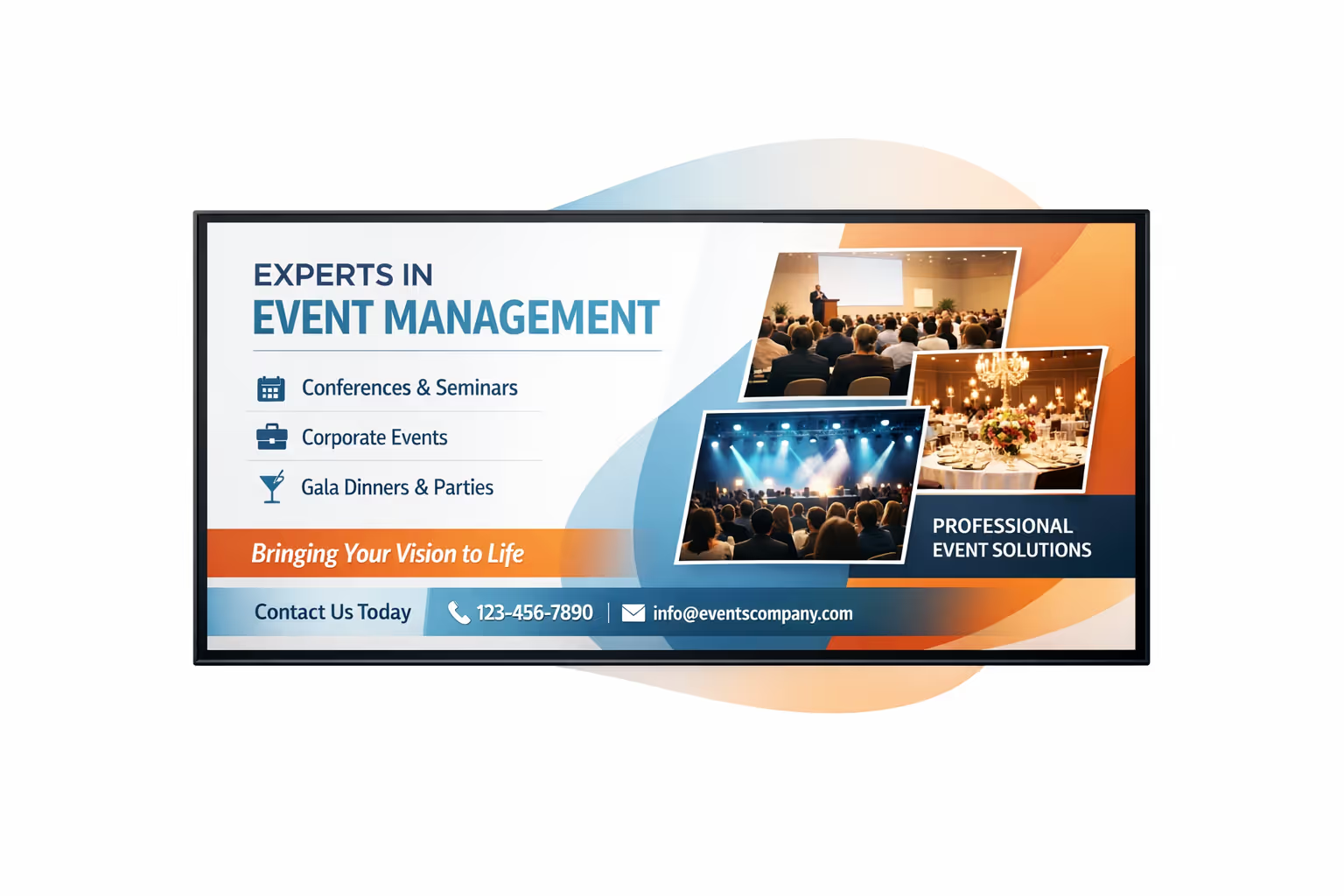
Centralized content management for events digital signage
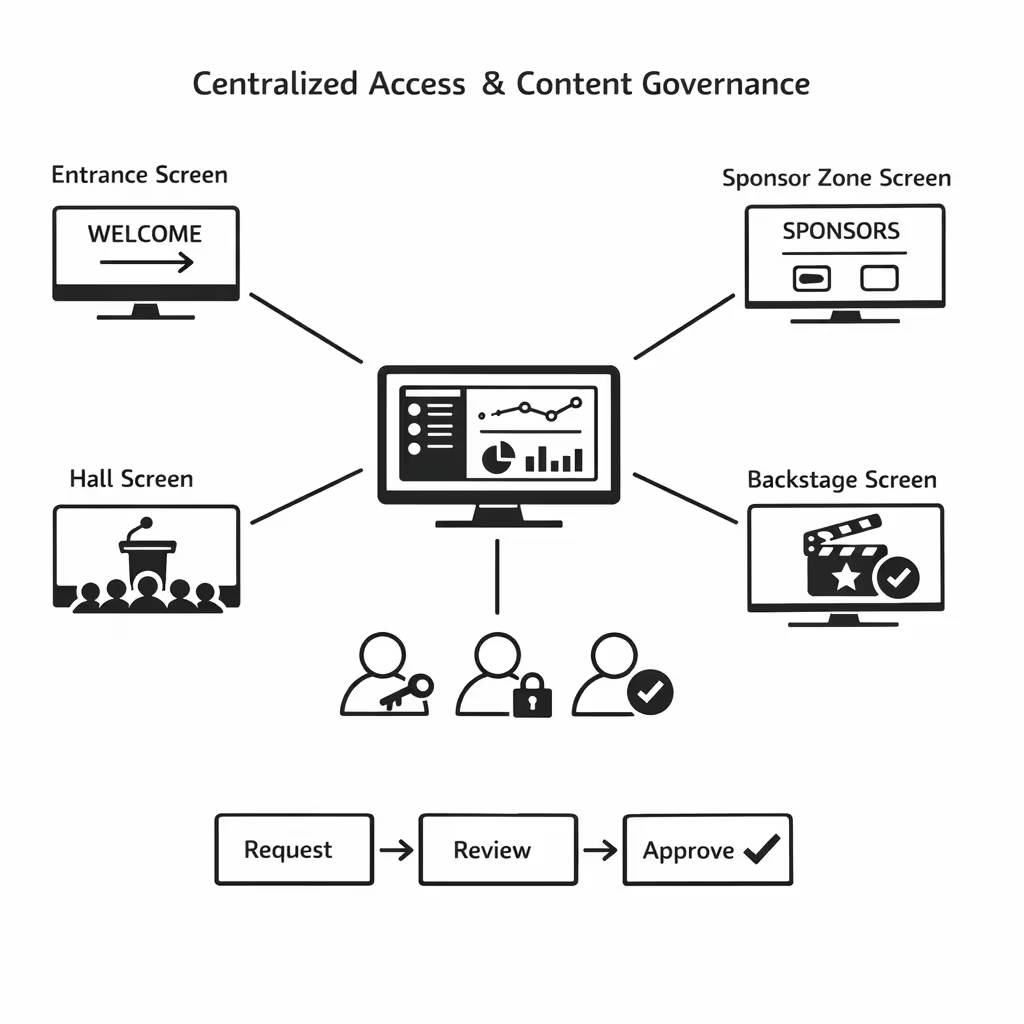
Run events digital signage from one secure dashboard. Build, review, schedule, and publish content across venues, halls, entrance areas, sponsor zones, and back of house screens, with the control IT requires and the speed marketing and operations need.
One source of truth for every event screen
Central control with on site flexibility
Keep brand and sponsor messaging consistent while letting venue teams add local updates like room changes, queue guidance, safety notices, and last minute announcements, all within approved templates and rules.
Campaigns, schedules, and wayfinding on a single calendar
Schedule content by venue, zone, screen type, or time slot. Make sure agendas, speaker changes, sponsor rotations, and directional messaging stay accurate across your events digital signage network.
Built for IT governance and event security
Centralize access with role based permissions, approval workflows, and playback policies so every change is traceable, compliant, and aligned with your event operations standards.
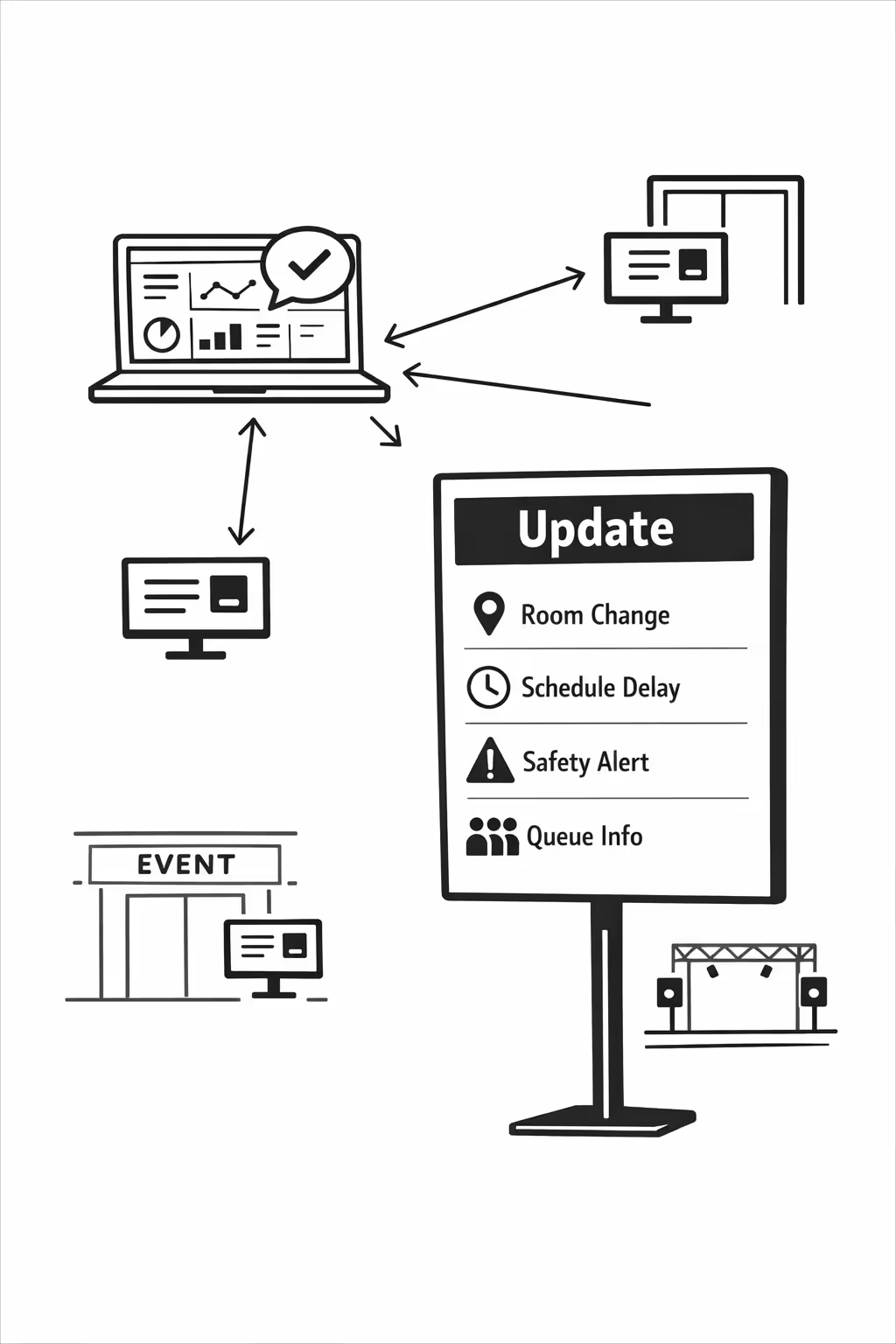
Real time updates for operations and attendee service
Push updates instantly for room changes, schedule delays, safety alerts, and queue messaging. Keep every display correct during peak traffic, last minute changes, or incidents, without chasing each screen.
Scalability for growing events networks with events digital signage
Scale events digital signage across venues, cities, and partner sites from one cloud platform. Roll out schedule changes, sponsor creative, and wayfinding updates in minutes while keeping governance tight and your event brand consistent everywhere.
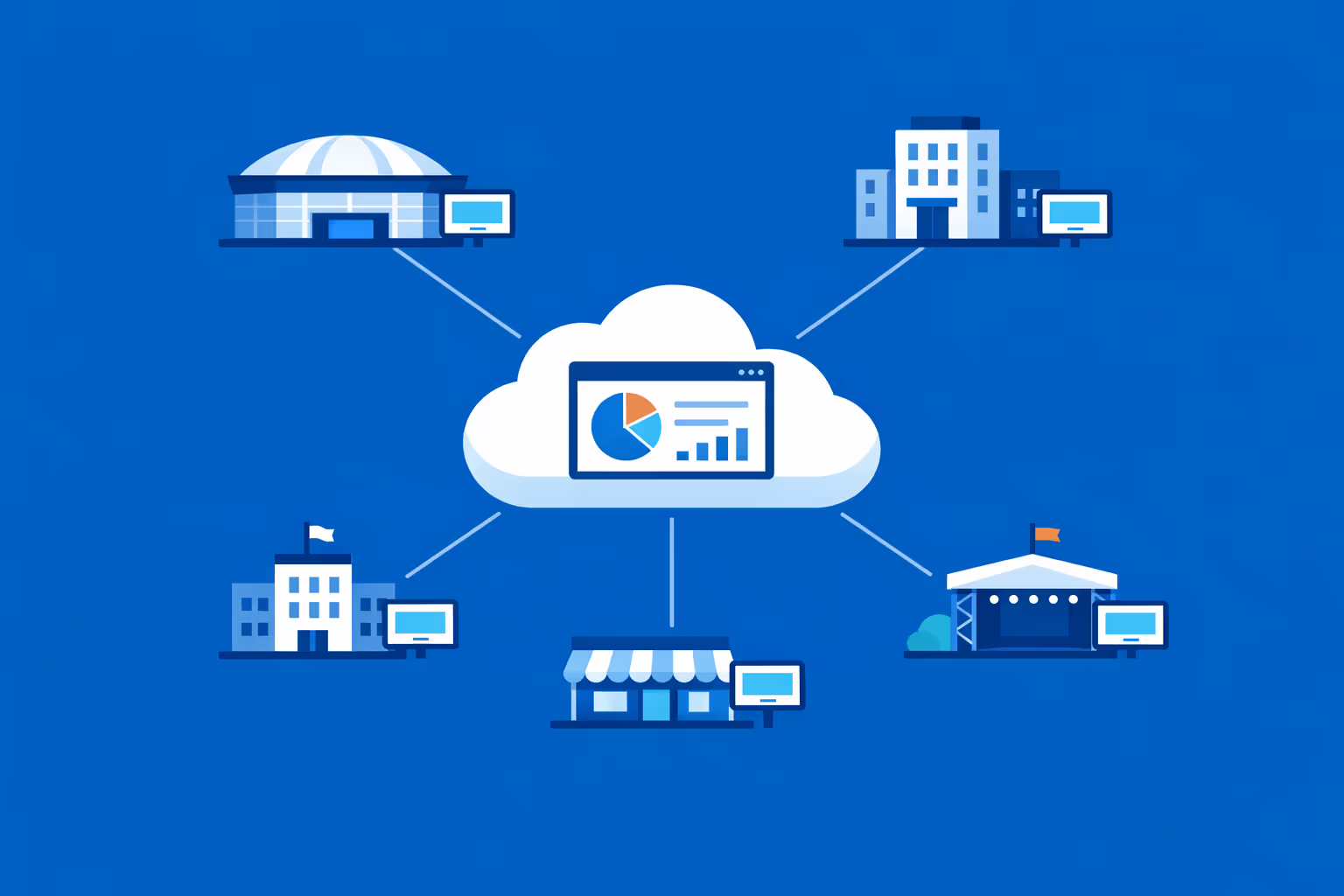
Multi-site management from one cloud dashboard
Oversee events digital signage across all locations from a single dashboard. Publish content instantly, verify what is playing on each screen, and maintain consistent messaging across every venue, hall, and entry point.
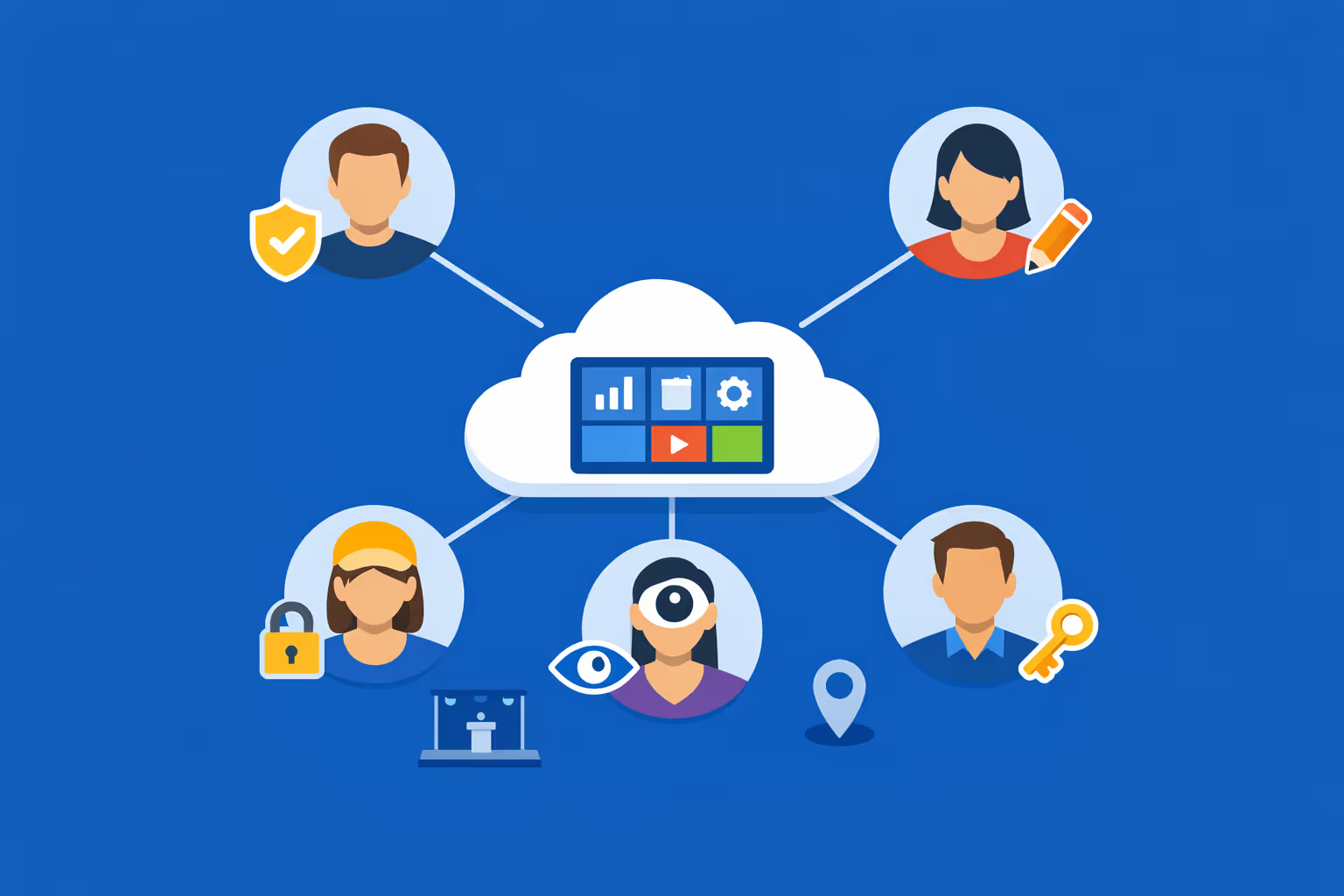
Multi-user access with role-based permissions
Give the right teams the right access, from production and operations to marketing and partners. Assign roles and permissions by venue, region, or department so collaboration stays fast, secure, and clearly accountable.
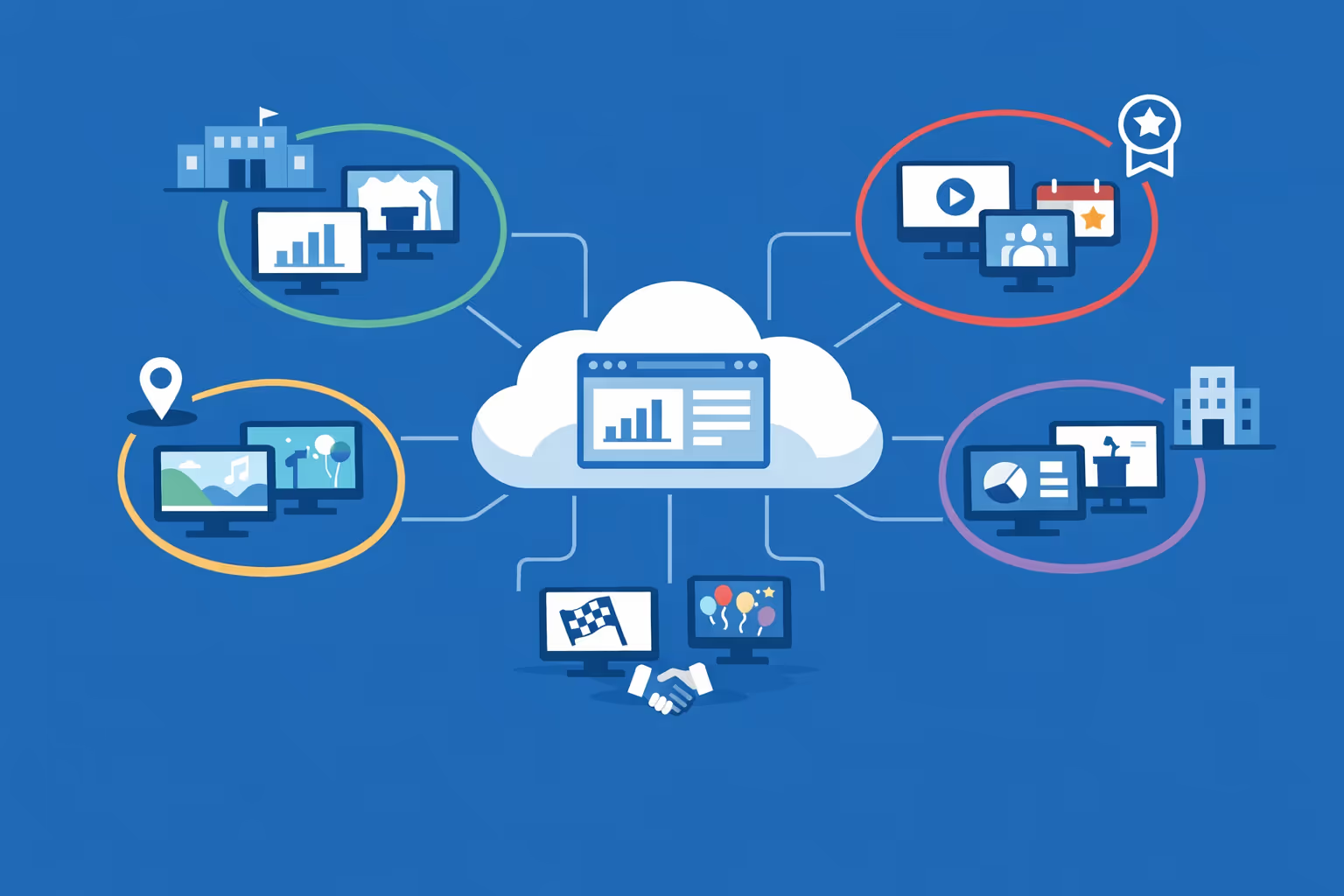
Multi-screen and multi-organization ready
Manage thousands of displays and multiple organizations within one account. Segment events digital signage by brand, venue, zone, or partner so you can scale fast while keeping each audience view relevant and on schedule.
Disign é compatível com todas as telas para sinalização digital
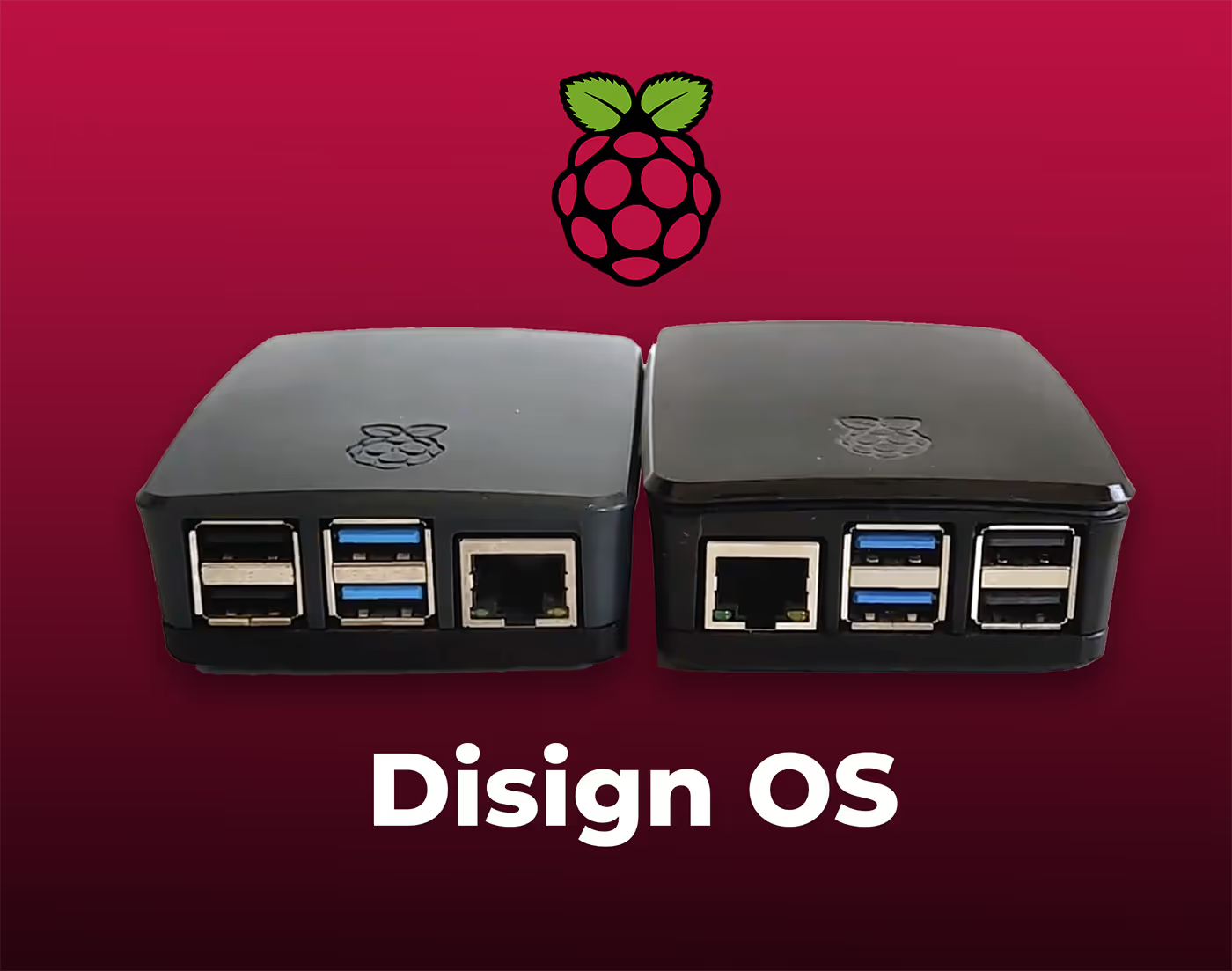
A sinalização digital com Disign permite que você gerencie e exiba conteúdo em uma variedade de dispositivos. Nossa solução é compatível com muitos players externos, como Disign OS baseado em Raspberry Pi, BrightSign e qualquer hardware Android. Disign também suporta tecnologias embutidas em telas Samsung, LG e Android TV. Com essa ampla compatibilidade, você pode facilmente implementar soluções de sinalização digital em diferentes tipos de hardware, garantindo gestão simplificada e uma experiência ideal para o usuário.


Trusted by event teams running events digital signage with Disign across venues, halls, and on-site screens
What events professionals say about Disign
“On event days, we change schedules, room names, and sponsor slides constantly. With Disign, our events digital signage updates are quick enough to do between sessions, and I do not worry about pushing the wrong version. It has made our onsite comms calmer and more professional.”
“We run brand activations across multiple venues, and consistency matters. Disign helped us keep the look and tone aligned on every screen, while still letting local teams adjust timings and messages for their audience. It is the first events digital signage tool our whole team actually enjoys using.”
“From a venue IT side, reliability is everything. Our lobby and wayfinding screens are on all day during busy events, and Disign has been stable. When something needs attention, support is straightforward and quick, which is exactly what you want during a live show.”
Integrate with your favorite Applications
70+ Applications and infini integration with API, Database, and any data source
Easily integrate third-party applications and web content such as YouTube or Vimeo, optimized for seamless playback. Display data from RSS feeds or formats like CSV, JSON, or XML directly on your digital signage screens. Extend display capabilities with advanced applications like grids or collections to enrich Disign scenarios.

We designed Disign to be as open and customizable as possible, both in its visual scenes and in its data sources.
Florent MondoloniCo-Founder, Disign

Video
Utilisez vos medias

RSS Feed
Use your own RSS Feed

Database
Databases

Canva
Create your Design and import it

Google Sheets
Import CSV, Live data...

Website/API
Affiche your website or use API
Everything you need to know about Disign Digital Signage For Events
Events digital signage FAQ: everything event teams need to know before installing screens
Events digital signage is the use of professionally managed screens to guide, inform, and engage people at live events. It replaces static posters with real time content that can be updated from a central platform, scheduled by room or zone, and adapted instantly when the agenda changes. This FAQ is written for event directors, production teams, venue managers, marketing leaders, and IT coordinators who are responsible for attendee experience and who need a reliable digital signage solution that is easy to deploy at scale.
You will find practical answers to the most common questions asked when evaluating Disign for events digital signage, including setup, content strategy, operations, reliability, and measurement.
What is events digital signage and what does it include?
Events digital signage is a network of screens used to communicate with attendees, exhibitors, sponsors, staff, and VIP guests throughout an event venue. The content is managed centrally and can change by time, location, audience segment, or event day.
In a typical event setup, it can include:
- welcome screens at entrances and registration
- agenda and session screens outside rooms
- wayfinding screens and interactive maps
- sponsor and partner recognition screens
- stage backdrop and program screens for plenary rooms
- exhibitor directory screens and lead generation prompts
- safety, accessibility, and operational notice screens for staff and attendees
The objective is simple: help people move confidently, find the right information fast, and create a polished event experience that reflects your brand.
Why choose events digital signage instead of printed signs?
Printed signage looks straightforward, but it becomes expensive and risky when anything changes. And in events, things always change: room swaps, speaker delays, sponsor updates, capacity limits, or last minute safety messages.
Events digital signage is preferred because it helps you:
- update content instantly without reprinting
- reduce confusion by keeping information consistent across the venue
- react quickly to schedule changes and operational incidents
- showcase sponsors dynamically, with better visibility and reporting
- cut print waste, shipping, and last minute rush costs
- deliver a modern, premium attendee experience
For event teams, the biggest advantage is control. You can govern what is displayed, where it shows, and when it goes live.
Where should screens be placed for the best results?
Great placement is what turns screens into a true wayfinding and experience tool. The best locations are where attendees naturally pause, make decisions, or line up.
Common placements for events digital signage include:
- entry points: exterior doors, lobby, badge pickup, security
- registration zones: check in instructions and wait time guidance
- key intersections: hallways, escalator landings, elevator lobbies
- outside session rooms: agenda, speakers, room capacity, start times
- expo areas: exhibitor lists, sponsor highlights, product demos
- food and beverage zones: menus, hours, crowd direction, allergy notes
- staff areas: run of show, radios channels, staffing updates
When planning, consider viewing distance, lighting, and foot traffic flow. A few well placed screens often outperform many poorly positioned ones.
What content works best for events digital signage?
The best events digital signage content is simple, readable, and built for quick scanning. Attendees are walking, talking, and looking up for seconds, not minutes.
High performing content types include:
- today’s agenda by track or room
- next up: session title, start time, speaker names
- wayfinding: arrows, maps, and landmarks like hall numbers
- sponsor loops with clear brand exposure and short taglines
- exhibitor directory highlights and booth numbers
- announcements: room changes, delayed starts, capacity alerts
- social proof: testimonials, awards, partner logos
- practical info: WiFi, help desk, accessibility services, lost and found
Avoid dense paragraphs. Use one message per screen, strong contrast, and consistent typography. If it cannot be read in three seconds, it will be missed.
How does events digital signage handle last minute schedule changes?
Last minute changes are one of the most common reasons event teams adopt digital signage. When a room change happens, you do not want staff running with printed paper or making manual updates screen by screen.
With Disign, you can:
- update a session title, time, or room once and push the change instantly
- target content by room, zone, or screen group
- schedule agenda playlists by day and by time blocks
- switch to an emergency or announcement playlist when needed
- keep all screens consistent, so attendees do not get conflicting information
This reduces stress for the team and keeps attendees confident that the information they see is accurate.
Can events digital signage help with wayfinding and crowd flow?
Yes. Wayfinding is one of the highest ROI use cases because it reduces bottlenecks and improves the overall feel of the event.
Events digital signage improves crowd flow by:
- guiding attendees at key decision points with clear directional content
- showing room capacities and alternative sessions when rooms fill
- directing people to secondary registration desks during peak arrivals
- displaying queue guidance for shuttles, coat checks, or food stations
- reinforcing venue rules and safety messages without staff repetition
Even small improvements can reduce frustration during the busiest periods, especially morning arrivals and session transitions.
Does events digital signage work for conferences, trade shows, and corporate events?
Yes. Events digital signage applies across formats, but the content priorities change.
Typical scenarios include:
- conferences: agenda screens, speaker highlights, track navigation, networking prompts
- trade shows: exhibitor directory, sponsor visibility, theater schedules, lead capture calls to action
- corporate events: branding, internal communications, security messaging, executive updates
- festivals and public events: maps, schedules, safety notices, transport info, sponsor loops
- hybrid events: on site directional content plus reminders for streaming and app access
Disign is flexible so you can adapt playlists and templates to the type of event, without rebuilding everything from scratch.
Can events digital signage integrate with an event app or agenda system?
Often, yes, depending on the data source. Many event teams already manage schedules in platforms such as event apps, registration tools, or internal spreadsheets. The key is to avoid double entry when time is tight.
Common integration approaches include:
- embedding a web based agenda view on screens
- displaying a published schedule page per room
- pulling data from a feed when available
- using approved templates that can be updated quickly by non technical staff
If your agenda tool can publish a web page or provide structured data, Disign can usually display it in a controlled and reliable way. This keeps signage aligned with the app and reduces conflicting information.
How do we ensure sponsor value with events digital signage?
Sponsors want visibility, premium placement, and proof. Events digital signage helps you deliver all three.
You can create sponsor packages that include:
- dedicated sponsor loops in high traffic zones
- time based placements for top tier sponsors
- screen takeover moments before keynote sessions
- sponsor messages near relevant areas, for example coffee stations
- QR codes for sponsor landing pages, demos, or giveaways
With Disign, you can schedule sponsor content precisely and keep it consistent across the venue. This supports sponsor satisfaction and helps you renew partnerships.
Can events digital signage support multiple languages?
Yes, and it is increasingly important for international conferences and public events. Multi language signage makes people feel welcome and reduces friction.
Effective approaches include:
- rotating languages on a timed loop in shared areas
- assigning specific languages by zone, for example by track or audience
- keeping critical info short and universal, supported by icons
- using consistent layouts so language changes do not break readability
With Disign, you can run separate playlists per language and assign them to the right screens, or rotate multi language content on the same screens depending on your strategy.
What about accessibility for attendees with different needs?
Accessibility is not optional at modern events. Events digital signage should be readable, inclusive, and consistent.
Good accessibility practices include:
- large font sizes and high contrast color choices
- clear hierarchy with strong headlines and minimal body text
- avoiding flashing elements that distract or cause discomfort
- using captions for any video content, since many venues keep audio low
- maintaining consistent placement for key information such as time and room number
Disign templates help you standardize accessible design so you do not have to reinvent best practices for every event.
What equipment do we need for events digital signage?
A typical setup includes:
- screens: professional displays or reliable TVs, sized for viewing distance
- media players: small devices that run the signage playback
- mounts and power access: safe, clean installation matters in venues
- network connectivity: wired or stable WiFi, depending on location
The right choice depends on venue constraints, event duration, and the level of polish you need. Disign is built to support scalable deployments across many screens, so you can start small for one event and expand as your program grows.
Can we manage multiple venues or multiple events at the same time?
Yes. Multi event management is essential for agencies, enterprise event teams, and organizers with global programs.
With Disign, you can:
- organize screens by event, venue, floor, zone, and room
- reuse template libraries across events for consistency
- separate access so each event team sees only their screens
- schedule content in advance across dates and time zones
This reduces repetitive work and makes it easier to deliver a consistent standard of experience across an entire event portfolio.
How do we control who can publish content?
Events move fast, but signage still needs governance. You want creative teams to work quickly without risking errors on public screens.
A practical permission model includes:
- designers who create templates and visuals
- coordinators who update agendas and announcements
- approvers who validate sponsor placement and brand rules
- admins who manage devices and screen groups
Disign supports role based access so you can move fast while keeping control. This is especially useful when you have external vendors, venue staff, and internal stakeholders collaborating under pressure.
How far in advance should we prepare events digital signage content?
For smooth delivery, plan in layers:
- core templates built weeks ahead: welcome, agenda, wayfinding, sponsors
- initial playlists built a few days ahead: room assignments, day by day schedules
- live update process defined before doors open: who updates and how fast
Because Disign uses reusable templates and scheduling, you can lock the structure early and fill in last minute details without rebuilding the system.
Can events digital signage be used for internal staff communication during the event?
Yes, and it can be a game changer for operations. Staff and vendors need the latest run of show, staffing notes, and incident updates without relying only on radio chatter.
Common internal screen content includes:
- daily schedule for staff briefings
- room reset times and turnover instructions
- VIP movements and security notes
- catering timings and loading dock information
- escalation contacts and emergency procedures
With Disign, you can run staff only screens that are separate from attendee screens, so operational messaging stays private and focused.
What if the internet goes down at the venue?
Connectivity varies by venue, and event teams need resilience. A good events digital signage setup plans for interruptions.
Operational best practices include:
- using stable wired connections where possible for critical screens
- testing the venue network during setup, not on opening day
- keeping key content scheduled and available locally on players when applicable
- having a simple fallback playlist for essential information
Disign is designed for reliable playback and structured management so you can reduce risk. Your exact resilience setup will depend on hardware, network, and venue policy.
How can we use events digital signage for safety and urgent announcements?
Safety communication must be fast, clear, and consistent. Events digital signage supports:
- emergency instructions and evacuation guidance
- weather alerts and transport disruptions
- lost child or lost item guidance through approved workflows
- medical assistance directions and help desk locations
- rule reminders for restricted areas and capacity limits
The key is to pre build templates for urgent messaging and define who has the authority to trigger them. Disign makes it possible to switch targeted screens to priority messaging quickly, which is crucial in real world event operations.
How do we measure the impact of events digital signage?
Measurement depends on your event goals. You can evaluate signage performance through:
- sponsor outcomes: QR scans, landing page traffic, package fulfillment
- operational outcomes: fewer directional questions, smoother session transitions
- attendee experience: survey feedback, app ratings, NPS improvements
- content execution: how quickly updates were published, how consistently screens matched the plan
Events digital signage is not only a branding channel. It is also an operational tool. Many teams see the biggest value in reduced confusion and increased confidence across the venue.
What are common mistakes to avoid with events digital signage?
Avoiding a few classic mistakes can dramatically improve results:
- too much text and small fonts that cannot be read at a distance
- inconsistent naming, for example room labels that do not match the venue
- ignoring lighting and glare, especially near windows
- failing to plan for last minute changes with a clear workflow
- running sponsor content without a schedule or defined placements
- not grouping screens by zone, which makes updates slow and error prone
Disign helps reduce these risks through templates, scheduling, and centralized control, but success still depends on planning your content and operations around real attendee behavior.
How does Disign help event teams run events digital signage smoothly?
Event teams need speed, reliability, and clarity. Disign supports events digital signage with:
- centralized content management so updates are fast and consistent
- playlists and scheduling so the right message plays at the right time
- screen grouping by venue areas, rooms, and event days
- reusable templates that protect brand consistency and readability
- structured access so multiple stakeholders can collaborate safely
The result is fewer fire drills, better attendee guidance, and a more professional event environment.
What are the next steps to launch events digital signage with Disign?
A simple starting plan looks like this:
- map your attendee journey: arrival, registration, sessions, expo, departure
- list your screen locations and group them by zone and purpose
- define your core content templates: welcome, agenda, wayfinding, sponsors, announcements
- assign roles: who builds, who updates, who approves, who owns the devices
- run a rehearsal: simulate a room change and an urgent announcement
- launch with confidence, then iterate based on what attendees ask and where they get stuck
If you want events digital signage that stays clear under pressure and scales from a single venue to a multi event program, Disign is built for the reality of live event operations.



Join community of 4k+ people
Events digital signage that keeps guests informed and lines moving
Power every screen across your venue with Disign. Publish real time schedules, wayfinding, entry guidance, safety updates, sponsor messages, and last minute changes from one secure dashboard.
Ready to test events digital signage without the hassle. Start your free 28 day trial with no credit card required, or contact us if you want help choosing screens, setting up playlists, and launching your first content quickly.