HR digital signage for internal communication
HR digital signage that keeps teams informed and engaged
Disign helps HR share announcements, onboarding steps, benefits reminders, and workplace updates on any screen. Publish in minutes, keep messaging consistent across every site, and reach employees exactly where they are.


Used by 4,000+ people
Challenges in the hr industry: when communication breaks down
HR teams are expected to keep people informed, aligned, and reassured through constant change. When internal and candidate communication is unclear or scattered, small misunderstandings quickly turn into delays, repeated questions, and a weaker employee experience.
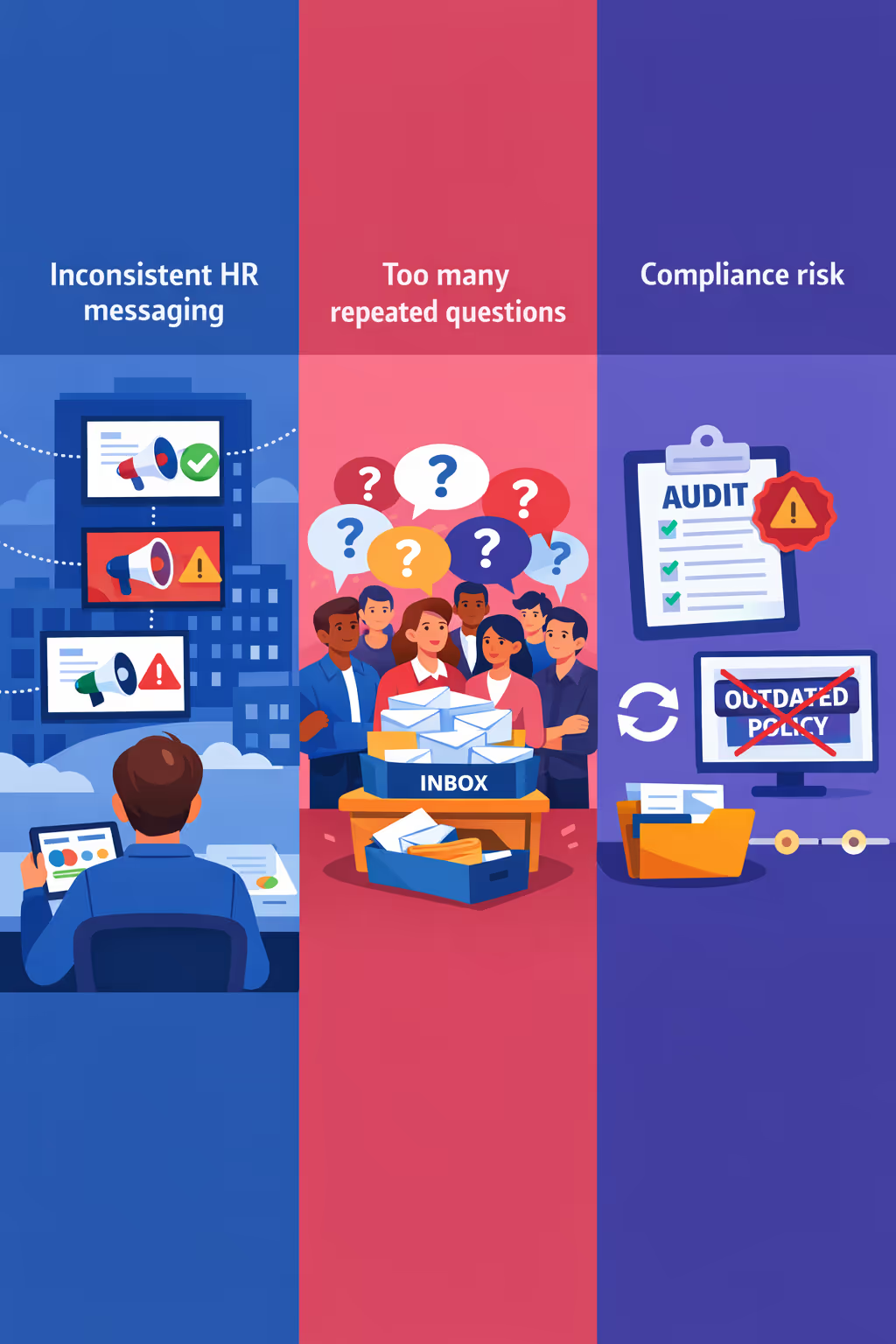
Policies, benefits updates, and workplace announcements change fast. When managers, HR partners, and different locations share different versions, employees stop trusting the message and HR spends more time clarifying than supporting.
People want quick answers on onboarding steps, time off rules, deadlines, and who to contact. When guidance is buried in emails or outdated documents, HR becomes a help desk for the same requests instead of focusing on higher impact work.
HR communications must be accurate, timely, and consistent with current policy. When notices are not updated everywhere at the same time, employees may follow the wrong process, creating audit issues, fairness concerns, and avoidable escalations.
Hr digital signage that strengthens internal communication and employee experience
Keep employees informed, aligned, and engaged across every location. With Disign, HR teams publish updates in minutes, improve reach for policies and benefits, support onboarding and culture, and cut printing time and costs for a clear, measurable ROI.
Share HR updates instantly across every workplace
Publish policy changes, benefits reminders, deadlines, and wellness messages in real time. HR digital signage helps you reach people who do not sit at a desk, with fewer missed updates and less back and forth.
Improve onboarding and navigation for new hires
Welcome new employees, guide them to key areas, and highlight first week priorities. Clear wayfinding and onboarding screens reduce confusion, save managers time, and help new hires feel supported from day one.
Demonstrate ROI with stronger reach and less manual work
Replace posters and email overload with a centralized, trackable channel. Reduce printing and admin workload while improving message visibility for benefits, training, and compliance, so HR can show real operational savings.
Keep compliance and safety communication consistent
Standardize critical notices, health and safety updates, and code of conduct reminders across sites. Use controlled templates and approvals to keep messaging accurate, timely, and easy to audit.
Reduce printing costs and simplify content management
Move from recurring print runs to digital updates in a few clicks. HR digital signage lowers spend on posters and logistics, while keeping every screen current from one place.
Personalize messages by site, role, and language
Tailor content for headquarters, plants, retail teams, or regional offices. Deliver local language announcements and role relevant information while keeping the same HR standards and brand voice everywhere.
HR digital signage use cases for every workplace
From the reception area to break rooms and training spaces, HR digital signage helps you share timely updates, reduce repetitive questions, and deliver consistent employee communications that people trust.
- Reception and entrances: welcome teams and visitors, share announcements, and set clear expectations from day one
- Training and onboarding areas: display agendas, next steps, and learning resources to support faster ramp up
- Compliance and policy updates: publish reliable, version controlled messages so everyone sees the same guidance
- Internal communications and culture: highlight recognition, key metrics, and events to strengthen engagement across locations
How Disign digital signage works
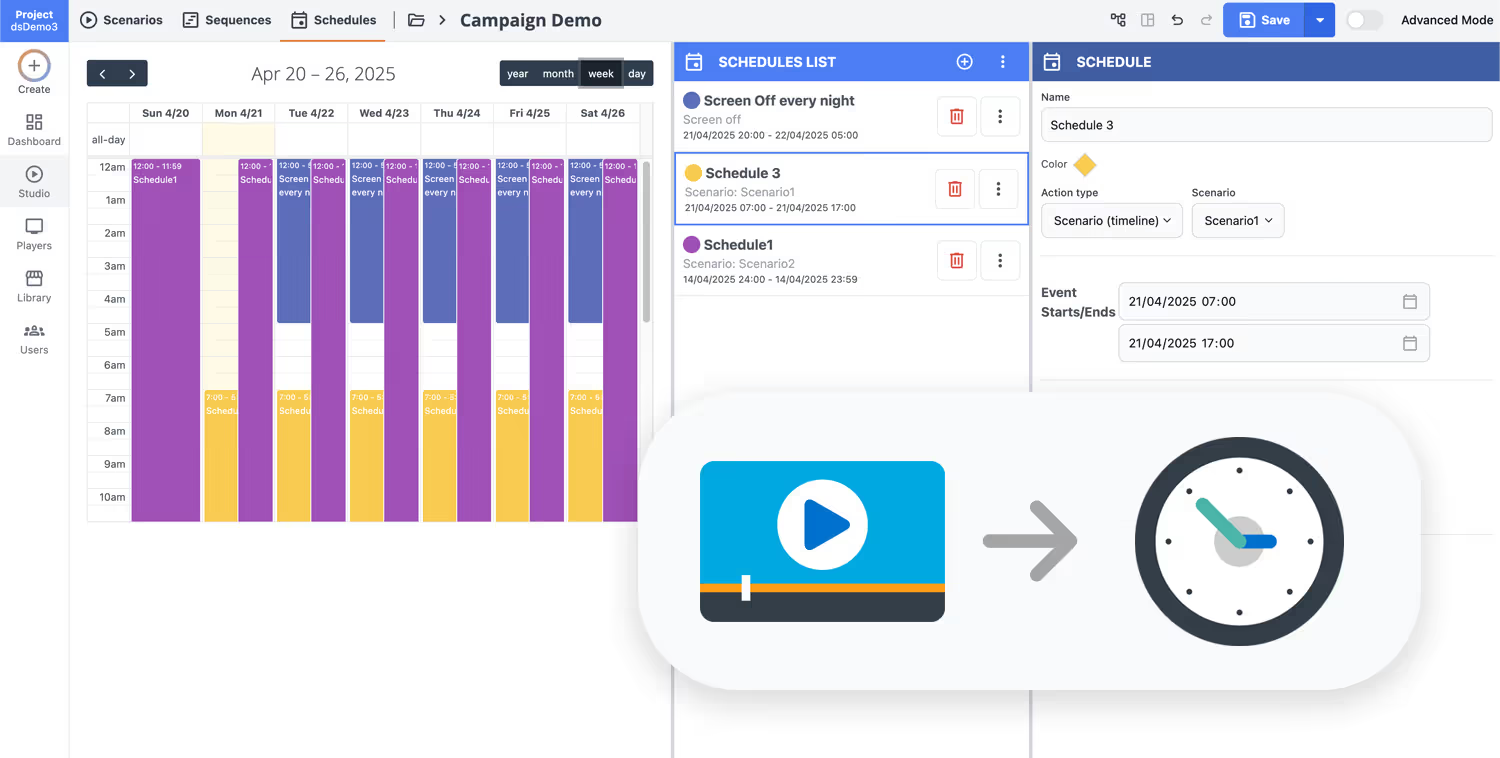
Schedule your content from anywhere with our cloud-based digital signage solution. Easily plan what plays, when, and where—across one screen or thousands.
Desenhe cenários e playlists personalizados adaptados ao seu público e objetivos.
Defina datas e horários precisos para que seu conteúdo seja reproduzido automaticamente.
Implante conteúdo instantaneamente em sua rede de affichage dynamique com apenas um clique.
Ready to roll out hr digital signage that employees actually use?
Start your 28-day free trial of Disign and publish HR updates, onboarding reminders, benefits info, internal events, and policy notices to the right screens in minutes. No credit card required.
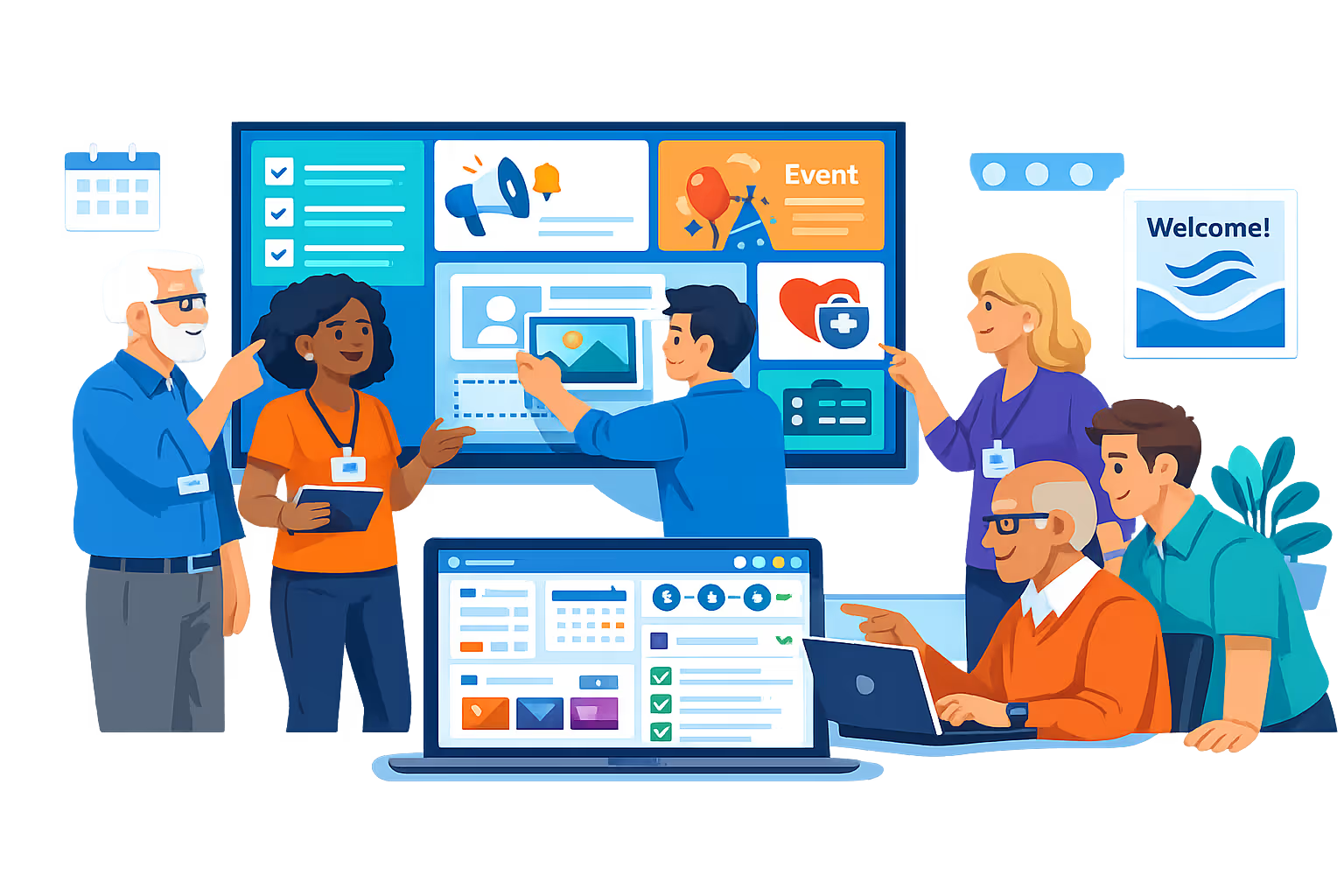
Hr digital signage for employee communication, onboarding, and culture
Keep teams aligned with compliant, real time updates on every screen. Disign helps HR and IT publish policy reminders, benefits updates, training deadlines, and recognition content from one secure platform with full governance and traceability.
Centralized control for every workplace
Scale hr digital signage across locations
Manage screens in HQ, factories, stores, and offices from one dashboard. Target messages by site, department, or screen group, reuse playlists, and apply role based access so local teams can publish only what they are authorized to share.
Security, roles, and access governance
Control who can create and publish
Keep HR communications protected with granular permissions, secure authentication, and device level pairing. Track who changed what and when, and reduce risk when sharing sensitive information like policy updates, employee programs, and internal announcements.
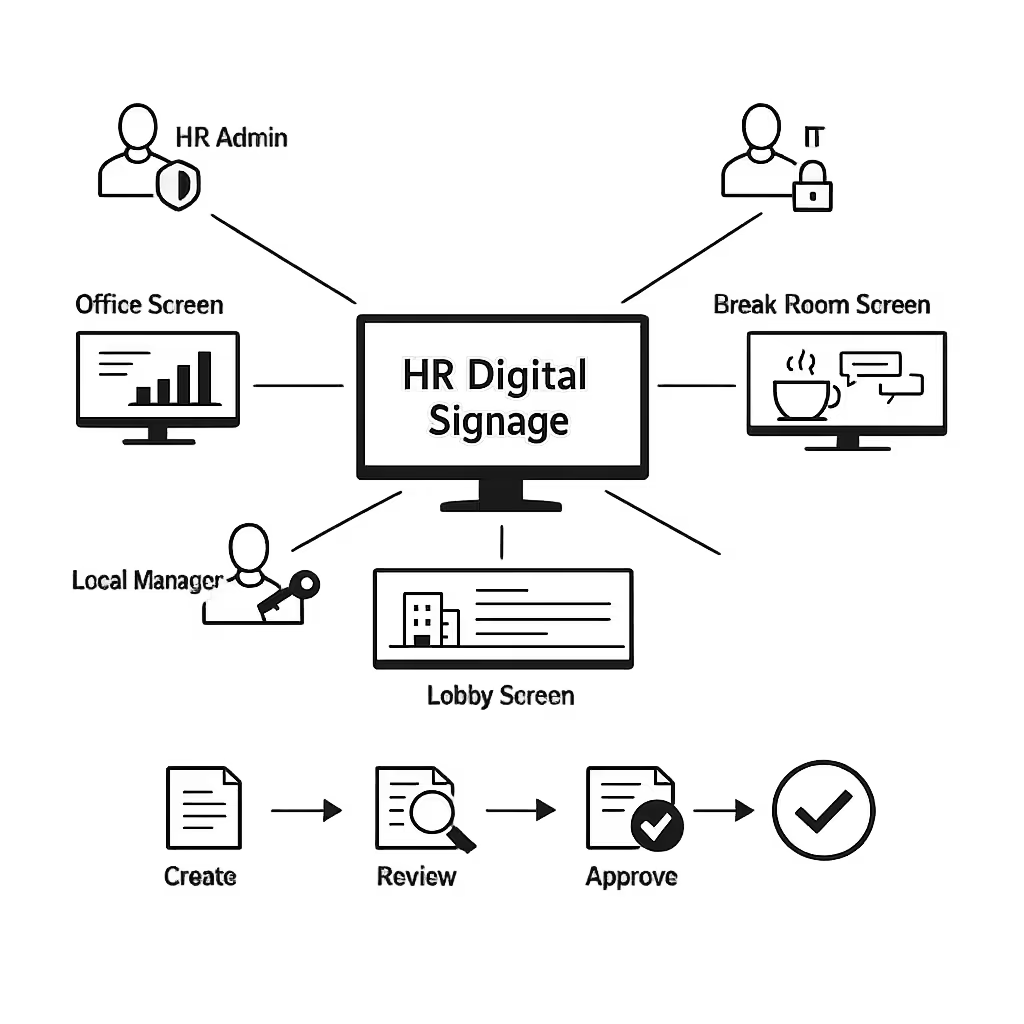
Compliant approval workflows for HR
Review, approve, and audit internal messaging
Standardize publishing with structured steps like draft, review, approve, then schedule. Maintain version history for policy content, safety notices, and legal statements so employees always see the right information in the right place.
Smart scheduling and automation
Recurring campaigns and time based playback
Automate hr digital signage with schedules that match real operations. Run onboarding content during shift starts, rotate training reminders weekly, and publish time sensitive notices during events, weather impacts, or facility changes without last minute manual updates.
Reliable playback and device monitoring
Keep screens online and content verified
Monitor device health, detect offline players, and confirm content delivery to reduce downtime. Disign helps IT maintain consistent employee communication with remote diagnostics and clear visibility across your entire screen network.
Deployment support for HR and IT teams
Rollout guidance and operational best practices
Get practical support from setup to daily publishing. We help you standardize HR templates, onboard content owners, and troubleshoot devices so your hr digital signage remains stable, secure, and easy to operate at scale.
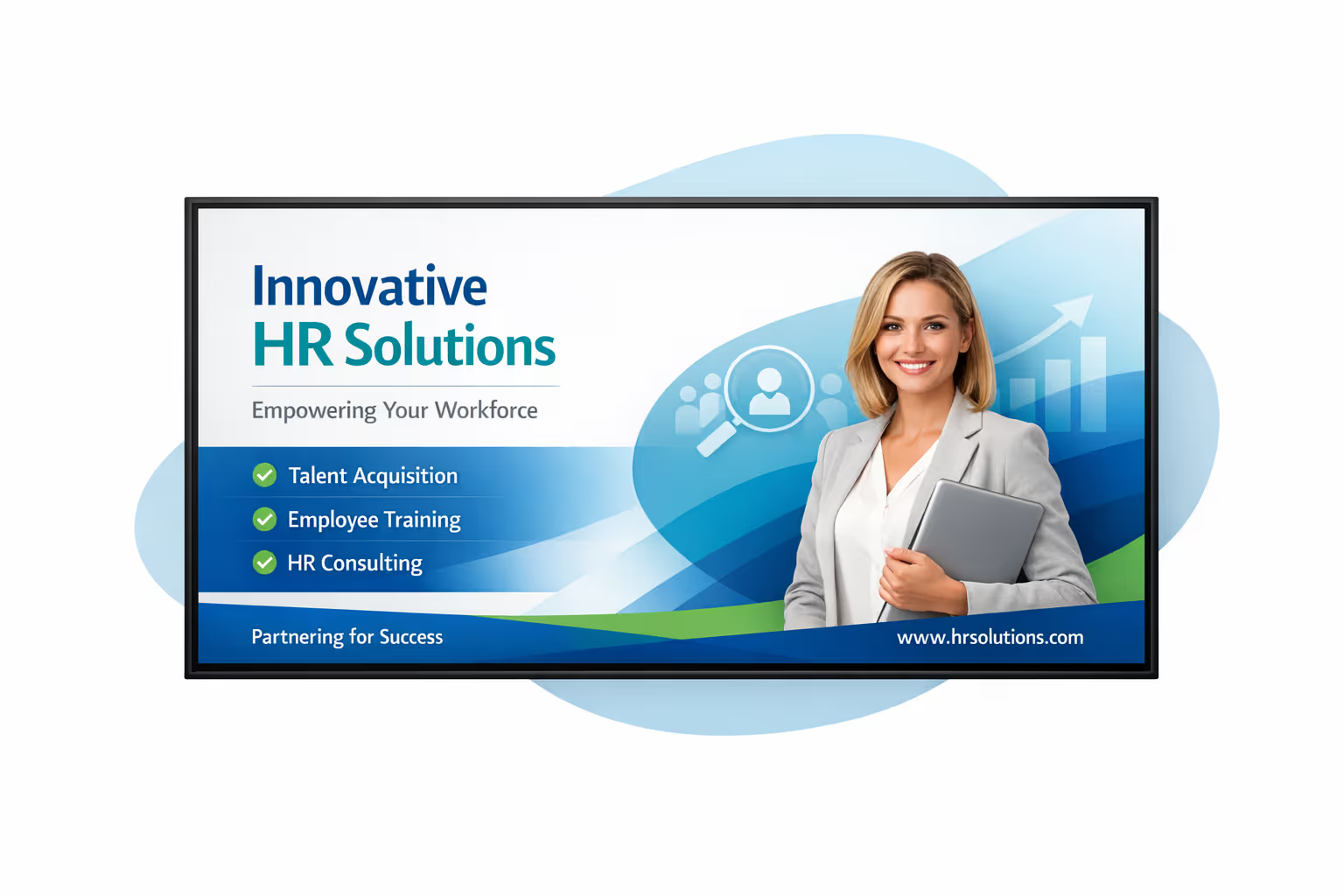
Centralized content management for HR digital signage
Manage HR digital signage from one secure platform. Create, review, schedule, and publish workplace updates across offices, break rooms, and shared spaces, with the governance IT requires and the speed marketing and operations rely on.
One source of truth for every HR screen
Central control with local team flexibility
Standardize company wide HR messaging while enabling sites and departments to add local content like onboarding reminders, office specific events, and facility notes, all within approved guidelines.
Campaigns, policy updates, and timely workplace moments
Schedule content by location, department, or screen type. Keep employee communications consistent, time sensitive notices accurate, and HR digital signage aligned with your internal standards.
Built for IT governance and HR compliance
Centralize access with role based permissions, structured approvals, and consistent playback rules so every HR digital signage update is controlled, traceable, and audit ready.
Real time updates for operations and employee experience
Publish urgent alerts, safety guidance, schedule changes, and facility updates in minutes. Keep HR digital signage accurate during busy periods, incidents, or policy changes, without relying on manual updates at each site.
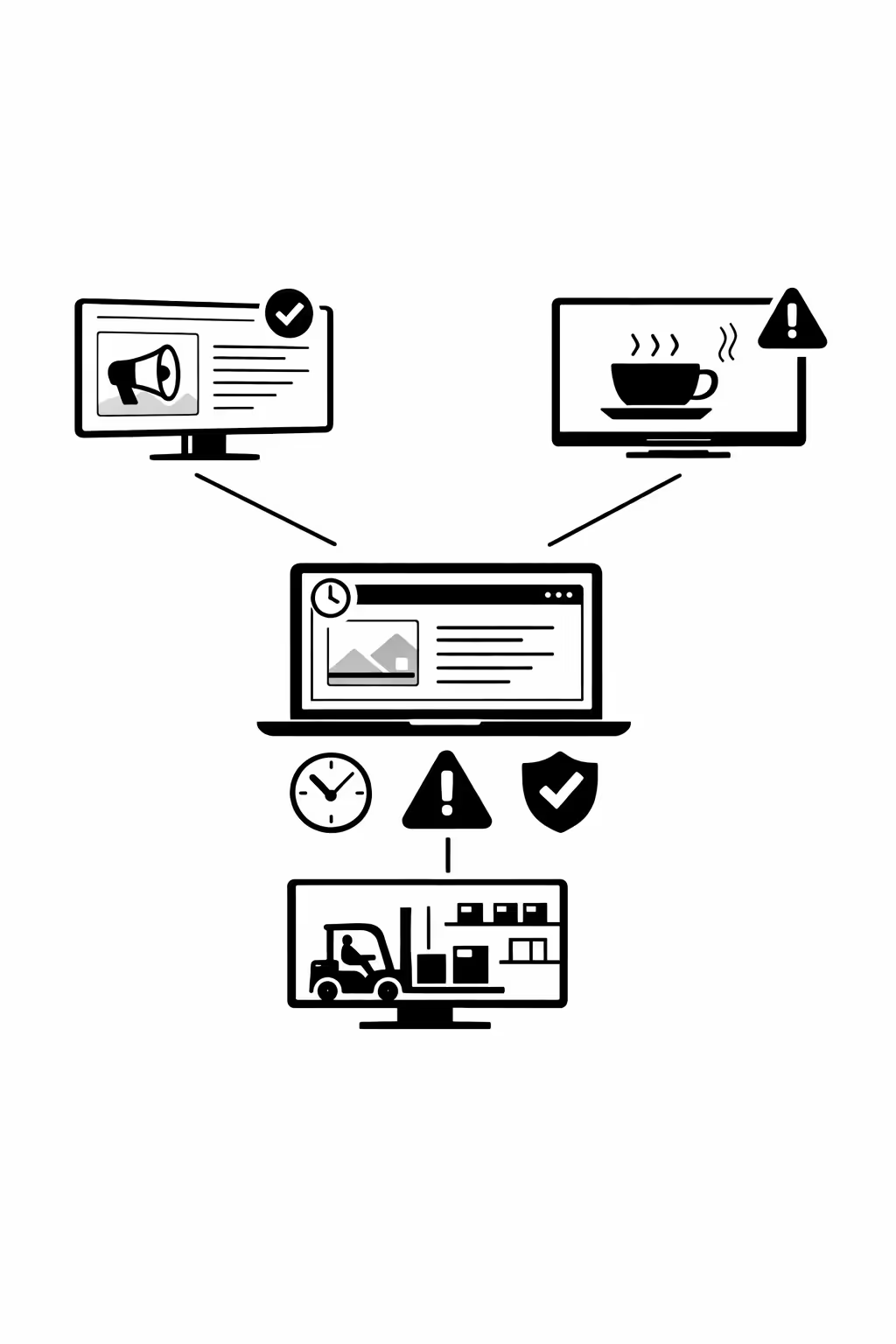
Scalability for growing hr networks with hr digital signage
Scale hr digital signage across offices, campuses, and regions from one cloud platform. Roll out HR updates in minutes, keep governance clear, and maintain a consistent employee experience as your network grows.
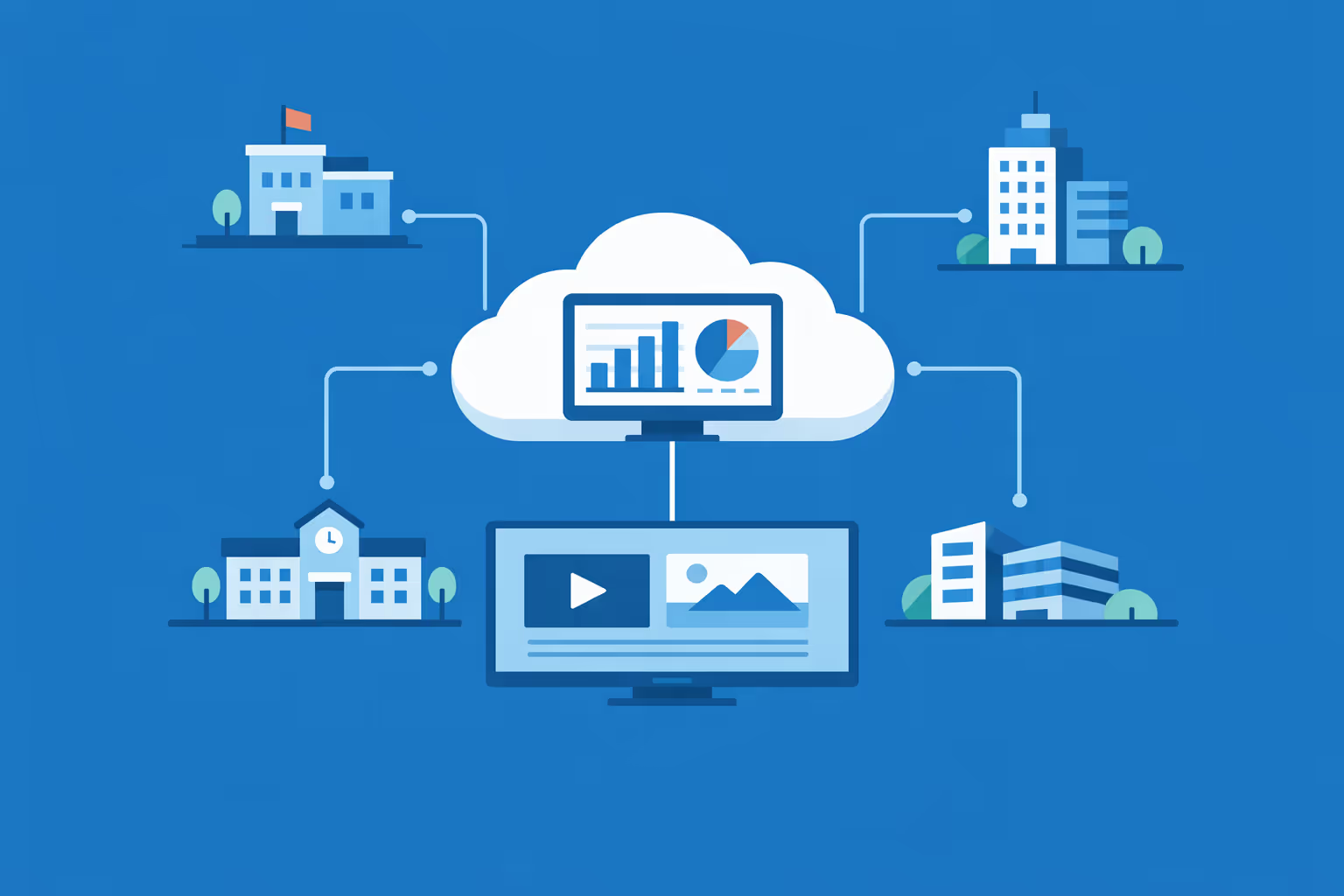
Multi-site management from one cloud dashboard
Oversee hr digital signage across every location from a single view. Publish content instantly, verify what is playing on each screen, and keep HR messaging consistent across your entire network.
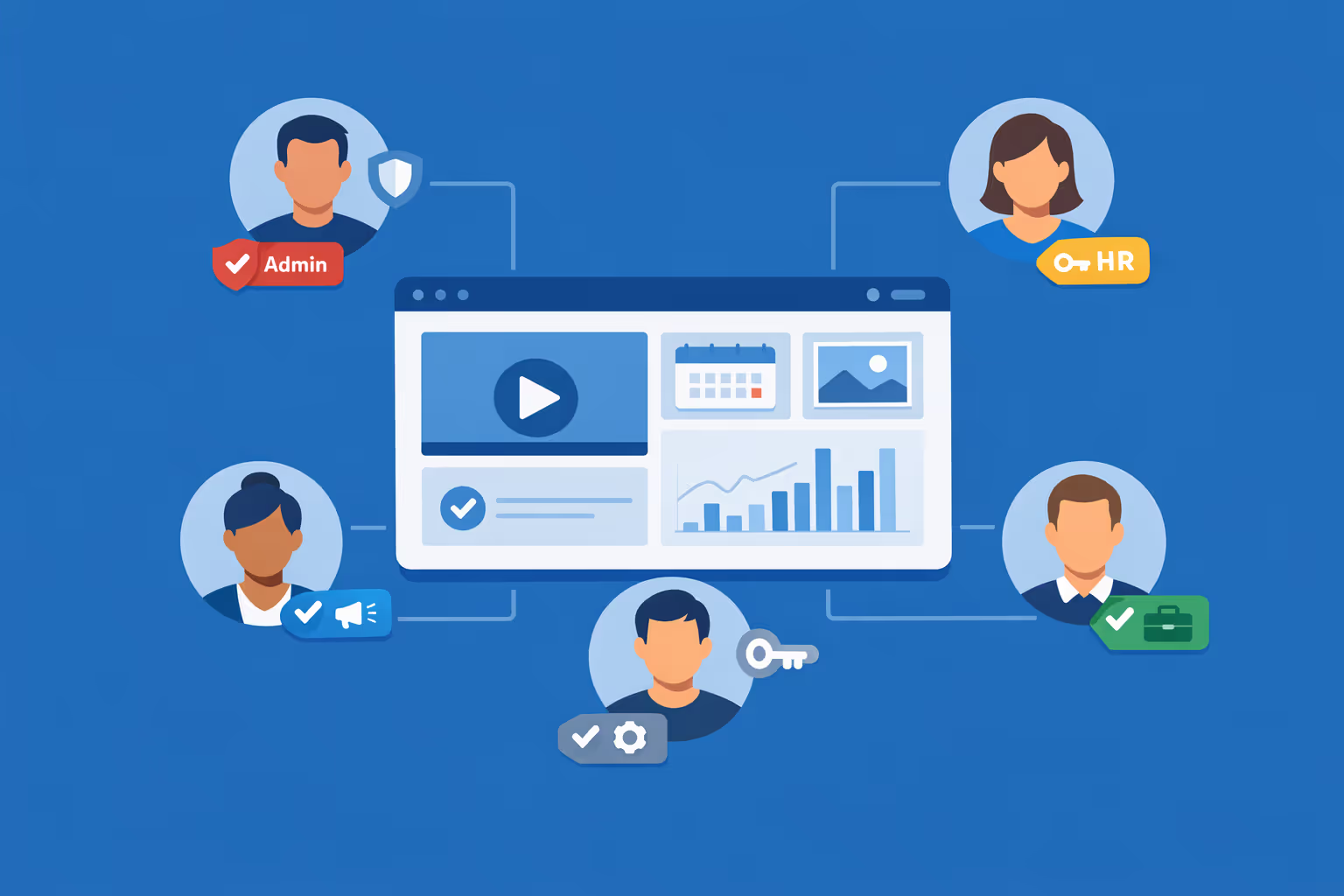
Multi-user access with role-based permissions
Assign roles, permissions, and access levels for corporate HR, local HR, and comms teams. Keep collaboration smooth and secure, with clear ownership and approvals across departments and sites.
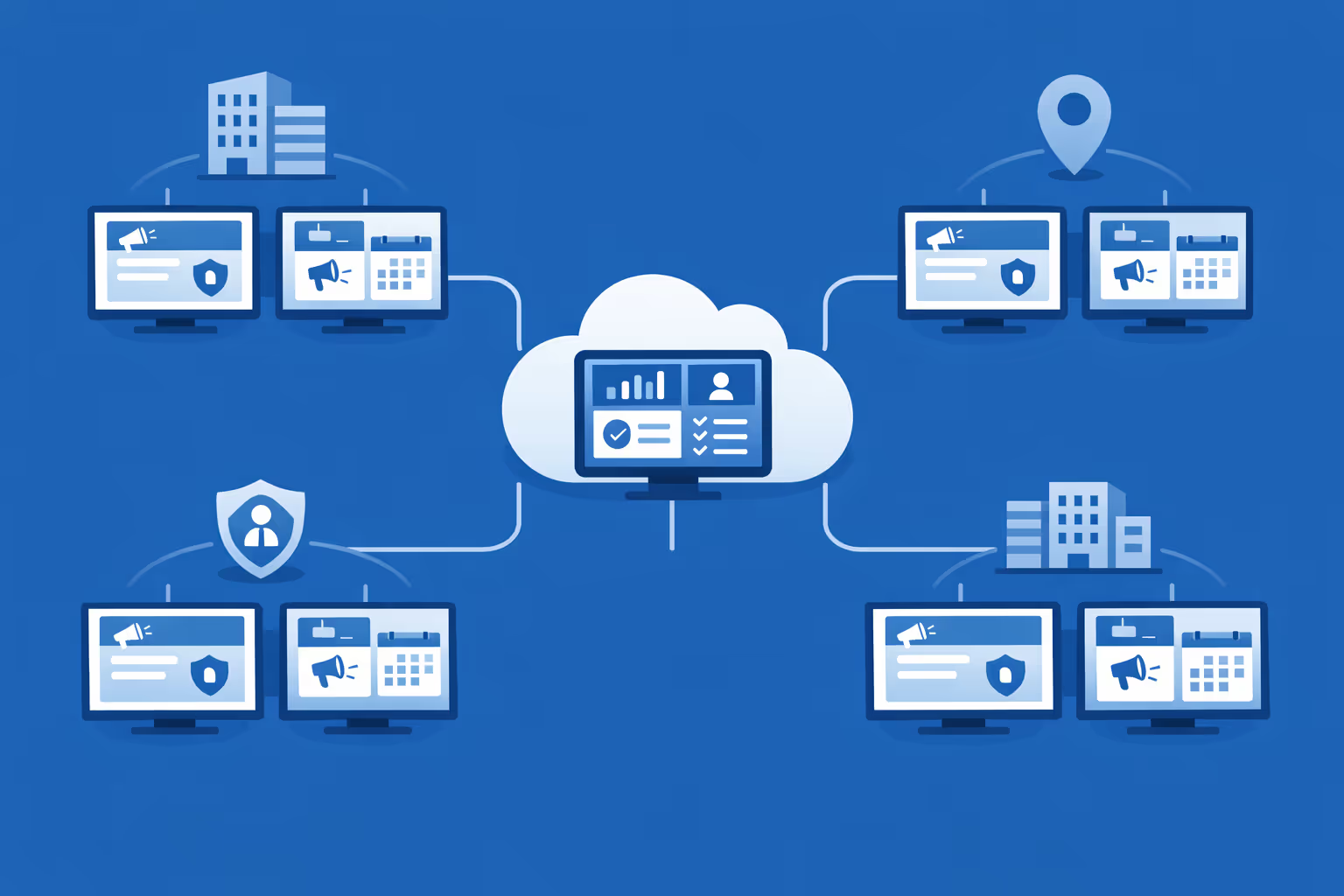
Multi-screen and multi-organization ready
Control thousands of screens and manage multiple organizations within one account. Segment hr digital signage by brand, region, site, or audience so you can scale faster while keeping messages relevant locally.
Disign é compatível com todas as telas para sinalização digital
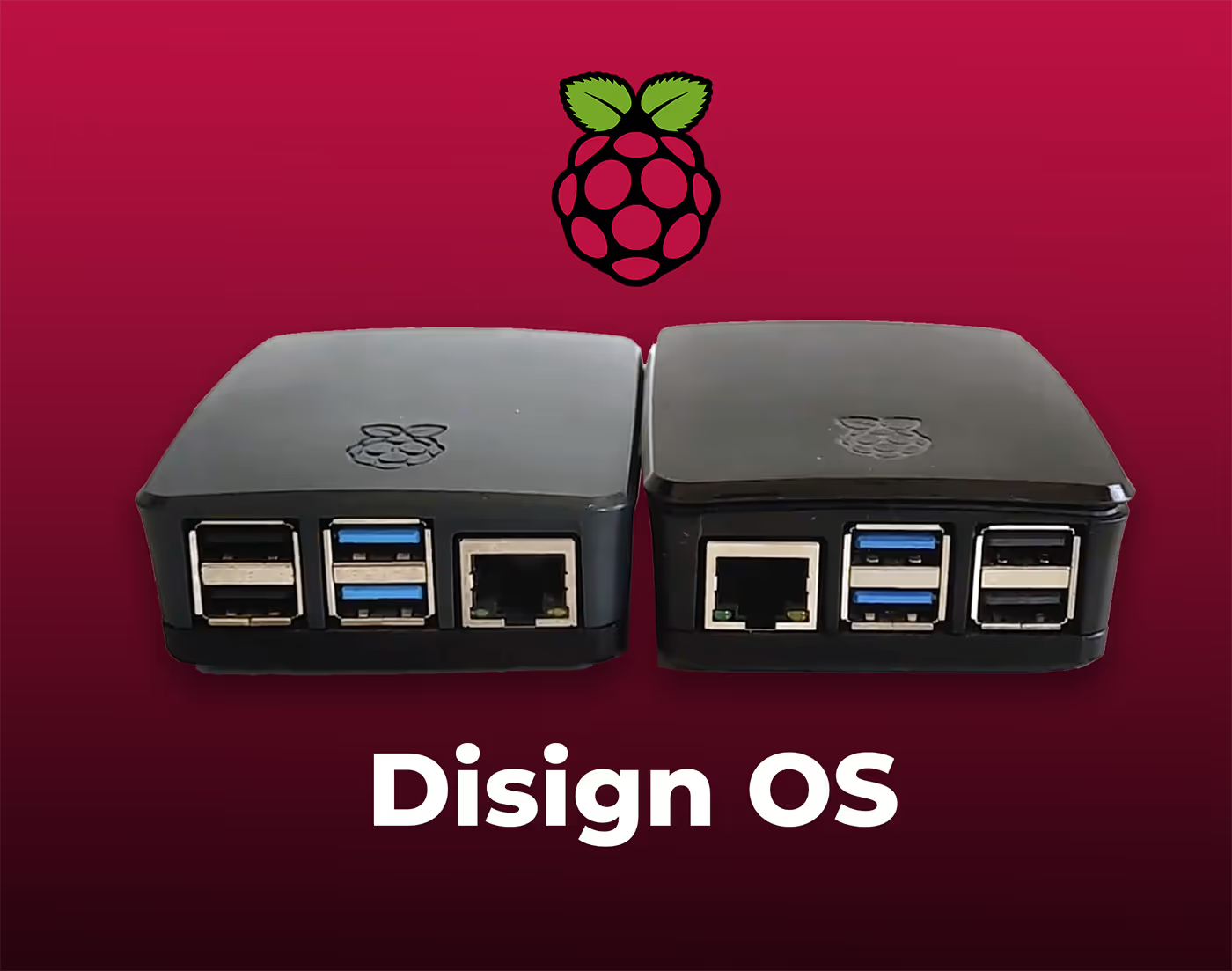
A sinalização digital com Disign permite que você gerencie e exiba conteúdo em uma variedade de dispositivos. Nossa solução é compatível com muitos players externos, como Disign OS baseado em Raspberry Pi, BrightSign e qualquer hardware Android. Disign também suporta tecnologias embutidas em telas Samsung, LG e Android TV. Com essa ampla compatibilidade, você pode facilmente implementar soluções de sinalização digital em diferentes tipos de hardware, garantindo gestão simplificada e uma experiência ideal para o usuário.


Trusted by HR teams using Disign for hr digital signage to keep employees informed across offices, plants, and branches
What HR professionals say about Disign
“We use Disign as our HR digital signage for policy reminders, wellbeing updates, and onboarding messages. What I appreciate is how quickly we can push an update without spamming inboxes. It is not flashy for the sake of it, it is simply practical and it gets read.”
“I used to worry that HR digital signage would turn into another channel no one owns. With Disign, templates and permissions make it clear who can publish what. Our HR team stays in control, while site managers can share local wins and events without derailing the message.”
“For us, HR digital signage only works if it is reliable on day shifts and night shifts. Disign has been steady, and the scheduling is a lifesaver for rotating teams. When something needs adjusting, support has been straightforward and quick.”
Integrate with your favorite Applications
70+ Applications and infini integration with API, Database, and any data source
Easily integrate third-party applications and web content such as YouTube or Vimeo, optimized for seamless playback. Display data from RSS feeds or formats like CSV, JSON, or XML directly on your digital signage screens. Extend display capabilities with advanced applications like grids or collections to enrich Disign scenarios.

We designed Disign to be as open and customizable as possible, both in its visual scenes and in its data sources.
Florent MondoloniCo-Founder, Disign

Video
Utilisez vos medias

RSS Feed
Use your own RSS Feed

Database
Databases

Canva
Create your Design and import it

Google Sheets
Import CSV, Live data...

Website/API
Affiche your website or use API
Tudo que você precisa saber sobre Disign affichage dynamique para Recursos Humanos
Hr digital signage FAQ: answers for HR teams choosing the right screen solution
Hr digital signage is a practical way to reach employees and visitors with clear, timely messages on screens across offices, factories, warehouses, clinics, campuses, and hybrid workplaces. For HR leaders, it solves a common problem: important information is scattered across email, intranet, chat, posters, and word of mouth. The result is missed updates, inconsistent policies, and employees who feel out of the loop.
This FAQ is written for the HR persona who is evaluating a platform like Disign and needs a solution that is easy to roll out, simple to manage, secure, and measurable. You will find plain English answers to the questions HR teams ask most often before launching hr digital signage, including governance, content strategy, hardware, security, accessibility, and adoption.
What is hr digital signage?
Hr digital signage is a network of screens managed from a central platform that displays HR related information and workplace communications. Instead of printing posters or relying only on email, HR teams publish content to screens in high traffic areas where people naturally look during their day.
Common examples include a welcome screen in reception, policy reminders near entrances, internal news in break rooms, training prompts in production zones, and safety updates in warehouses. The goal is not to replace your intranet or email. The goal is to make critical messages visible and easy to absorb at the moment they matter.
Hr digital signage typically includes:
- centrally managed playlists and schedules
- content templates for consistent branding
- targeting by location, department, or audience
- real time updates for urgent notices
Why should HR invest in hr digital signage instead of email or posters?
Email is easy to send but hard to land. Employees are overloaded, frontline teams may not have desk access, and important messages get buried. Posters reach people in physical spaces, but they are slow to update and quickly become outdated.
Hr digital signage helps HR because it:
- improves reach for frontline and deskless employees
- keeps policies, benefits, and reminders up to date without printing
- reduces misunderstandings by repeating key messages consistently
- supports onboarding with structured, welcoming communication
- reinforces culture and recognition in shared spaces
- enables urgent communication when situations change quickly
For many HR teams, hr digital signage becomes the missing link between corporate communication and the daily reality of employees on site.
Who typically owns hr digital signage in an organization?
Ownership depends on your structure, but successful deployments define roles clearly. HR often owns the content strategy because the messages are people focused and policy driven. IT often owns device standards and security. Internal communications or corporate communications may own brand guidelines and campaigns. Facilities may support screen placement and power.
A practical ownership model looks like:
- HR and internal comms own editorial planning and message priorities
- IT owns security, network rules, and device provisioning standards
- Facilities owns physical installation and maintenance coordination
- Local leaders can request content and approve local updates within rules
With Disign, permissions and grouping make this model realistic. You can let different teams contribute without losing control of what plays on screens.
What are the most effective use cases for hr digital signage?
HR gets the best results when screens solve recurring communication problems. The strongest use cases usually combine clarity, repetition, and relevance to the location.
High impact hr digital signage use cases include:
- onboarding and welcome messages for new hires and visitors
- open enrollment and benefits reminders with key dates
- safety messages and incident prevention tips
- policy reminders such as badge access, clean desk, or conduct
- training prompts such as micro learning, QR codes, and deadlines
- recognition such as anniversaries, shout outs, and team wins
- hiring campaigns and internal mobility opportunities
- event promotion such as town halls, wellbeing sessions, and workshops
- operational updates such as building access, parking, or cafeteria changes
Disign helps you schedule these messages, rotate content automatically, and target screens by site or department so employees see information that fits their daily context.
How does hr digital signage help with onboarding and employee experience?
Onboarding success often depends on how quickly a new employee feels oriented. If new hires are unsure where to go, what to do, or who to ask, anxiety rises and productivity drops.
Hr digital signage improves onboarding by:
- welcoming new hires by site and start date
- showing practical first day information like WiFi, check in steps, and office maps
- reinforcing culture and values through short messages and visuals
- highlighting key policies such as safety, security, and conduct
- promoting where to find help such as HR contacts or IT support channels
Because screens can be targeted by location, a reception lobby can show visitor and new hire guidance, while a break room can show training reminders and team specific updates.
Can hr digital signage support internal communication for deskless employees?
Yes. This is one of the strongest reasons HR teams adopt hr digital signage. Deskless employees in retail, healthcare, logistics, manufacturing, hospitality, and field operations may not check email frequently. Some may not have a company laptop at all.
Screens placed where people naturally pass or take breaks can deliver:
- shift updates and operational reminders
- safety communication and compliance reminders
- HR deadlines such as benefits enrollment or document submission
- wellbeing resources and support contacts
- recognition and culture messages that build belonging
Hr digital signage does not require employees to log in, search, or scroll. It meets them in the flow of work.
What content works best on hr digital signage screens?
The best content is short, clear, and designed for people who glance at a screen for a few seconds. HR messages are often text heavy, so the key is to simplify without losing meaning.
Content that performs well on hr digital signage includes:
- one message per slide with a single call to action
- short headlines with supporting details in one or two lines
- clear dates and deadlines, repeated across multiple days
- QR codes that link to the full policy, form, or intranet page
- simple visuals that reinforce the topic without clutter
- consistent layout so employees learn where to look for key information
Avoid dense paragraphs and tiny legal text. If a message needs detail, summarize the key point on screen and link to the full content.
How often should HR update hr digital signage content?
Employees stop paying attention if screens look stale. At the same time, changing content too often without structure can feel noisy.
A practical update cadence is:
- daily or several times per week for operational notices, safety reminders, and timely updates
- weekly for culture, recognition, and recurring communications
- monthly for evergreen content such as wellbeing resources or learning catalogs
- immediate updates for urgent notices such as closures, weather events, or security incidents
With Disign, updates are fast and centralized, so HR can keep information current without relying on someone at each location to manage files or USB sticks.
Can hr digital signage be personalized by location, department, or shift?
Yes. Personalization is a major advantage of hr digital signage over posters. HR communication is more effective when it matches the audience.
Common targeting approaches include:
- different playlists per office, factory, warehouse, or store
- department specific messages for operations, sales, and support teams
- shift specific scheduling so night teams see relevant updates
- language variations by site based on workforce needs
- local leader messages that remain consistent with brand guidelines
Disign supports grouping, scheduling, and targeted assignment so you can scale personalized communication while keeping governance and consistency.
How do we keep HR content governed so anyone cannot publish to screens?
Governance is essential. Screens are visible, so one wrong message can damage trust, create confusion, or introduce compliance risk.
A controlled hr digital signage process usually includes:
- role based access so only approved users can publish
- approval workflows for sensitive updates
- templates that lock layout and required elements
- scheduling rules so messages run only during valid windows
- audit visibility into who changed what and when
With Disign, you can structure permissions by site and team. HR can maintain editorial control while allowing local leaders to contribute within approved templates.
Is hr digital signage secure?
It should be, and security should be evaluated like any other business system that manages endpoints and content. HR content often includes sensitive context, such as employee support resources, policy updates, and internal campaigns. You also need to protect screens from unauthorized changes.
Security capabilities to look for in hr digital signage include:
- secure authentication for administrators and editors
- strong permission controls and separation of roles
- encrypted connections for management and delivery
- device management basics such as remote monitoring and health checks
- activity logs for administrative actions
- a clear approach to network access, including minimal required outbound connections
Disign is designed to support centralized management with structured access so HR can move fast without compromising control.
Can hr digital signage display sensitive employee data?
In most cases, you should avoid displaying personal employee data on public or semi public screens. Hr digital signage is best for general communication, guidance, and culture content.
Good alternatives include:
- using aggregated metrics rather than individual names
- recognizing employees only with consent and clear policy
- showing QR codes that lead to authenticated pages for detailed information
- limiting internal only messages to staff areas, not public lobbies
If you have a use case that involves data feeds, you should involve HR, IT, and security early to define what is acceptable and how it will be protected.
What hardware do we need for hr digital signage?
Hr digital signage typically requires:
- a screen such as a commercial display or TV
- a media player or compatible device to run the signage app
- power and mounting
- reliable network connectivity
Commercial grade displays are recommended for long operating hours and brighter environments. For quieter spaces like offices, standard screens may be sufficient. The right choice depends on uptime expectations, brightness needs, and how critical the screen is to your communication strategy.
Disign can support a range of hardware options so you can standardize over time rather than replace everything on day one.
Where should we place screens for maximum HR impact?
Placement is a strategy decision. The best locations are where people naturally pause or pass regularly.
Effective hr digital signage locations include:
- reception and entrances for welcome and visitor guidance
- break rooms and cafeterias for HR reminders and culture content
- near time clocks or shift check in points for operational and safety messages
- outside meeting rooms for events and internal announcements
- corridors near elevators and stairwells for quick headlines
- training areas for learning prompts and reminders
Think in terms of moments. Where do employees wait, gather, or transition? Those moments are where screens get attention.
How can hr digital signage support health, safety, and compliance communication?
Safety and compliance messages need repetition and visibility. Email alone is often not enough, especially for frontline teams.
Hr digital signage supports safety and compliance by:
- reinforcing daily safety habits and hazard awareness
- showing emergency procedures and contact information
- reminding employees about PPE, access rules, and reporting channels
- communicating policy changes quickly across locations
- reducing inconsistency because the same approved content plays everywhere
For regulated environments, templates and approval workflows help ensure that content remains accurate and consistent.
Can hr digital signage help reduce employee confusion during changes?
Yes. Change communication often fails because people hear it once, forget it, and then rely on rumors. Screens help by repeating key points in a stable format across days and weeks.
Examples include:
- office moves and temporary route changes
- policy updates such as remote work guidelines or travel rules
- payroll and benefits timeline changes
- building access changes and badge rules
- system downtime notices for HR tools
Because hr digital signage is visible in shared spaces, it reduces the number of basic questions managers and HR teams have to answer repeatedly.
How do we measure the success of hr digital signage?
HR outcomes can be hard to measure directly, but you can track practical indicators that show whether communication is landing.
Ways to measure hr digital signage success include:
- operational metrics such as fewer repeated questions at reception or HR helpdesk
- training completion improvements after deadline reminders
- benefits enrollment rates and on time submissions
- QR code scans that show engagement with policies and resources
- survey feedback about awareness of key messages
- consistency audits such as whether the right content is playing at the right sites
Disign also helps you manage execution quality by making it easier to confirm what is scheduled, where it plays, and how quickly updates can be published.
Does hr digital signage replace the intranet or HR portal?
No. Hr digital signage complements your intranet, HR portal, and email. The intranet is where people go for depth. Screens are where people get the prompt and the reminder.
A strong approach is:
- use screens for headlines, deadlines, and calls to action
- link to the full details through QR codes or short URLs
- repeat the message across channels so it sticks
When HR uses screens as an amplification channel, your existing tools perform better because employees are reminded to use them.
How do templates help HR teams scale content without losing quality?
Templates are a major productivity and governance tool. Without templates, each message becomes a one off design task and brand consistency suffers.
Good hr digital signage templates:
- keep layouts consistent so employees recognize HR messages quickly
- lock key elements like logo placement, colors, and readability rules
- reduce the chance of overly dense slides
- allow quick updates by swapping text, dates, and images
- support different formats for lobbies, break rooms, and narrow screens
Disign lets you create approved templates so HR can publish faster while still keeping a professional look across all locations.
What about accessibility and readability for diverse workforces?
Accessibility is not optional. Screens should be readable and inclusive for employees of different ages, languages, and abilities.
Best practices for accessible hr digital signage include:
- large fonts and strong contrast
- short lines and clear hierarchy
- avoiding fast motion or tiny scrolling text
- captions for video when audio cannot be relied on
- clear plain language that avoids jargon
- consistent placement of dates, calls to action, and QR codes
If you standardize these rules in templates, every team benefits and the experience stays consistent.
Can hr digital signage support multilingual communication?
Yes, and this is common in global organizations or sites with diverse workforces. The key is to plan how languages will rotate and how you will avoid confusing message mixes.
Common approaches include:
- separate playlists per language assigned to specific locations
- language rotation on the same screen with clear labels
- bilingual layouts for critical safety or policy messages
- scheduling by shift patterns if workforce language needs vary by time
Disign supports targeted playlists and scheduling so HR can deliver multilingual communication without manual work at each site.
How fast can we deploy hr digital signage?
Deployment speed depends on how quickly you can install screens and align on governance, but hr digital signage projects often move in phases.
A realistic rollout path is:
- start with a pilot in a few locations with different workforce profiles
- test templates, schedules, and approval processes
- validate hardware reliability and network rules
- scale site by site using repeatable provisioning and grouping
Disign supports centralized management, which reduces the operational effort during scaling. HR can focus on content and outcomes instead of chasing local updates.
What should HR ask IT during evaluation?
A smooth HR and IT partnership prevents delays later. HR should ask IT about:
- network requirements and approved device standards
- authentication options and user management
- monitoring expectations and support ownership
- security posture such as encryption and access control
- device lifecycle and replacement plan
- how to handle screens in public areas versus staff areas
With Disign, HR can present a clear operating model where IT stays in control of security while HR owns the messaging.
How does hr digital signage help culture, recognition, and retention?
Culture is built through repetition, visibility, and shared moments. When recognition and values are only communicated in email, it can feel distant. Screens bring culture into everyday spaces.
Hr digital signage can support culture by:
- celebrating employee milestones and team achievements
- highlighting company values with real examples
- sharing leadership messages and community initiatives
- promoting wellbeing programs and employee resource groups
- reinforcing inclusive communication across locations
When employees feel informed and recognized, engagement improves, which supports retention and performance.
Why choose Disign for hr digital signage?
HR needs a platform that is easy to use day to day, but structured enough to maintain consistency, governance, and security. Disign is built to help HR teams communicate at scale without turning digital signage into a burden.
Disign supports HR with:
- centralized management across one or many locations
- permissions that match real HR workflows
- templates that make content consistent and quick to publish
- scheduling and targeting so the right people see the right message
- fast updates for urgent communication and time sensitive campaigns
If you are evaluating hr digital signage, Disign gives HR a reliable channel to keep employees informed, aligned, and engaged across every workplace.
What are the next steps to launch hr digital signage successfully?
A strong start prevents rework later. Before you publish your first playlist, align on a simple plan.
Recommended next steps are:
- define your primary goals, such as onboarding, safety, or enrollment participation
- map your audiences and locations, including deskless and shift based needs
- agree on governance, roles, and an approval process for sensitive content
- build a small library of templates for recurring HR topics
- run a pilot, gather feedback, then scale with a repeatable rollout checklist
Once the foundation is set, hr digital signage becomes a steady, trusted communication channel that reduces noise, improves clarity, and helps HR deliver a better employee experience.



Join community of 4k+ people
hr digital signage that keeps employees informed and aligned
Turn every screen into a clear HR channel. With Disign, publish policy updates, onboarding steps, benefits reminders, internal news, and office announcements across locations from one secure dashboard.
Ready to try Disign for your hr digital signage. Start with a free 28-day trial, no credit card required. If you have questions, contact us and we will help you launch your first screens fast.