Digital Signage player APK for Android Devices
Digital Signage player APK: Install, Deploy & Manage Android Screens Easily
Install Disign as a digital signage player APK on Android TV, tablets, smartphones and media players. Enable kiosk mode, silent updates and advanced device management with or without Google Play Store.
Why Install a Digital Signage APK?
Installing a digital signage APK provides maximum flexibility when deploying Android screens. Unlike Play Store installations, an APK can be installed on Android TVs, tablets, smartphones and media players without requiring a Google account or Google Play Services. This makes it ideal for professional signage projects where compatibility and deployment speed are critical.
APK deployment also gives organizations complete control over how devices are configured and managed. Whether you are deploying professional displays, interactive kiosks, retail signage, digital menu boards or corporate communication screens, installing a digital signage player APK is often the fastest and most versatile solution.
Digital Signage APK Installation Methods Compared
Compare the capabilities of a standard APK installation, Device Owner mode, Root access and Google Play Store deployment for professional digital signage.
| Feature | APK Standard | APK + Device Owner | APK + Root | Play Store |
|---|---|---|---|---|
| No Google account required | ✅ | ✅ | ✅ | ❌ |
| Works without Google Services (Play Store...) | ✅ | ✅ | ✅ | ❌ |
| Advanced kiosk mode | ❌ | ✅ | ✅ | ⚠️ |
| Advanced screen control | ❌ | ✅ | ✅ | ⚠️ |
| Power management (screen on/off scheduling) | ❌ | ✅ | ✅ | ❌ |
| Silent automatic app updates | ❌ | ✅ | ✅ | ⚠️ |
| Fast and predictable updates | ❌ | ✅ | ✅ | ⚠️ |
| Large-scale deployment ready | ⚠️ | ✅ | ✅ | ✅ |
| Easy installation for non-technical users | ✅ | ✅ (with Disign Setup Helper) | ✅ | ✅ |
| Setup documentation available | View | View | View | View |
✅ Fully supported ⚠️ Limited or device dependent ❌ Not supported
Disign Setup Helper for Windows, macOS & Linux
Install, connect and configure Android devices in seconds. Disign Setup Helper automates the full deployment process: app installation, Device Owner provisioning and kiosk setup — without ADB, terminal or technical knowledge.
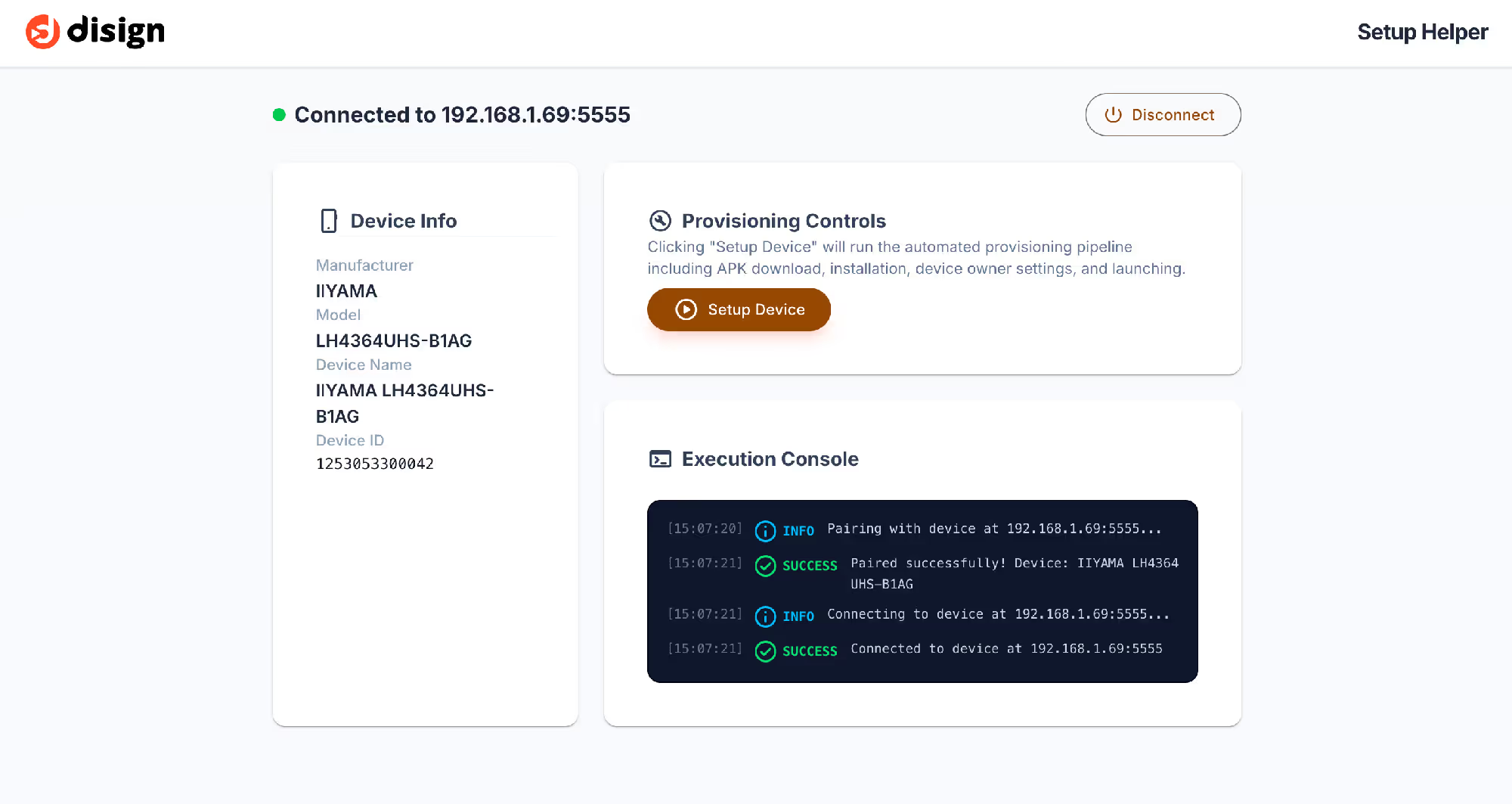
Wireless Device Connection
Connect Android devices via Wi-Fi using IP address and pairing code with Android Wireless Debugging.
Fully Automated Setup
One-click deployment: installs Disign, configures permissions and enables Device Owner automatically.
Device Owner Provisioning
Securely set Android devices into kiosk-ready Device Owner mode for full digital signage control.
No ADB or Terminal Required
No command line, no developer tools — everything is handled automatically by the application.
Multi-Device Deployment
Configure dozens or hundreds of Android screens with the same streamlined workflow.
Fast Professional Setup
Deploy a fully configured digital signage player in minutes, ready for production use.
Disign Setup Helper simplifies Android digital signage deployment by fully automating installation, configuration and Device Owner setup. No ADB, no terminal, no technical skills required: just connect your device and start deployment instantly.
Try Disign Setup HelperDisign Setup Helper on Android
Configure a digital signage screen directly from an Android smartphone or tablet. Disign Setup Helper is also available on Android, allowing fully mobile deployment without a computer.
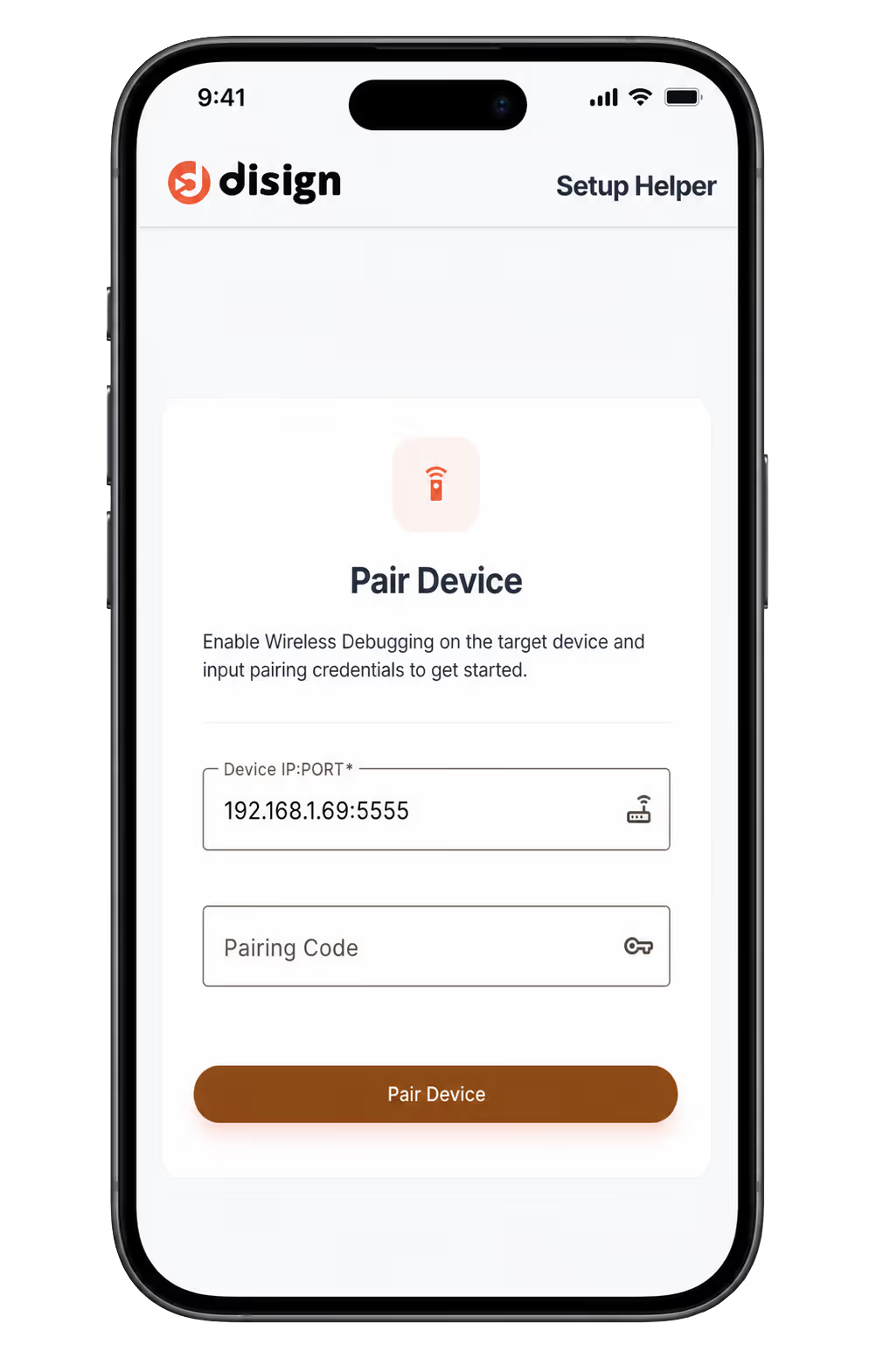
Use an Android smartphone or tablet to configure and deploy Disign on any compatible Android device.
A technician connects devices to Wi-Fi, opens Disign Setup Helper, pairs screens via wireless debugging, and launches setup in a few clicks.
The entire deployment process can be completed directly from a mobile device without any desktop or command-line tools.
Full mobility, fast on-site installation, scalable deployment, and consistent configuration across all Android screens.
Install a Digital Signage APK on Android TV or Tablet in 3 Easy Steps
Enable Wireless Debugging
If your Android TV, tablet or media player is not rooted, enable Android Wireless Debugging from the developer options. This allows Disign Setup Helper to securely connect to the device.
Run Disign Setup Helper
Enter the device IP address and pairing code, then click Start Setup. Disign Setup Helper automatically installs the APK and configures Device Owner mode without ADB, SDK tools or command-line operations.
Start Using Disign
Once the setup is complete, the Disign Player launches automatically and is ready to be paired with your Disign account for content publishing and remote management.
Device Owner Mode: Professional Android Digital Signage Without ADB
Device Owner is Android's official enterprise management mode. It unlocks advanced kiosk capabilities, silent application updates and enhanced device management required for professional digital signage deployments.
Traditionally, enabling Device Owner requires ADB, Android SDK tools and complex command-line operations. Disign Setup Helper automates the entire process, allowing anyone to configure Android devices in minutes without technical knowledge.
Advanced Kiosk Mode
Lock devices to Disign and prevent users from leaving the application or accessing Android settings.
Enhanced Device Management
Apply system restrictions, security policies and dedicated signage configurations across devices.
Silent Application Updates
Update Disign automatically in the background without requiring user interaction or approval.
No ADB or Command Line Required
Connect through Android Wireless Debugging using an IP address and pairing code, then let Disign Setup Helper handle everything automatically.
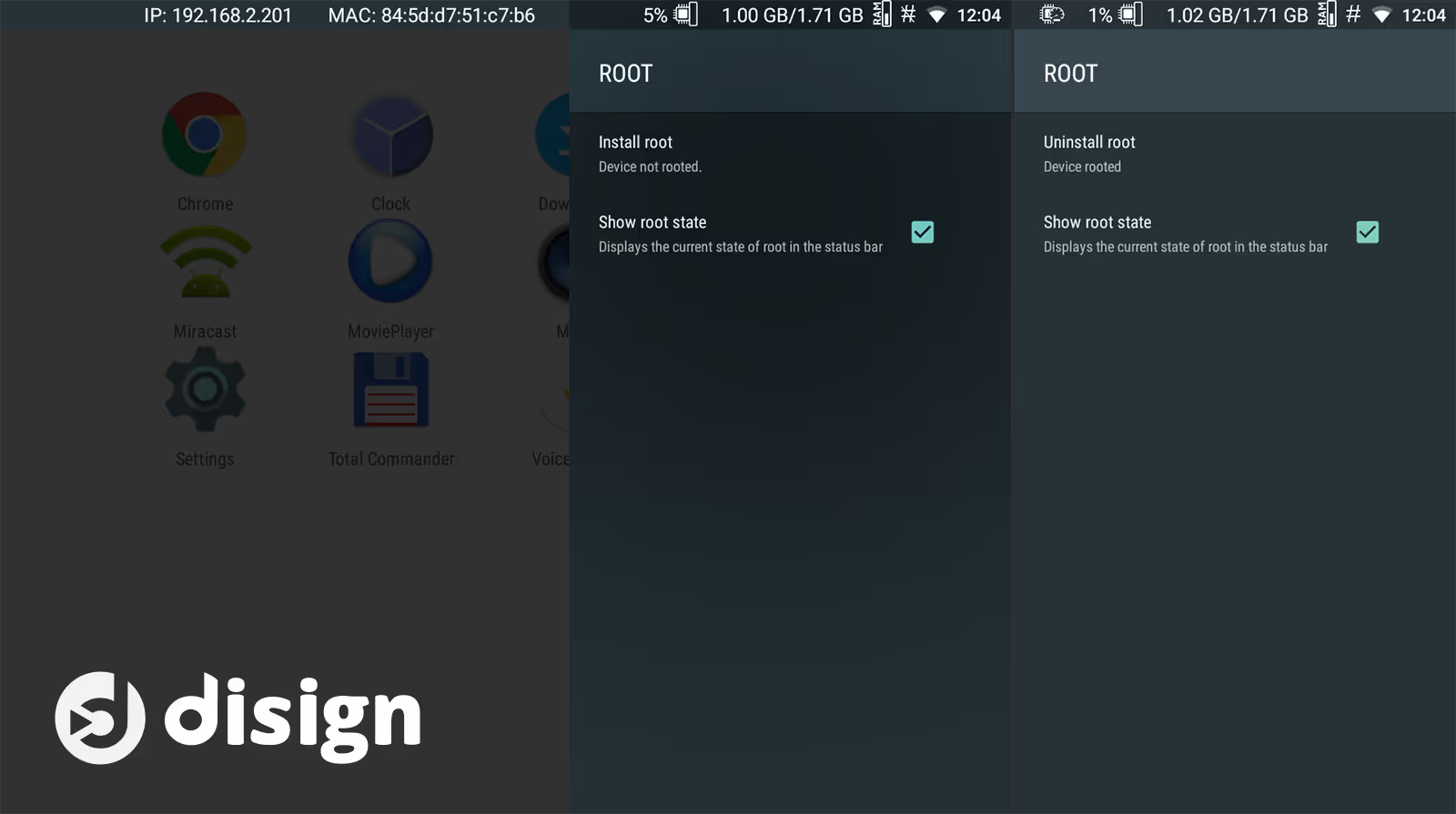
Android Rooted: Maximum Performance for Digital Signage
On compatible devices, rooting Android unlocks deeper system access and enables advanced digital signage capabilities beyond standard APK or Device Owner modes.
- Full system control
- Advanced power management (screen on/off scheduling)
- Automatic app startup at boot
- Instant silent updates without user interaction
- Enhanced hardware-level control
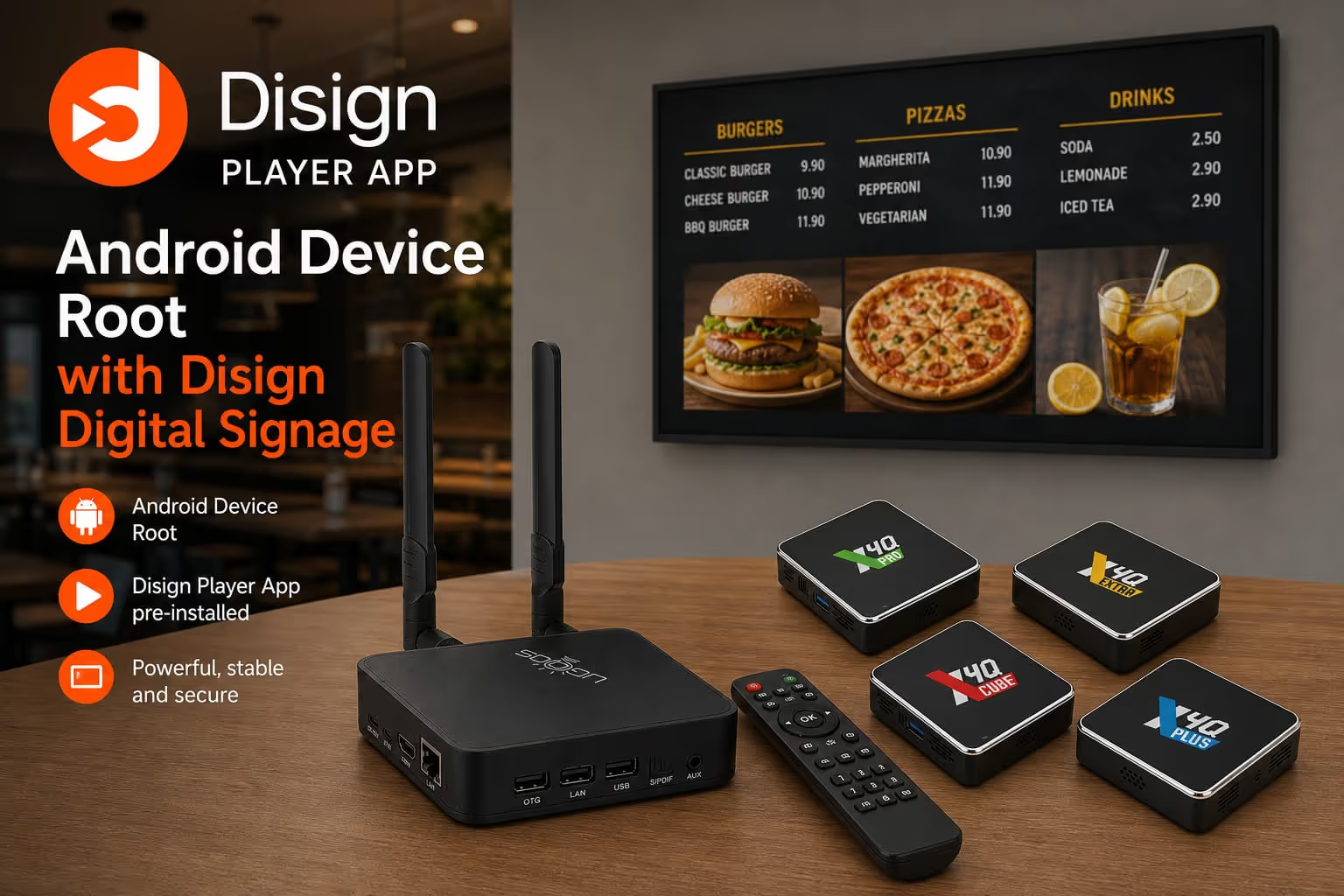
Compatibility Considerations
Not all Android devices can be easily rooted. Some professional Android boxes offer simpler root access depending on the manufacturer and firmware.
- Root is not supported on all Android devices
- Some Android TV boxes (e.g. Ugoos models) provide easier root access
- Disign automatically detects and uses root privileges when available
Everything you need to know about Disign Digital Signage Android APK
What is a Digital Signage APK?
A Digital Signage APK is an Android installation package that allows you to install a digital signage player directly on a device without using the Google Play Store.
Can I install Disign on an Android TV?
Yes. Disign is compatible with Android TVs, Android boxes, tablets and smartphones running Android.
Do I need a Google account?
No. APK installation does not require a Google account, Google Play Services or access to the Google Play Store.
What is Android Device Owner mode?
Device Owner is Android's official enterprise management mode. It enables advanced features such as kiosk mode, silent application updates, device restrictions and enhanced screen management capabilities.
Do I need to use ADB to enable Device Owner?
No. Disign Setup Helper automates the entire Device Owner setup process without requiring ADB, Android SDK tools or command-line operations.
Can I use Disign Setup Helper on macOS?
Yes. Disign Setup Helper is available for Windows, macOS and Linux, making it easy to prepare Android devices from any desktop operating system.
Can I configure an Android screen from my smartphone?
Yes. The Android version of Disign Setup Helper allows you to configure another Android device directly from an Android smartphone or tablet.
How do I remove Disign when it is configured as Device Owner?
Android generally requires a factory reset to remove an application configured as Device Owner. This is a security mechanism built into the operating system.
Is root access required?
No. Device Owner mode is sufficient for most professional digital signage deployments. Root access simply provides additional capabilities on compatible hardware.
What is the best deployment method for dozens of screens?
For large-scale deployments, installing the Disign APK and automatically enabling Device Owner mode with Disign Setup Helper is typically the fastest, most reliable and easiest solution to manage.
Can Disign update itself automatically when installed as an APK?
A standard APK installation cannot perform fully silent updates. However, when Disign is configured as Device Owner or runs on a rooted device, automatic silent updates can be enabled for a seamless maintenance experience.
Which Android devices are supported?
Disign supports a wide range of Android devices, including Android TVs, Android media players, digital signage displays, tablets, smartphones and professional Android-based signage hardware.
What are the advantages of Device Owner compared to a standard APK?
Device Owner provides advanced kiosk mode, silent updates, stronger security controls, device restrictions and simplified fleet management, making it much better suited for professional digital signage installations.
What are the advantages of a rooted Android device for digital signage?
Root access enables deeper system integration, advanced power management, enhanced hardware control, automatic startup options and faster silent updates. Disign automatically takes advantage of these features when available.
Install and Manage Android Digital Signage with Disign
Deploy your digital signage APK on Android TV, tablets, smartphones or Android boxes in minutes. With Disign Setup Helper, you can install the application, configure Device Owner mode and prepare professional kiosk deployments without technical complexity.
Whether you are managing a single screen or an entire fleet of devices, Disign provides a centralized, scalable and reliable solution for modern Android digital signage.