BrightSign digital signage players integrated with Disign
Disign and BrightSign deliver reliable, high performance digital signage
Pair the hardware stability of BrightSign digital signage players with the software flexibility of Disign. Publish content faster, manage every screen from one dashboard, and keep a consistent brand experience with centralized scheduling and remote updates. Built for retail, corporate communications, transport hubs, museums, and QSR, this integration helps you run dependable signage at scale while staying agile with your messaging.

Why choose BrightSign digital signage players for your digital signage projects
To manage screens remotely, you need a player that reliably controls what appears on each display and supports the features your projects require. BrightSign digital signage players are purpose built for professional signage: stable playback, strong scheduling, and dependable operation for networks of one screen or thousands.
BrightSign players also fit into almost any screen setup, regardless of the display manufacturer. With Disign, you can choose the best option for each deployment: Disign players powered by Disign OS, or BrightSign digital signage players powered by BrightSignOS, while keeping a consistent way to manage content and rollouts across your entire fleet.
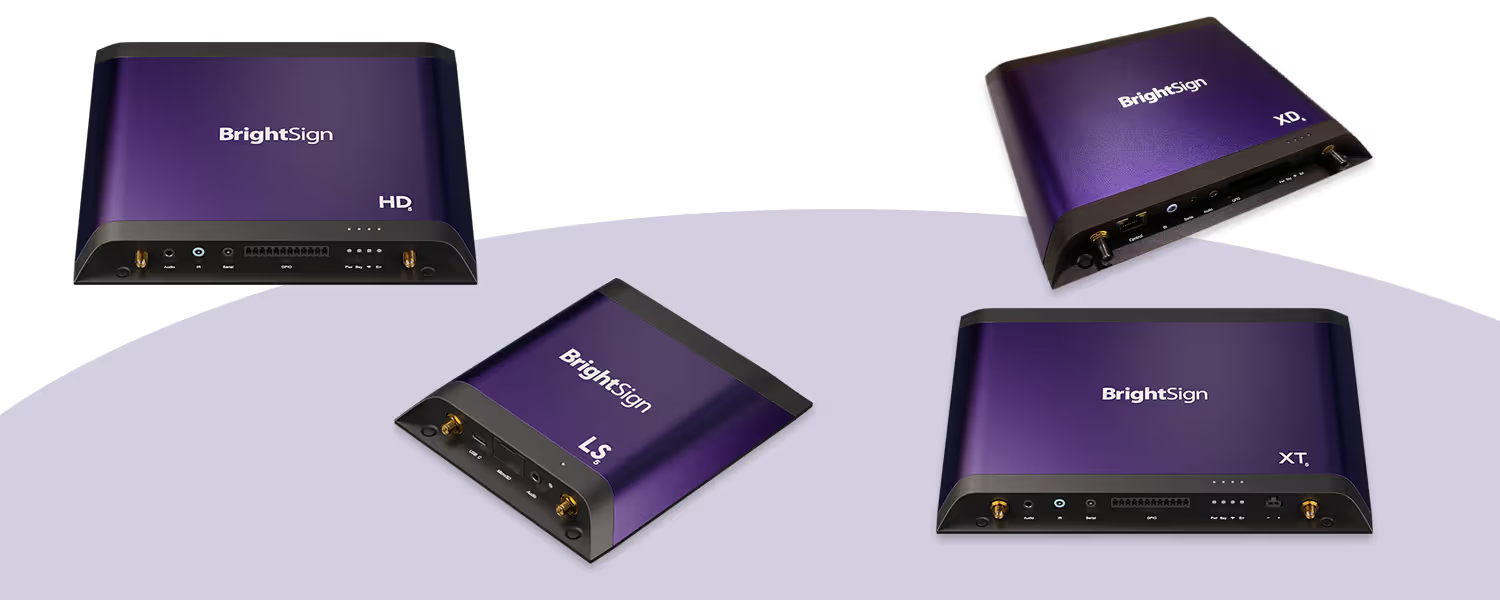
BrightSign digital signage players built for professional 24/7 networks
BrightSign digital signage players are widely considered the global benchmark for professional playback. Unlike consumer devices, they are designed for continuous operation, stable performance, and long lifecycle deployments in retail, corporate, hospitality, healthcare, and public spaces. Pair them with Disign to transform reliable hardware into a fully managed signage network with centralized publishing, monitoring, and automation.
True 24/7 reliability for mission critical screens
BrightSign digital signage players are engineered for continuous playback in real world conditions. They keep content running smoothly on menus, wayfinding, brand walls, and kiosks, without the instability often seen with consumer media devices.
Professional performance for demanding content
Deliver consistent playback across locations, even with high resolution video, synchronized zones, and interactive scenarios. BrightSign digital signage players focus on doing one job extremely well: reliable, smooth content delivery.
Security designed for business and IT teams
Keep your signage network under control with a platform built for professional environments. BrightSign digital signage players help reduce risk compared to general purpose devices, with a robust approach to secure deployments and predictable operation.
Longer lifespan and lower total cost of ownership
Consumer players are not made for long deployments, heat, or daily operation. BrightSign digital signage players are built to last, helping you standardize hardware, reduce replacements, and maintain a consistent experience over time.
Why software matters to unlock the hardware
Great hardware is only the start. Disign brings the operational layer you need: publish content faster, apply templates, schedule campaigns, and keep teams aligned across sites while BrightSign digital signage players handle rock solid playback.
Centralized updates across locations with Disign
Keep every screen consistent without manual interventions. Use Disign to distribute content and playlists to BrightSign digital signage players, manage schedules by site, and roll out changes confidently across your entire network.
Monitoring and day to day control for operations
Professional signage needs visibility. With Disign, your team can supervise screens, react faster when something changes, and maintain high uptime while BrightSign digital signage players keep running where consumer devices often fail.
A scalable stack for professional digital signage
Standardize on BrightSign digital signage players for dependable playback, then scale with Disign to manage content, users, and rollout processes. This combination supports everything from a single flagship screen to multi site networks.
Disign and BrightSign digital signage players: proven compatibility for a professional stack
Run Disign with BrightSign digital signage players to deploy, manage, and monitor screens reliably. Enjoy smooth CMS to player communication, stable performance in critical environments, and broad hardware support for Nexmosphere, screenshots, and video walls.
A compatible stack with BrightSign digital signage players
Use Disign with BrightSign digital signage players in a proven, professional deployment. Keep your architecture clean with a player first approach that is easy to standardize, operate, and scale.
Smooth CMS to player communication
Publish updates confidently and keep playback consistent. Disign sends content and instructions to BrightSign digital signage players with predictable behavior, ideal for multi site networks and operational teams.
Deployment and management made for operations
Roll out displays with a repeatable process: register players, assign content, schedule campaigns, and track status. Disign helps you manage your BrightSign digital signage players fleet with clarity and control.
Stable performance in critical environments
When screens are business critical, stability matters. Disign paired with BrightSign digital signage players delivers dependable playback and predictable updates for retail, corporate, transportation, and industrial use cases.
Broad hardware support, including Nexmosphere
Connect peripherals and build advanced experiences with confidence. Support common integrations such as Nexmosphere sensors, screen capture workflows, and video wall setups across BrightSign digital signage players.
Easy for teams, controlled for IT
Content teams publish quickly while IT keeps governance and consistency. Disign centralizes rules, access, and configurations so your BrightSign digital signage players stay compliant, organized, and easy to support.
BrightSign digital signage players that work seamlessly with Disign
BrightSign digital signage players are built for professional deployments and offer strong integration with Disign, so you can publish content confidently and rely on broad feature compatibility across your screens.
| Player category | Operating system | Disign feature compatibility |
|---|---|---|
| Disign Player (Raspberry Pi) | Disign OS | Full Disign feature support |
| BrightSign digital signage players | BrightSign OS | High compatibility with Disign features |
| PC, stick, mini PC | Windows | High compatibility for most Disign features |
| PC, mini PC | Linux | High compatibility for most Disign features |
| TV box, TV stick | Android | Good compatibility, some Disign features may vary by device |
Configure your BrightSign digital signage players with BsnCloud to install Disign CMS
Set up your BrightSign digital signage players in BsnCloud to activate the device, deploy Disign CMS, and keep firmware under control. Once Disign is running on the player, link it to your Disign account to start publishing content securely and consistently across your screens.
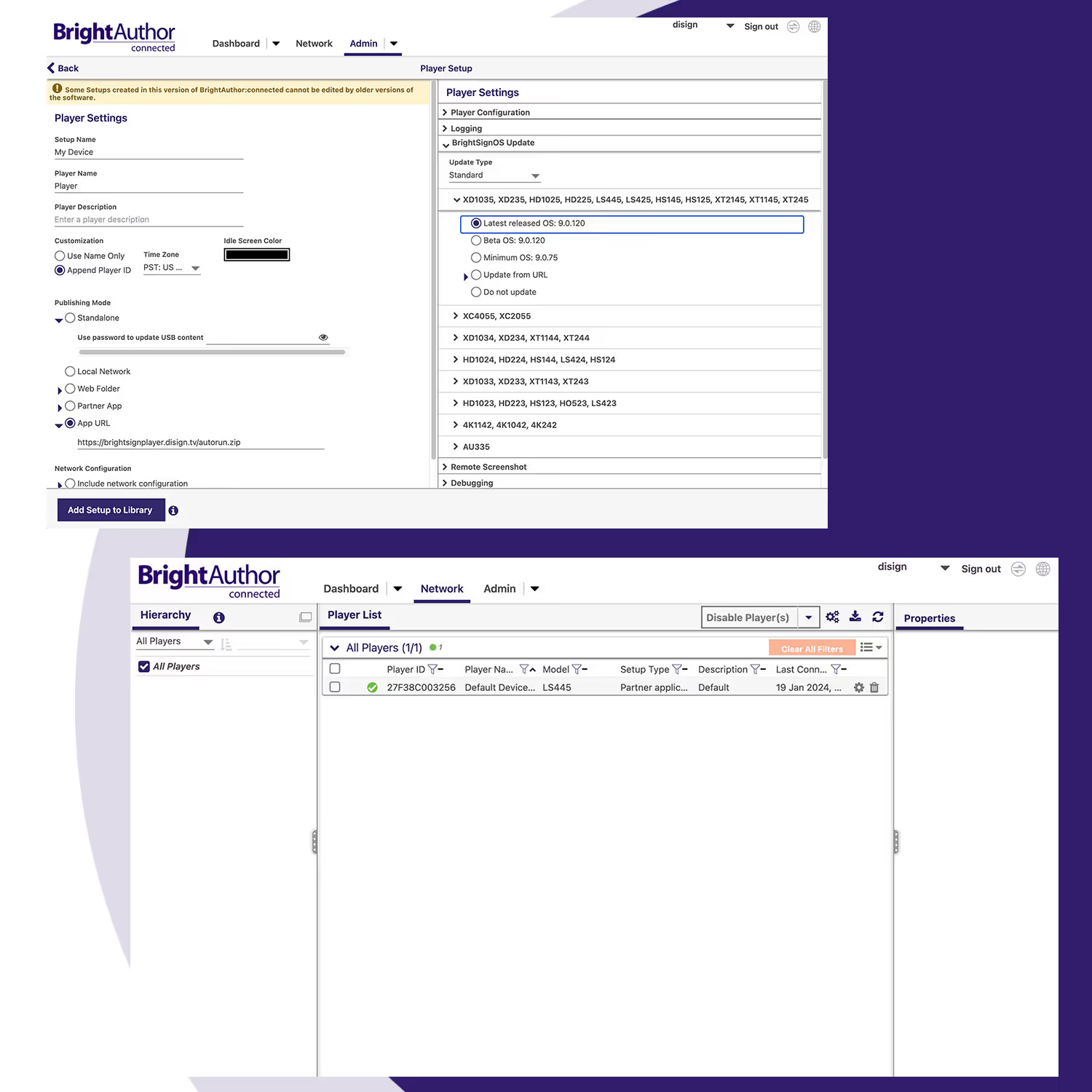
Add the player in BsnCloud, register it to your workspace, and confirm it is online. This activation step is the foundation for a reliable remote deployment and monitoring workflow.
Build a BsnCloud setup that installs Disign CMS on your BrightSign digital signage players and pins the firmware version you want. You get a predictable rollout, easier troubleshooting, and consistent performance across fleets.
Launch the Disign app on the player, then associate the device with your Disign account using the pairing flow. After pairing, you can assign the screen, publish content, and manage updates from Disign with confidence.
BrightSign digital signage players compatible with Disign CMS
Find the BrightSign digital signage players and series supported by Disign CMS. The Disign CMS app for BrightSign works with all BrightSign devices running BrightSign OS 8.5.47 or higher for stable playback and reliable remote management.
| BrightSign player series | Supported models | Compatible with Disign CMS |
|---|---|---|
| Series 4 | LS424, HD224, HD1024, XD234, XD1034, XT244, XT1144 | |
| Series 5 | XC5, XT5, XD5, HD5, LS5 | |
| Series 6 | HD6, XD6 |
How Disign digital signage works
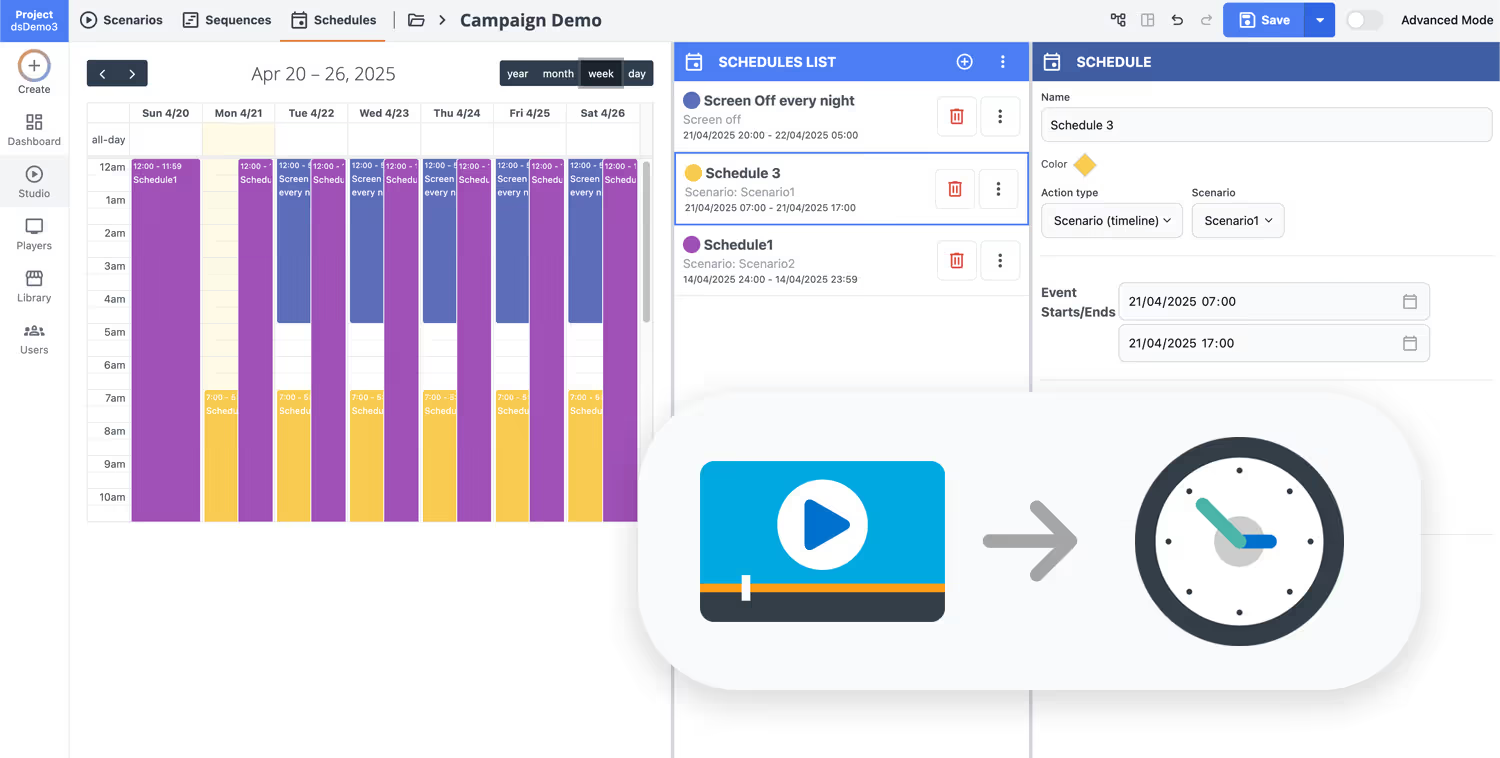
Schedule your content from anywhere with our cloud-based digital signage solution. Easily plan what plays, when, and where—across one screen or thousands.
Design custom scenarios and playlists tailored to your audience and goals.
Set precise dates and times for your content to play automatically.
Deploy content instantly across your digital signage network with just a click.
Launch your BrightSign digital signage players with Disign
Connect your BrightSign digital signage players to Disign and publish content faster across every screen. Start a 28-day free trial in minutes, no credit card required. Create playlists, schedule campaigns, automate updates, and keep all locations perfectly aligned from one dashboard. Share your goals and we will help you choose the right BrightSign setup for your digital signage solution.
Ideal industries for BrightSign digital signage players and interactive displays
BrightSign digital signage players are widely used in high traffic spaces where content must stay reliable, easy to manage, and instantly relevant. With sensors and real time data triggers, screens can react to presence, product handling, and queue conditions to deliver the right message at the right time.

Retail stores and shopping malls
Use BrightSign digital signage players to power promotions, end caps, and interactive shelves. Trigger product stories when shoppers approach, highlight features when an item is picked up, and guide foot traffic to priority zones with consistent on brand messaging.

Restaurants and quick service
Run dependable menu boards with BrightSign digital signage players and adjust content by time of day, rush periods, or availability. Use real time triggers to promote add ons during peak traffic and keep pricing, combos, and allergens aligned across every location.

Corporate offices and coworking spaces
Improve visitor experience and internal comms with BrightSign digital signage players in lobbies, elevators, and shared spaces. Trigger wayfinding when someone approaches, show room availability, and keep announcements current without manual screen updates.
Healthcare and clinics
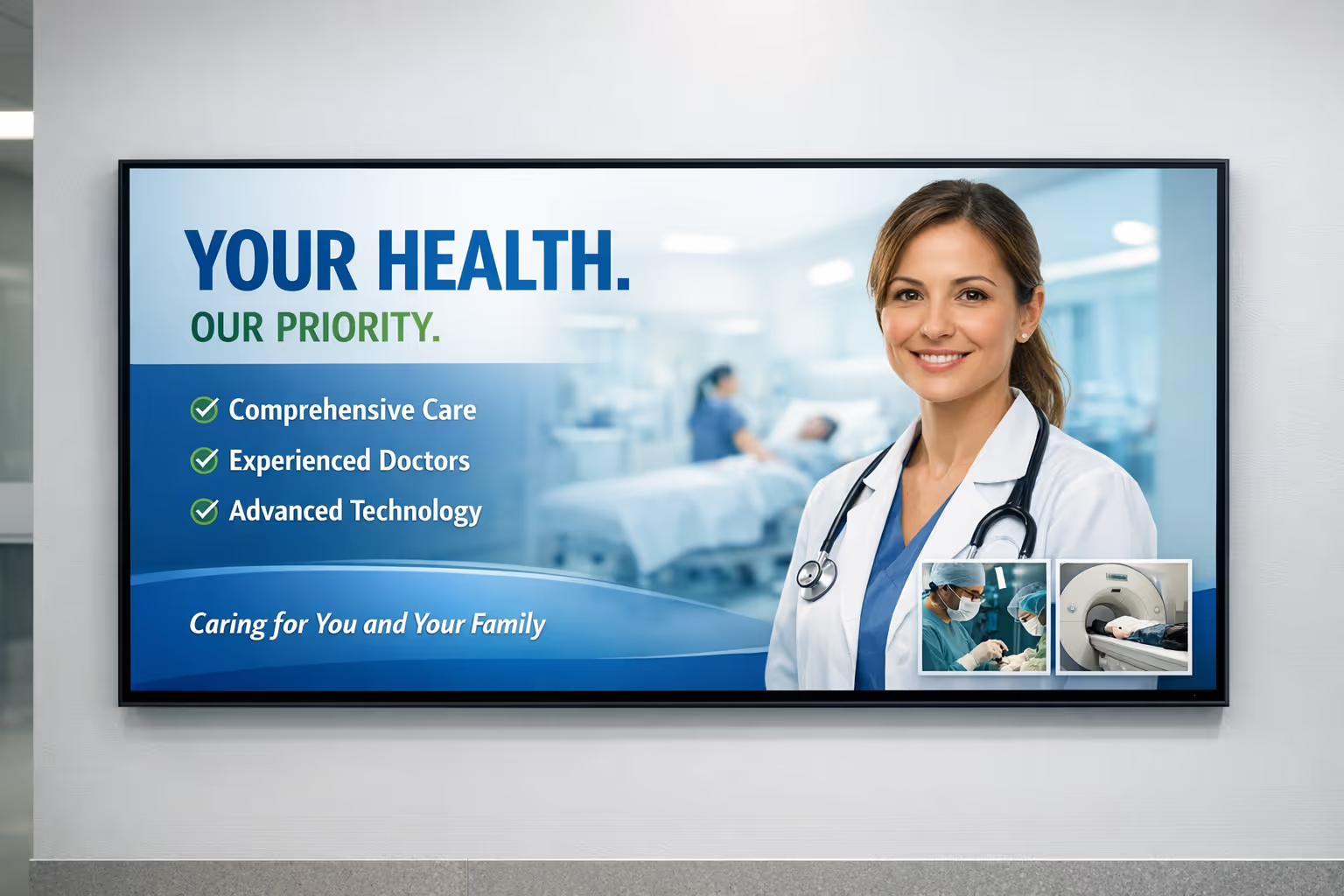
Bring clarity to waiting rooms and corridors with BrightSign digital signage players. Combine sensors and live inputs to show queue status, call zones, and appointment instructions, and switch to urgent notices instantly when priorities change.

Education and campuses
Keep students and staff informed across buildings with BrightSign digital signage players. Use presence based triggers to surface the most relevant info, and publish schedules, event changes, and safety guidance where attention is highest.
Transportation and public venues
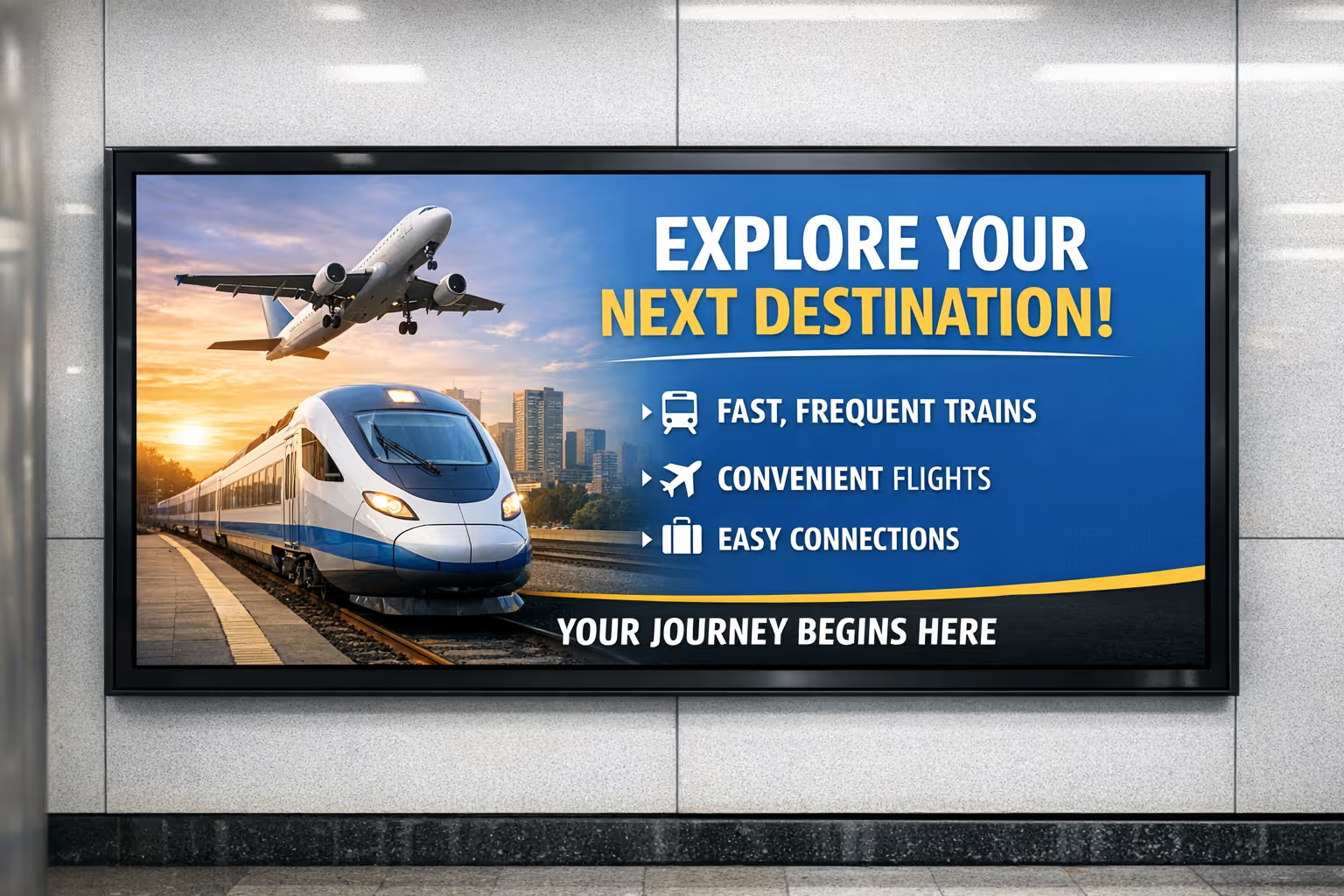
Support passengers in busy, always on environments with BrightSign digital signage players. Connect sensors and live feeds to update departures, platform directions, safety notices, and crowd flow messaging in real time across one site or many.
BrightSign digital signage players with Disign CMS and Nexmosphere sensors for interactive experiences
Build interactive digital signage that reacts to people and products. Disign CMS powers BrightSign digital signage players and connects to Nexmosphere sensors through USB serial or UDP over the network for reliable, real time triggers.
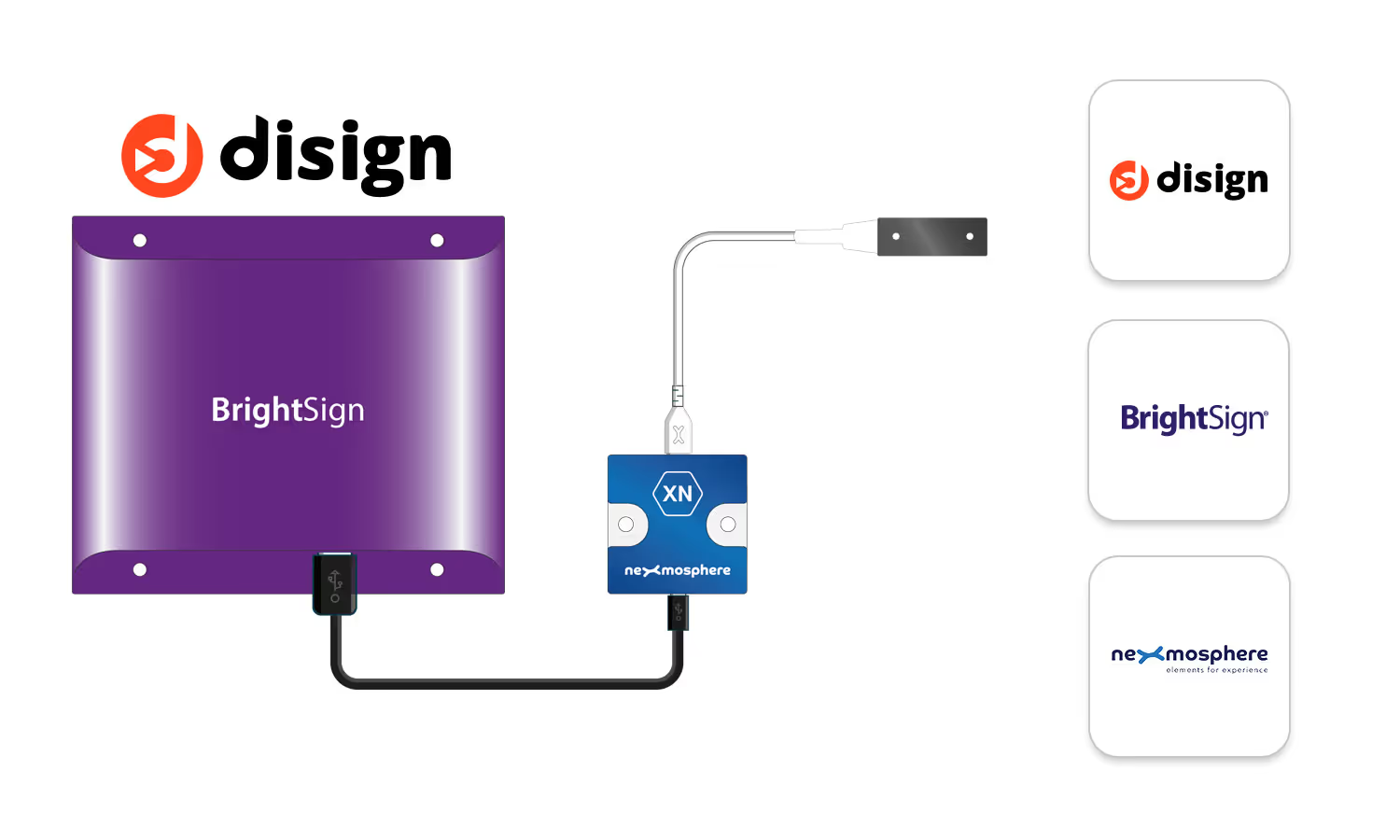
Connect BrightSign players to Nexmosphere sensors with Disign CMS
Use Disign CMS to orchestrate content, data, and sensor events on BrightSign digital signage players. Trigger playlists, switch layouts, start animations, or display contextual messages when a Nexmosphere sensor detects presence, proximity, touch, or product interaction.
USB serial integration
Connect Nexmosphere controllers to BrightSign players via USB and react instantly to sensor events.
UDP network triggers
Send UDP messages on your network to control interactive signage flows across one or many screens.
Interactive content that feels natural
Turn passive screens into experiences that respond to visitors in retail, showrooms, and corporate spaces.
Simple to deploy and scale
Manage BrightSign digital signage players from Disign CMS and reuse sensor logic across locations.
BrightSign digital signage players with Disign for yours screens
Turn BrightSign digital signage players into reliable interactive displays. With Disign, you can take screenshots for support, build touch screen experiences, control screen on and off, and communicate with devices using UDP or Serial COM. Create touch-ready signage and wall screen scenarios that stay stable across single screens and large deployments.
Remote screenshots for fast troubleshooting
See what is on the screen without visiting the site
Capture screenshots from BrightSign digital signage players directly in Disign to validate playback, confirm campaign launches, and resolve incidents faster. It is a simple way to keep wall screens consistent, reduce downtime, and support teams with clear visual proof.
Schedule screen on and off with confidence
Automate power routines for displays and video walls
Manage screen on and off behaviors for BrightSign digital signage players from Disign to match opening hours, events, or energy policies. Keep your signage predictable, reduce manual interventions, and ensure wall screens are ready when people arrive.
UDP communication for real time device actions
Trigger signage reactions and control peripherals instantly
Use UDP communication to send and receive messages between Disign and BrightSign digital signage players. Ideal for interactive wall screens, sensors, and external systems, so content can react immediately when something happens on site.
Serial COM control for professional integrations
Connect screens and equipment using stable wired commands
Control compatible hardware through Serial COM when you need robust, deterministic behavior. Disign helps you orchestrate BrightSign digital signage players with connected equipment so interactive installations stay reliable in retail, museums, and corporate spaces.
Touch screen experiences that feel natural
Build interactive touch applications for kiosks and walls
Deliver touch screen digital signage that is smooth and easy for users. With Disign and BrightSign digital signage players, you can run touch applications for navigation, product discovery, wayfinding, and interactive storytelling on single displays or multi screen walls.
Wall screen ready management at scale
Keep interactive signage consistent across many locations
Deploy BrightSign digital signage players with Disign across networks of wall screens and interactive points. Standardize how you operate screenshots, touch interactions, and device control so every site runs the same playbook while staying easy to maintain.
Integrate with your favorite Applications
70+ Applications and infini integration with API, Database, and any data source
Easily integrate third-party applications and web content such as YouTube or Vimeo, optimized for seamless playback. Display data from RSS feeds or formats like CSV, JSON, or XML directly on your digital signage screens. Extend display capabilities with advanced applications like grids or collections to enrich Disign scenarios.

We designed Disign to be as open and customizable as possible, both in its visual scenes and in its data sources.
Florent MondoloniCo-Founder, Disign

Video
Utilisez vos medias

RSS Feed
Use your own RSS Feed

Database
Databases

Canva
Create your Design and import it

Google Sheets
Import CSV, Live data...

Website/API
Affiche your website or use API
Everything you need to know about Disign Digital Signage For BrightSign Players
BrightSign digital signage with Disign CMS FAQ
What are BrightSign digital signage players and why use them with Disign CMS?
BrightSign digital signage players are dedicated media players built for professional signage. They are widely used in retail, corporate communications, hospitality, healthcare, museums, and quick service restaurants because they are stable, secure, and designed for 24 7 playback. When you pair BrightSign digital signage players with Disign CMS, you get an end to end workflow that is simple for marketing teams and reliable for IT teams. Disign CMS is where you create content, schedule playlists, publish to screens, and monitor your network. BrightSign handles the on site playback with consistent performance. The result is digital signage that feels professional, easy to update, and predictable at scale.
Is Disign CMS compatible with all BrightSign digital signage players?
Disign CMS is compatible with BrightSign digital signage players running firmware above 8.5.47. If you are planning a new deployment, this requirement is usually easy to meet because most recent models ship with recent firmware, and older units can often be updated. This compatibility approach keeps your BrightSign fleet standardized, reduces integration issues, and helps you deploy Disign quickly across multiple locations. If you have a mixed fleet, you can still use Disign, but you should verify firmware versions before rollout to avoid surprises.
Which BrightSign series should I choose for my project?
For most new projects, choose the latest BrightSign series 5 or 6. The right model depends on your budget, the number of screens per player, and the complexity of your content. If you run a single screen with standard motion graphics and a simple schedule, an entry model is often enough. If you need multiple outputs, high resolution playback, heavier animations, or more demanding layouts, select a more powerful unit. If you are unsure, tell us your number of screens, resolution, and content type, and we will help you pick BrightSign digital signage players that match your real needs, not an oversized spec sheet.
Can I manage BrightSign digital signage players remotely with Disign?
Yes. Remote management is one of the main reasons teams adopt Disign CMS with BrightSign. You can publish new content from anywhere, update schedules, switch campaigns, and manage a network across many locations without sending someone on site. This is especially valuable for brands with frequent promotions, menu board updates, seasonal campaigns, or compliance messaging. Disign helps you keep control centrally while still giving local teams the right level of autonomy when needed.
Does a BrightSign player work offline with Disign CMS?
Yes. BrightSign digital signage players can keep playing even without an internet connection, and Disign supports an advanced offline mode. Your media files are stored locally on the player, so your screens do not go dark if the internet drops. Beyond files, Disign can also synchronize external data locally, including data coming from APIs, feeds, or databases, depending on your setup. This is important for locations with unstable connectivity, secure networks, or sites where you cannot guarantee permanent internet access. Offline resilience is often the difference between a pilot that looks good and a production rollout that stays trustworthy every day.
What network constraints should I plan for?
In most cases, a basic internet connection is enough. Disign CMS is designed to be straightforward to deploy on real networks, including multi site environments. If your network is restrictive, the most important thing is to allow the player to reach the required services so it can synchronize content and report status. Once content is synchronized, playback remains local on the BrightSign digital signage player. This approach helps you reduce bandwidth usage and keeps playback smooth, even during busy hours.
What is bsnCloud and why do I need it?
bsnCloud is BrightSign's platform used to manage your player at the device level. It is typically used to handle firmware management and to install the Disign application on your BrightSign digital signage players. Think of bsnCloud as the step that prepares the player and ensures it is running the right software. After that, most daily work happens in Disign CMS: content creation, scheduling, publishing, screen organization, and monitoring. This separation is practical because it keeps device administration and content operations clear and clean.
Is bsnCloud free with BrightSign players?
Yes. bsnCloud is free as long as you have purchased a BrightSign player. This is helpful for large deployments because it avoids additional platform costs just to provision hardware. You still choose your Disign CMS subscription based on your signage needs, but bsnCloud does not add an extra fee simply to activate or maintain the player.
Do I need to associate my BrightSign player twice to use Disign CMS?
Yes, and it is normal. First, you activate your BrightSign digital signage player in bsnCloud. Then, once the Disign application is installed on the player, you associate it to your Disign account. This is a one time process per player and it makes ongoing operations easier. After the initial pairing, your team can focus on content and campaigns rather than repetitive setup tasks.
Does the Disign application update automatically on BrightSign players?
Yes. The Disign application updates automatically when the player restarts, which helps you stay current without manual interventions on each site. This matters when you operate a distributed network of BrightSign digital signage players because maintenance windows can be rare. Automatic updates reduce downtime risk, keep features consistent across your fleet, and help your signage stay secure and stable over time.
How do scheduling and publishing work with BrightSign digital signage players in Disign?
In Disign CMS, you build playlists and define when each piece of content should play. You can schedule by date, time, day of week, and other rules depending on how you organize your campaigns. Once published, the BrightSign digital signage player downloads what it needs and plays content locally. This local playback model is a big advantage because it keeps screens responsive and prevents buffering issues. It also means you can schedule content across hundreds of screens with the confidence that each player will execute the plan consistently.
Can Disign CMS scale for multi location BrightSign deployments?
Yes. Disign is built for networks with many screens and many locations. You can organize devices by groups, regions, or store types, and push targeted content where it belongs. This is useful for franchises, retail chains, corporate campuses, and hospitality groups that need consistent branding with local flexibility. With BrightSign digital signage players as the hardware foundation and Disign as the operational layer, you can scale from a few screens to a full network without changing your process.
How do I get started with BrightSign digital signage players and Disign CMS?
Start by listing your screens, resolutions, and what you want to communicate. Choose the BrightSign series that fits your content complexity and the number of outputs you need, ideally from series 5 or 6 for new projects. Make sure firmware is above 8.5.47. Activate the player in bsnCloud, install the Disign application, then associate the player with your Disign account. From there, create your first playlist in Disign CMS, publish it, and confirm playback. If you want to move faster, share your project details with our team and we will guide you through hardware choice, network checks, and best practices so your rollout is smooth and professional.






Join community of 4k+ people
Run BrightSign digital signage players with Disign and go live faster
Disign makes it easy to run BrightSign digital signage players at scale. Create and organize content, schedule playlists, and push updates remotely so every screen stays consistent with your brand across one site or hundreds of locations.
Start today with a 28 day free trial, no credit card required. Want the best setup for Disign with your BrightSign digital signage players? contact us and we will help you connect, publish, and start testing in a smooth, reliable way.