Built for grocery store digital signage
Disign grocery store digital signage that sells more and simplifies every aisle
Catch attention at the right moment with real-time prices, fresh promos, and helpful wayfinding. With Disign, you can update every screen in minutes, keep messaging consistent across locations, and guide shoppers from entry to checkout with clear, timely content.
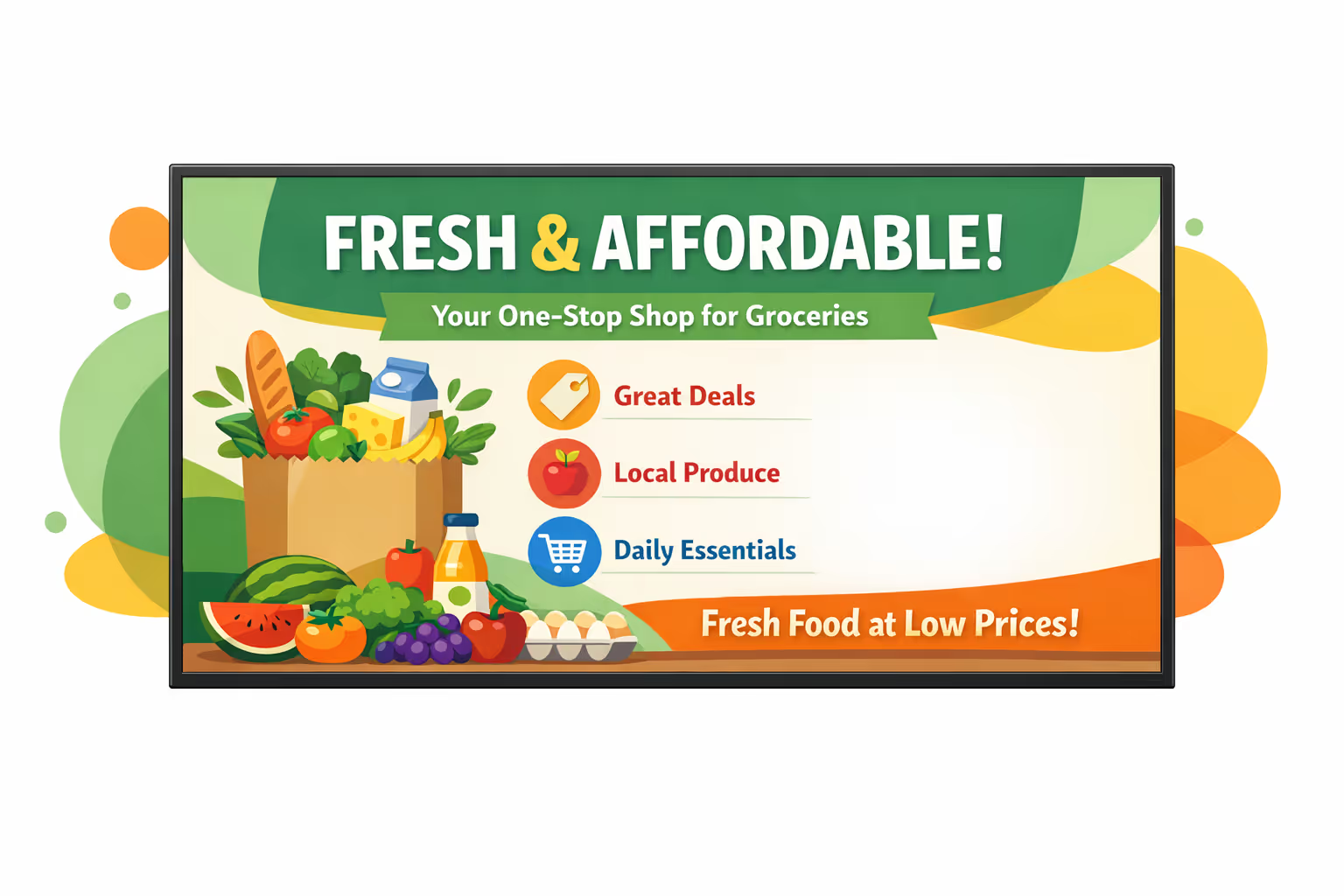
Challenges in the grocery store industry when in-store communication breaks down
In a busy store, shoppers expect clear information the moment they enter. When guidance is missing or inconsistent, confusion turns into repeated questions, longer lines, and a poor first impression.

Hours, promotions, pricing details, and item availability change fast. When the front end, customer service, and aisle teams share different answers, shoppers lose trust and small issues can quickly become complaints.
People want to know where to line up, which checkout is open, and what to do for returns or pickup. Without simple, visible instructions, staff spend their time repeating directions instead of helping on the floor.
Grocery communication has to be accurate and consistent, especially for prices, recalls, allergens, and age restricted products. When printed notices and in-store messages are not updated everywhere at the same time, shoppers may follow the wrong information, creating unnecessary tension and operational risk.
Grocery store digital signage that increases sales and reduces waste
Keep every screen accurate, timely, and easy to update. Disign helps grocery teams launch promos in minutes, highlight fresh and seasonal items, guide shoppers through the store, and cut printing costs. The result is a better customer experience and measurable ROI through higher basket size and fewer missed promotions.
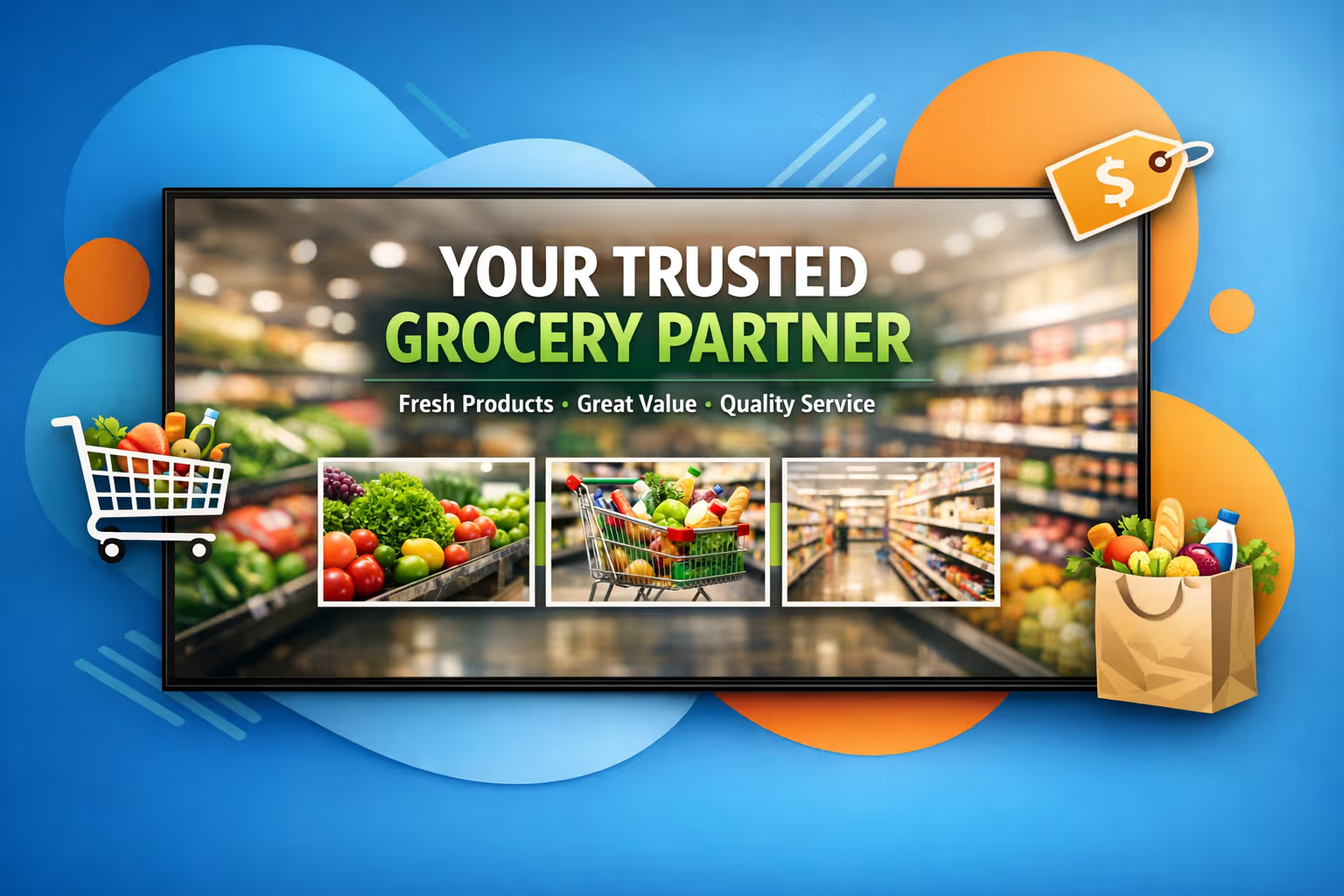
Launch promotions in real time across every aisle
Update prices, limited time deals, and supplier promotions instantly from one place. Keep end caps, checkout screens, and entrance displays aligned so shoppers see the right offer at the right moment.
Improve store flow with clear wayfinding and updates
Help customers find departments, seasonal zones, and services fast. Share helpful store messages like opening hours, queue guidance, and pickup instructions to reduce friction and keep lines moving.
Drive ROI with targeted grocery store digital signage
Schedule content by time of day, store, or department to promote what matters most. Increase basket size with cross sell ideas, support private label visibility, and track performance with consistent messaging across locations.
Keep pricing and brand consistent across locations
Use approved templates so every store stays on brand and every screen shows compliant, accurate information. Roll out changes quickly for campaigns, policy notices, and category resets without confusion.
Reduce printing costs and lighten store workload
Replace frequent poster swaps with a centralized workflow that saves time for store staff. Cut spend on printing and shipping, and keep every screen up to date without last minute rework.
Localize content by store, language, and shopper needs
Adapt promotions to local tastes, holidays, and inventory while keeping a consistent national strategy. Deliver bilingual or multilingual screens, highlight local suppliers, and make messages feel relevant in every neighborhood.
Grocery store digital signage use cases for every location and team
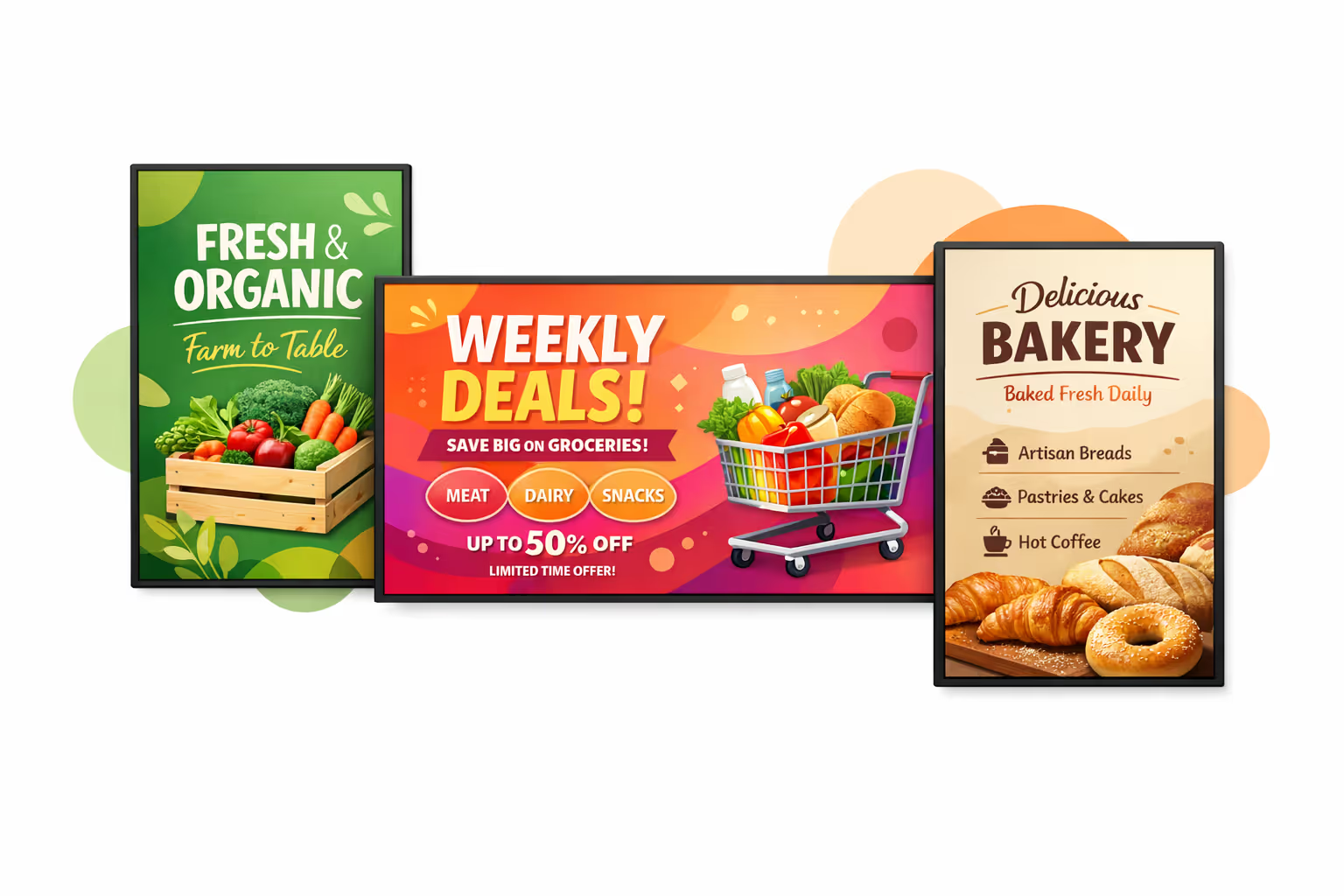
From store entrances to checkout lanes, grocery store digital signage helps shoppers find what they need faster, highlights trusted promotions, and keeps information consistent across every screen and store.
- Sales floor and endcaps: feature weekly deals, price drops, and limited time bundles to drive confident purchases
- Entrances and high traffic aisles: guide shoppers to key departments, seasonal displays, and store services
- Checkout and customer service: share queue messages, loyalty benefits, return policies, and pickup instructions to reduce repetitive questions
- Back office and staff areas: align teams with daily priorities, planograms, safety reminders, and performance updates for consistent execution
How Disign digital signage works
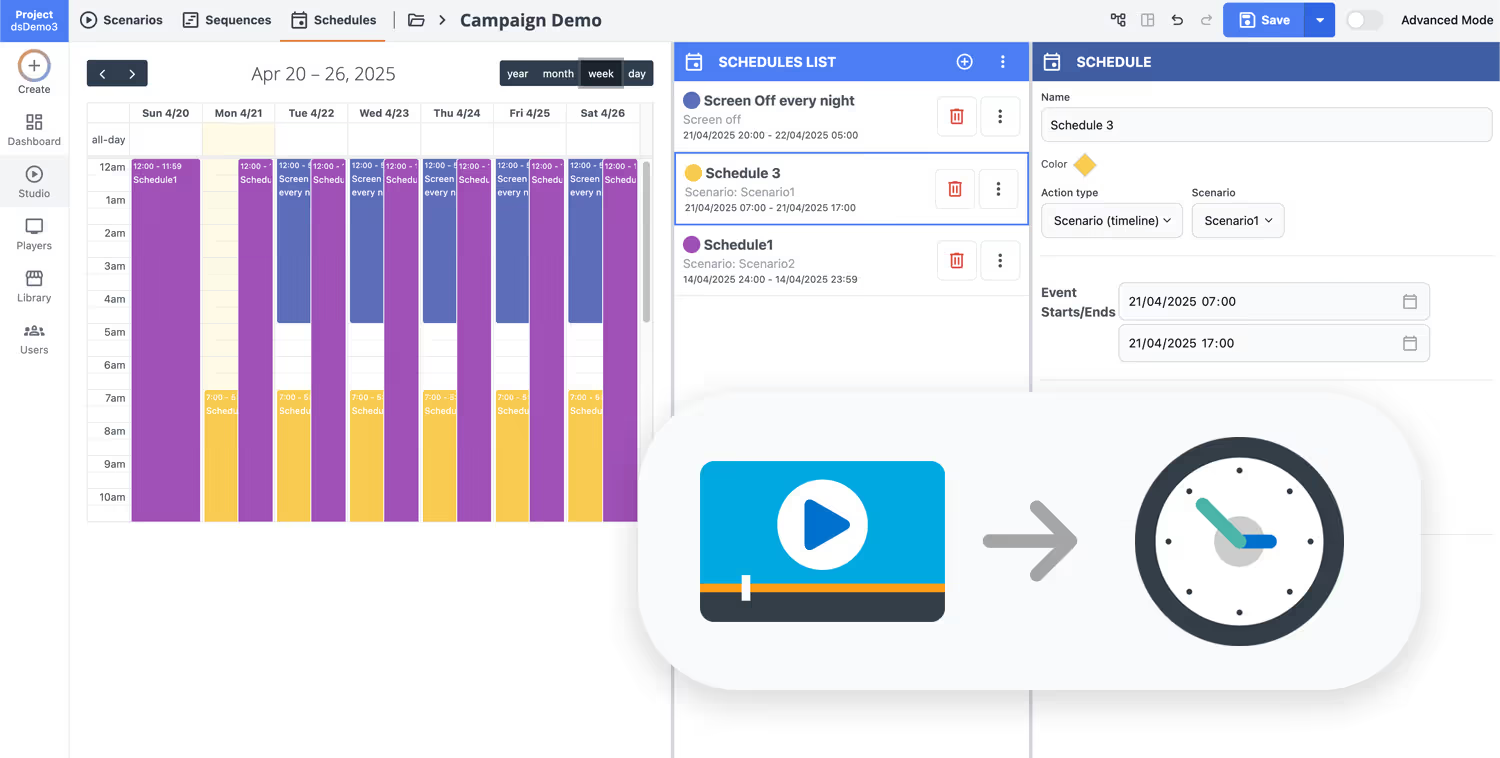
Schedule your content from anywhere with our cloud-based digital signage solution. Easily plan what plays, when, and where—across one screen or thousands.
Design custom scenarios and playlists tailored to your audience and goals.
Set precise dates and times for your content to play automatically.
Deploy content instantly across your digital signage network with just a click.
Ready to launch grocery store digital signage in every aisle?
Start your 28 day free trial of Disign, no credit card required. Publish promotions, price updates, in store directions, and real time announcements to the right screens in minutes, across one store or your full network.
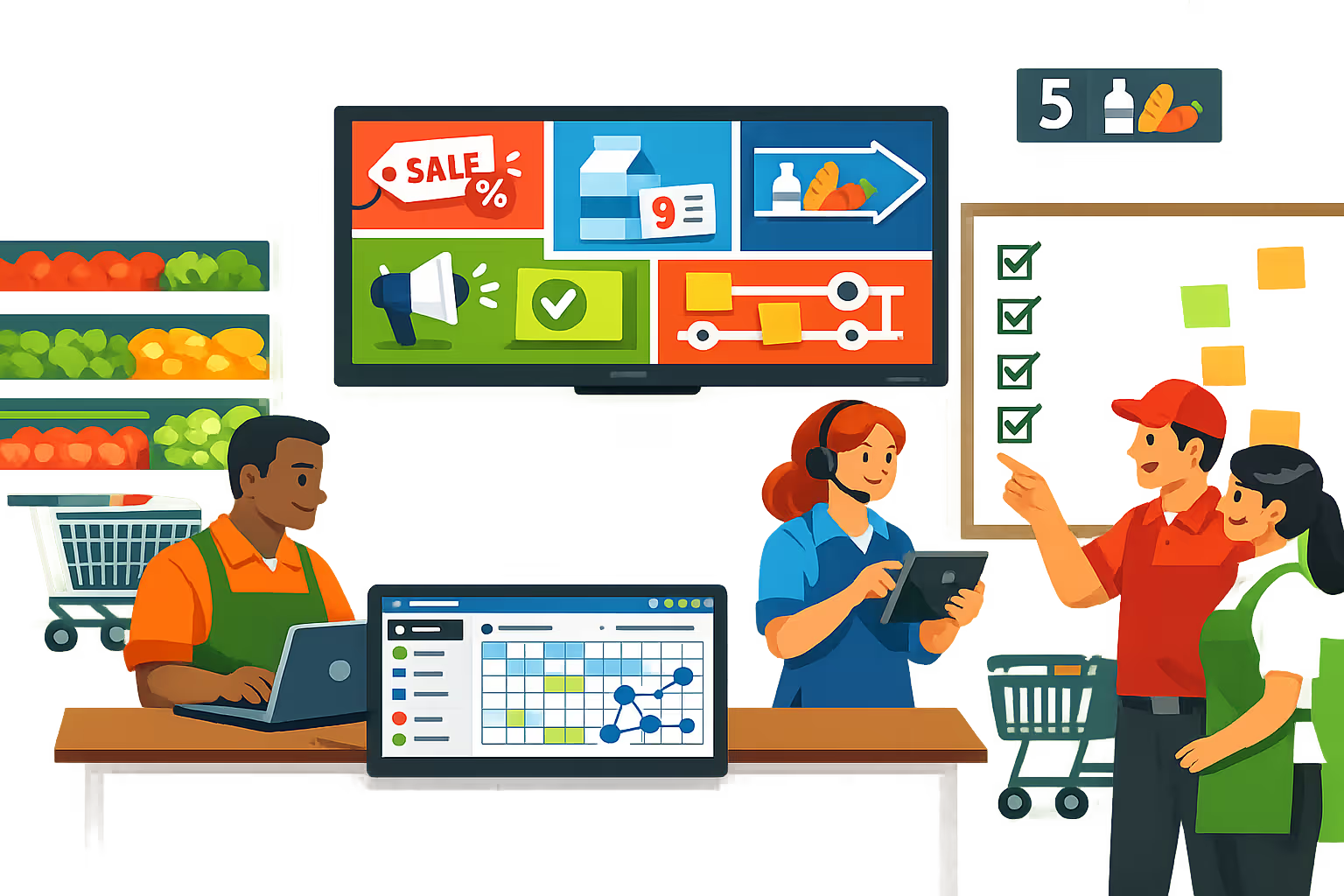
Grocery store digital signage built for fast updates, accurate pricing, and consistent in-store messaging
Disign helps grocery teams control every screen from one dashboard, schedule promotions by time and store, and keep content reliable across aisles, entrances, and checkout. Publish faster, reduce manual updates, and keep shoppers informed with real time content that stays on brand.
Central control for every store and screen
Scale grocery store digital signage without losing consistency
Manage content by store, department, or screen group with reusable playlists and location targeting. Roll out national campaigns in minutes while allowing store managers to publish local updates within approved boundaries.
Role based access and secure publishing
Control who edits, approves, and publishes to screens
Protect your grocery store digital signage workflows with granular permissions and secure device pairing. Keep credentials and publishing rights under control, reduce mistakes on live screens, and support predictable operations for IT and store teams.
Approval workflows for pricing and promos
Reduce pricing errors with controlled content changes
Move from draft to review to publish with clear steps and version control. Keep promotional claims, product messaging, and pricing updates consistent, and ensure the right content is shown on the right screen at the right moment.
Scheduling automation for dayparts and events
Run campaigns automatically across departments and stores
Schedule breakfast, lunch, and dinner messaging, weekend specials, and seasonal campaigns without manual switching. Automate expiration dates, recurring promotions, and urgent updates so grocery store digital signage stays accurate all day.
Device monitoring and playback reliability
Detect offline screens and confirm content delivery
Get visibility into player status, connectivity, and playback health. Identify issues fast, reduce downtime, and keep shopper facing messages running consistently across entrances, aisles, fresh departments, and checkout lanes.
Deployment support for IT and store teams
Standardize rollouts, templates, and ongoing operations
Roll out grocery store digital signage with consistent templates, screen naming, and store level structure. Keep operations smooth with practical onboarding and troubleshooting support that fits real store environments and IT constraints.

Centralized content management for grocery store digital signage
Run your grocery store digital signage from one secure hub. Marketing can build and schedule promotions, operations can keep shoppers informed, and IT can enforce access control and standards across every store and screen.
One dashboard for every grocery store screen
Chain wide control with store level flexibility
Keep brand messaging consistent while letting each store add approved local content like today’s specials, department highlights, store hours, and community events.
Seasonal campaigns, regional deals, and in store moments
Schedule content by store, region, department, or screen type. Launch promotions on time, keep pricing messages accurate, and stay aligned with your grocery store standards across the network.
Designed for IT governance and security
Centralize access with role based permissions, approval workflows, and consistent playback rules. Every change follows policy, supports audits, and reduces the risk of unauthorized updates.
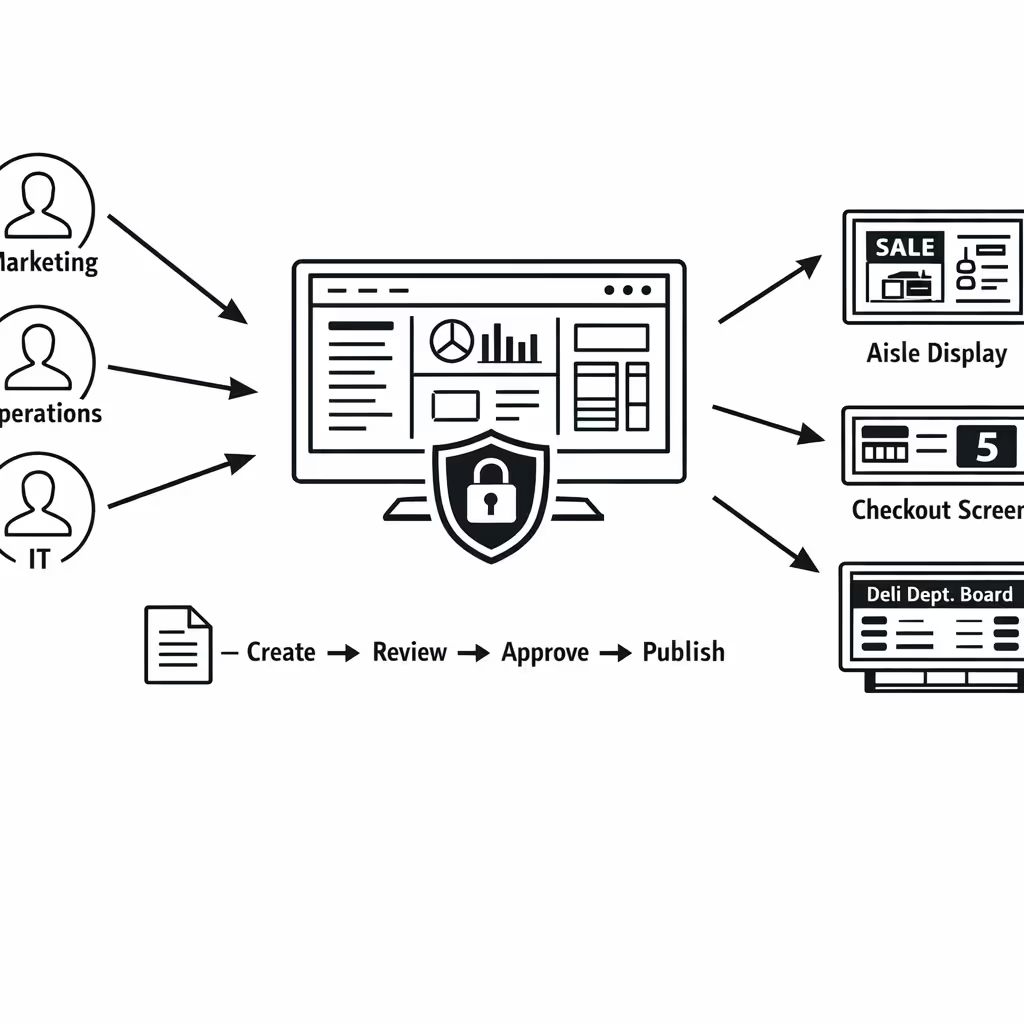
Real time updates for store operations
Push urgent messages instantly, from queue guidance and service desk updates to recalls and weather alerts. Keep every grocery store digital signage screen accurate during rush hours, outages, or policy changes.
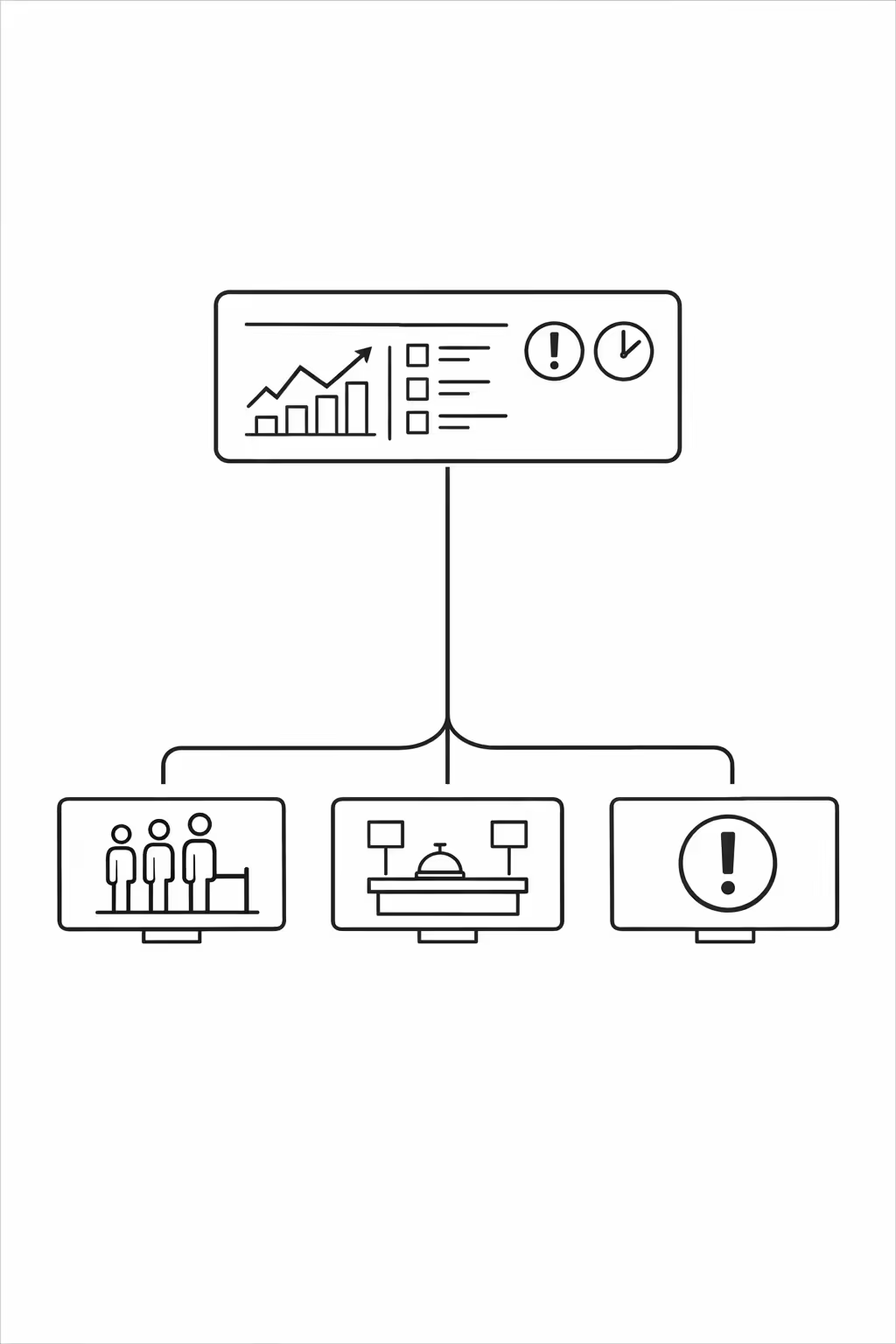
Scalability for growing grocery-store networks with grocery store digital signage
Scale grocery store digital signage across stores, regions, and teams from one cloud platform. Roll out updates in minutes, keep governance clear, and protect brand consistency as your grocery-store network expands.
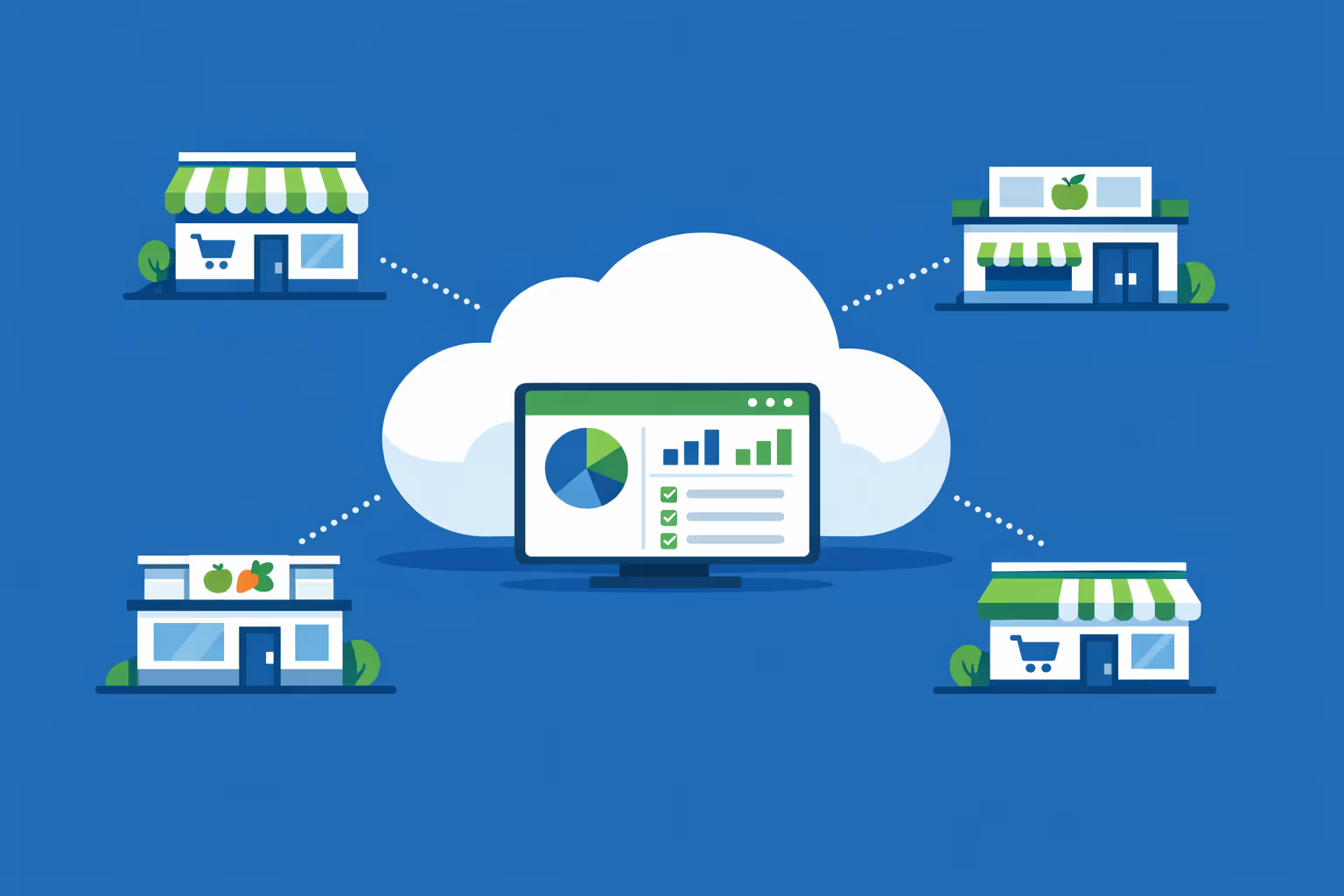
Multi-site management from one cloud dashboard
Oversee grocery store digital signage across every location from a single view. Publish content instantly, verify what is playing on each screen, and keep messaging aligned across your entire store network.

Multi-user access with role-based permissions
Assign roles, permissions, and access levels by department, region, or store. Speed up collaboration while keeping approvals, compliance, and ownership clear across your grocery-store organization.
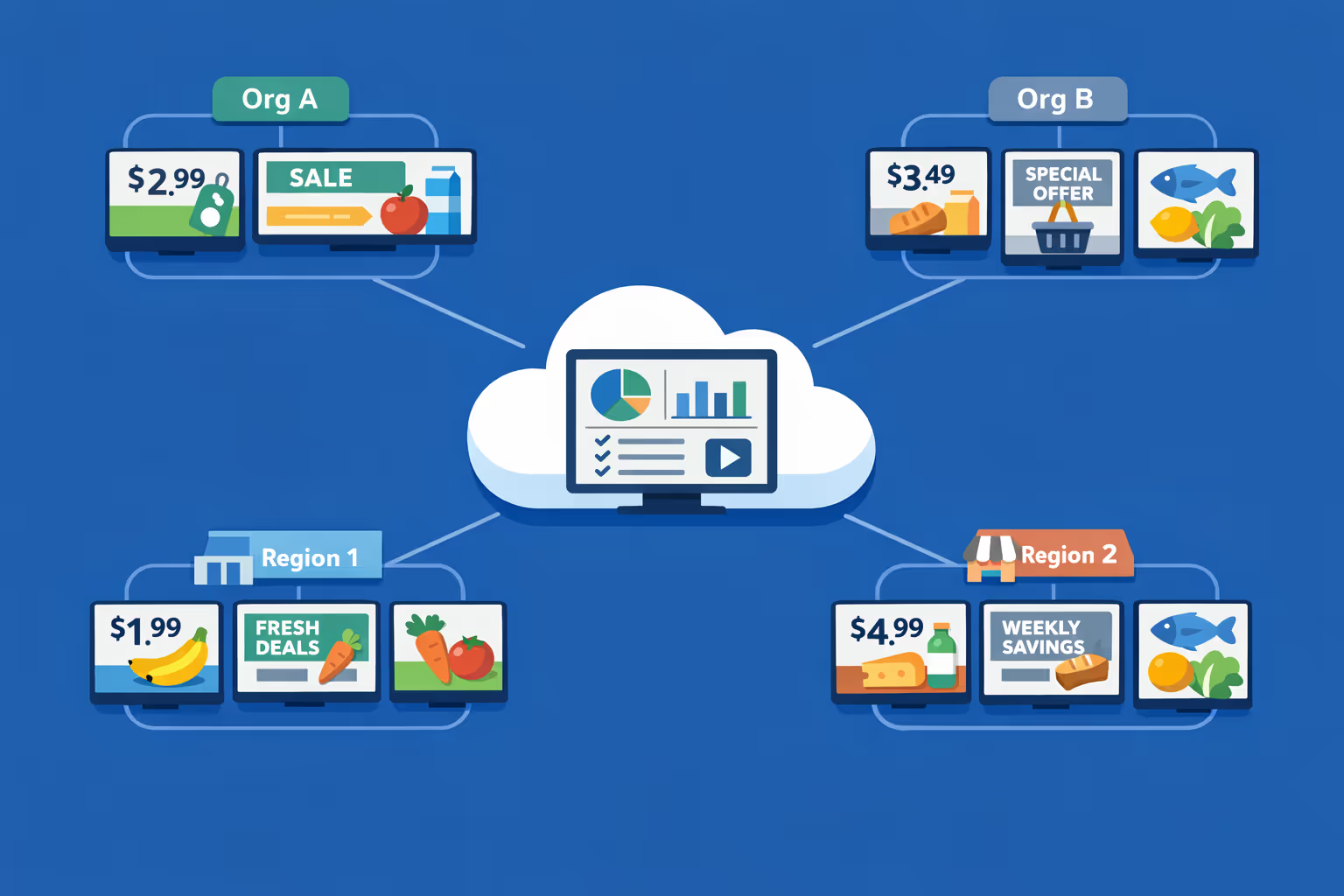
Multi-screen and multi-organization ready
Control thousands of screens and manage multiple organizations within one account. Segment grocery store digital signage by brand, region, or store so you can scale fast while keeping local offers relevant.
Disign is compatible with all screens for digital signage
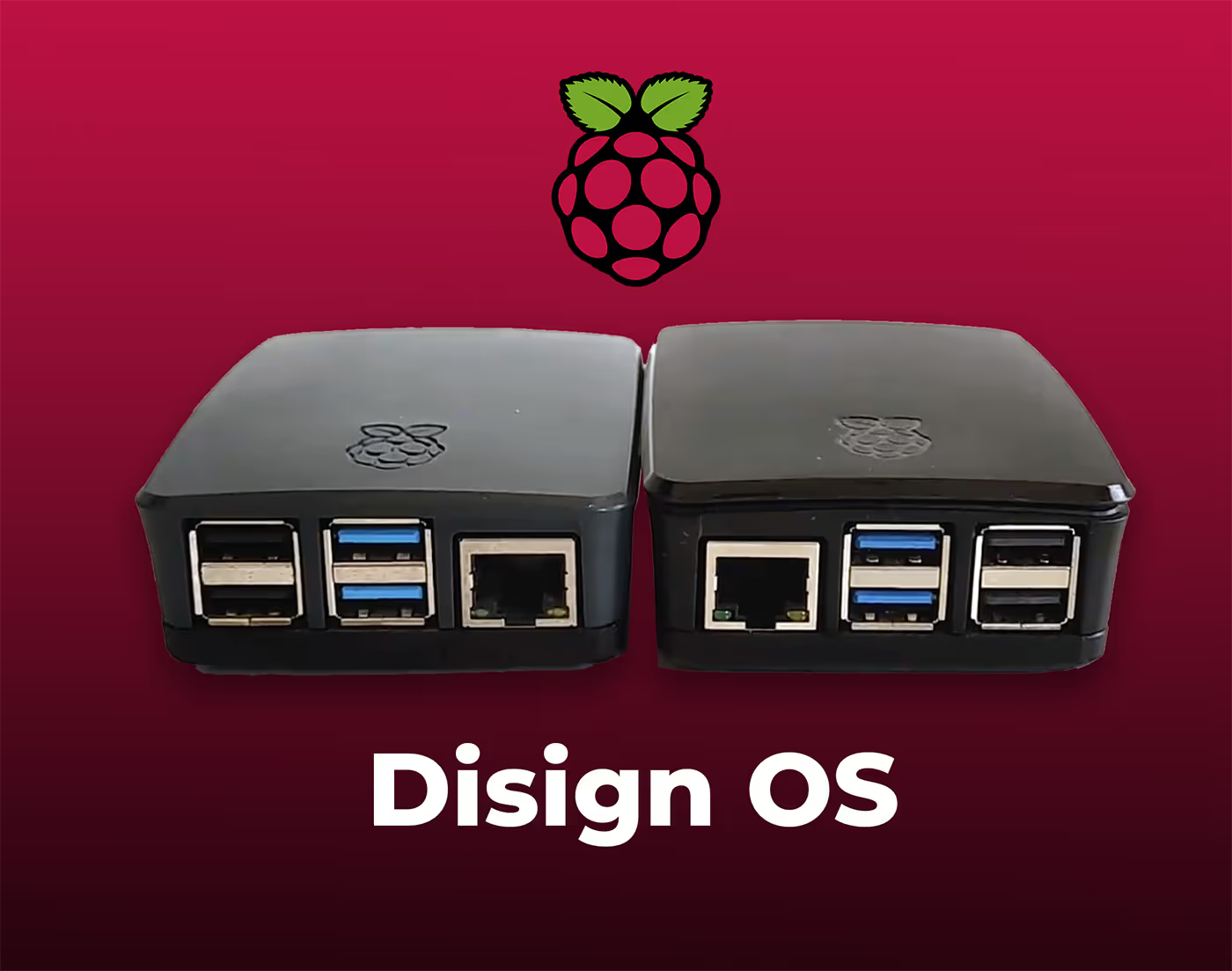
Digital signage with Disign allows you to manage and display content across a variety of devices. Our solution is compatible with many external players such as Disign OS based on Raspberry Pi, BrightSign, and any Android hardware. Disign also supports technologies embedded in Samsung, LG, and Android TV screens. With this broad compatibility, you can easily deploy digital signage solutions on different types of hardware, ensuring simplified management and an optimal user experience.


Integrate with your favorite Applications
70+ Applications and infini integration with API, Database, and any data source
Easily integrate third-party applications and web content such as YouTube or Vimeo, optimized for seamless playback. Display data from RSS feeds or formats like CSV, JSON, or XML directly on your digital signage screens. Extend display capabilities with advanced applications like grids or collections to enrich Disign scenarios.

We designed Disign to be as open and customizable as possible, both in its visual scenes and in its data sources.
Florent MondoloniCo-Founder, Disign

Video
Utilisez vos medias

RSS Feed
Use your own RSS Feed

Database
Databases

Canva
Create your Design and import it

Google Sheets
Import CSV, Live data...

Website/API
Affiche your website or use API
Everything you need to know about Disign Digital Signage For GroceryStore
Grocery store digital signage FAQ: practical answers for grocery teams rolling out screens with Disign
Grocery store digital signage is no longer just a looping promo on a single TV near the entrance. Today, it is a flexible communication channel that helps grocery leaders improve in store experience, move shoppers through the store, protect margins, support staff, and keep pricing and promotions consistent across every location. This FAQ is written for grocery store owners, operations managers, merchandising teams, marketing leaders, and IT partners who want a reliable, scalable, and easy to manage solution for grocery store digital signage.
You will find clear answers to the questions grocery teams ask most often when evaluating a platform like Disign, including content strategy, hardware, rollout planning, governance, and measurement. If you are comparing tools or planning a pilot, this is designed to help you make good decisions quickly.
What is grocery store digital signage and where is it used?
Grocery store digital signage means centrally managed screens that display dynamic content across grocery environments. Instead of printing, shipping, and replacing paper signage, you publish content to screens from one place and schedule it by store, department, time, or audience.
Common placements include:
- entrance and vestibule welcome screens
- produce, bakery, deli, meat, seafood, and prepared foods areas
- end caps and promotional displays
- aisle category screens and wayfinding points
- checkout lanes, self checkout zones, and queue screens
- customer service desk and pickup counters
- pharmacy or health and wellness corners when applicable
- back of house screens for staff communications
The goal is to help shoppers make decisions faster, highlight high margin items, reduce confusion, and keep messaging consistent while still allowing local flexibility.
Why invest in grocery store digital signage instead of printed signs?
Printed signs are familiar, but they are slow and expensive to keep accurate. In grocery, where promotions change weekly and prices can shift quickly, paper workflows create friction and errors. Grocery store digital signage helps you update in minutes instead of days.
Grocery teams typically invest because it helps them:
- change promotions quickly without reprinting and remerchandising paper everywhere
- reduce pricing confusion and improve trust by keeping messaging consistent
- support seasonal campaigns and weekly circular themes with scheduled playlists
- react fast during inventory issues, recalls, or supplier substitutions
- reduce labor spent hanging and removing signs across departments
- improve the look and feel of the store with a more modern experience
- create a consistent brand across locations while still allowing local content
With Disign, you can centralize control, schedule content by store group, and keep teams aligned without relying on USB drives or manual updates.
What problems does grocery store digital signage solve day to day?
Grocery stores have a constant flow of changes: price moves, promotions, staffing shifts, and operational updates. Digital signage helps solve daily pain points that paper and static screens cannot.
Common day to day wins include:
- fewer missed promo changes because content updates automatically on schedule
- faster communication of in store announcements and service info
- better shopper navigation with clear calls to action and category guidance
- stronger execution of promotional priorities at the department level
- fewer questions at customer service because information is easy to find
- improved perception of freshness and quality through better visuals in fresh areas
If your store experiences frequent promo exceptions, inconsistent messaging between departments, or too much time spent managing signage, grocery store digital signage usually delivers value quickly.
What are the best use cases for grocery store digital signage?
The strongest use cases combine merchandising impact and operational clarity. You want content that influences decisions in the moment, not content that feels like background noise.
High value use cases include:
- weekly promotions and featured deals aligned with your circular
- department highlights such as fresh arrivals, local suppliers, and seasonal picks
- meal solutions and cross merchandising, for example pasta plus sauce plus salad
- private label promotion to improve margin and brand loyalty
- loyalty program reminders and personalized benefit messaging
- pickup and delivery instructions near pickup zones
- queue communication at checkout, including directing shoppers to open lanes
- service messages such as store hours, holiday hours, and policy reminders
- food safety and recall communication when needed
- brand storytelling for local, organic, or sustainability initiatives
With Disign, you can create playlists per department or store format and schedule them around dayparts, for example breakfast, lunch, and dinner meal solutions.
How does grocery store digital signage increase sales and basket size?
Digital screens influence decisions when shoppers are already in purchase mode. The key is to keep messages simple, timely, and located near the decision point.
Grocery store digital signage can increase sales by:
- highlighting high margin items and private label alternatives
- promoting bundles that encourage add ons, such as taco night kits
- reminding shoppers about complementary items near checkout or end caps
- showcasing limited time offers with clear urgency and dates
- improving discovery of new products, seasonal items, and local specials
- reinforcing loyalty benefits that reward larger baskets
The biggest impact usually comes from combining smart placement with disciplined content. A single clear message placed where decisions are made often outperforms a screen that tries to say everything at once.
Can grocery store digital signage help reduce perceived wait time at checkout?
Yes. Perceived wait time is a real driver of satisfaction, especially in peak hours. When shoppers feel uncertain, time feels longer. Screens can help set expectations and provide useful information while people wait.
Useful checkout content includes:
- lane direction, which lanes are open, and where self checkout is available
- reminders about payment options and mobile wallet acceptance
- quick tips for loyalty redemption or digital coupons
- promotions that are easy to act on in the next 30 seconds, like a checkout end cap item
- friendly messaging that explains delays when needed
Even without deep integration, good queue content makes the experience feel more organized and less frustrating.
Can Disign display real time information like pricing, inventory, or queue data?
Often yes, depending on what systems you use and what data can be made available securely. Many grocery environments have POS, pricing tools, inventory systems, or queue metrics that can be exposed via a feed, dashboard, or web view.
Common real time or near real time content types include:
- pickup order readiness updates when supported by your workflow
- queue status or guidance near checkout
- store announcements triggered by operations
- time, weather, and local events used to support context for offers
If your system can output a webpage or a data endpoint, it can usually be displayed on a screen in a controlled way. A good approach is to start with scheduled campaigns first, then add integrations where they make a real difference.
How do grocery teams keep content accurate, especially for prices?
Accuracy is non negotiable. Shoppers notice inconsistencies instantly, and pricing confusion creates service desk friction. The best practice is to treat digital signage like a managed channel with owners, processes, and clear rules.
A reliable approach includes:
- using templates that standardize how price and promo details appear
- scheduling campaigns with start and end dates, so nothing overstays
- limiting who can publish price sensitive content with role based access
- building a simple approval step for high impact changes
- aligning digital signage calendars with your promo calendar and store execution plan
Disign helps by centralizing content and enforcing consistent layouts, so a change is applied the same way across every store that should receive it.
What types of content perform best on grocery store digital signage?
Shoppers glance, they do not study. Content needs to be readable, visually clean, and immediately useful. If people cannot understand the message in a few seconds, it will not land.
Top performing content formats include:
- one offer with one call to action, such as buy one get one or limited time price
- meal inspiration that shows a finished dish with a short list of ingredients
- fresh department highlights such as new season produce or butcher specials
- loyalty reminders with a clear benefit, not a complicated explanation
- service information like pickup instructions, hours, or policy updates
- short educational tips, for example how to store produce or how to choose cuts of meat
Avoid dense text, tiny disclaimers, or crowded layouts. If legal text is required for an offer, keep it readable and stable in a consistent area of the design.
How often should grocery store digital signage content be updated?
Shoppers notice repetition. Staff notice outdated promotions. The right cadence depends on how your store runs, but most grocery teams find a rhythm that matches promo cycles and daily operations.
A practical cadence looks like:
- weekly updates for circular aligned promotions and seasonal rotation
- daily updates for operational messages like pickup instructions or staffing notes
- immediate updates for urgent notices such as product recalls or safety messages
- monthly refresh for evergreen content like brand story, sustainability, or cooking tips
With Disign, updates are fast and scheduled, which helps you keep content fresh without creating more work for department teams.
Can grocery store digital signage be targeted by store, region, or department?
Yes, and this is where digital signage becomes far more valuable than paper. You can run one national campaign while still tailoring messaging based on local assortment, store format, or regional preferences.
Common targeting options include:
- different playlists by store, region, or banner
- department specific content, for example deli screens show deli offers
- daypart targeting, such as breakfast items in the morning and dinner solutions later
- language targeting based on community needs
- local supplier spotlights in stores that carry those items
Disign supports structured organization so you can manage content centrally and still give local teams a controlled way to show approved local messaging.
How does Disign help keep brand consistency across many grocery locations?
Brand consistency is hard when every store improvises. A modern grocery store digital signage platform keeps your look, tone, and quality consistent while allowing flexible scheduling and targeting.
Disign supports brand consistency through:
- reusable templates that lock in fonts, colors, layout, and safe margins
- shared asset libraries for logos, imagery, and background styles
- centralized playlists and campaign scheduling
- permission controls that prevent accidental off brand designs
This is especially valuable during rebrands, seasonal shifts, and multi location promotions where timing and consistent execution matter.
What hardware is needed for grocery store digital signage?
Most setups include:
- a commercial display or a reliable TV suited for long hours
- a media player or compatible device to run the signage player
- mounting hardware and power access
- network connectivity, wired or Wi-Fi depending on your environment
In grocery, consider brightness, glare, viewing angles, and durability. Fresh departments can have humidity and temperature variation, and entrance areas can have strong sunlight. If you are standardizing hardware, choose models designed for commercial use to reduce downtime.
Disign can support a range of hardware approaches, so you can start with what you have and standardize over time.
Is grocery store digital signage cloud based, and is it secure?
Many grocery organizations prefer cloud management because it is easier to scale, simpler to update, and faster to deploy. Security still matters because screens are endpoints and the admin console controls what appears in public areas.
A secure grocery store digital signage approach typically includes:
- secure authentication and role based access
- encrypted connections for management and content delivery
- device level controls and monitoring
- audit friendly logging of admin actions
- careful handling of any integrations and embedded web content
Disign is built for centralized management with structured permissions, which helps you keep control while making publishing fast for the people who own merchandising and operations.
Can grocery store digital signage scale to dozens or hundreds of stores?
Yes. Scalability is one of the main reasons to choose a platform instead of ad hoc screen management.
To scale, you need:
- organized device groups by region, format, and department
- bulk assignment of playlists and campaigns
- scheduling that works across different store hours and time zones
- monitoring that shows which screens are online and what they are playing
- a repeatable process for provisioning new devices
Disign is designed for multi location management so you can run consistent campaigns while still adapting locally.
Who should own grocery store digital signage: marketing, merchandising, operations, or IT?
The best model is shared ownership with clear boundaries. Grocery store digital signage touches merchandising, brand, store ops, and technology. If one team owns everything, either content becomes chaotic or updates become slow.
A practical operating model looks like:
- merchandising owns promotional priorities and department messages
- marketing owns brand campaigns, tone, and creative direction
- operations owns service information, storewide announcements, and rollout consistency
- IT owns devices, network standards, security, and integration rules
- store managers request local messages within approved templates
Disign supports this model with permissions, templates, and structured publishing so each team can do their job without stepping on the others.
How do you prevent screens from showing outdated promos or wrong messages?
This is a common fear, and it is solvable with process plus tooling.
Best practices include:
- always using start and end dates for promotional content
- building playlists that have a stable structure, for example brand plus promo plus service message
- maintaining a simple content calendar tied to your promo calendar
- using templates to reduce manual editing errors
- limiting publishing rights for price and promo content
- monitoring screens and setting alerts for offline devices
Disign makes scheduling and governance easier so content expires automatically and campaigns deploy consistently.
Can grocery store digital signage support loyalty programs and digital coupons?
Yes. Screens are great at reminding shoppers of benefits while they are in store, especially near decision points like end caps, high traffic aisles, and checkout.
Effective loyalty messaging includes:
- clear benefit statements, for example member price or points back
- reminders to scan the app or enter phone number at checkout
- simple steps for activating digital coupons
- seasonal pushes like holiday bonus points
- gentle education for shoppers who still use paper coupons
Keep it short. The goal is to increase participation and reduce confusion, not to explain every program rule on screen.
Can digital signage help with pickup, delivery, and omnichannel operations?
Yes. Many grocery stores now run multiple fulfillment modes, and customers need clear guidance. Digital signage can reduce congestion and improve flow.
Useful omnichannel content includes:
- pickup instructions and where to park
- check in steps, including QR codes if you use them
- estimated wait messaging and service desk direction
- reminders about substitutions and how to set preferences
- returns and refund policy guidance
With Disign, you can target these messages to the right zone, such as pickup counter screens, vestibule screens, or customer service areas.
What about accessibility and readability in a grocery store environment?
Accessibility is good design. Grocery stores serve all ages and many shoppers are moving quickly or reading from a distance. Your screens should be readable in a glance.
Accessibility and readability guidelines include:
- large font sizes with strong contrast
- clear hierarchy, one message per slide
- avoiding tiny scrolling tickers that are hard to read while walking
- captions for any video content if audio is not reliable
- simple language, especially for instructions and policies
Disign templates help standardize accessible layouts so every store delivers a consistent experience.
Can grocery store digital signage be used for internal communication?
Yes, and it is often one of the fastest ways to get operational value. Back of house screens reduce reliance on printed notices and long message threads.
Internal content examples include:
- daily priorities and safety reminders
- labor updates and shift coverage notes
- training prompts and compliance deadlines
- product focus of the week and talking points for staff
- shrink reduction reminders and handling guidelines
- recognition and team updates
With Disign, regional leaders can update internal messages centrally so stores stay aligned without extra admin work.
How do grocery stores measure ROI from grocery store digital signage?
ROI usually comes from a mix of revenue lift, labor savings, and execution quality. Grocery often has tight margins, so even small improvements add up.
Common ROI drivers include:
- reduced printing and labor for hanging and removing paper signs
- fewer promo execution issues, improving customer trust and reducing overrides
- increased sales of featured items and higher margin products
- increased loyalty participation and digital coupon adoption
- improved flow at checkout and fewer customer service questions
You can also measure operational KPIs such as time to deploy a weekly campaign, screen uptime, and compliance with the promo calendar. These metrics matter because they show whether the program is under control and scalable.
How quickly can a grocery store launch a pilot?
Many grocery teams can pilot quickly if they keep scope realistic. A strong pilot proves the operational model and content strategy, not just the technology.
A practical pilot path looks like:
- choose a small set of stores with different profiles, for example urban, suburban, high volume
- select 2 to 4 screen zones, such as entrance, produce, and checkout
- build a small template set for weekly promos and service messaging
- define who publishes, who approves, and what the weekly schedule is
- run the pilot for several promo cycles to capture real store rhythm
- review results with store teams, merchandising, and operations
Disign supports centralized rollout steps so once the pilot works, scaling feels repeatable instead of custom every time.
What makes Disign a strong choice for grocery store digital signage?
Grocery stores need a platform that is easy to run week after week. The goal is not just pretty screens, it is consistent execution with minimal friction.
Disign helps grocery teams by offering:
- centralized management for multi store networks
- templates that keep branding and layouts consistent
- scheduling and targeting by store, region, and department
- permission controls that support real grocery workflows
- fast updates for weekly promos and urgent operational messages
- a scalable structure that works whether you have 3 stores or 300
If you are evaluating grocery store digital signage, Disign is designed to help you modernize in store communication while keeping the process practical for busy teams.
What are the next steps to start a grocery store digital signage project?
A smooth start comes from aligning goals, owners, and content scope before buying a lot of hardware.
Next steps that work well:
- pick the primary goal, such as improving weekly promo execution, reducing checkout friction, or boosting fresh departments
- map stakeholders across merchandising, marketing, operations, and IT
- audit where screens will have the most impact based on traffic and decision points
- create templates for promos, meal solutions, and service messages
- define a publishing cadence tied to your promo calendar
- plan a pilot, then scale with a repeatable rollout checklist
Once the foundation is set, grocery store digital signage becomes a dependable system that saves time, improves execution, and helps shoppers feel guided instead of overwhelmed.





Join community of 4k+ people
Grocery store digital signage that keeps shoppers informed and increases sales
Disign helps grocery teams publish consistent, up-to-date content on every screen, from the entrance to the checkout lanes. Share weekly deals, aisle guidance, store hours, queue messages, and real-time announcements from one simple dashboard.
Ready to try grocery store digital signage without the hassle? Start your 28-day free trial with no credit card required, then contact us if you want help choosing screens, setting up locations, and launching your first in-store content fast.