Nexmosphere digital signage with sensor driven interactivity in Disign
Disign and Nexmosphere turn passive screens into interactive digital signage
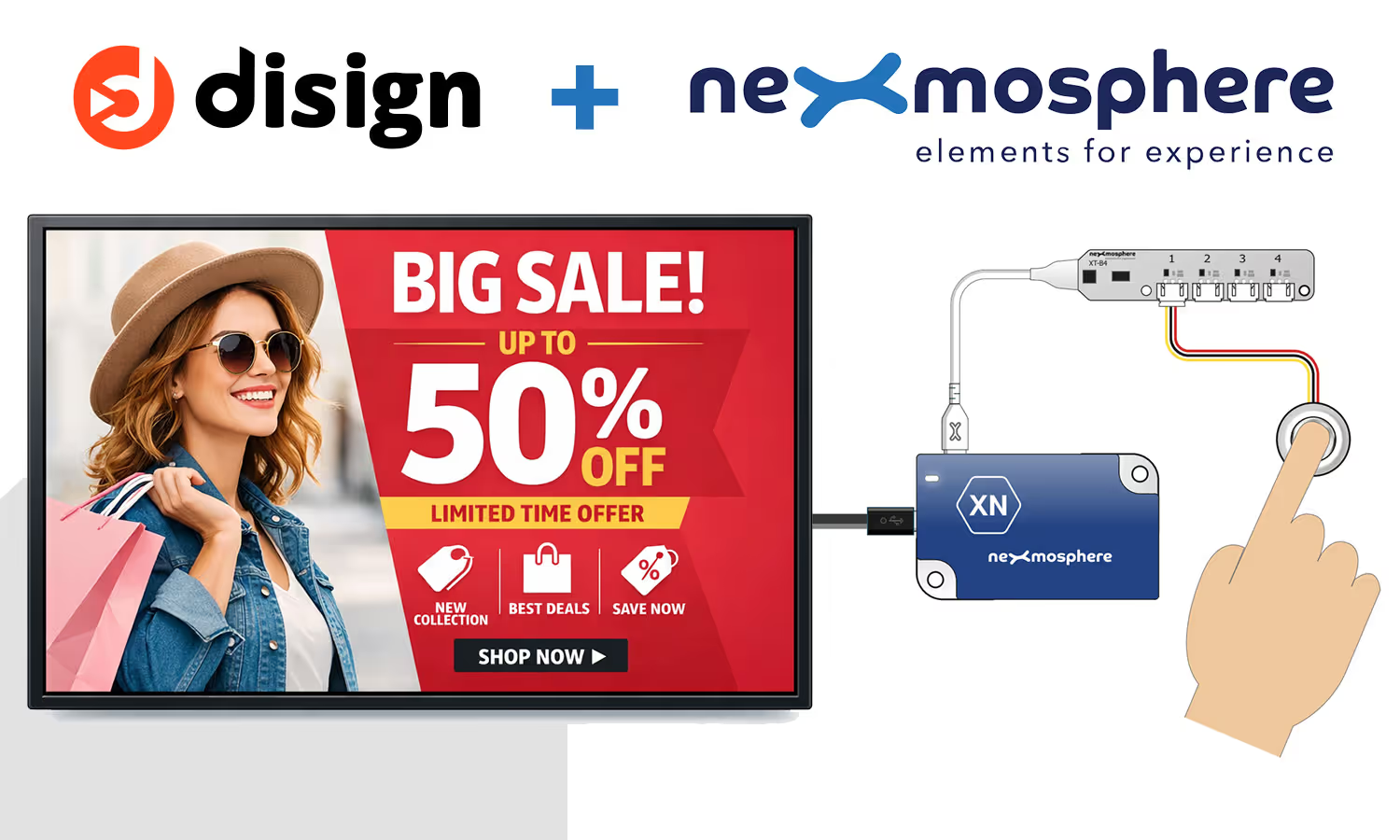
Connect Nexmosphere sensors to Disign to build interactive digital signage that reacts instantly to real world actions. Use sensors for digital signage to trigger the right message at the right moment, from proximity and touch to product pick up. Ideal for retail, showrooms, corporate spaces, and museums, you keep full control with centralized scheduling, remote updates, and consistent branding from one dashboard.
Why connect sensors to digital signage
Classic digital signage is great for broadcasting messages, but it often stays one way: the same content for everyone, regardless of what is happening in the space. When screens cannot react to movement, product handling, or audience intent, attention fades and campaigns lose relevance.
Adding sensors changes the role of a screen from "display" to "experience". With nexmosphere digital signage, content can be triggered in real time, personalized to a shopper’s journey, and adapted to the context: presence, proximity, touch, pick up, or interaction at a shelf. This makes messaging more timely, more engaging, and easier to measure in real environments.
Nexmosphere digital signage sensors for interactive experiences
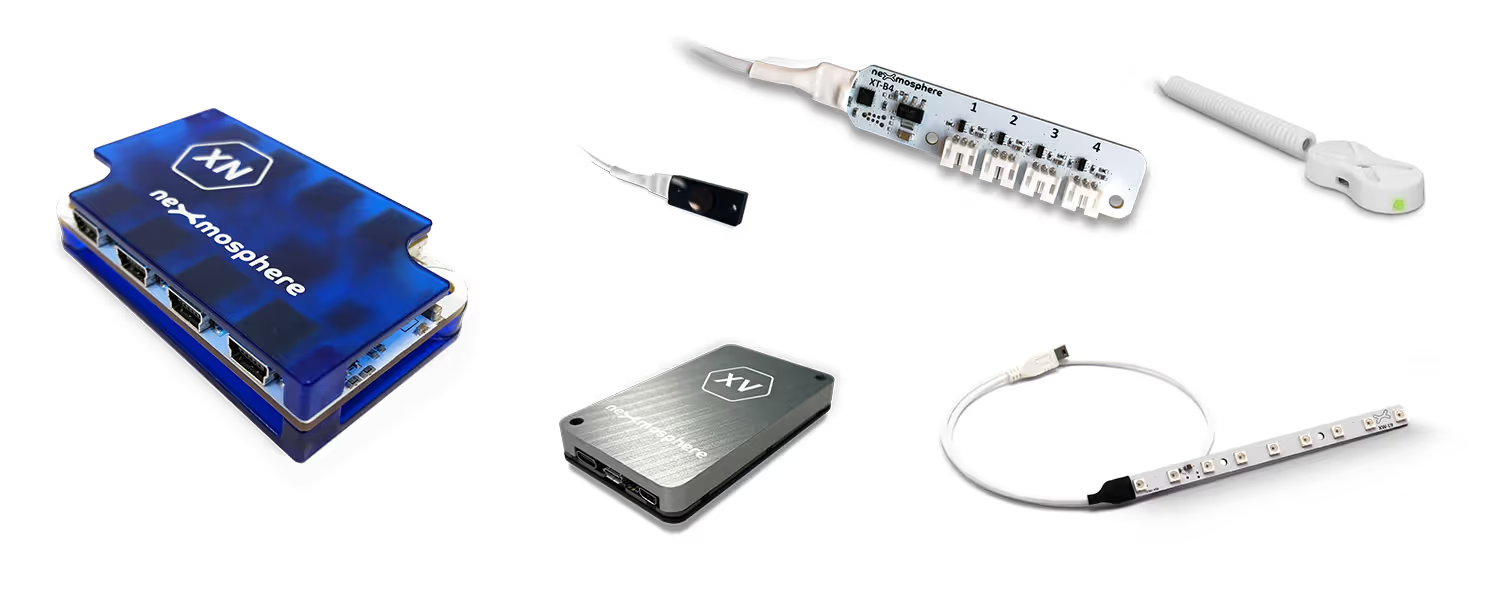
Nexmosphere is a recognized reference for sensors designed for digital signage. Its Elements ecosystem makes it easy to connect real world interactions to on screen content, so your Nexmosphere digital signage can react instantly to presence, products, gestures, and environmental context across kiosks, showrooms, and retail spaces.
RFID and NFC triggers for product led storytelling
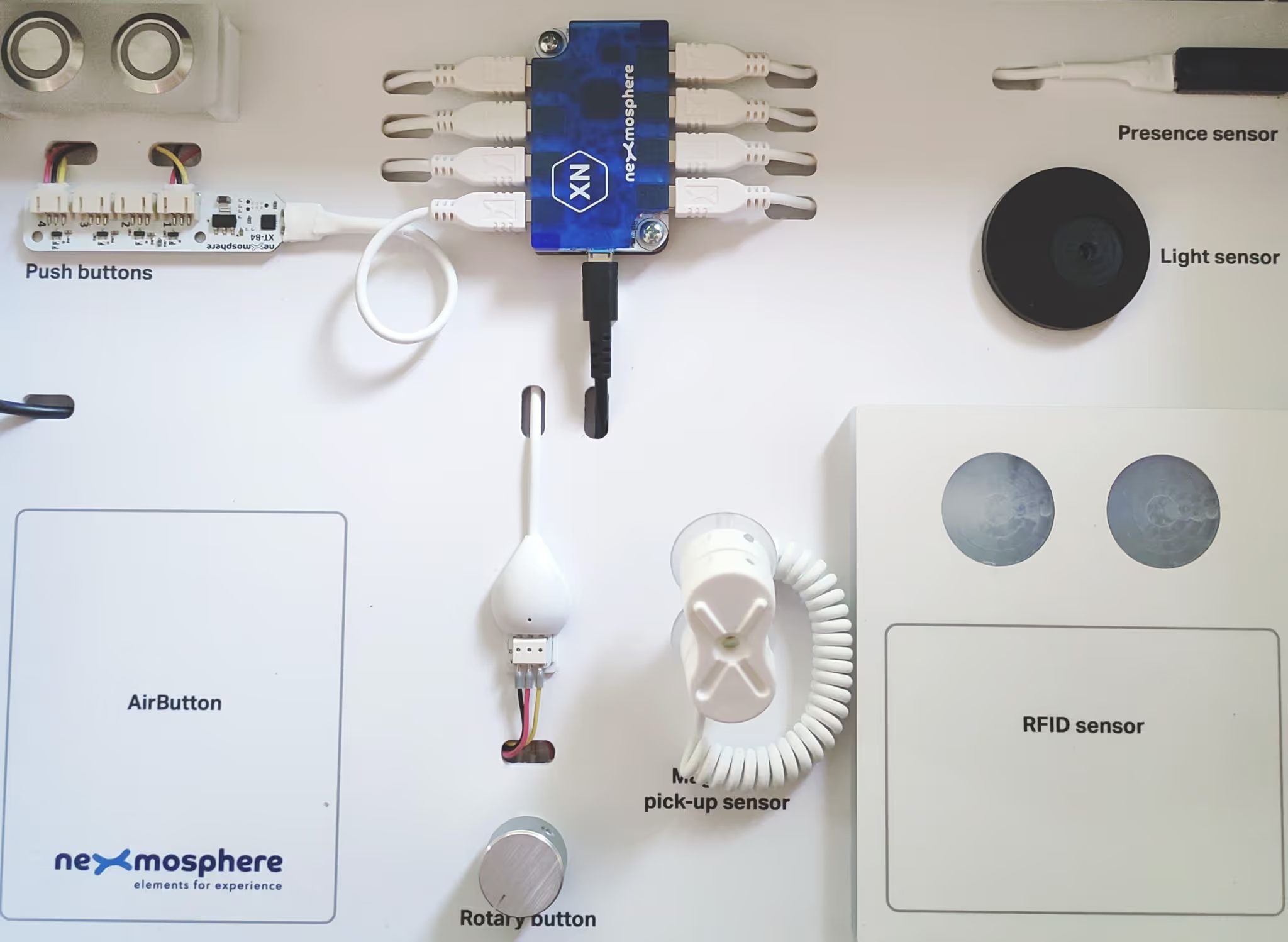
Use tags to launch the right content at the right time. Nexmosphere RFID and NFC sensors can identify an item or a touchpoint so your Nexmosphere digital signage displays the matching video, specs, pricing, or call to action automatically.
Presence and proximity sensing that makes screens react
Engage visitors the moment they approach. Nexmosphere presence and proximity sensors can wake displays, switch scenes, or start a guided flow, keeping Nexmosphere digital signage responsive without needing a touch interface.
Pick up and pick and drop demos that follow the product
Turn handling into a smooth demo. Nexmosphere pick up and pick and drop sensors detect when a product is lifted, returned, or moved, so your Nexmosphere digital signage can instantly show comparisons, benefits, and next steps.
Touch controls and buttons that feel natural
Add clear actions to any interactive setup. Nexmosphere touch sensors and buttons, including capacitive options that work behind glass or wood, help Nexmosphere digital signage deliver simple choices, confirmations, and menu navigation.
Environmental sensors that add real context
Make content react to the space, not just the screen. With Nexmosphere environmental sensors, Nexmosphere digital signage can adapt messaging based on conditions like light levels or other ambient signals, improving clarity and comfort in changing environments.
Touchless gestures for modern interactive digital signage
Offer a smooth, touch free flow when needed. Nexmosphere gesture controls interpret in air taps and swipes, letting Nexmosphere digital signage support intuitive navigation in retail, showrooms, exhibitions, and self service kiosks.
Temperature and humidity data for timely messaging
Turn live readings into useful information. Nexmosphere temperature and humidity sensors can power context aware Nexmosphere digital signage, from comfort guidance to alerts, seasonal recommendations, and operational messaging.
One sensor ecosystem built for interactive digital signage
Combine Nexmosphere Elements to create scalable experiences across multiple locations. From retail product discovery to museum interactives and corporate brand corners, Nexmosphere digital signage stays consistent while each installation can be tailored to the space.
Disign + Nexmosphere: native, seamless nexmosphere digital signage integration
Turn Nexmosphere sensors into real time triggers for Disign content. Build interactive nexmosphere digital signage experiences, manage everything from one dashboard, and deploy fast with no extra technical layer for your teams.
Native Nexmosphere connection, no middleware to maintain
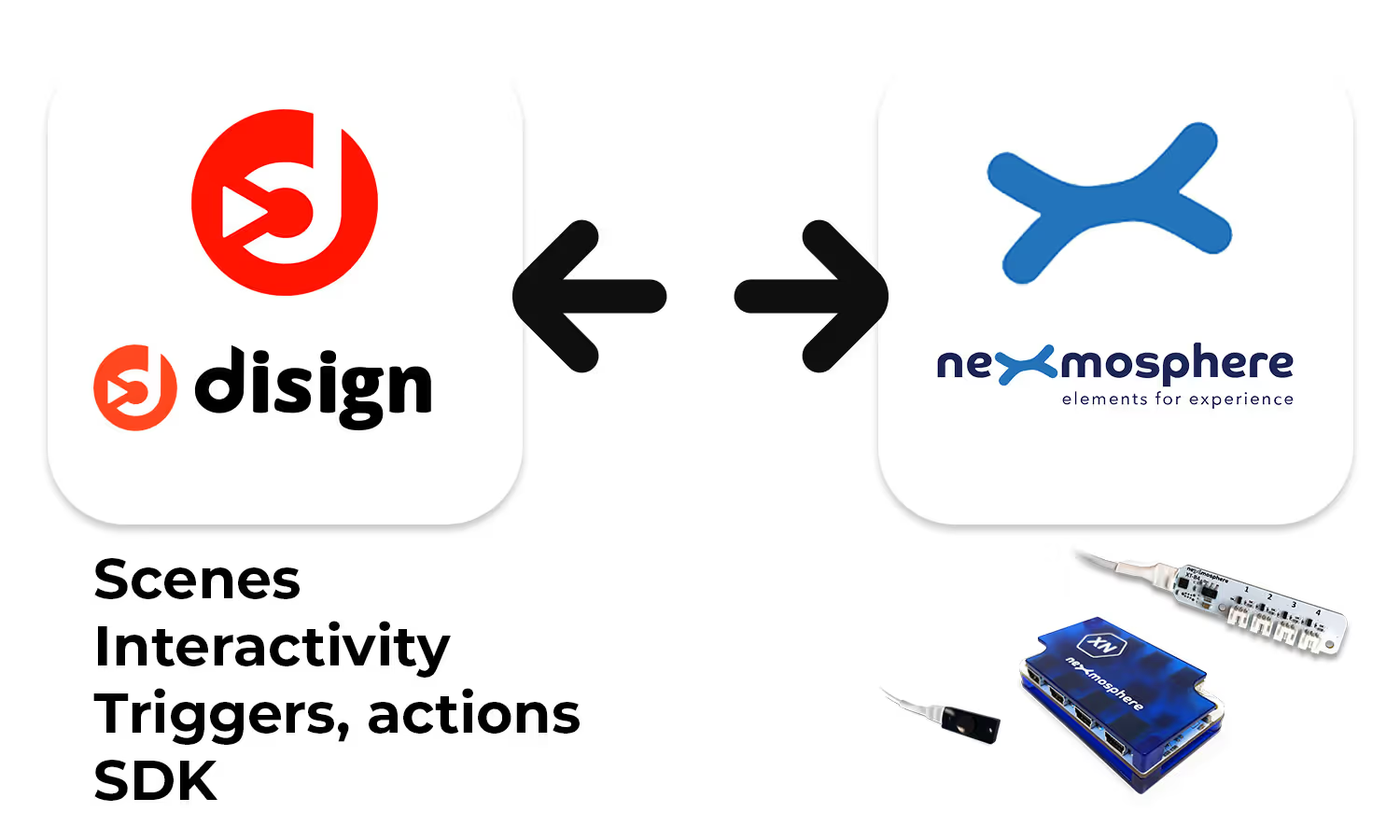
Disign connects directly to the Nexmosphere ecosystem so you can launch nexmosphere digital signage without adding a custom bridge. Less complexity, faster delivery, and a setup your teams can own.
Real time communication between Nexmosphere sensors and Disign
Detect presence, touch, proximity, product pickup, or button presses and instantly update what is on screen. Ideal for digital signage interactive scenarios in retail, offices, and showrooms.
Centralized management in Disign for screens, sensors, and content
Manage your interactive digital signage network from Disign: assign sensors to experiences, control content rules, schedule campaigns, and monitor rollouts across one or many locations.
Fast deployment for nexmosphere digital signage at scale
Deploy interactive screens quickly: connect your player, pair Nexmosphere sensors, and publish from Disign. Standardize experiences across sites while keeping room for local content when needed.
Interactive digital signage that increases engagement
Move from passive displays to experiences that react to people and products. With sensor driven content, your nexmosphere digital signage becomes more relevant, more measurable, and more effective.
A user friendly setup for teams, with full control for IT
The end user experience stays simple: create content, choose sensor actions, publish. IT keeps centralized control, consistent configurations, and a clean architecture with no extra technical overlay.
Serial and network communication between Disign and Nexmosphere sensors
With nexmosphere digital signage, Disign makes sensor connectivity straightforward and reliable. Choose serial USB or network UDP communication, connect your Nexmosphere controller, and trigger interactive content in real time with flexible port configuration for your environment.
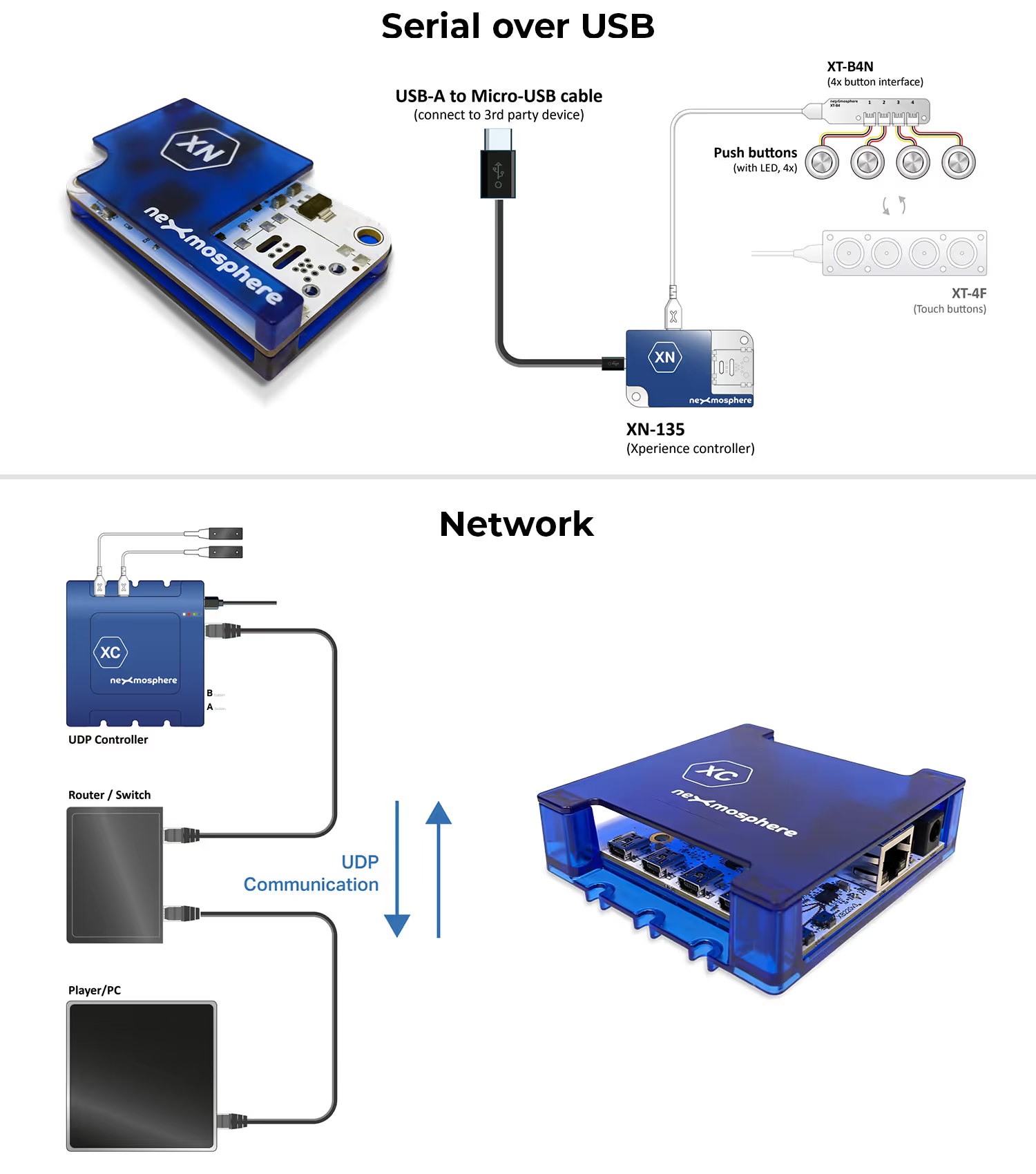
Plug the Nexmosphere controller into your Disign device via USB, then connect your sensors to the controller. Disign handles the serial link so you can listen to sensor events and launch the right content instantly, ideal for installations that need a stable, local setup.
Use UDP networking to communicate with a Nexmosphere controller across your network, which is perfect when the controller is far from the player or screen. Disign gives you flexibility to choose the ports you want, making deployment simpler, scalable, and easy to fit into existing network constraints.
Compatible nexmosphere models for Disign digital signage
Check nexmosphere digital signage compatibility before installation to ensure smooth playback, reliable remote management, and optimal performance across your screens.
| Player with Disign | OS (system exploitation) | Serial | Network (UDP) |
|---|---|---|---|
| Disign player | Disign OS | ||
| Brightsign | Brightsign OS | ||
| Player Android | Android | ||
| PC | Windows | ||
| PC | Linux | ||
| Browser | Web | (require validation user on each usage) |
How Disign digital signage works
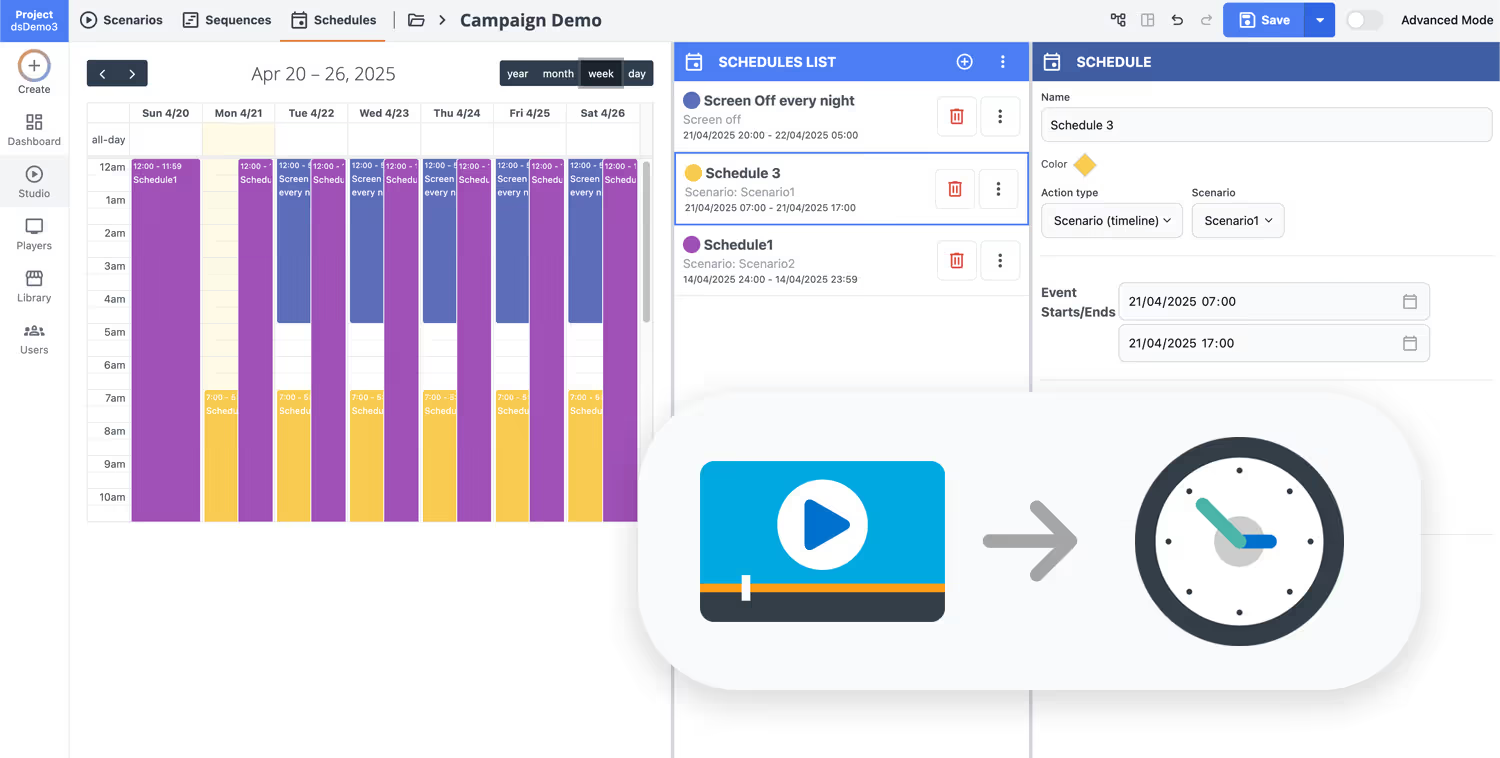
Schedule your content from anywhere with our cloud-based digital signage solution. Easily plan what plays, when, and where—across one screen or thousands.
Design custom scenarios and playlists tailored to your audience and goals.
Set precise dates and times for your content to play automatically.
Deploy content instantly across your digital signage network with just a click.
Get started with Nexmosphere sensors and Disign
Turn Nexmosphere sensors into smart, responsive screens with Disign. Start your 28 day free trial in minutes, no credit card required, and publish nexmosphere digital signage content fast. Schedule campaigns, automate updates, manage playlists, and keep every location in sync from one dashboard. Tell us what you want to achieve and we will help you choose the right setup for your screens.
Ideal industries for nexmosphere sensors and digital signage
nexmosphere digital signage is a strong fit for industries where customer flow, product interaction, and real time messaging matter. Combine smart sensors with on screen content to react instantly to presence, touch, pick ups, and queues across one or many displays.
Retail stores and shopping malls
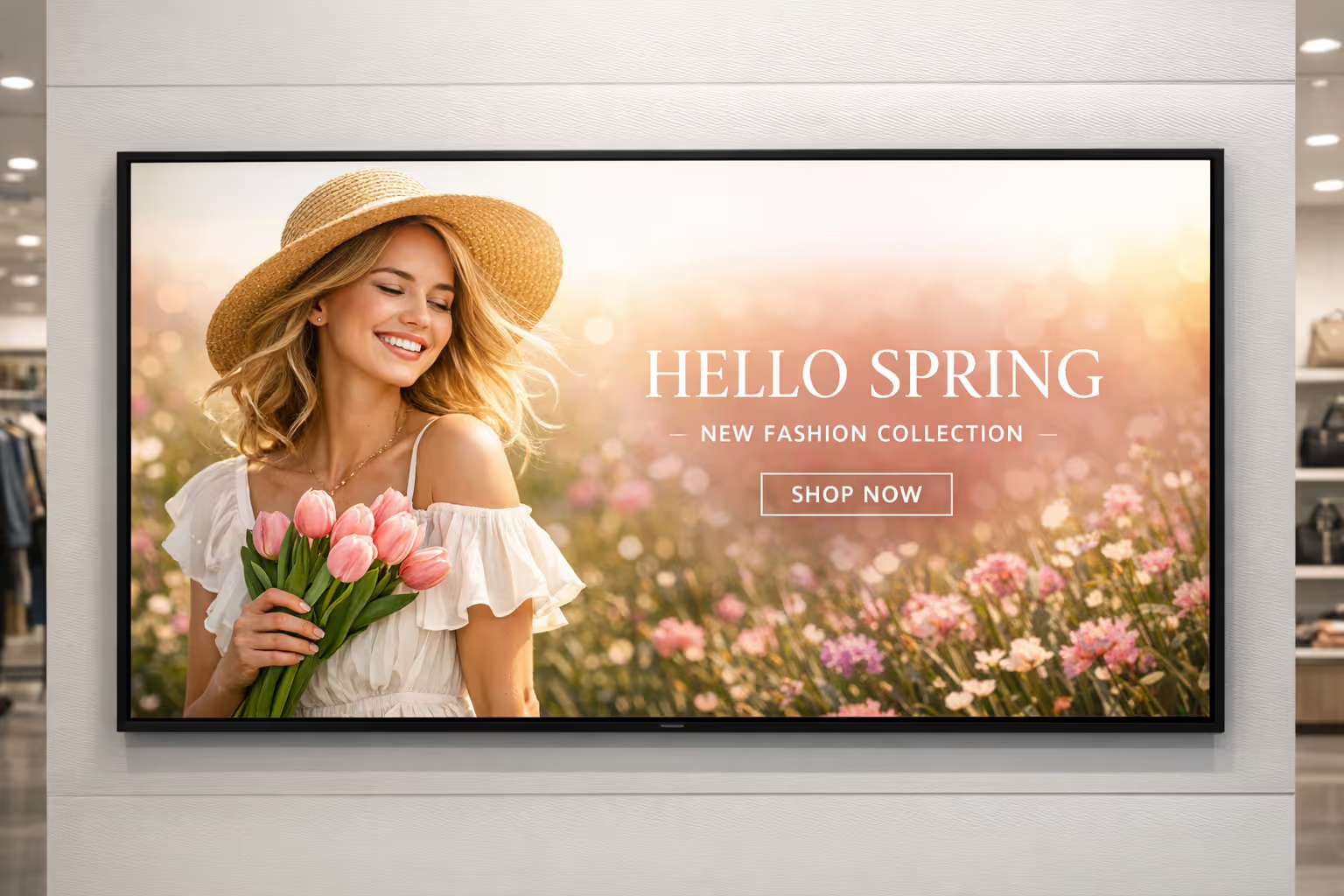
Trigger the right message at the right moment with nexmosphere digital signage. Use presence and product sensors to launch promos, show product details when an item is picked up, and guide shoppers to key zones.
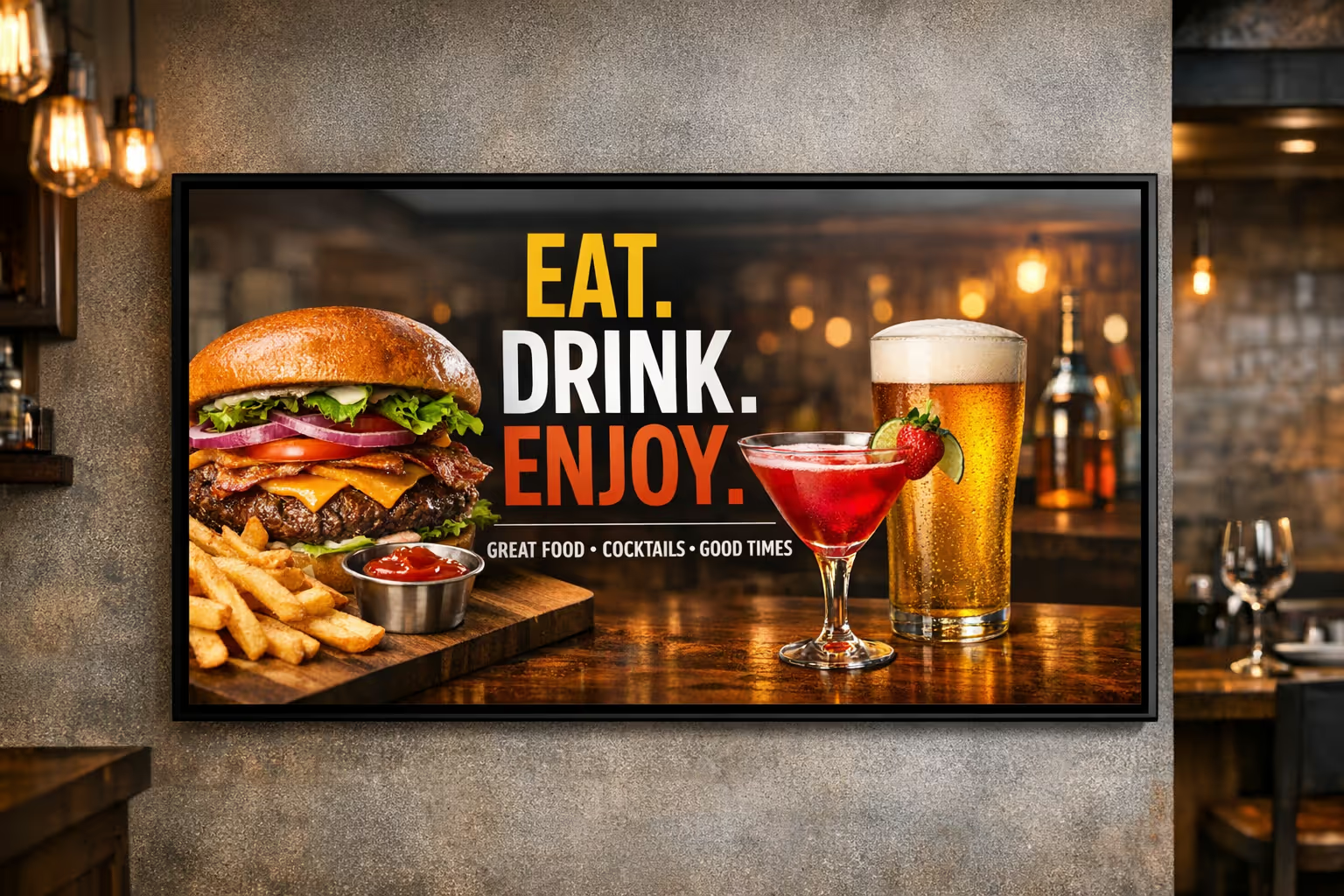
Restaurants and quick service
Power menu boards with nexmosphere digital signage and adapt content to time of day, footfall, or queue conditions. Promote upsells when traffic increases and keep pricing and availability consistent across locations.

Corporate offices and coworking spaces
Make lobbies and shared areas more responsive with nexmosphere digital signage. Use sensors to welcome visitors, show meeting room directions when someone approaches, and display timely updates without manual intervention.

Healthcare and clinics
Reduce uncertainty in waiting areas with nexmosphere digital signage. Use sensors and data inputs to communicate queue status, direct patients to the right room, and show clear instructions that update instantly.

Education and campuses
Keep communication consistent across buildings with nexmosphere digital signage. Use presence detection to surface relevant info, and display schedules, event updates, and emergency messages where they are needed most.
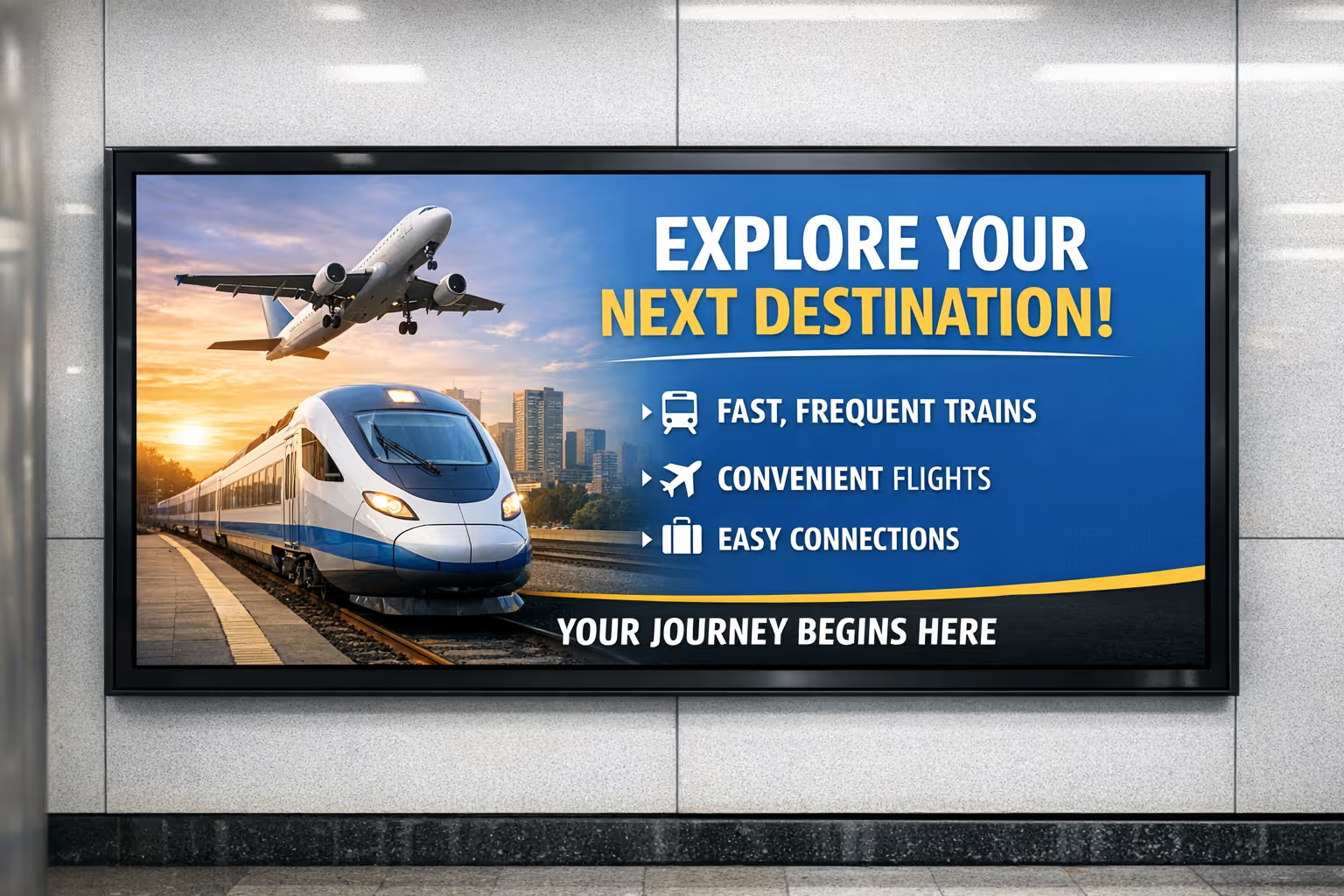
Transportation and public venues
Support passengers with nexmosphere digital signage built for busy, always on environments. Use sensors and live feeds to update departures, platform guidance, safety notices, and crowd flow messaging in real time.
Disign interactivity editor for Nexmosphere triggers and actions
Build nexmosphere digital signage that reacts in real time. With the Disign interactivity editor, you can listen to Nexmosphere sensor events, manage triggers, and instantly launch actions that update your content and scenes.
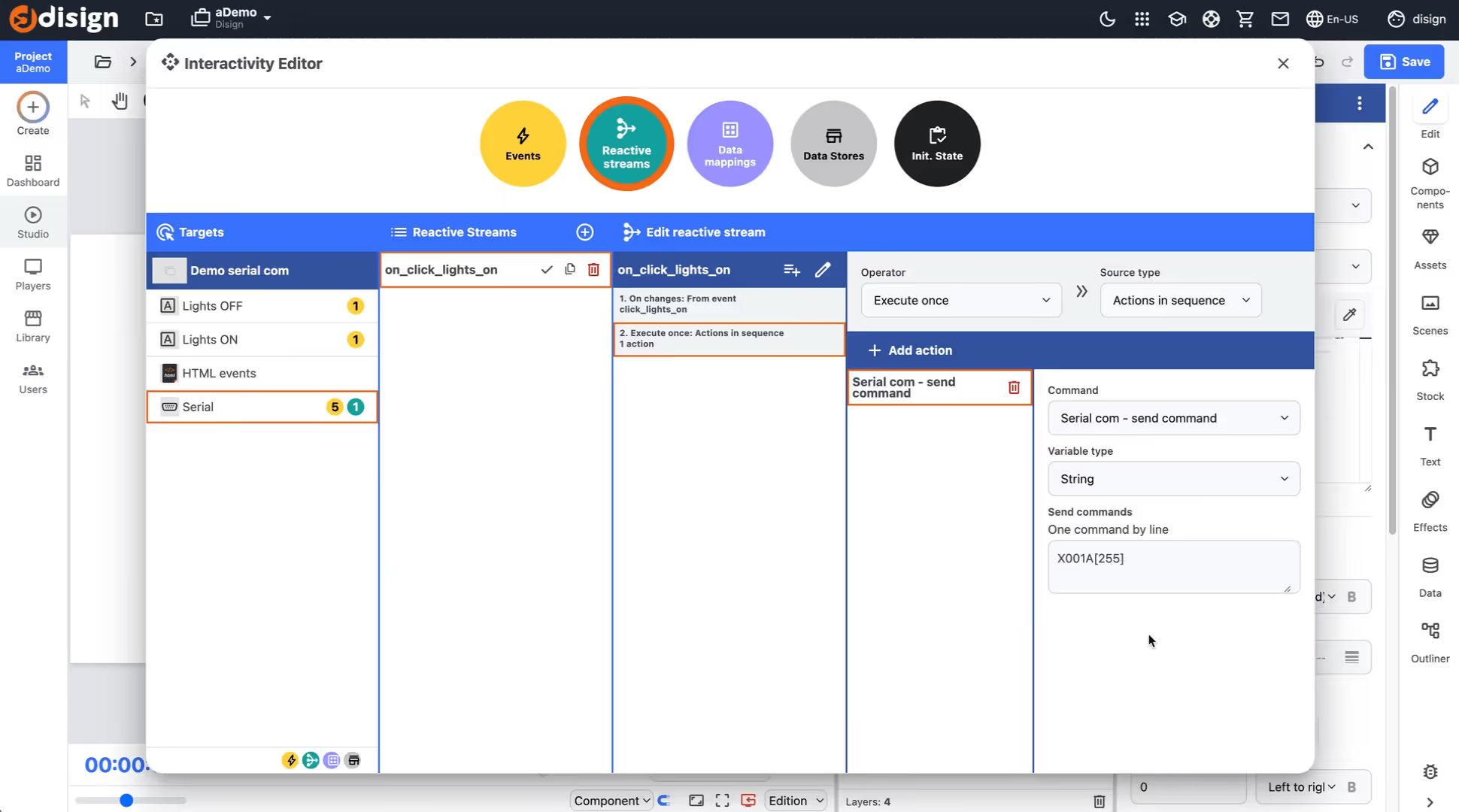
Create interactive nexmosphere digital signage with Disign
The interactivity editor in Disign lets you connect your content to Nexmosphere sensors. Define events, map triggers, and decide exactly what happens on screen when someone approaches, touches, scans, or interacts.
Combine triggers with Disign scenes to switch layouts, reveal messages, play media, update data driven widgets, or chain actions across multiple displays. Once you start building with scenes, the possibilities feel limitless.
Listen to Nexmosphere events
Capture sensor signals and turn them into clear triggers in Disign, so your nexmosphere digital signage reacts the moment an interaction happens.
Connect triggers to actions
Decide what each trigger does, like changing a scene, starting a playlist, showing a call to action, or updating the display to match the user journey.
Update the display instantly
Make your content feel alive by adapting the screen to context, timing, and behavior using Disign scenes and interactive rules.
Built for complex experiences
From simple sensor to screen reactions to multi step scenarios, Disign helps you design scalable nexmosphere digital signage interactions without losing control.
Build interactive nexmosphere digital signage scenes with Disign
Create, animate, and manage dynamic content with full freedom using Disign Scenes. With the Interactivity Editor, your nexmosphere digital signage can react instantly to Nexmosphere IoT sensors, so every screen becomes a personalized experience that fits your space and your goals.
Design scenes freely for nexmosphere digital signage
With Disign, scenes are at the core of your nexmosphere digital signage workflow. Build layouts quickly, add motion, schedule variations, and keep content consistent across screens, while staying flexible for each location and use case.
Connect Nexmosphere sensors and trigger actions inside your scenes with the Disign Interactivity Editor. From proximity and presence to RFID and buttons, you can make content respond in real time, without heavy development or complex maintenance.
Easy graphic creation for any team
Create polished scenes fast with a visual editor that keeps nexmosphere digital signage simple to build, update, and scale.
Dynamic data and live content
Display dynamic data in your scenes and keep messaging fresh across your nexmosphere digital signage network, in real time.
IoT interactions with Nexmosphere sensors
Turn sensor events into on-screen actions with reliable IoT interactions built for nexmosphere digital signage experiences.
Do what you want, your way
Combine animations, rules, and sensor triggers to create personalized scenography that matches your brand and your goals.
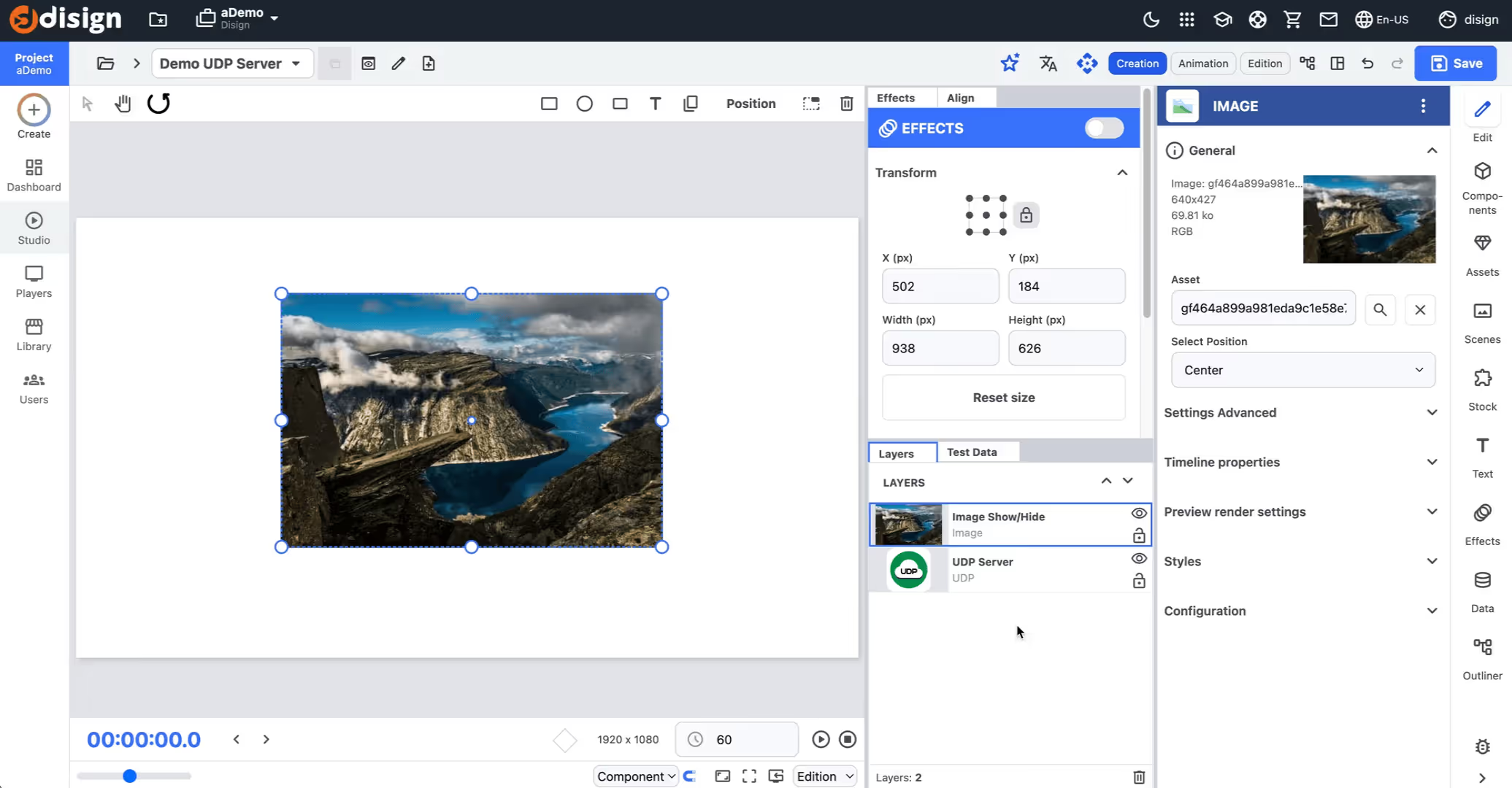
Nexmosphere digital signage sensors made programmable with the Disign SDK
Connect Nexmosphere IoT sensors and devices to Disign and turn real world interactions into on screen experiences. The Disign SDK gives you a clean framework to handle events, map them to actions, and keep full control of your digital signage logic.
Build advanced use cases with low code. In just a few lines, you can route sensor signals to your own rules, trigger content changes, and tailor behaviors precisely to your environment, even when the scenario is unique.
Connect Nexmosphere sensors to Disign
Use the Disign SDK to listen to Nexmosphere device events like presence, proximity, NFC, or buttons, and instantly make them available to your app logic for nexmosphere digital signage experiences.
Trigger content on screens in real time
React to sensor signals and update playlists, layouts, and interactive widgets in seconds. Your nexmosphere digital signage becomes responsive without adding heavy complexity.
Low code control with a real SDK
Keep your own business rules. The Disign SDK provides the tools and structure to implement custom interactions cleanly, so you can adapt Nexmosphere behaviors to your exact needs.
Scale unique use cases with confidence
From retail engagement to smart wayfinding, Disign helps you build, test, and deploy advanced nexmosphere digital signage scenarios while keeping your integration maintainable as you grow.

nexmosphere digital signage with smart IoT triggers in Disign
Turn nexmosphere digital signage into a responsive experience. With Disign, you can listen to nexmosphere sensor events, trigger actions in real time, and keep full control of when devices connect. Build interactive scenarios with a no code editor that stays reliable at scale.
Listen to IoT events and launch triggers
React instantly to nexmosphere sensors and inputs on screen
Disign connects nexmosphere digital signage to real world interactions. Capture events from compatible nexmosphere devices and use them as triggers to start content, switch playlists, open a page, or update the experience at the right moment.
Control IoT connection and disconnection
Connect to nexmosphere devices only when you need them
Optimize operations by deciding when Disign should connect to nexmosphere IoT. For example, enable devices on business days, disable them outside opening hours, or connect only during specific campaigns. You stay in control without changing your content workflow.
Send multiple commands with supported delays
Chain commands safely for nexmosphere devices and accessories
Configure nexmosphere hardware with command sequences that respect manufacturer timing in milliseconds. From setting up an LED sensor to applying device states step by step, Disign helps you run reliable multi command actions without fragile scripting.
No code interactivity editor with conditions
Build trigger and action logic without developers
Create interactive nexmosphere digital signage experiences using conditional rules. Define what happens when an event is received, add simple conditions, and choose the right action. Your teams can iterate fast while keeping governance and consistency.
Consistent behavior across screens and scenarios
Standardize interactions for retail, reception, and kiosks
Apply the same interaction rules across your nexmosphere digital signage network. Reuse trigger logic, actions, and command sequences from one location to another, so experiences stay predictable for users and easier to maintain for your teams.
Built for scalable nexmosphere digital signage
From one screen to many, keep IoT control organized
Roll out interactive nexmosphere digital signage with confidence. Disign keeps your triggers, connection schedules, and command flows structured, so you can scale to multiple sites while maintaining performance and a clean operating model.
Integrate with your favorite Applications
70+ Applications and infini integration with API, Database, and any data source
Easily integrate third-party applications and web content such as YouTube or Vimeo, optimized for seamless playback. Display data from RSS feeds or formats like CSV, JSON, or XML directly on your digital signage screens. Extend display capabilities with advanced applications like grids or collections to enrich Disign scenarios.

We designed Disign to be as open and customizable as possible, both in its visual scenes and in its data sources.
Florent MondoloniCo-Founder, Disign

Video
Utilisez vos medias

RSS Feed
Use your own RSS Feed

Database
Databases

Canva
Create your Design and import it

Google Sheets
Import CSV, Live data...

Website/API
Affiche your website or use API
Everything you need to know about Disign Digital Signage For Nexmosphere
Nexmosphere digital signage with Disign FAQ
What is nexmosphere digital signage and how does Disign support it?
Nexmosphere digital signage usually refers to using Nexmosphere sensors and triggers to make on screen content react to real world behavior. Think of retail displays that change when someone approaches, touches a product, opens a door, or interacts with a shelf. With Disign, you can build these experiences without turning your signage network into a complex IT project. Disign is the digital signage software layer that lets you design, publish, and manage content while connecting interactions from Nexmosphere to what plays on your screens.
Is Disign compatible with all Nexmosphere sensors?
Yes. Disign is compatible with all Nexmosphere sensors. Whether you use proximity, motion, touch, RFID, or other Nexmosphere interaction devices, Disign can use those signals to trigger content. This is a key benefit for teams that want to standardize on one digital signage platform while still keeping freedom to choose the best sensor for each use case.
Do I need technical skills to set up Nexmosphere sensors with Disign?
No. If you use USB sensors, setup is plug and play. You connect the sensor and use Disign Studio to map the interaction to your content. For network sensors, it is also straightforward. The configuration can be inserted in Disign, so you can manage it in the same place you manage screens and playlists. If you have questions, contact us. We will help you get it running quickly.
Can I combine multiple Nexmosphere sensors on the same screen?
Yes, very easily. In many real deployments, one screen reacts to multiple events. For example, a proximity sensor can wake the screen content, a product lift sensor can show product details, and an RFID sensor can personalize a message. Disign supports these multi sensor scenarios so you can build richer journeys without duplicating screens or creating separate players.
Does the integration work offline?
Yes. USB sensors work offline because the interaction happens locally. For network sensors, if your local network is working there is no problem. You do not need an external internet connection for the interaction to trigger content. This is a practical advantage for stores, showrooms, pop up installations, and secure environments where outbound connectivity is restricted. You can keep the experience fast and reliable even when there is no connection outside the venue.
How fast is implementation for nexmosphere digital signage with Disign?
It is very fast. In a typical setup, you connect the sensor, configure the behavior, and publish. Disign is designed for rapid deployment, so you can go from idea to a live interactive screen quickly. This speed helps marketing and retail teams test concepts, iterate on messaging, and scale to multiple locations without long lead times.
What kinds of use cases can I build with Nexmosphere sensors and Disign?
You can build interactive retail signage, assisted selling displays, self guided product discovery, and attention grabbing window campaigns. Many teams use Nexmosphere triggers to start content only when a shopper is nearby, reducing screen fatigue and increasing relevance. Others use sensors to measure engagement and create sequences that match a shopper's behavior, like showing a quick teaser first, then deeper information when someone picks up an item.
Can Disign trigger specific content when a Nexmosphere event happens?
Yes. Disign can play specific content when a Nexmosphere event occurs. That means you can connect a physical action to a targeted message. For example, when a customer approaches a display, you can switch from a brand loop to a product demo. When a product is lifted, you can show features, pricing, or comparisons. The goal is simple: make the screen feel responsive and useful, not generic.
Is Disign a good fit for retail and brand environments using Nexmosphere?
Yes. Nexmosphere is often chosen for customer facing spaces where interaction matters. Disign fits that same environment because it is built for managing many screens, many locations, and frequent content updates. You can keep control from a central team while still enabling local teams to run campaigns that match their store layout and customer flow.
Can I manage Nexmosphere digital signage content remotely with Disign?
Yes. Disign is designed for remote management of digital signage networks. You can update content, adjust scheduling, and publish changes across screens without visiting each location. This is especially important when you roll out interactive signage at scale, because small content changes should not require onsite visits.
Will the experience stay stable during busy store hours?
Yes. The interaction is designed to be reliable and responsive. USB based triggering is local, which keeps it fast. Network based triggering works well as long as the local network is stable. With Disign, you can also structure content so the screen always has a default state and clear fallbacks, which helps keep the experience smooth even when many interactions happen close together.
How do I get started with nexmosphere digital signage with Disign?
Start by defining the interaction you want, such as approach, touch, lift, or identify. Then choose the right Nexmosphere sensor and connect it to your player. In Disign Studio, you map the sensor event to the content you want to display, publish to the screen, and validate the flow in the real environment. If you want guidance on best practices, device selection, or network setup, contact us and we will help you implement quickly and confidently.






Join community of 4k+ people
Run nexmosphere digital signage with Disign and launch faster
Power your nexmosphere digital signage with Disign and keep every screen aligned with your brand. Build content, manage playlists, schedule campaigns, and publish updates in minutes, from a single location to a full multi location rollout.
Start testing today with a 28 day free trial, no credit card required. Ready to connect Disign to your nexmosphere setup and go live quickly? contact us and we will guide you to the best way to get started and grow smoothly.