Corporate digital signage for workplace communication
Corporate digital signage that keeps teams aligned and visitors informed
Turn every screen in your offices into a clear, consistent channel for real-time updates, internal announcements, KPIs, and wayfinding. With Disign corporate digital signage, publish content in minutes, manage multiple locations from one place, and keep branding consistent across every department.

Challenges in the corporate industry when communication fragments across offices
In corporate environments, employees and visitors expect clear, consistent information the moment they enter a workplace. When updates are scattered across emails, posters, and word of mouth, uncertainty turns into repeated questions, lost time, and a poor first impression.
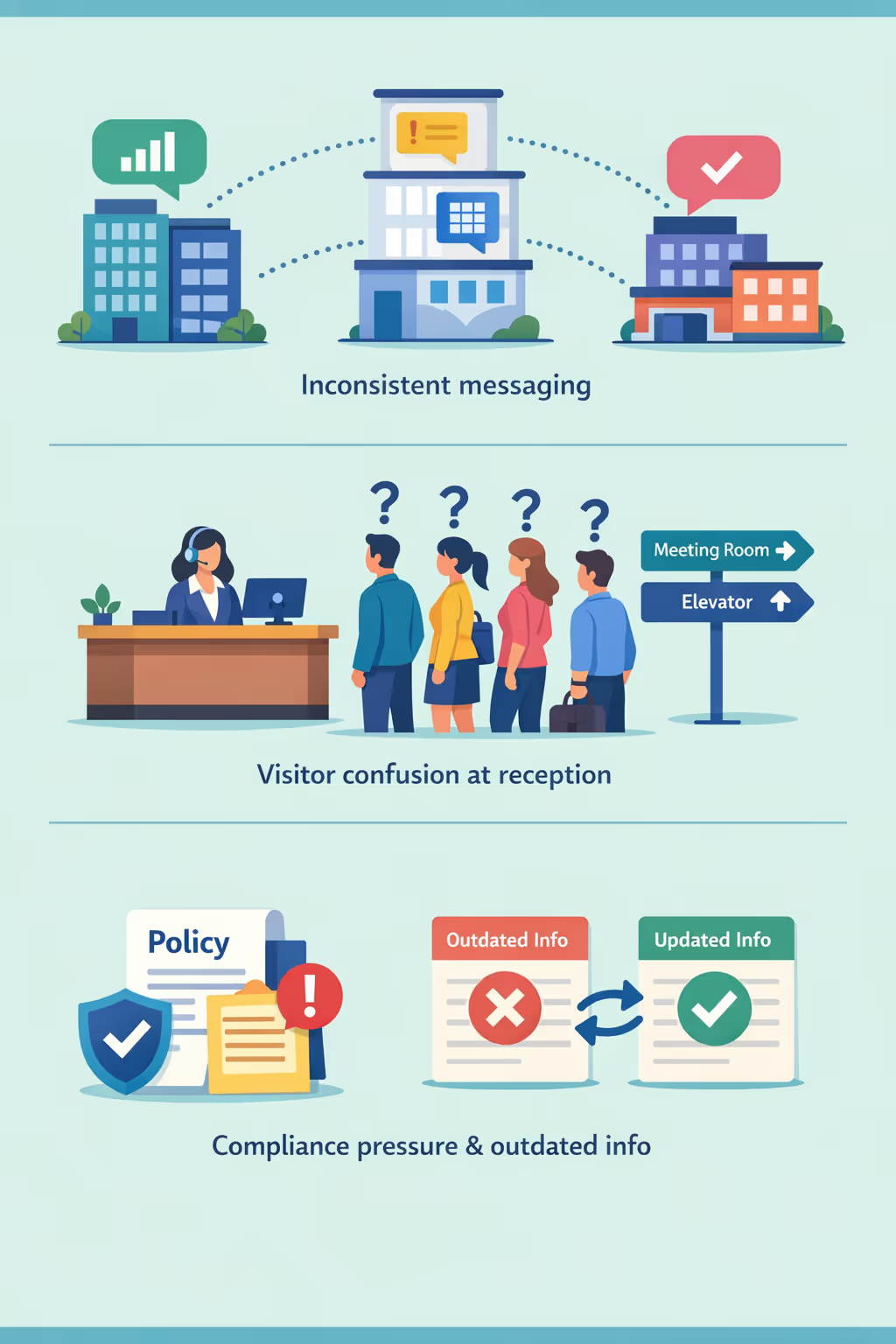
Office hours, room changes, IT incidents, and policy updates shift quickly. When HR, reception, and department teams share different information, it creates confusion, slows decisions, and erodes trust internally and externally.
Guests want to know where to check in, who to contact, and where to go next. Without clear guidance in the workplace, reception and security teams spend their day answering the same questions instead of supporting a smooth and professional arrival experience.
Corporate communication must stay accurate and aligned with current rules. When notices, safety instructions, or operational updates are not refreshed everywhere at the same time, employees may follow the wrong process, increasing compliance exposure and reputational risk.
Corporate digital signage that increases employee engagement and business impact
Keep every office screen accurate, timely, and on brand with Disign. Publish internal communications, leadership updates, KPIs, and visitor information in minutes. Reduce email noise, eliminate print waste, and prove ROI through faster message rollout, stronger alignment, and measurable time saved.

Communicate company updates in real time
Share leadership messages, policy changes, IT alerts, and important announcements instantly across every office. Corporate digital signage keeps everyone informed at the right moment without relying on inboxes.
Save time with centralized content management
Update screens from one dashboard and schedule content by time, location, or department. Reduce last minute requests, cut repetitive tasks, and free teams to focus on higher value work.
Prove ROI with measurable corporate digital signage
Promote key initiatives, reinforce priorities, and track results with consistent messaging across locations. Disign supports ROI by reducing print costs, speeding up communications, and improving alignment with business goals.
Keep brand, HR, and compliance messaging consistent
Standardize templates and approvals so every screen reflects your brand and required notices. Roll out updates quickly across offices while reducing the risk of outdated or inconsistent information.
Cut printing and refresh costs across offices
Replace posters, standees, and frequent reprints with dynamic screens. Lower production and shipping costs while keeping content always current for employees, visitors, and partners.
Personalize messages by office, team, and language
Deliver location specific content for headquarters, regional offices, and shared spaces. Tailor messages for departments and languages while keeping a unified strategy across the organization.
Corporate digital signage use cases for modern workplaces
Across headquarters, regional offices, and shared spaces, corporate digital signage helps teams stay aligned, keeps visitors informed, and supports a more consistent brand experience. Trusted by organizations that need reliable, easy to update communication at scale.
- Reception and visitor welcome: show wayfinding, host details, safety information, and brand messaging for a professional first impression
- Meeting rooms and shared spaces: display room schedules, live availability, and reminders to reduce interruptions and missed bookings
- Internal communications: share leadership updates, HR announcements, and company news so employees get the same message everywhere
- Compliance and performance visibility: publish policy updates, service metrics, and KPIs to support accountability and audit readiness

How Disign digital signage works
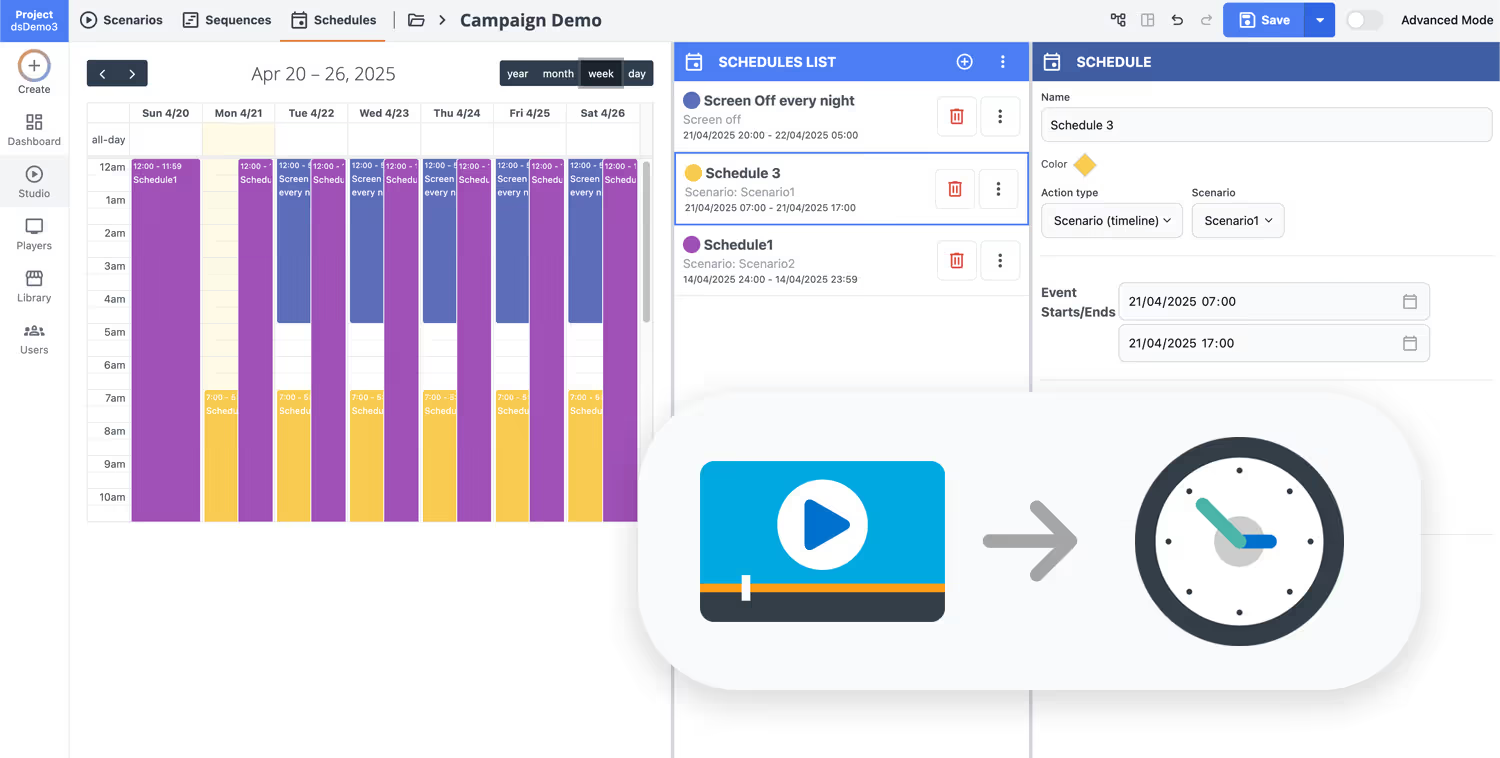
Schedule your content from anywhere with our cloud-based digital signage solution. Easily plan what plays, when, and where—across one screen or thousands.
Design custom scenarios and playlists tailored to your audience and goals.
Set precise dates and times for your content to play automatically.
Deploy content instantly across your digital signage network with just a click.
Launch corporate digital signage that keeps every office on brand
Start your 28-day free trial of Disign and publish internal updates, visitor information, KPIs, and corporate communications in minutes. No credit card required, just simple screens that look professional across every location.

Corporate digital signage for internal communications and office networks
Standardize messaging across HQ, floors, meeting rooms, and shared spaces with Disign corporate digital signage. Publish updates from one dashboard, target specific sites and departments, and keep every change traceable for IT and communications teams.
Centralized control for every office
One platform to manage corporate digital signage at scale
Organize screens by site, building, floor, or team and publish with precision. Use role based permissions, reusable playlists, and location targeting to keep brand consistency while giving local owners the right level of autonomy.
Enterprise security and access control
Protect screens, users, and content workflows
Limit who can create, approve, and publish with granular permissions and governed access. Keep operations safe with device pairing, controlled publishing rights, and clear activity history that supports internal audits.
Approval workflows and version control
Structured publishing for consistent corporate messaging
Move content from draft to review to publish with clear responsibilities. Maintain version history for announcements, HR communications, and policy notices so the right message is displayed across the right screens at the right time.
Scheduling, campaigns, and automation
Dayparting and rules to keep content always relevant
Automate corporate digital signage with time based schedules and recurring campaigns. Switch content for office hours, leadership announcements, visitor messaging, or incident communications without last minute manual updates.
Reliable playback with device health monitoring
Visibility into uptime, status, and delivery
Keep screens online with monitoring that helps IT spot issues early. Detect offline players, validate that content is playing, and reduce silent failures so corporate communications stay dependable across all locations.
Deployment guidance for IT and comms teams
From rollout to daily operations, with practical support
Roll out corporate digital signage with confidence using standardized templates and clear operating processes. We help teams onboard, align governance, and resolve device issues fast so the platform stays easy to run and predictable at scale.
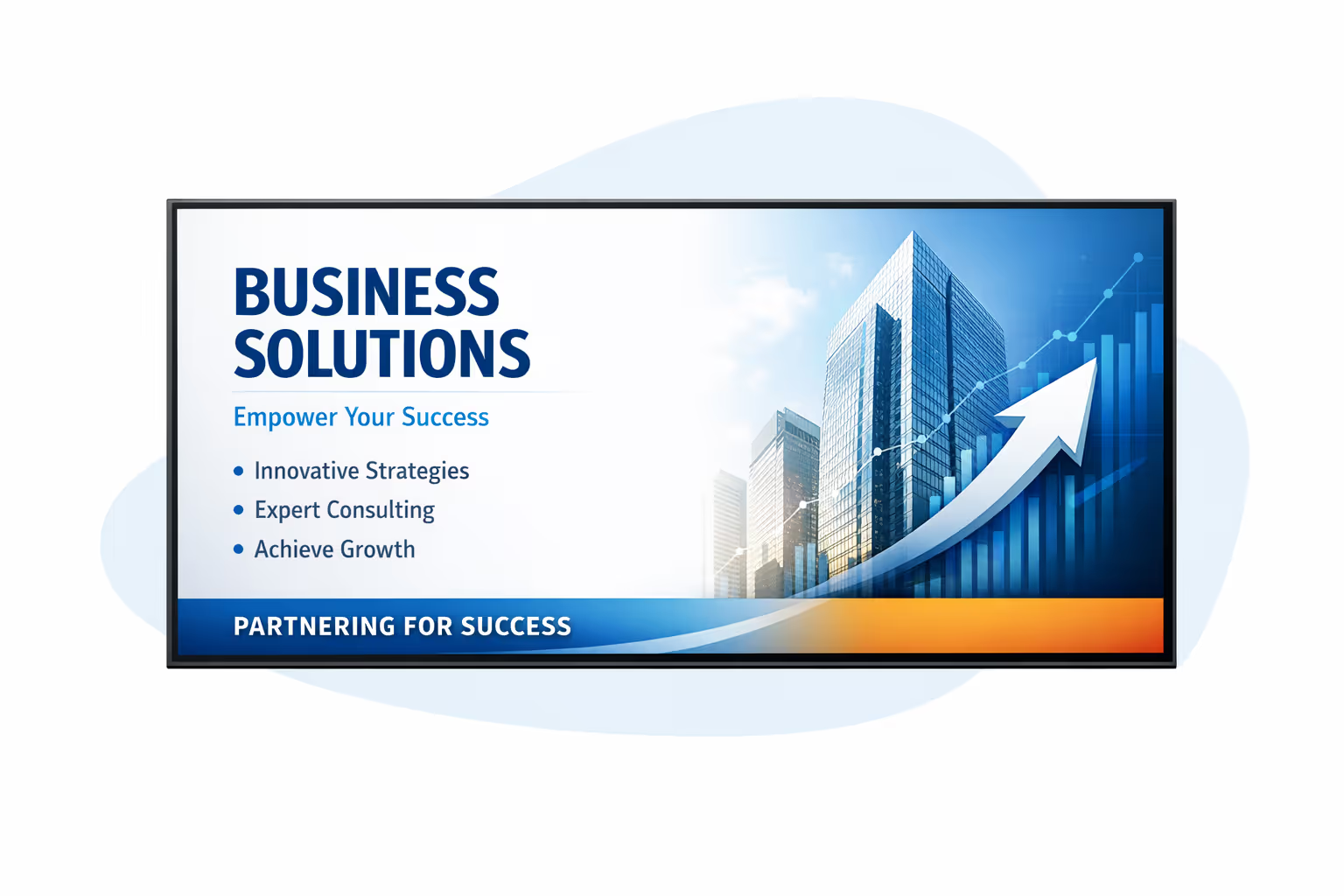
Centralized content management for corporate digital signage
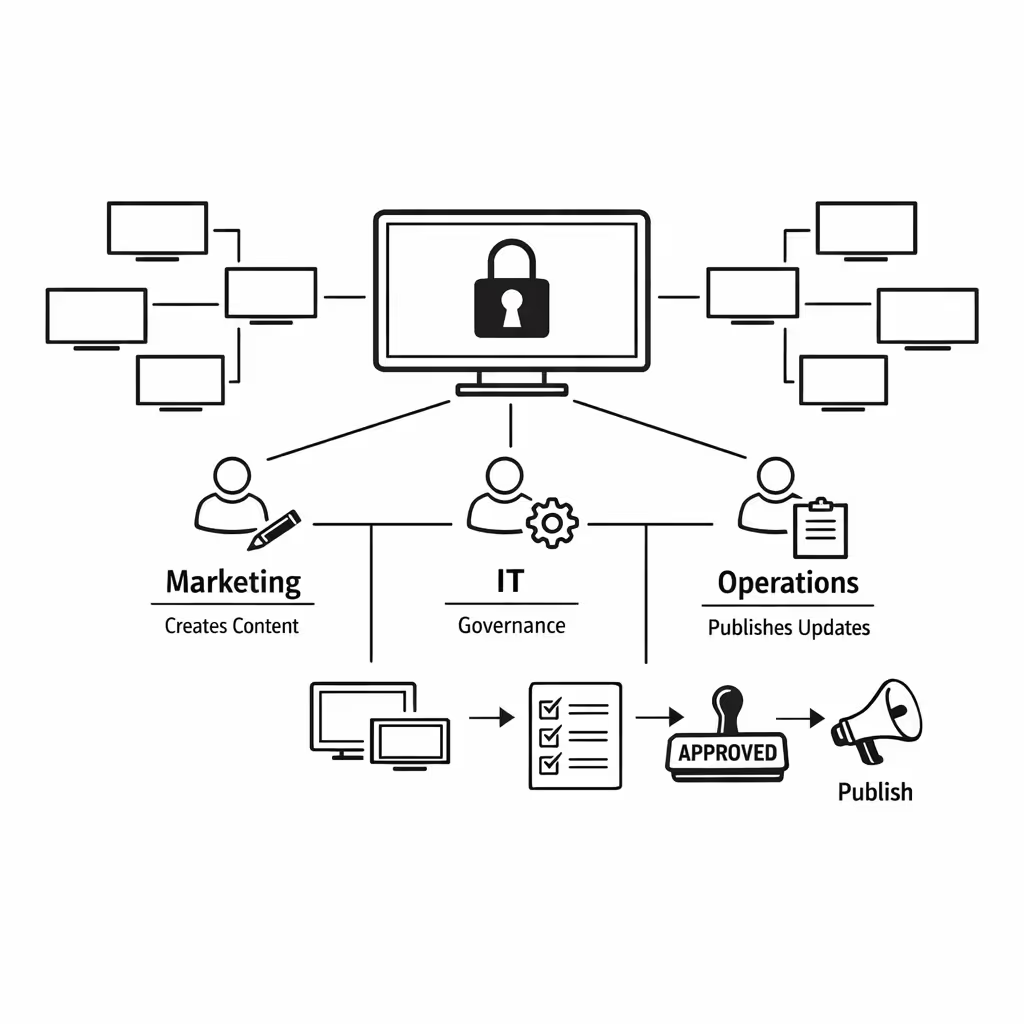
Run your corporate digital signage from one secure dashboard with Disign. Marketing builds campaigns, IT applies governance, and operations publishes updates across every office, lobby, meeting space, and campus screen with confidence.
One platform for every corporate screen
Headquarters control with team level flexibility
Standardize corporate messaging while letting teams manage approved local content for offices and departments. Keep brand, policy, and tone consistent across your corporate digital signage network.
Campaign scheduling that stays on brand and on time
Plan content by location, department, or screen type. Publish employee comms, visitor welcome messages, and time critical announcements with predictable playback and easy scheduling.
Governance ready access and approvals for IT
Control who can create, approve, and publish with role based permissions and structured workflows. Keep corporate digital signage aligned with security policies, compliance needs, and audit trails.
Real time updates for operations and workplace services
Push live alerts, room changes, visitor guidance, cafeteria updates, and safety messages in seconds. Keep every corporate digital signage screen accurate during incidents, peak periods, or policy changes without chasing local teams.
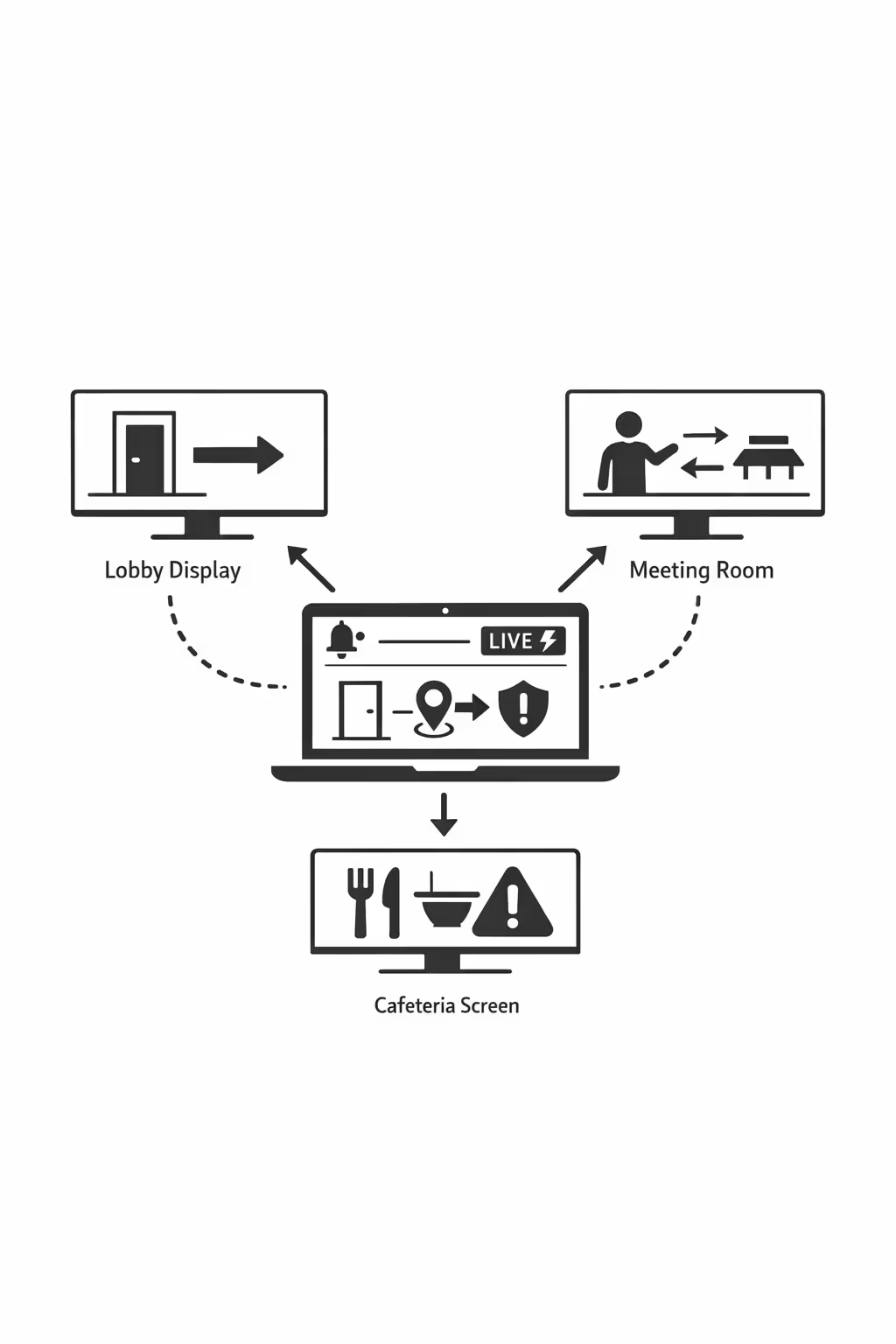
Scalability for growing corporate networks with corporate digital signage
Scale corporate digital signage across offices, branches, regions, and business units from one secure cloud platform. Roll out updates in minutes, keep governance clear, and maintain brand consistency as your corporate network expands.
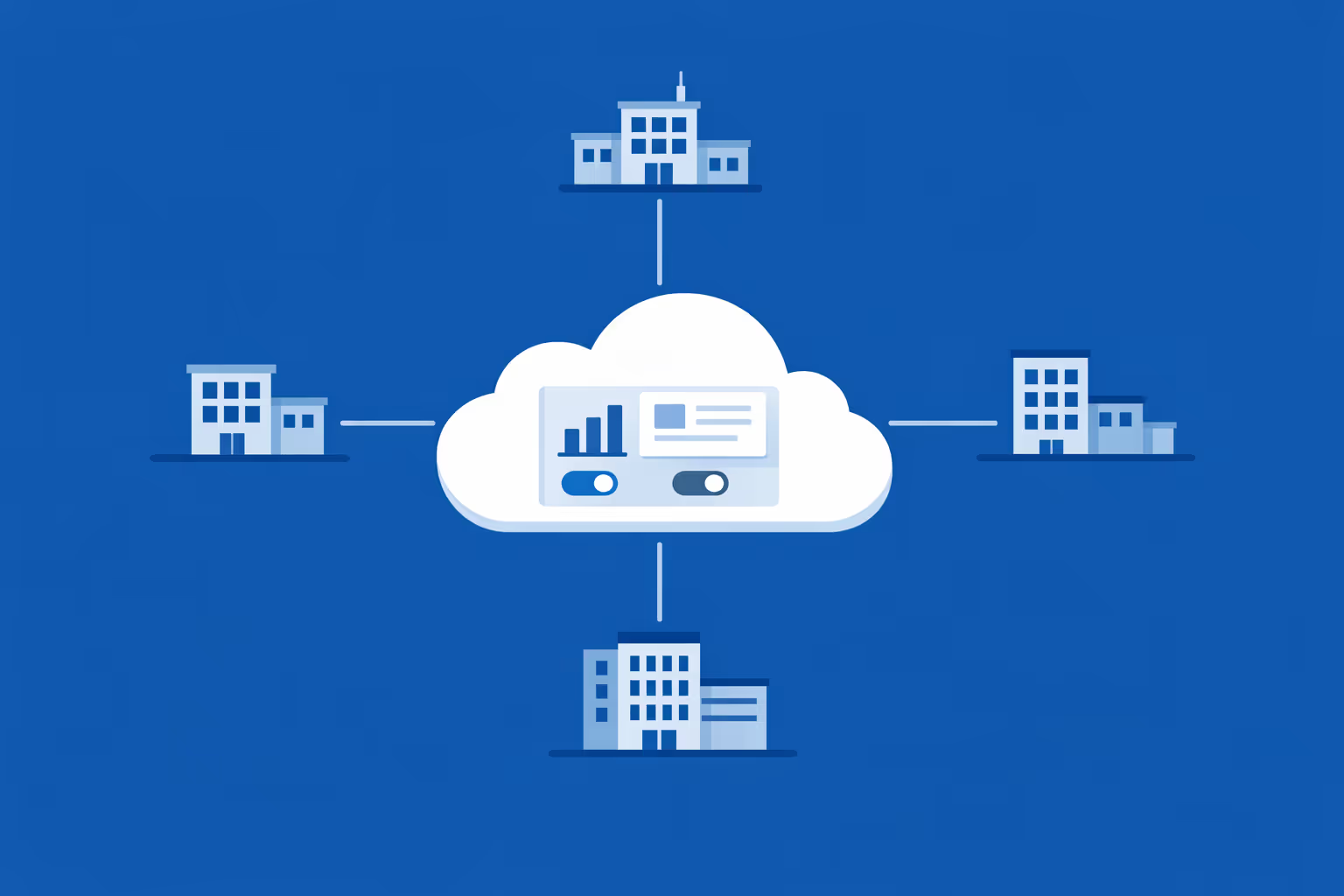
Multi-site management from one cloud dashboard
Manage corporate digital signage across all locations in one place. Publish to specific sites or roll out network-wide campaigns, verify what is playing in real time, and keep messaging consistent across every screen.

Multi-user access with role-based permissions
Give each team the right level of access with role-based permissions by department, region, or site. Collaborate faster, reduce approval bottlenecks, and keep corporate digital signage changes secure, traceable, and easy to govern.
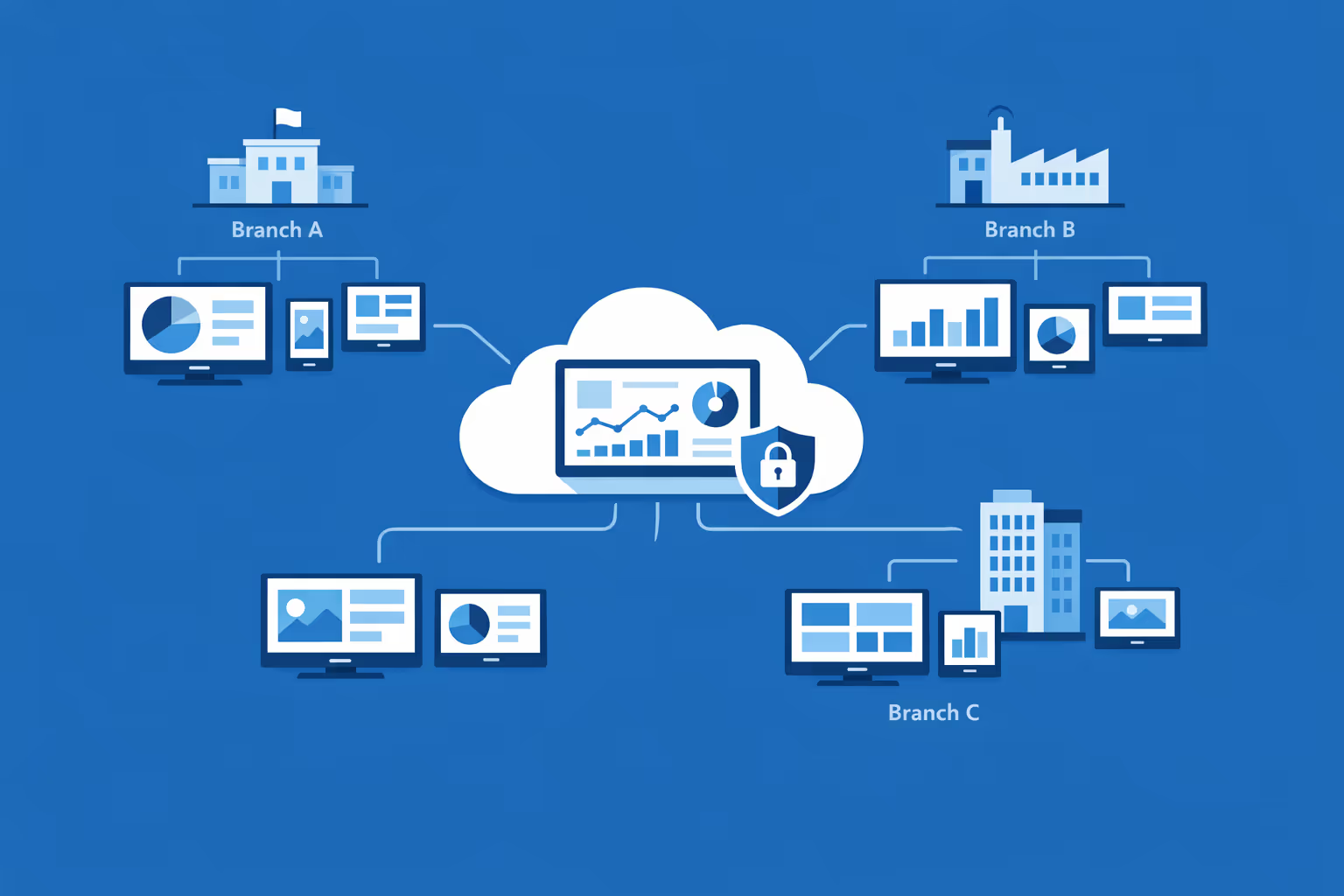
Multi-screen and multi-organization ready
Control thousands of screens and manage multiple organizations under one account. Segment corporate digital signage by brand, region, or location so enterprise teams stay in control while local teams keep content relevant.
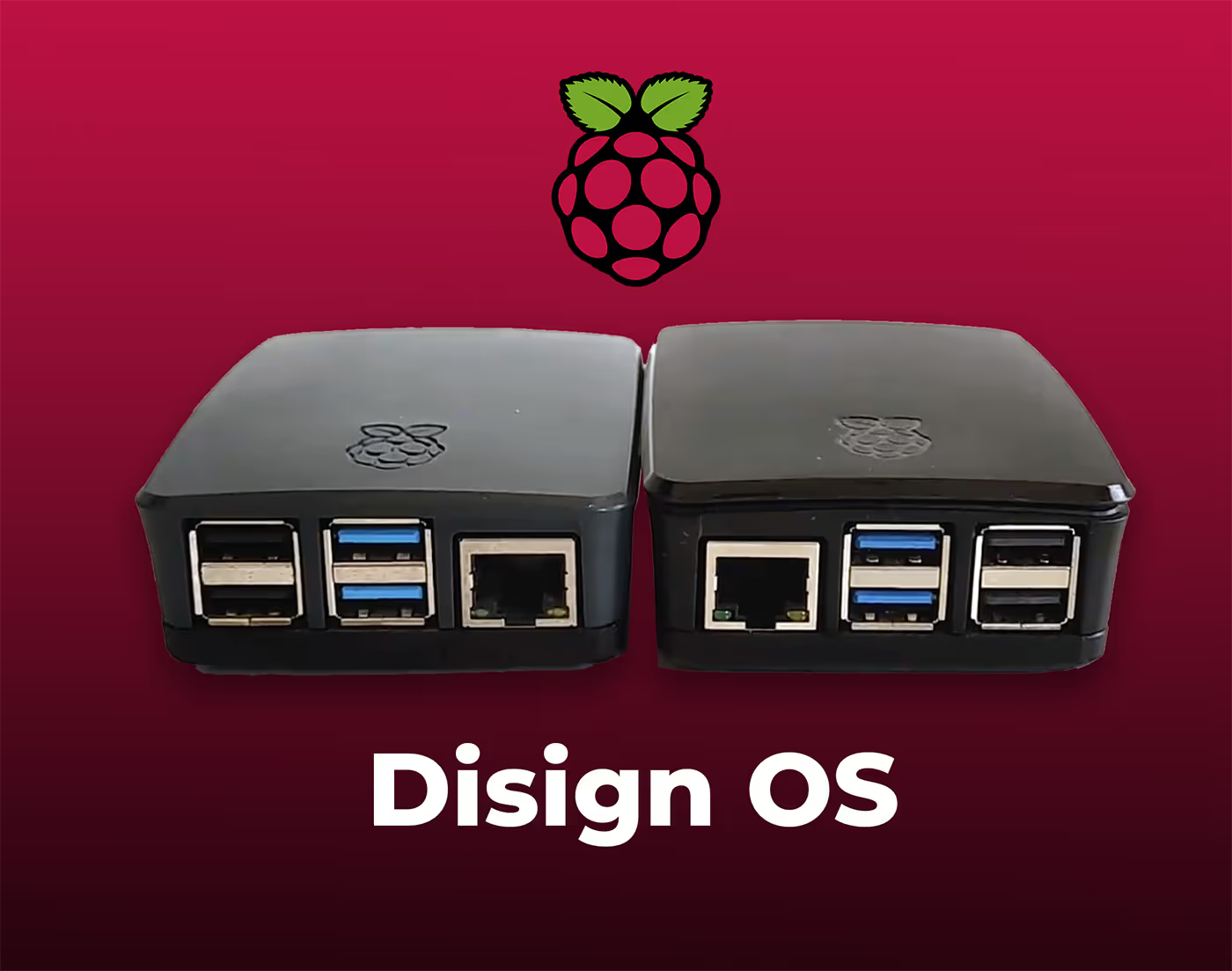
Disign is compatible with all screens for digital signage
Digital signage with Disign allows you to manage and display content across a variety of devices. Our solution is compatible with many external players such as Disign OS based on Raspberry Pi, BrightSign, and any Android hardware. Disign also supports technologies embedded in Samsung, LG, and Android TV screens. With this broad compatibility, you can easily deploy digital signage solutions on different types of hardware, ensuring simplified management and an optimal user experience.


Integrate with your favorite Applications
70+ Applications and infini integration with API, Database, and any data source
Easily integrate third-party applications and web content such as YouTube or Vimeo, optimized for seamless playback. Display data from RSS feeds or formats like CSV, JSON, or XML directly on your digital signage screens. Extend display capabilities with advanced applications like grids or collections to enrich Disign scenarios.

We designed Disign to be as open and customizable as possible, both in its visual scenes and in its data sources.
Florent MondoloniCo-Founder, Disign

Video
Utilisez vos medias

RSS Feed
Use your own RSS Feed

Database
Databases

Canva
Create your Design and import it

Google Sheets
Import CSV, Live data...

Website/API
Affiche your website or use API
Everything you need to know about Disign Digital Signage For Corporate
Corporate digital signage FAQ: practical answers for corporate teams evaluating Disign
Corporate digital signage has evolved into a strategic communication channel for offices, headquarters, and multi site corporate environments. It is used to keep teams aligned, welcome visitors, reduce confusion in busy lobbies, reinforce compliance messaging, and deliver consistent brand experiences across locations. This FAQ is written for corporate decision makers, workplace and facilities leaders, internal communications, IT and security teams, and marketing stakeholders who want a solution that is easy to manage at scale, reliable on the screen, and governed by clear permissions.
If you are comparing platforms, you are likely asking the same questions every corporate organization asks: how quickly can we deploy, how do we keep content controlled, how do we prove value, and what does IT need to be comfortable. The answers below focus on real world rollouts and what it takes to run corporate digital signage without creating extra work for office managers or branch teams.
What is corporate digital signage and what makes it different from consumer screens?
Corporate digital signage is a centrally managed network of screens used to display dynamic content in workplaces and corporate locations. Unlike a consumer TV showing a single input, corporate digital signage is designed for multi screen management, scheduling, governance, and secure distribution of content. The intent is not just to show content, but to deliver the right message to the right location at the right time, with accountability.
Common environments for corporate digital signage include:
- office lobbies and reception areas
- elevator bays and corridors with high foot traffic
- cafeterias, break rooms, and shared spaces
- meeting room displays and room booking screens
- training rooms and corporate academies
- staff only zones for internal updates and operational messaging
In a corporate context, the difference is operational control. You need a platform where content does not drift, brand standards remain intact, and the system can be managed without constant manual updates.
Why do corporate organizations invest in corporate digital signage instead of email, posters, or intranet only?
Email and intranet are essential, but they compete with hundreds of other messages. Posters are static, slow to update, and expensive over time when you factor in design changes, printing, shipping, and local handling. Corporate digital signage is valuable because it reaches people when they are already in the workplace, and it does so with consistent presentation.
Corporate teams typically choose digital signage because it helps them:
- communicate key messages without relying on inbox engagement
- improve visitor experience with clear guidance in lobbies
- keep staff aligned on priorities, safety, and operational updates
- reduce printing and manual posting across offices
- update content instantly across all locations from one place
- respond quickly during incidents, closures, or urgent policy changes
In short, corporate digital signage complements internal channels. It reduces friction for everyday communication and increases the chance that critical information is actually seen.
Where should corporate digital signage be placed to have real impact?
Placement matters more than most teams expect. A screen in the wrong spot becomes background noise. A screen in the right spot becomes a reliable touchpoint.
High impact placements include:
- reception, where visitors need immediate direction and reassurance
- elevator lobbies, where dwell time is predictable
- cafeterias and break rooms, where staff spend more time looking
- corridor intersections, where quick reminders reduce confusion
- near meeting rooms, where people check schedules and room status
- near service desks or internal support areas, where questions repeat
The best corporate digital signage networks are built around moments: arrival, waiting, moving between spaces, and preparing for meetings. Each moment can carry a different content strategy.
What business outcomes can corporate digital signage drive in a corporate environment?
Corporate digital signage is often funded through workplace experience, internal comms, IT modernization, or brand initiatives. The most common outcomes include operational clarity, better communication reach, and a stronger workplace brand.
Measurable outcomes can include:
- fewer repeated questions at reception or facilities desks
- faster adoption of internal programs due to consistent visibility
- improved compliance communication for policy reminders and deadlines
- reduced cost and time spent producing and distributing printed materials
- stronger brand consistency across offices and regions
- improved employee experience through clear, helpful updates
Many organizations also value execution quality as an outcome: how fast the company can publish an urgent message across locations, and how confidently leadership can assume it is actually on screen everywhere it should be.
What types of content work best on corporate digital signage screens?
The content that performs best is simple, timely, and designed for quick viewing. In a corporate hallway, you often have only a few seconds of attention. In a cafeteria, you may have more time, but the screen still has to be easy to scan.
High performing content includes:
- short announcements with one clear call to action
- visitor guidance such as where to check in and where to go
- safety and security reminders that are clear and calm
- internal program reminders with a simple next step
- event promotion, training sessions, and important dates
- KPIs and operational dashboards for staff only areas
- values, recognition, and culture messages that feel genuine
Avoid turning screens into a wall of text. If your slide needs a paragraph, it belongs in an email or intranet page, not on corporate digital signage.
How do we keep corporate digital signage content consistent with brand and tone across regions?
Consistency is one of the hardest parts of running screens at scale. Without structure, content becomes a mix of different designs, fonts, and tones, which weakens credibility. Corporate digital signage works best when it looks like a deliberate channel, not a collection of local experiments.
A strong approach usually includes:
- approved templates that enforce layout, fonts, and spacing
- brand asset libraries with up to date logos, backgrounds, and imagery
- clear content rules for headlines, calls to action, and disclaimers
- campaign scheduling that prevents outdated messages from lingering
- governance that balances central control with approved local flexibility
Disign supports template driven creation so teams can publish quickly without breaking brand standards. This is especially important during rebrands, office moves, or mergers, when consistency is under pressure.
Who typically owns corporate digital signage: internal communications, marketing, IT, or facilities?
In most corporate organizations, ownership is shared. That is normal, and it can work well if roles are clear. The mistake is letting everyone publish anything anywhere.
A common operating model looks like:
- internal communications owns editorial planning and messaging standards
- marketing supports brand alignment and design systems when needed
- facilities manages screen locations, hardware standards, and on site access
- IT and security own network, device policies, authentication, and risk controls
- local office leaders can request or publish content within approved templates and permissions
With Disign, permissions can be structured by location groups and roles, so each team gets what they need without creating uncontrolled publishing.
How do permissions and approvals work for corporate digital signage?
Corporate teams need to know who published what, when it went live, and who is allowed to update specific screens. That is where role based access and governance become essential.
A mature governance setup includes:
- role based permissions for creators, editors, and publishers
- location based access so teams only manage their own screens
- approval workflows for regulated or executive communications
- controlled templates that protect critical elements and formatting
- scheduling rules that ensure messages expire on time
The goal is speed with control. You want to move quickly, but you also want to prevent accidental publishing, outdated content, or inconsistent messaging.
How secure should a corporate digital signage platform be?
Treat screens as endpoints connected to your environment. Even if a screen shows public content, the management layer needs enterprise grade controls. Your security team will typically evaluate access control, data handling, device behavior, and auditability.
Key security requirements often include:
- secure authentication and permission management
- encrypted connections for management and content delivery
- device level controls and remote monitoring
- activity logs for administrative and publishing actions
- the ability to separate duties between content creation and publishing
- support for network rules that match corporate standards
Disign is designed to support centralized governance while keeping day to day publishing practical. The right security posture is not just about protection, it is about enabling rollout without endless exceptions.
Is corporate digital signage better managed in the cloud or on premises?
Most corporate digital signage programs benefit from cloud based management because it reduces operational overhead and supports faster scaling. Instead of maintaining local servers or relying on manual updates, cloud management lets you deploy changes across locations quickly.
Cloud management is typically preferred because it enables:
- centralized control across all sites without local infrastructure
- faster rollouts when new offices open or screens are added
- easier updates to templates, playlists, and schedules
- consistent governance from a single platform
Some organizations have specific constraints around networking or hosting. In those cases, your rollout approach should be designed with IT early, so the signage network fits your corporate policies.
What hardware do we need for a corporate digital signage rollout?
Hardware requirements depend on the environment, but the core components are consistent. You need displays, a way to play content, and a reliable connection. Corporate environments also need predictable uptime and a plan for maintenance.
Typical hardware needs include:
- commercial displays or reliable screens appropriate for business hours
- a media player or compatible device to run the signage player
- stable network connectivity, usually wired or secured WiFi
- mounts, power access, and physical security where necessary
In high traffic areas like lobbies, brightness and viewing angles matter. In meeting rooms, integration with booking systems might matter more. Disign can support different hardware approaches, so you can standardize over time rather than replacing everything immediately.
How do we scale corporate digital signage across multiple offices without creating chaos?
Scaling is not just adding more screens. It is keeping the system manageable when you go from 10 screens to 300. Corporate digital signage needs a structure that reflects how your company is organized.
A scalable approach usually requires:
- device provisioning that can be repeated consistently
- grouping by office, region, floor, or business unit
- bulk assignment of playlists and templates by group
- scheduling that can be applied across groups without manual edits
- monitoring so you can confirm screens are online and playing correctly
Disign is designed for multi location management. That means you can run a consistent corporate program while still allowing regional content where it makes sense.
How quickly can we launch a corporate digital signage pilot?
Timelines depend on how ready your spaces and stakeholders are, but pilots can move quickly when scope is realistic. Most successful corporate pilots focus on a small number of locations and a limited content set that proves value.
A practical pilot plan often includes:
- selecting 2 to 5 locations with different audiences and traffic patterns
- defining 3 to 5 content categories, such as visitor guidance, internal news, safety, and events
- building a set of approved templates to keep design consistent
- establishing roles and a publishing process before going live
- capturing feedback from reception, facilities, and end users
The goal of a pilot is not perfection. It is learning what content works, what governance is needed, and what IT requirements must be addressed before scaling.
How often should corporate digital signage content be updated?
Freshness matters because people stop noticing content that never changes. At the same time, constant changes without intention can feel noisy. The right cadence is tied to your communication rhythm.
A balanced cadence often looks like:
- weekly updates for rotating corporate messages and upcoming events
- daily updates for time sensitive operational content where needed
- immediate updates for urgent notices, safety incidents, or closures
- monthly refresh of evergreen content so it does not feel stale
Disign makes updates fast, which reduces the temptation to leave content up for too long. Good governance plus easy publishing is what keeps corporate digital signage effective long term.
Can corporate digital signage support visitor management and reception flow?
Yes, and this is one of the fastest ways to improve workplace experience. Visitors and new hires often feel uncertainty when they enter a corporate building. A screen that clearly explains what to do reduces friction and helps reception teams.
Corporate digital signage can support reception by displaying:
- welcome messages and basic check in instructions
- directions to elevators, floors, and departments
- meeting etiquette reminders, such as badge policies
- health and safety guidance when relevant
- event schedules or wayfinding for large meetings
Even without deep integrations, clear screens reduce repeated questions and create a more professional first impression.
Can corporate digital signage be used for internal communication without overwhelming employees?
Yes, if the content is genuinely useful and not just corporate noise. Employees tune out screens that feel like a marketing channel. They pay attention to screens that help them navigate the day.
Strong internal uses include:
- operational updates that impact daily work
- security reminders and policy deadlines
- learning and development opportunities with a clear next step
- recognition and team wins that feel specific and authentic
- leadership messages used sparingly and at the right moments
The best corporate digital signage programs have an editorial plan. They treat the channel as a service to employees, not a dumping ground for announcements.
How does corporate digital signage support compliance and policy communication?
Corporate organizations often need to communicate policies, deadlines, and mandatory reminders. The challenge is making sure messages are accurate, current, and consistently displayed across locations.
Corporate digital signage supports compliance when you have:
- controlled templates that keep required language intact
- scheduled content windows so outdated policies do not remain on screen
- approval processes for sensitive communications
- clear ownership so updates happen on time
- audit friendly governance and activity tracking
Screens do not replace formal policy channels, but they are a powerful reinforcement tool. They reduce the risk that key reminders get lost in the inbox.
What about accessibility and readability for corporate digital signage?
Accessibility is not optional. Corporate screens are viewed by diverse audiences, including visitors, older employees, and people with visual impairments. Good design improves comprehension for everyone.
Accessibility best practices include:
- large font sizes with strong contrast
- simple layouts with clear hierarchy and spacing
- minimal text and plain language
- captions for video when audio is off or inappropriate
- avoiding fast scrolling small tickers that are hard to read
Templates in Disign can help standardize accessible design, so content remains readable regardless of who creates it.
How do we measure ROI for corporate digital signage?
ROI for corporate digital signage is usually a mix of cost reduction, operational efficiency, and experience improvements. Not every benefit is a direct revenue number, but the value can still be real and measurable.
Common ROI drivers include:
- reduced printing and distribution costs for posters and notices
- fewer support and reception questions due to clearer guidance
- faster rollout of critical messages across locations
- improved participation in internal programs and training
- improved workplace experience and perceived professionalism
You can also measure operational performance:
- time to publish an urgent update across all screens
- percentage of screens online and compliant with playlists
- content freshness and campaign completion rates
These metrics help leadership see that corporate digital signage is not just creative output, it is a managed communication system.
What should we look for in a corporate digital signage platform like Disign?
Corporate teams need a platform that balances usability with governance. If publishing is too complex, content will not stay fresh. If governance is too weak, you risk brand inconsistency and operational mistakes.
A strong corporate digital signage platform should provide:
- centralized management for multi location environments
- permissions and grouping aligned to corporate structure
- template driven content creation for speed and consistency
- scheduling and playlist controls for targeted messaging
- monitoring and visibility into screen status
- workflows that match how your teams actually work
Disign is built to help corporate organizations run corporate digital signage as a dependable channel, with the structure IT and brand teams need, and the simplicity content teams want.
What are the next steps to start a corporate digital signage project?
Start with clarity, not hardware. The strongest rollouts begin with goals, audiences, and governance, then move into pilot execution.
A practical next step plan includes:
- defining the main use case, such as internal comms, reception guidance, or workplace safety
- identifying stakeholders from internal comms, facilities, IT, and security
- selecting pilot locations with real traffic and clear needs
- creating a small template set and a simple editorial calendar
- agreeing on permissions, approvals, and update cadence
Once the pilot proves value and the operating model is stable, scaling corporate digital signage becomes a repeatable process instead of a one time project.





Join community of 4k+ people
Corporate digital signage you can launch today across every office and branch
Disign helps corporate teams manage corporate digital signage from one secure dashboard. Publish clear updates, service messages, internal announcements, and compliance notices to the right screens in seconds, without relying on IT for every change.
Ready to try it in your corporate environment. Start your 28 day free trial with no credit card required, or contact us if you want help choosing the best setup for your locations and getting your first screens live quickly.