School digital signage for clear, consistent campus communication
School digital signage that keeps everyone informed and on time
Replace last minute paper notices with instant updates on every screen. With Disign school digital signage, share announcements, schedules, safety alerts, events, and wayfinding in minutes, across classrooms, hallways, cafeterias, and campuses, with consistent branding and real-time control. Try for free no credit card required. Get started for free. contact us

Challenges in the school industry: when campus communication falls apart
In a busy school, students, staff, and families need clear updates the moment they arrive. When messages are scattered or outdated, uncertainty quickly turns into repeated questions, missed information, and stressful bottlenecks at the front office.
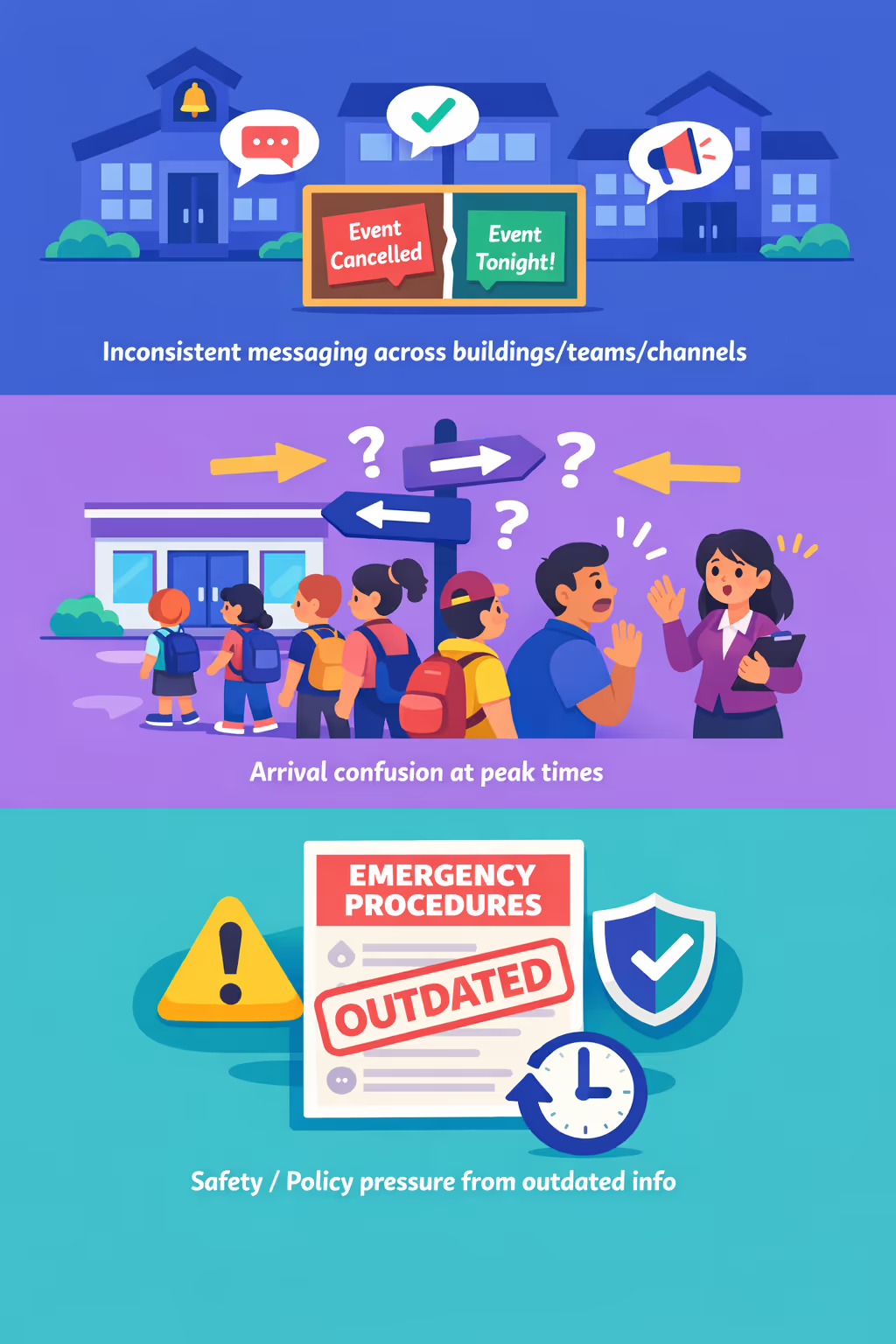
Schedules, room changes, safety updates, and event details shift fast. When the office, teachers, and different buildings share different versions, families lose trust and small misunderstandings can become complaints.
People want to know where to check in, where to drop off, and what the next steps are. Without clear, visible guidance, staff spend the morning repeating directions instead of supporting students and keeping the day running smoothly.
School communication needs to be accurate and consistent with the latest procedures. When printed notices and hallway updates are not refreshed everywhere at the same time, people follow the wrong instructions, creating risk during emergencies and damaging credibility.
School digital signage that keeps your campus informed and connected
Share timely updates across every screen in your school with Disign. Publish announcements in minutes, reduce printing and admin time, improve student navigation, and deliver consistent messaging that supports safety, engagement, and measurable ROI.

Publish announcements in real time
Update schedules, events, closures, exam notices, and cafeteria menus instantly. With centralized publishing, you avoid outdated posters and keep students, staff, and families aligned.
Improve wayfinding and reduce congestion
Use clear directions and rotating guidance for arrivals, assemblies, pickup zones, and campus services. Better flow means fewer late arrivals, less confusion, and more time for learning.
Show ROI with fewer prints and faster updates
Replace recurring printing with screens managed in one platform. Save on paper, design, and staff hours, while ensuring every message is current and consistent across your school.
Strengthen safety and emergency communication
Display safety reminders, visitor guidance, and urgent alerts on the right screens at the right time. Standardized templates help you communicate clearly during drills and real incidents.
Lower workload for admin and staff
Give approved teams a simple workflow to publish content without chasing emails or replacing posters. Keep communications consistent while freeing staff to focus on students.
Support multilingual and targeted messaging
Share the right message for each building, grade level, or audience. Promote clubs, celebrate achievements, and provide family friendly updates in multiple languages while staying on brand.
School digital signage use cases across every campus space
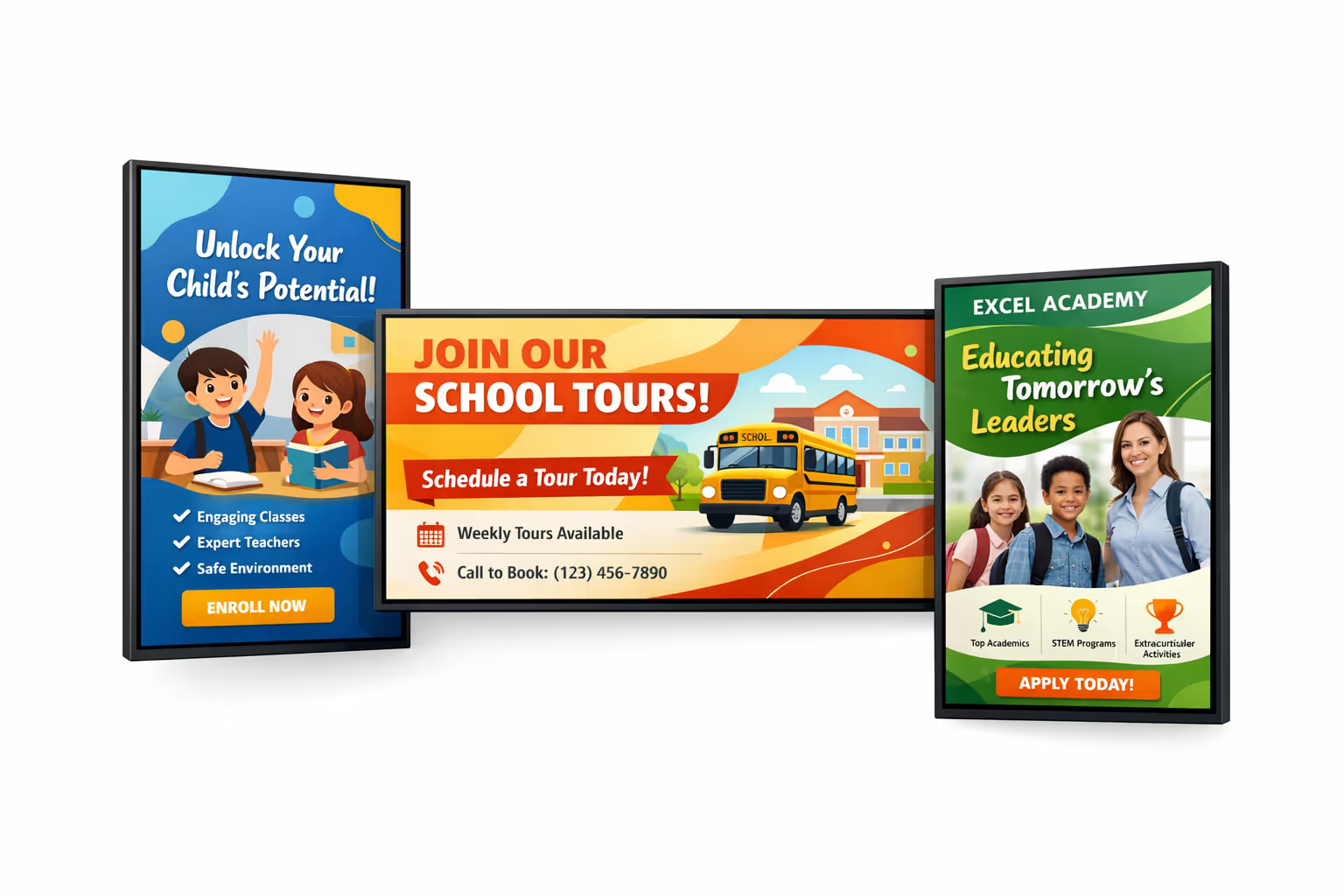
From the front office to hallways and cafeterias, school digital signage keeps students, staff, and families informed in real time. Share consistent updates, reduce last minute confusion, and strengthen confidence with clear, official communication across your campus.
- Entrances and front office: welcome visitors, show sign in guidance, and post important announcements
- Hallways and common areas: highlight events, celebrate student achievements, and share daily reminders
- Cafeterias: display menus, allergy notices, nutrition info, and schedule updates during busy periods
- Staff rooms and admin offices: align teams with policies, emergency procedures, and internal updates
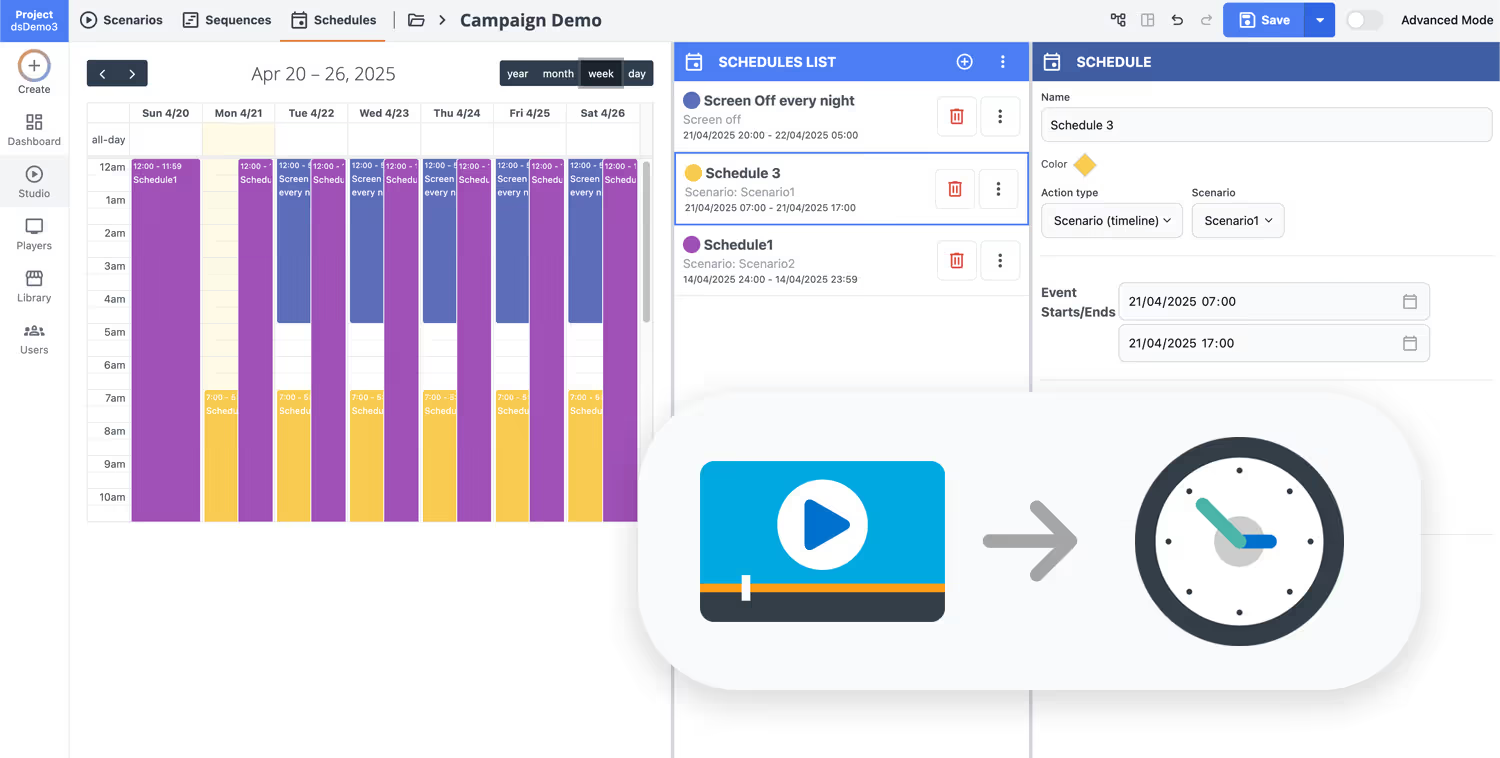
How Disign digital signage works
Schedule your content from anywhere with our cloud-based digital signage solution. Easily plan what plays, when, and where—across one screen or thousands.
Design custom scenarios and playlists tailored to your audience and goals.
Set precise dates and times for your content to play automatically.
Deploy content instantly across your digital signage network with just a click.
Ready to launch school digital signage that students and staff actually use?
Start your 28 day free trial of Disign and publish announcements, schedules, lunch menus, emergency messages, and event reminders to every screen in minutes. No credit card required, just pick a screen and go.
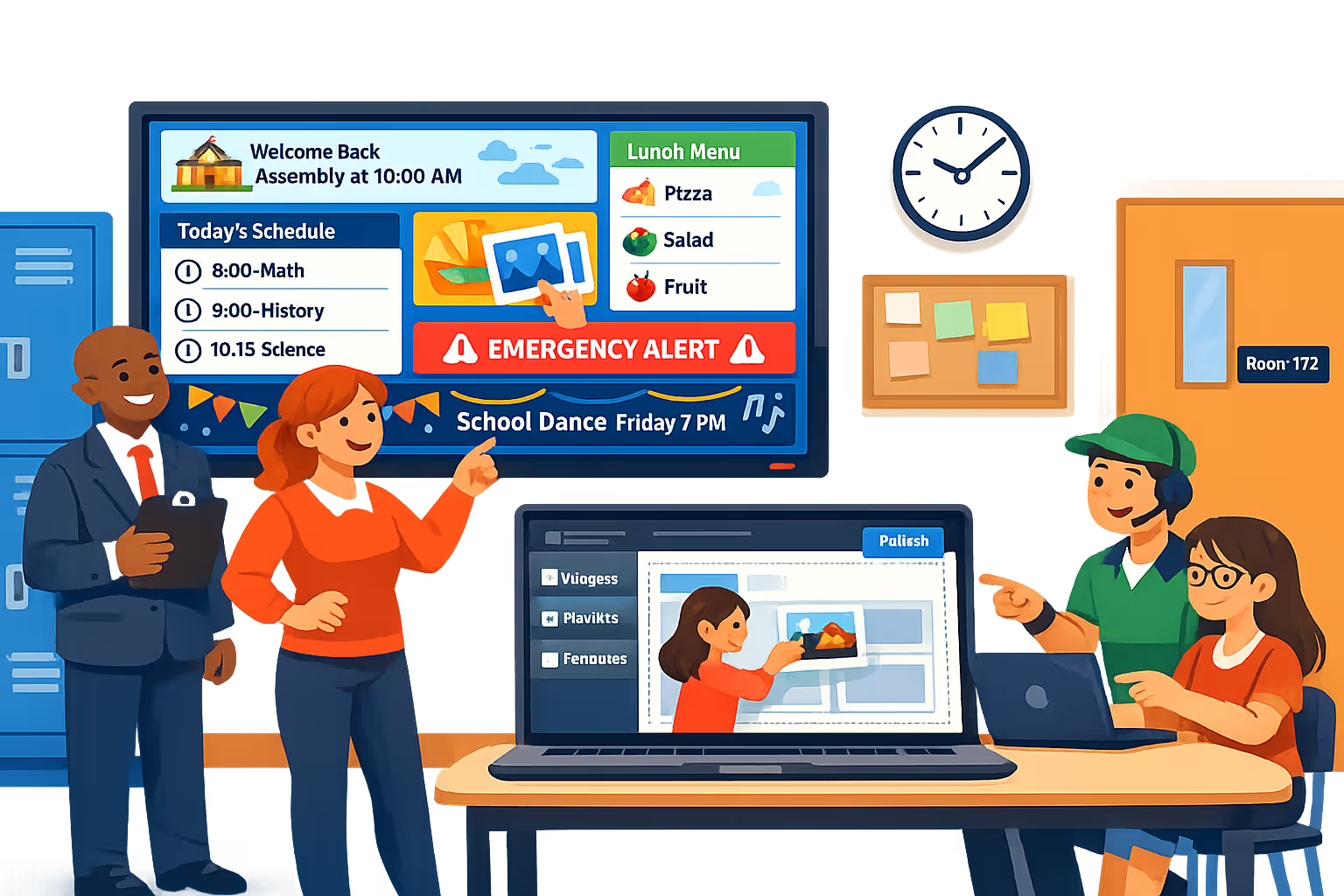
School digital signage designed for faster, safer campus communication
Keep students, staff, and visitors informed across every screen in your school. Disign helps you publish announcements, schedules, emergency alerts, and event messaging from one dashboard, with controlled access and clear publishing history.
Central management across the whole school
Control school digital signage from one place
Manage hallway displays, cafeteria TVs, library screens, and admin signage with location targeting, reusable playlists, and role based permissions. Standardize your message while letting each team publish approved local updates when needed.
Secure access and device governance
Protect content, screens, and accounts
Assign who can create, review, and publish with granular permissions. Use secure sign in, controlled device pairing, and audit friendly activity logs to support IT policies and reduce the risk of unauthorized changes.
Approval workflows for school communications
Review paths for sensitive or official messages
Publish with structure: draft, review, approve, then schedule. Keep version control for policies, safety notices, and parent communications so the right message appears on the right screen at the right time.
Smart scheduling and automated playback
Timetables, events, and time based content
Automate school digital signage with schedules, recurring campaigns, and dayparting. Switch content for arrivals, lunch, dismissal, assemblies, or urgent notices without manual updates.
Playback reliability and remote monitoring
Visibility into uptime, screens, and players
Monitor device health and confirm content delivery with remote diagnostics. Detect offline players quickly and keep campus communication consistent, even across multiple buildings and display types.
Deployment support for IT and school teams
Rollout help, templates, and best practices
Get practical guidance from setup to daily operations. We help you standardize layouts, onboard contributors, and troubleshoot devices so your school digital signage remains easy to manage and technically reliable.

Centralized content management for school digital signage
Manage school digital signage from one secure platform. Create, review, schedule, and publish announcements, safety messages, and event promotions across classrooms, hallways, cafeterias, and campuses with the control IT needs and the speed marketing and operations rely on.
One source of truth for every school screen
District wide control with campus flexibility
Publish consistent district messaging while allowing each school to add local updates like bell schedules, club announcements, cafeteria menus, and pickup reminders, all within approved templates and rules.
District campaigns, school events, and daily moments
Schedule content by school, building, or screen type. Keep messaging consistent, time sensitive notices accurate, and communications aligned across your school digital signage network.
Built for school IT governance and security
Centralize access with role based permissions, structured approvals, and consistent playback policies so every update follows your school standards, brand guidelines, and audit expectations.
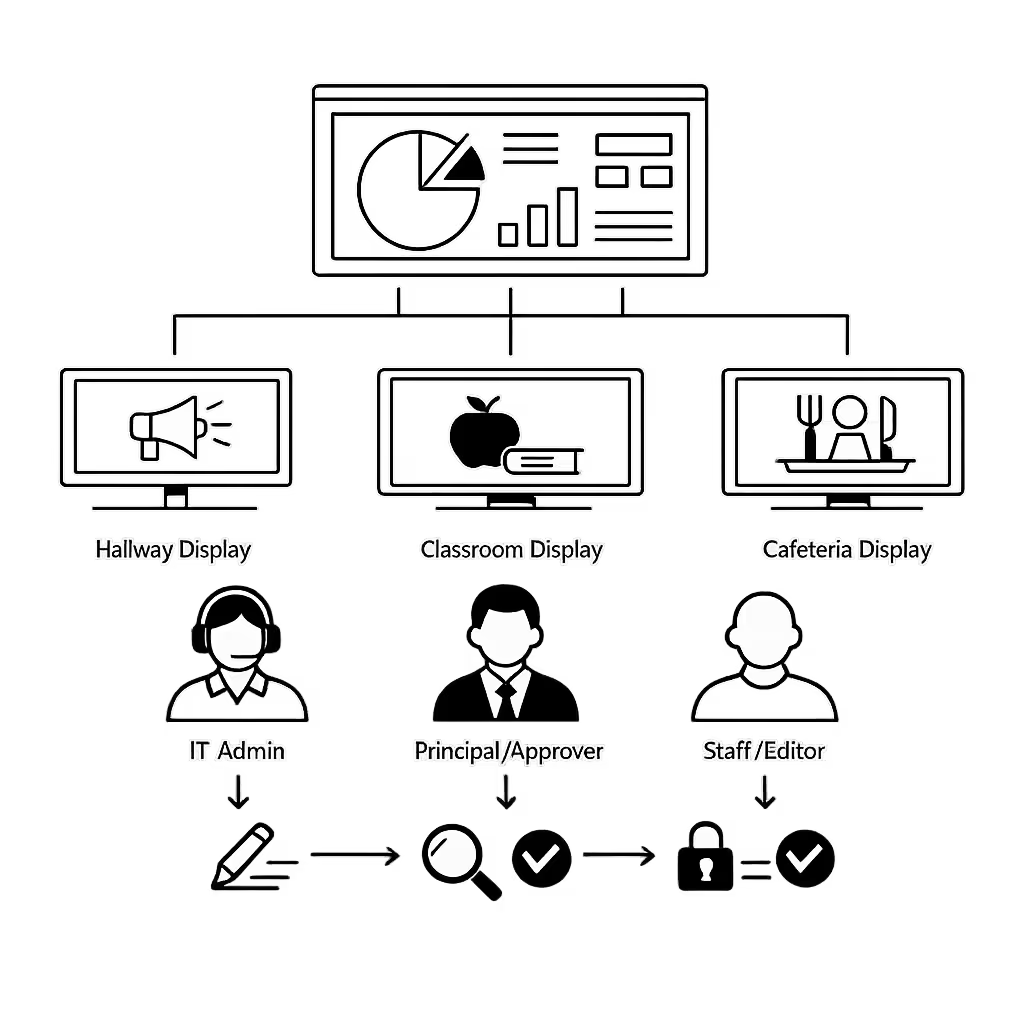
Real time updates for school operations
Push urgent alerts, schedule changes, weather closures, and service announcements in seconds. Keep every display accurate during arrivals, dismissals, drills, and disruptions, without chasing individual staff members.
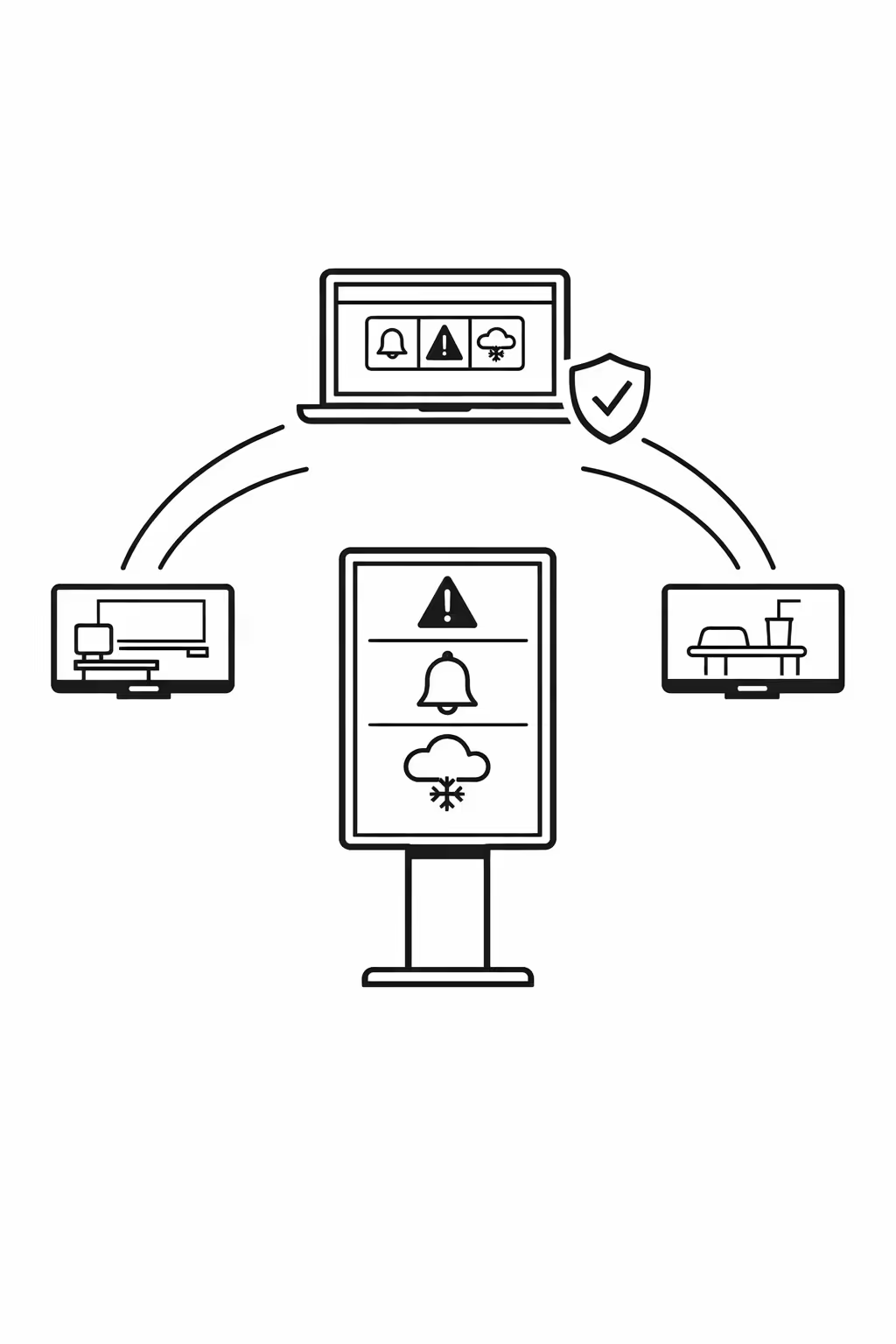
Scalability for growing school networks with school digital signage
Scale school digital signage across campuses, districts, and academies from one cloud platform. Publish updates in minutes, keep governance clear, and maintain consistent communication as your school network grows.
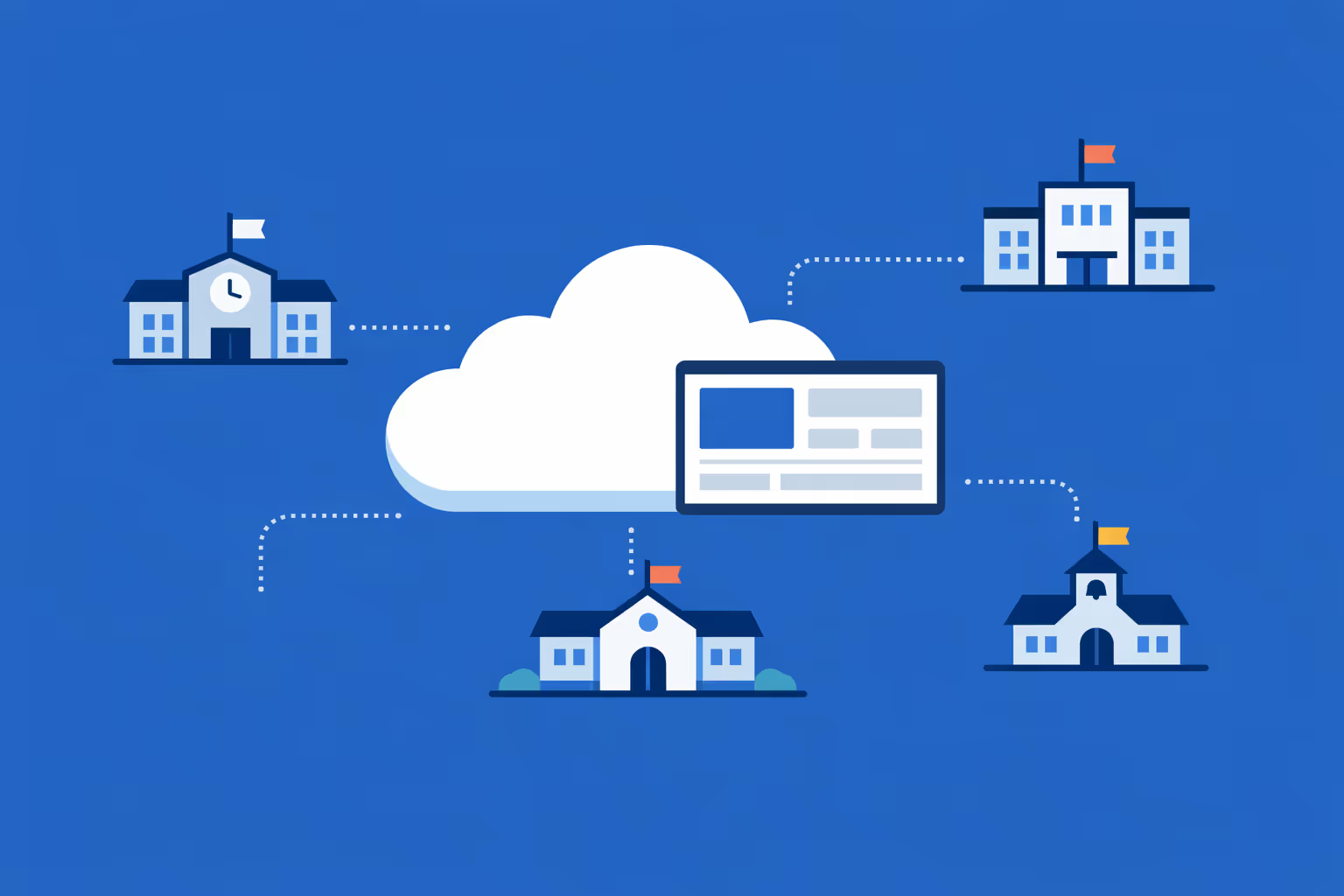
Multi-site management from one cloud dashboard
Manage school digital signage across every campus from a single view. Deploy content instantly, verify what is playing in real time, and keep district-wide messaging consistent while allowing local updates when needed.
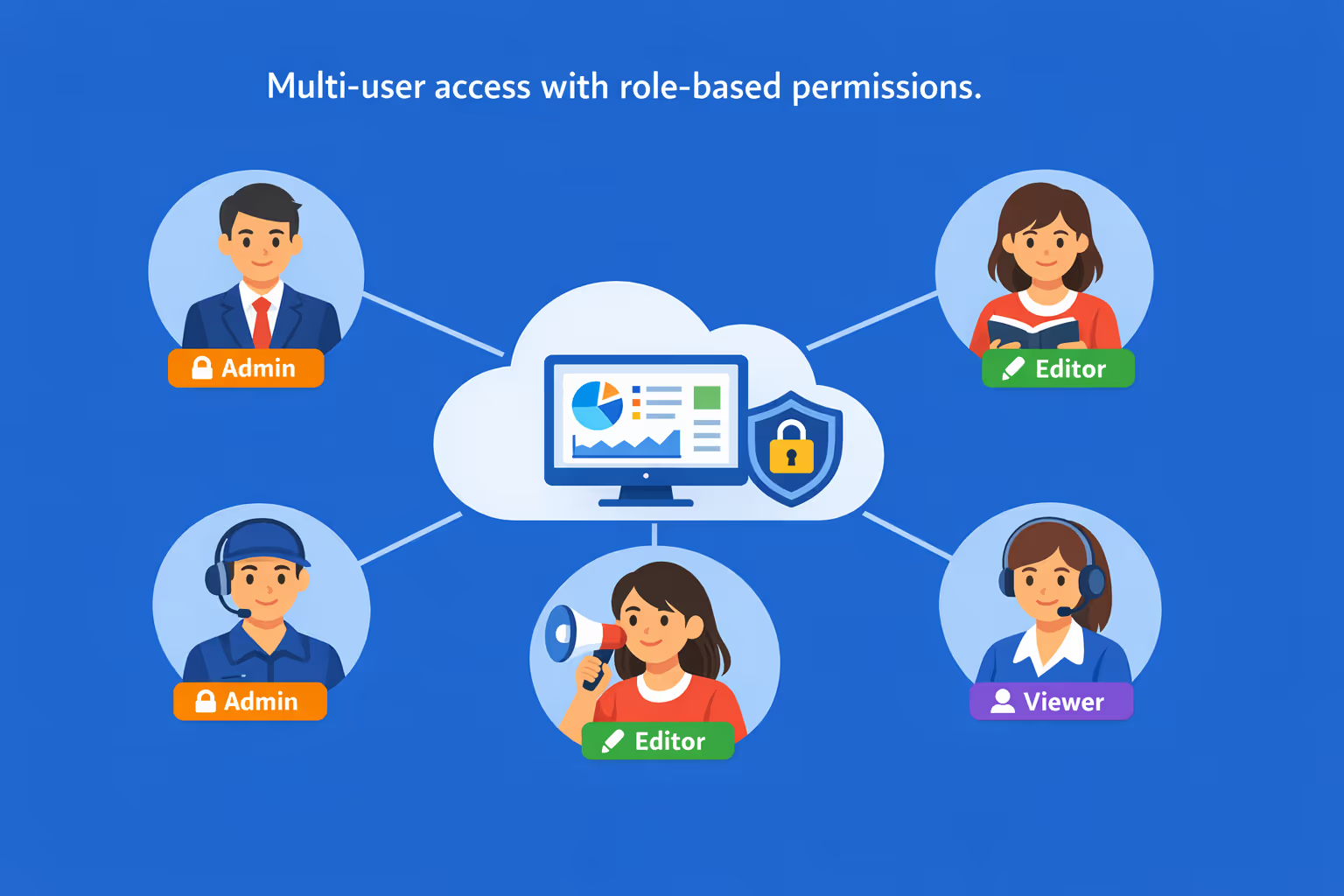
Multi-user access with role-based permissions
Give principals, communications teams, and IT the right level of access. Assign roles by school, department, or region so collaboration stays fast, approvals stay clear, and your school digital signage remains secure and well organized.
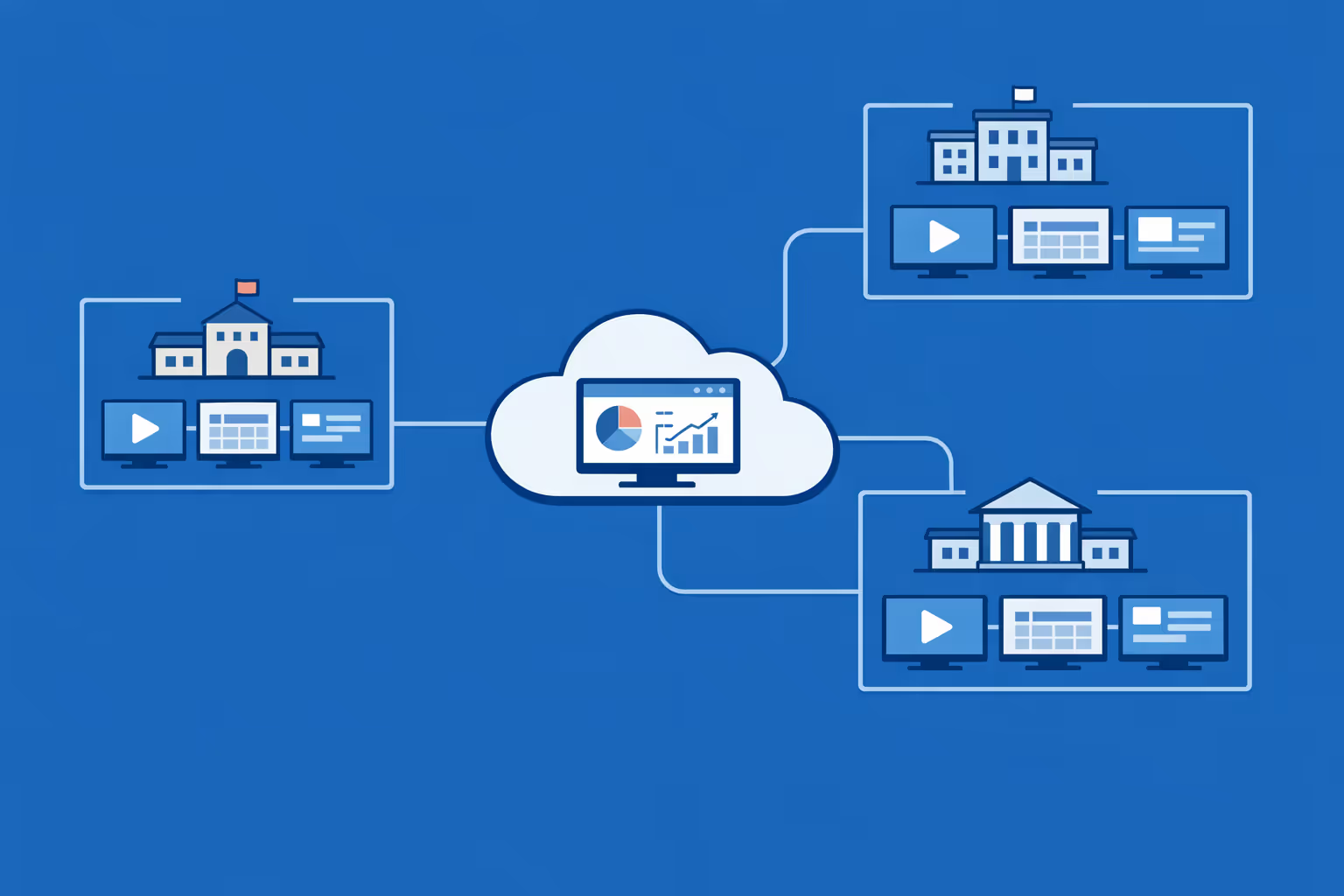
Multi-screen and multi-organization ready
Control hundreds or thousands of screens and manage multiple schools or organizations within one account. Segment school digital signage by district, campus, building, or audience to scale without losing relevance for students, staff, and visitors.
Disign is compatible with all screens for digital signage
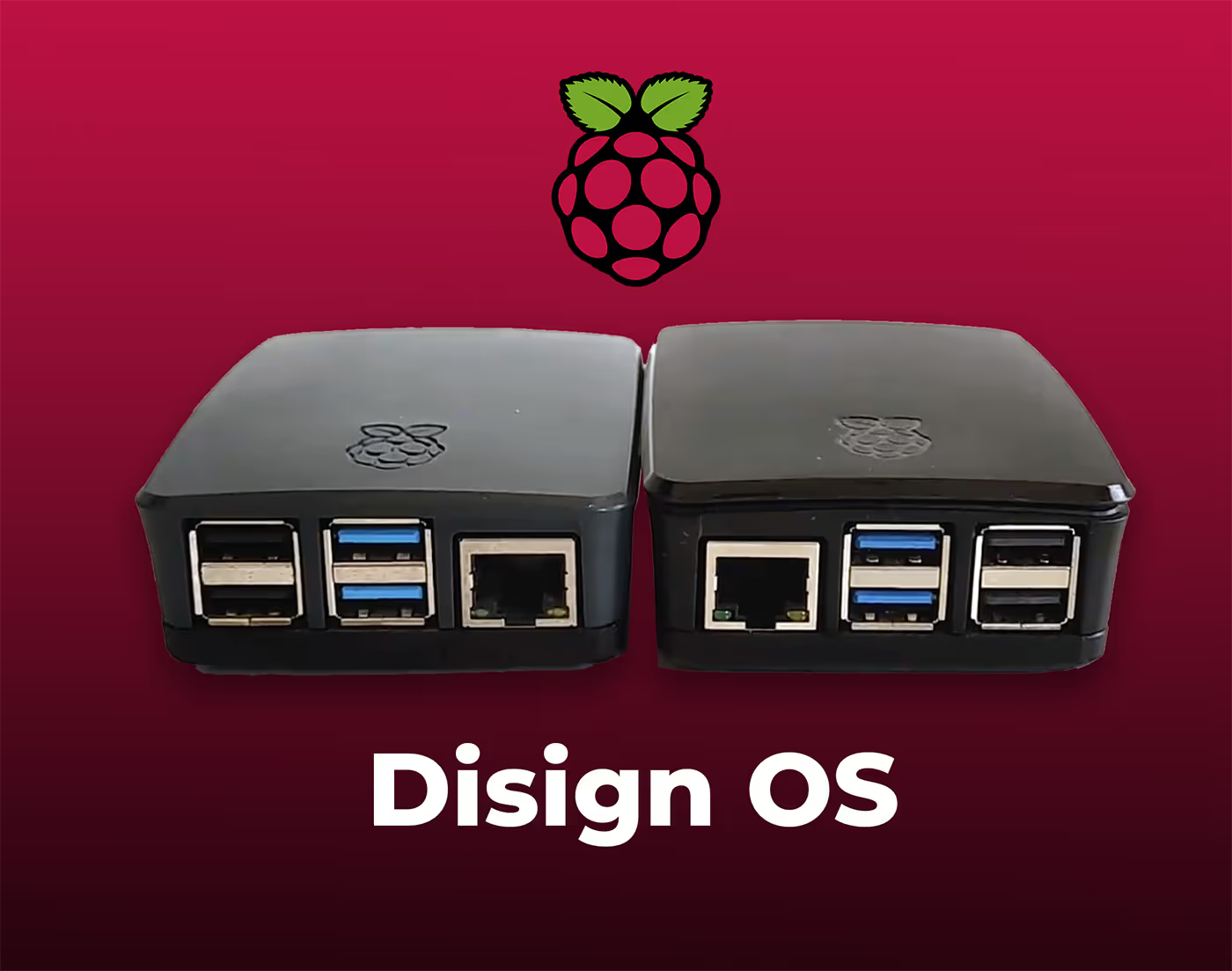
Digital signage with Disign allows you to manage and display content across a variety of devices. Our solution is compatible with many external players such as Disign OS based on Raspberry Pi, BrightSign, and any Android hardware. Disign also supports technologies embedded in Samsung, LG, and Android TV screens. With this broad compatibility, you can easily deploy digital signage solutions on different types of hardware, ensuring simplified management and an optimal user experience.


Integrate with your favorite Applications
70+ Applications and infini integration with API, Database, and any data source
Easily integrate third-party applications and web content such as YouTube or Vimeo, optimized for seamless playback. Display data from RSS feeds or formats like CSV, JSON, or XML directly on your digital signage screens. Extend display capabilities with advanced applications like grids or collections to enrich Disign scenarios.

We designed Disign to be as open and customizable as possible, both in its visual scenes and in its data sources.
Florent MondoloniCo-Founder, Disign

Video
Utilisez vos medias

RSS Feed
Use your own RSS Feed

Database
Databases

Canva
Create your Design and import it

Google Sheets
Import CSV, Live data...

Website/API
Affiche your website or use API
Everything you need to know about Disign Digital Signage For School
School digital signage FAQ: practical answers for school leaders planning a campus rollout
School digital signage is a communication channel designed for real school life. It helps you share announcements quickly, guide students and visitors, support safety procedures, and keep everyone aligned without relying on paper flyers that become outdated overnight. This FAQ is written for principals, district communication teams, IT directors, campus operations, and activity coordinators who want a solution that is easy to manage, secure, and scalable across multiple buildings.
Below you will find common questions schools ask when evaluating a platform like Disign for school digital signage, with clear answers you can act on.
What is school digital signage and where is it used?
School digital signage is a network of screens managed from one place that display timely, relevant messages to students, staff, families, and visitors. Instead of updating posters by hand, you publish content digitally and send it to the right screens automatically.
Typical places schools use digital signage include:
- front office and main entrance welcome screens
- hallway and common area screens between classes
- cafeteria menus and nutrition information displays
- library and media center screens for events and resources
- gym, auditorium, and athletics areas for schedules and results
- teacher lounge or staff only screens for internal updates
- classroom door or wing signage for wayfinding and reminders
- district office and board meeting spaces
The main goal is simple: deliver the right message at the right moment, while keeping branding and messaging consistent across the campus or district.
Why do schools invest in school digital signage instead of posters?
Print is familiar, but it is slow and hard to maintain. Flyers get removed, covered, or ignored, and the staff time spent printing and walking the building adds up.
Schools invest in school digital signage because it helps to:
- update announcements instantly, even minutes before a bell
- reduce paper waste and printing costs over the year
- keep information consistent across multiple buildings
- improve visitor experience with clear wayfinding and welcome messages
- support safety communication with fast, controlled updates
- highlight student achievements and build school culture
For busy school teams, the biggest value is reliability. You can publish once and know it will appear everywhere it should, without chasing down bulletin boards.
What are the best use cases for school digital signage on campus?
The strongest school digital signage use cases are the ones that reduce confusion and improve daily flow. Screens are most effective when they are clear, short, and easy to scan while walking.
Common use cases include:
- daily announcements, bell schedule reminders, and special events
- wayfinding for visitors: check in, office location, campus map guidance
- cafeteria menus, allergy notes, and lunch line reminders
- club meetings, student council, and extracurricular highlights
- athletics schedules, game day reminders, and results
- library hours, featured books, and digital resources
- emergency preparedness reminders and safety drills
- attendance campaigns, spirit week, and positive behavior messaging
- district wide messaging that still feels local to each campus
With Disign, these messages can be scheduled, targeted by building or screen group, and updated without asking staff to plug in USB drives or manually change slides in each hallway.
How does school digital signage improve communication with students and staff?
School communication often fails for one reason: people do not see the message at the right time. Email is easy to miss, backpacks do not always make it home, and announcements can blur together.
School digital signage improves communication by:
- placing messages in high traffic areas where students actually look
- repeating key reminders during predictable times of day
- keeping content current so people trust the screen
- making important steps simple: where to go, what to bring, what time
- reinforcing priorities like attendance, behavior, and campus routines
When screens are consistent, students learn to rely on them. That reduces repeated questions at the front office and helps staff spend less time redirecting.
Can school digital signage support emergency alerts and safety communication?
Yes, and it is one reason many districts prioritize digital signage. While digital signage is not a replacement for mass notification systems, it can complement them by reinforcing instructions visually and keeping messages visible in common areas.
Schools commonly use signage for:
- lockdown, shelter in place, and evacuation instructions
- campus closures, late start updates, and severe weather notices
- visitor check in reminders and campus entry procedures
- health guidance such as outbreak related reminders when needed
- staff only operational notes during incidents
A good practice is to define who can publish urgent messages, how they are approved, and what prebuilt templates are available. With Disign, you can control access by role and location so urgent messaging stays reliable and governed.
What types of content work best for school digital signage?
The best performing content is short, readable, and designed for people who are walking. If a slide requires more than a few seconds to understand, it will be ignored.
High impact content types include:
- one announcement per slide with a clear date and time
- simple calls to action like scan a QR code, sign up, or attend
- photo driven highlights of student work and achievements
- rotating calendars for upcoming events and testing windows
- cafeteria menus with clear labeling
- quick reminders: dress code days, early release, assembly schedule
- staff only slides: meeting times, duty reminders, PD sessions
Avoid dense paragraphs, small fonts, and cluttered layouts. A useful rule is one message, one action, one visual focus.
Can we customize school digital signage by building, grade level, or audience?
Yes. Personalization is one of the biggest strengths of school digital signage. A district can run consistent messaging while still giving each campus or building the freedom to stay relevant.
Common targeting approaches include:
- playlists per campus, building, or wing
- separate content for elementary, middle, and high school audiences
- time based scheduling for morning arrival, lunch, and after school
- language based playlists for multilingual communities
- screen specific content, like cafeteria menus only on cafeteria displays
With Disign, you can manage everything centrally while allowing approved local updates, so principals and site teams can communicate what matters without breaking district standards.
How does Disign help maintain branding and consistency across a district?
In schools, brand consistency is not only about logos. It is also about clarity, tone, and trust. When every screen looks different, families and staff assume the information is unofficial.
Disign supports consistency through:
- reusable templates that standardize fonts, colors, and layout
- shared asset libraries for logos, mascots, and approved imagery
- district controlled playlists that campuses can inherit
- permissions that prevent accidental off brand content
This is especially helpful during district campaigns like enrollment, testing windows, or attendance initiatives where consistency improves outcomes.
What security features should a school digital signage solution have?
Schools need to treat signage as a managed system, not a random TV with a slideshow. The platform should protect student privacy, prevent unauthorized changes, and keep devices stable.
Key security features to look for include:
- user roles and permissions so only authorized staff can publish
- secure login and strong access control options
- encrypted connections for management and content delivery
- device monitoring so you can detect offline screens quickly
- audit logs for publishing and administrative actions
- controlled content sources so embedded web content is safe and intentional
Disign is built to support structured access and centralized control, so you can scale school digital signage without creating a new security headache for IT.
Is school digital signage cloud based or installed on a local server?
Most schools prefer cloud based management because it reduces maintenance and makes it easier to support multiple campuses. A cloud platform lets you publish from the district office or from home during a closure, while screens keep playing their scheduled content.
With Disign, cloud management helps you:
- avoid running local servers for signage in each building
- update content quickly across many screens
- scale as you add schools, buildings, or new displays
- keep consistent governance with one platform
Your IT team can still apply district network rules and device management standards, just like with other managed endpoints.
What hardware do we need for school digital signage?
The basics are straightforward. You need a screen, a way to play content, and a reliable network connection.
Most schools use:
- commercial grade displays for high use areas, or existing TVs where appropriate
- a media player or compatible device to run the signage player
- mounting hardware appropriate for halls, offices, or cafeterias
- wired or stable Wi Fi connectivity, depending on location
Commercial displays typically last longer in high traffic environments and handle longer operating hours better. If you are starting small, you can pilot with existing screens and standardize hardware later.
Can school digital signage work across multiple schools and hundreds of screens?
Yes. Scalability is a core requirement for districts. Managing content manually at each site does not work once you pass a handful of screens.
A scalable approach requires:
- device grouping by district, campus, building, and zone
- bulk assignment of playlists and schedules
- templates that keep design consistent without extra work
- monitoring to confirm screens are online and playing correctly
Disign is designed for multi location management so districts can keep control centrally while still supporting local site needs.
How should schools organize responsibilities between communications, IT, and campus admins?
Clear ownership prevents confusion and prevents accidental mistakes. Many districts succeed with a simple operating model.
A practical structure often looks like:
- district communications owns templates and district wide campaigns
- campus admins publish local announcements using approved templates
- IT owns device standards, network rules, and player management
- principals or designated approvers review sensitive or high impact posts
Disign supports this approach with permissions and organized content workflows, so each team can do its job without being blocked or overexposed.
How often should school digital signage content be updated?
Students notice when screens are stale. Families and visitors also stop trusting signage if it shows last month’s events.
A realistic update rhythm is:
- daily updates for announcements and schedule changes
- weekly refresh for clubs, sports, and upcoming events
- immediate updates for closures, safety notices, and urgent operational changes
- monthly review for evergreen content such as policies and resources
The goal is not to change content constantly. The goal is to keep it accurate, timely, and worth looking at.
Can school digital signage help reduce front office interruptions and repetitive questions?
Yes, especially when you use screens for the questions the office answers all day. Many schools underestimate how much time staff spend repeating simple directions.
Common time saving messages include:
- visitor check in steps and ID requirements
- where to drop off late work or pick up forms
- attendance office hours and absence reporting instructions
- schedule reminders for early release and testing days
- where students go for tutoring, counseling, or nurse visits
When signage provides clear answers in the right place, students and visitors arrive better prepared and office staff can focus on higher value tasks.
How do we measure the ROI of school digital signage?
ROI in schools is not always about revenue. It is often about time saved, reduced confusion, stronger engagement, and better consistency across campuses.
Common value areas include:
- reduced printing and paper costs
- fewer last minute reprints and staff time spent posting flyers
- improved attendance and participation in events due to better visibility
- fewer missed deadlines because reminders are visible daily
- stronger school culture through recognition and student showcases
- improved visitor experience through clear directions
You can also measure operational success: how fast you can publish a district wide message, how consistently screens stay online, and whether campuses are using approved templates.
What should we look for in templates and scheduling tools?
Templates and scheduling are what make school digital signage manageable at scale. Without them, you end up with inconsistent slides and too many manual steps.
Look for:
- templates that lock layout so content stays readable
- easy fields for date, time, location, and call to action
- reusable components like calendars, menu boards, and announcement blocks
- scheduling by date range and time of day
- the ability to run different playlists on different screens automatically
Disign helps teams move faster by building approved templates once, then letting schools reuse them safely across a district.
How do schools handle multilingual communication on digital signage?
Many school communities are multilingual, and screens are a practical way to make families feel welcomed and informed.
Good approaches include:
- rotating languages on the same screen when audiences overlap
- assigning language specific playlists to specific buildings or neighborhoods
- using clear plain language and avoiding education jargon
- combining short text with strong visual cues for key instructions
- keeping critical messages consistent across languages
With Disign, you can maintain a core message and produce variations per language without reinventing every slide.
Can school digital signage be used for internal communication and staff alignment?
Yes. Staff facing screens can reduce email overload and help teams stay aligned on daily priorities.
Common internal content includes:
- duty schedules and coverage notes
- staff meeting reminders and professional development sessions
- quick policy reminders and compliance deadlines
- cafeteria counts, event setup notes, and operations checklists
- recognition for staff achievements and milestones
A dedicated staff playlist can keep internal messaging organized, while public screens focus on student and visitor information.
How can school digital signage support accessibility and readability?
Accessibility matters because school audiences include students with diverse needs, visiting grandparents, and community members who may have visual or hearing impairments.
Effective accessibility practices include:
- large fonts and strong contrast
- minimal text with clear hierarchy
- avoiding fast moving small tickers that are hard to read
- using captions for video when audio is not appropriate
- consistent placement of key information like dates and locations
With Disign templates, you can standardize accessible design so every campus follows the same best practices instead of relying on individual slide creators.
How quickly can a school district deploy school digital signage?
Timelines depend on hardware readiness, network approvals, and how quickly you can agree on templates and workflows. Many districts move fastest by starting with a pilot.
A typical rollout path is:
- pilot in a few buildings to validate placement, content, and responsibilities
- finalize templates and publishing rules
- expand campus by campus with repeatable device setup
- monitor screen health and refine content based on feedback
Disign supports centralized rollout so you can scale without adding a major burden to campus staff.
What makes Disign a strong choice for school digital signage?
Schools need a platform that is easy for non designers to use, but structured enough to keep content professional, readable, and secure.
Disign helps school teams by providing:
- centralized management for multiple campuses and screen groups
- role based permissions so publishing stays controlled
- templates that keep branding and accessibility consistent
- scheduling and playlists that match the school day
- fast updates for time sensitive announcements and operational changes
If you are evaluating school digital signage, Disign is designed to help you communicate clearly across campus while keeping IT and district governance in control.
What are the next steps to start a school digital signage project?
A strong start is more about planning than buying screens. A little structure upfront prevents confusion later.
Recommended next steps:
- define your primary goals: announcements, wayfinding, safety, culture, or all of the above
- choose screen locations that match real traffic patterns
- identify owners across communications, IT, and campus admin teams
- create an approved template set for announcements, events, menus, and urgent notices
- set publishing rules: who posts, who approves, and how often content is reviewed
- run a pilot, then scale using what you learn
Once the foundation is in place, school digital signage becomes a dependable daily tool that improves communication, reduces friction, and strengthens your school community.





Join community of 4k+ people
School digital signage that keeps students and staff informed in real time
Share announcements, schedules, events, safety updates, and emergency alerts across every screen from one simple dashboard. Disign helps you keep messages consistent across classrooms, hallways, cafeterias, and admin offices with secure, centralized control.
Ready to try school digital signage without the hassle. Start your 28 day free trial with no credit card required, and contact us if you want help choosing screens, setting up your first playlists, and getting content live fast.