Transportation digital signage
Transportation digital signage that keeps passengers moving and teams aligned
Give travelers the right message at the right moment. With Disign transportation digital signage, you can publish live arrivals and departures, platform changes, service alerts, wayfinding, and safety updates in minutes across stations, terminals, depots, and vehicles while staying on brand and in control in real time.
Challenges in the transportation industry when communication breaks down
In transportation hubs and service points, passengers and customers need clear, timely guidance the moment they arrive. When information is inconsistent or hard to spot, uncertainty quickly turns into repeated questions, longer lines, missed connections, and a stressful experience.
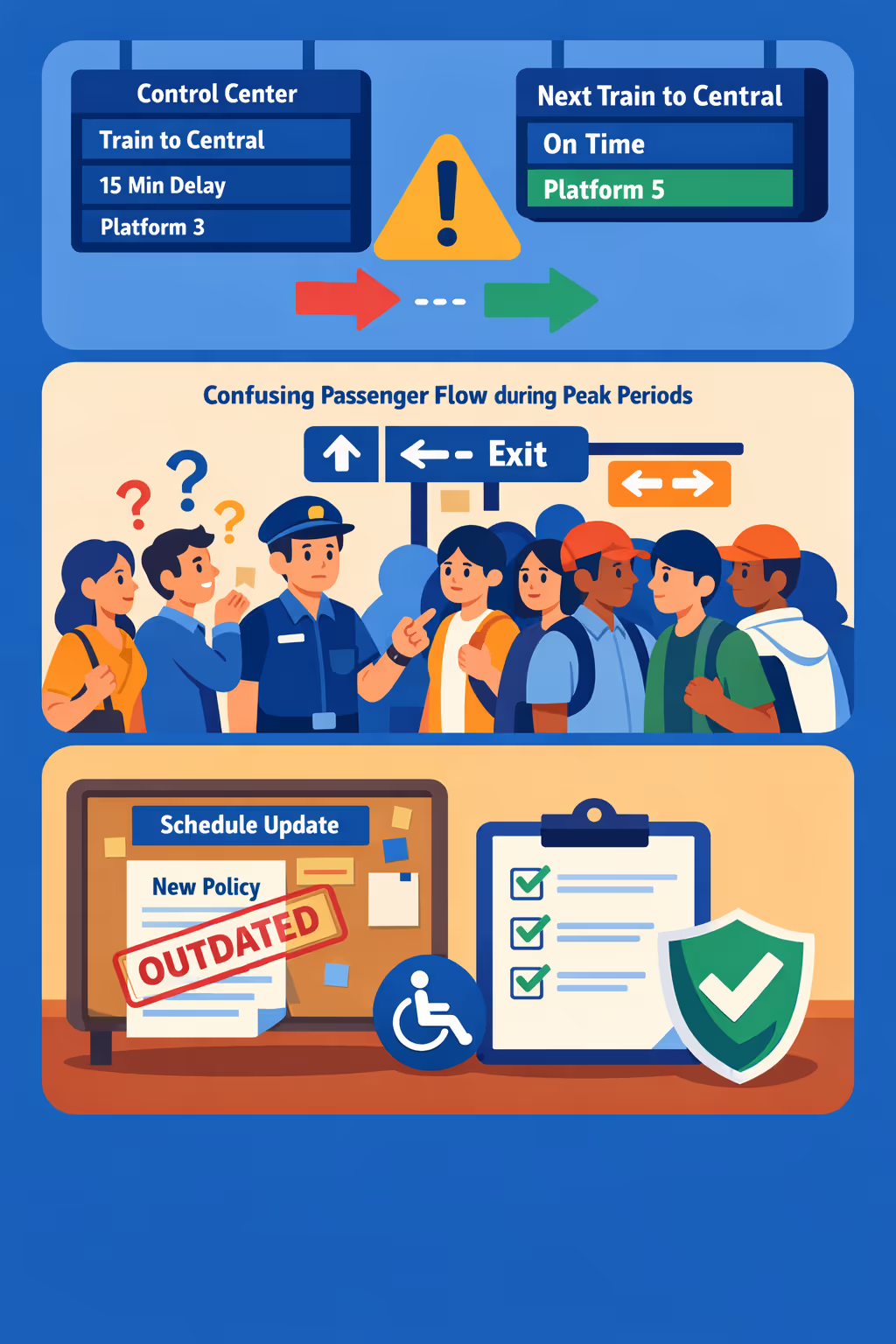
Delays, platform changes, route disruptions, and ticketing rules can shift fast. When frontline staff, call centers, and on-site notices share different messages, people stop trusting the guidance and small issues escalate into complaints.
Travelers want to know where to queue, what documents to have ready, and what to do next. Without visible instructions, staff are interrupted for basic directions instead of managing exceptions, safety checks, and service recovery.
Transportation communication must be accurate, accessible, and aligned with current policy and safety rules. When printed notices or local updates are not refreshed everywhere at the same time, customers follow the wrong steps and teams face avoidable compliance and reputational risk.
Transportation digital signage that improves passenger flow and operational ROI
Keep travelers informed across stations, terminals, depots, and vehicles with real time updates. Disign helps transportation teams publish service alerts, platform changes, safety messages, and commercial content instantly, reducing confusion, cutting print costs, and improving the passenger experience with measurable ROI.

Publish real time service updates across every screen
Share disruptions, delays, reroutes, platform changes, and boarding calls in seconds. Transportation digital signage keeps information consistent from the control room to the concourse, reducing missed connections and support desk pressure.
Improve wayfinding and reduce perceived wait times
Guide passengers with clear directions to platforms, gates, exits, parking, and amenities. Combine live ETAs with helpful content so people feel informed and in control, even during busy periods.
Deliver measurable ROI with targeted on screen messaging
Promote retail, food and beverage, parking, and partner offers by location and time of day. With centralized scheduling, transportation digital signage increases revenue opportunities while lowering the cost and effort of campaigns.
Strengthen safety and compliance communications
Keep mandatory notices, emergency procedures, and accessibility information visible and up to date. Use approved templates so every site communicates clearly and consistently, even when teams are moving fast.
Reduce printing costs and lighten staff workload
Replace posters and manual updates with a single content workflow. Save on printing and distribution, free up frontline staff, and keep every display current from headquarters or local operations.
Localize content by site, language, and audience
Adapt messages for commuters, tourists, and accessibility needs with multilingual content and location based scheduling. Deliver a local experience while staying aligned with your network wide communication strategy.
Transportation digital signage use cases for stations, depots, and offices
Disign helps transportation teams deliver clear, real time information where it matters most. From terminals to back offices, transportation digital signage reduces confusion, improves passenger flow, and builds trust through consistent updates that people can verify at a glance.
- Passenger areas: show departure boards, gate changes, service alerts, and wayfinding to platforms and exits
- Ticketing and information desks: set expectations with queue status, help prompts, and next steps for refunds or rebooking
- Parking and curbside pickup: communicate availability, pricing, pickup zones, and safety guidance to reduce congestion
- Operations and staff areas: share incident protocols, on time performance KPIs, shift updates, and compliance reminders
How Disign digital signage works
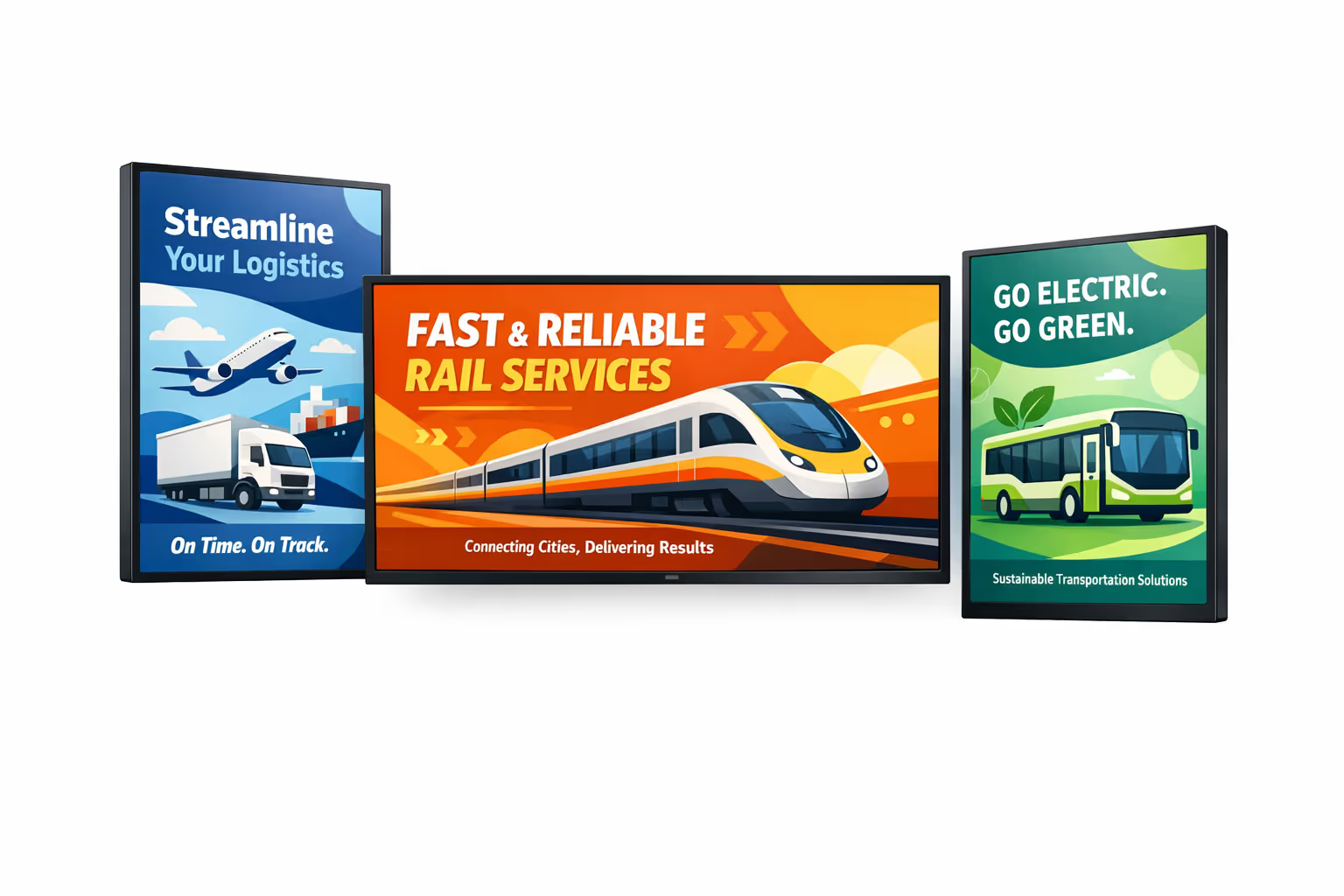
Schedule your content from anywhere with our cloud-based digital signage solution. Easily plan what plays, when, and where—across one screen or thousands.
Design custom scenarios and playlists tailored to your audience and goals.
Set precise dates and times for your content to play automatically.
Deploy content instantly across your digital signage network with just a click.
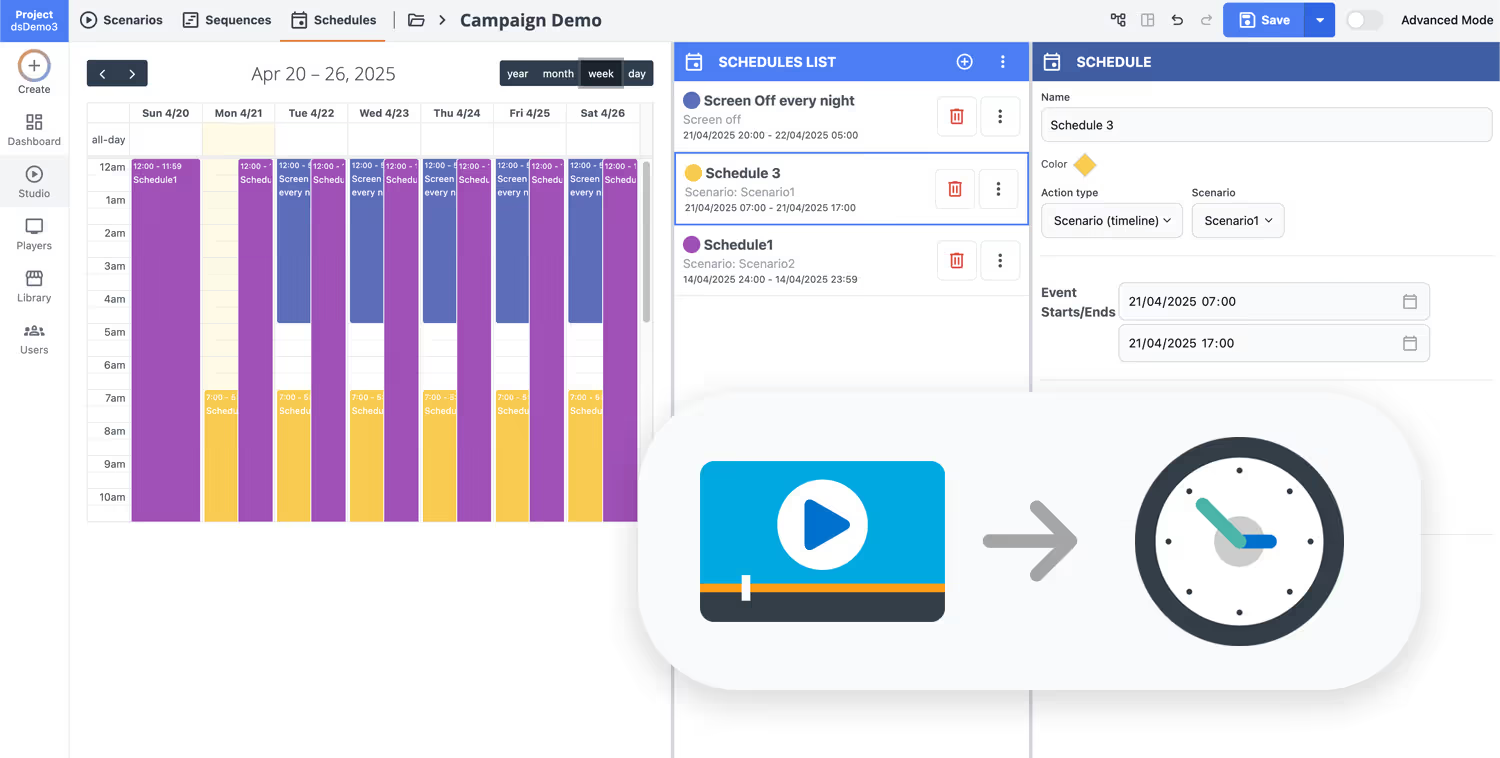
Ready to launch transportation digital signage in days, not weeks?
Start your 28 day free trial with Disign and publish real time passenger information, platform changes, wayfinding, safety alerts, and service updates from one dashboard. No credit card required, just connect your screens and go live.
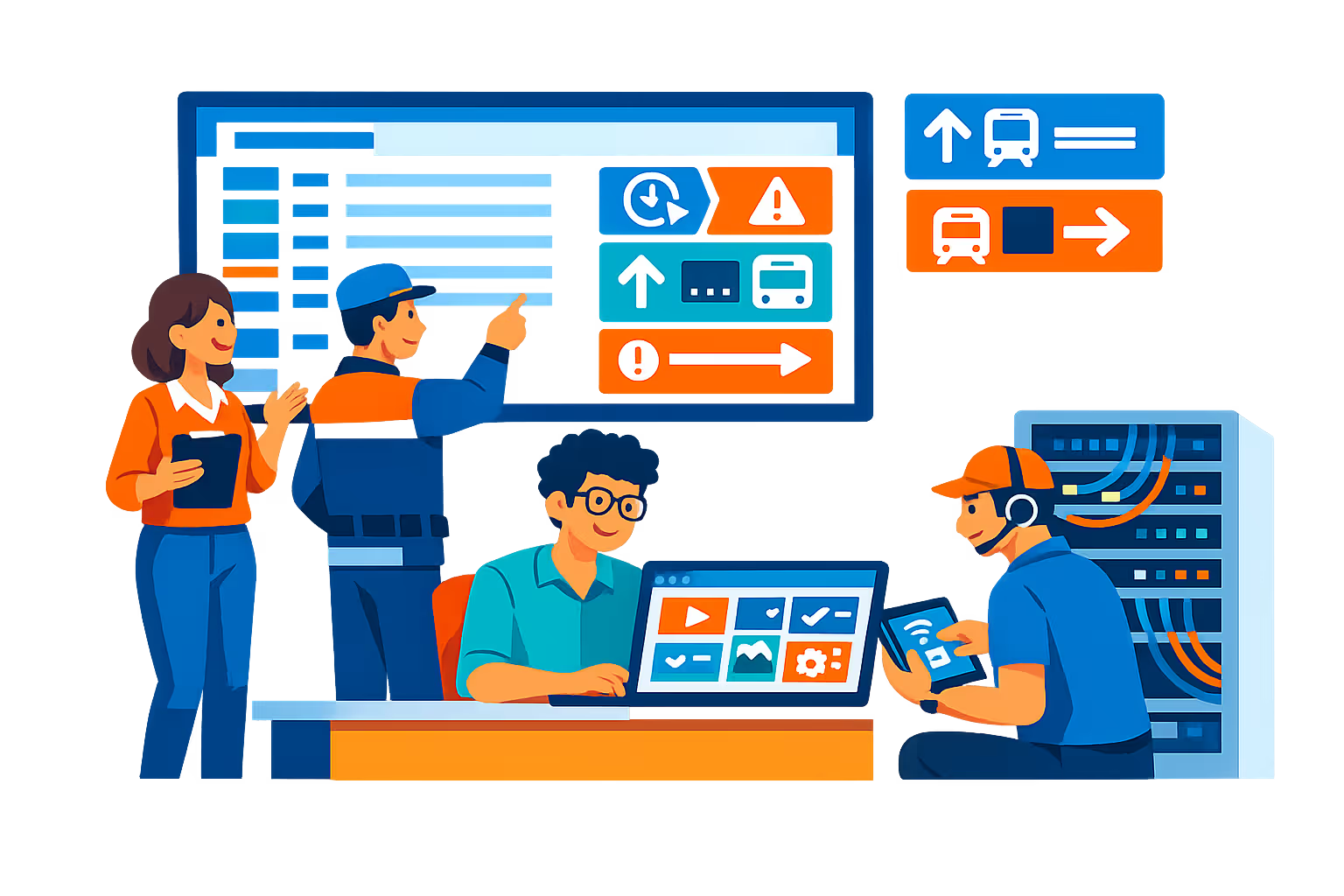
Transportation digital signage designed for terminals, depots, and fleet operations
Keep passengers and staff informed with real time transportation digital signage across stations, platforms, gates, and on site facilities. Disign lets you publish arrivals, departures, service disruptions, safety notices, and wayfinding from a central console with controlled access and full traceability.
Central control across sites and routes
Scale transportation digital signage without losing control
Publish to a single screen or thousands across cities with location targeting, role based permissions, and reusable playlists. Standardize passenger information while enabling local teams to push approved updates for their terminal, platform, or depot.
Security and access governance
Protect screens, players, and publishing rights
Control who can create, approve, and publish content with granular roles. Support secure sign in, device pairing, and audit friendly activity logs to keep transportation digital signage resilient in busy, public environments.
Approval workflows for regulated messaging
Reduce risk with review steps and version control
Use structured publishing from draft to review, approval, and scheduling. Keep a clear history of changes for safety messages, accessibility notices, and operational updates so the right information reaches the right screens at the right time.
Smart scheduling and automation
Timed campaigns for peak periods and incidents
Automate transportation digital signage with time based schedules and recurring campaigns. Switch content for rush hour, planned maintenance, route changes, emergency instructions, or special events without manual publishing at the last minute.
Playback reliability and device monitoring
Uptime visibility for mission critical screens
Monitor player health and verify content delivery remotely. Detect offline devices, identify playback issues quickly, and keep passenger communications consistent across stations, parking areas, and staff only locations.
Deployment and technical support
Operational help for IT, facilities, and dispatch
Get practical guidance from rollout to day to day operations. We help standardize templates, onboard teams, and troubleshoot devices so your transportation digital signage stays stable, secure, and easy to maintain.
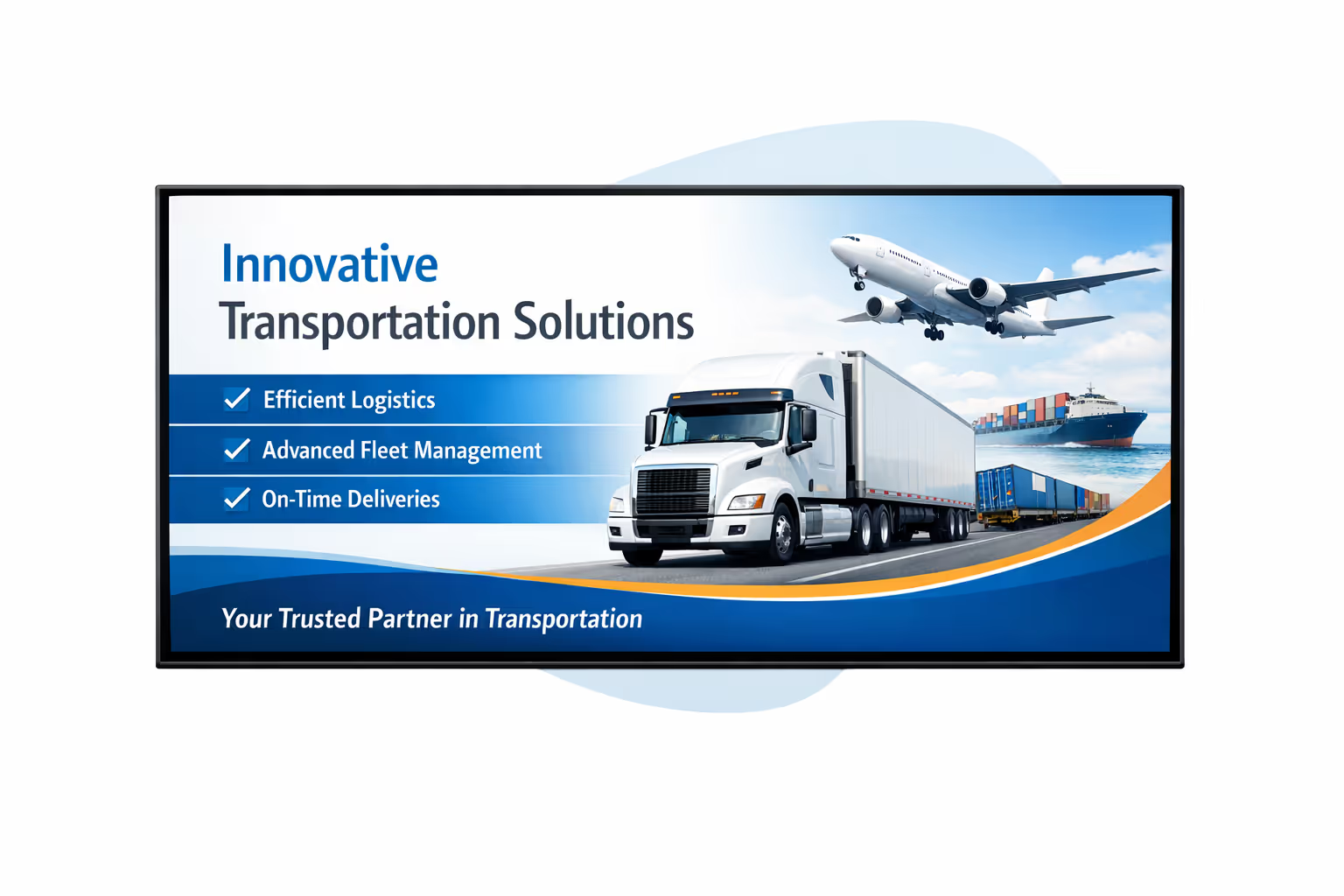
Centralized content management for transportation digital signage
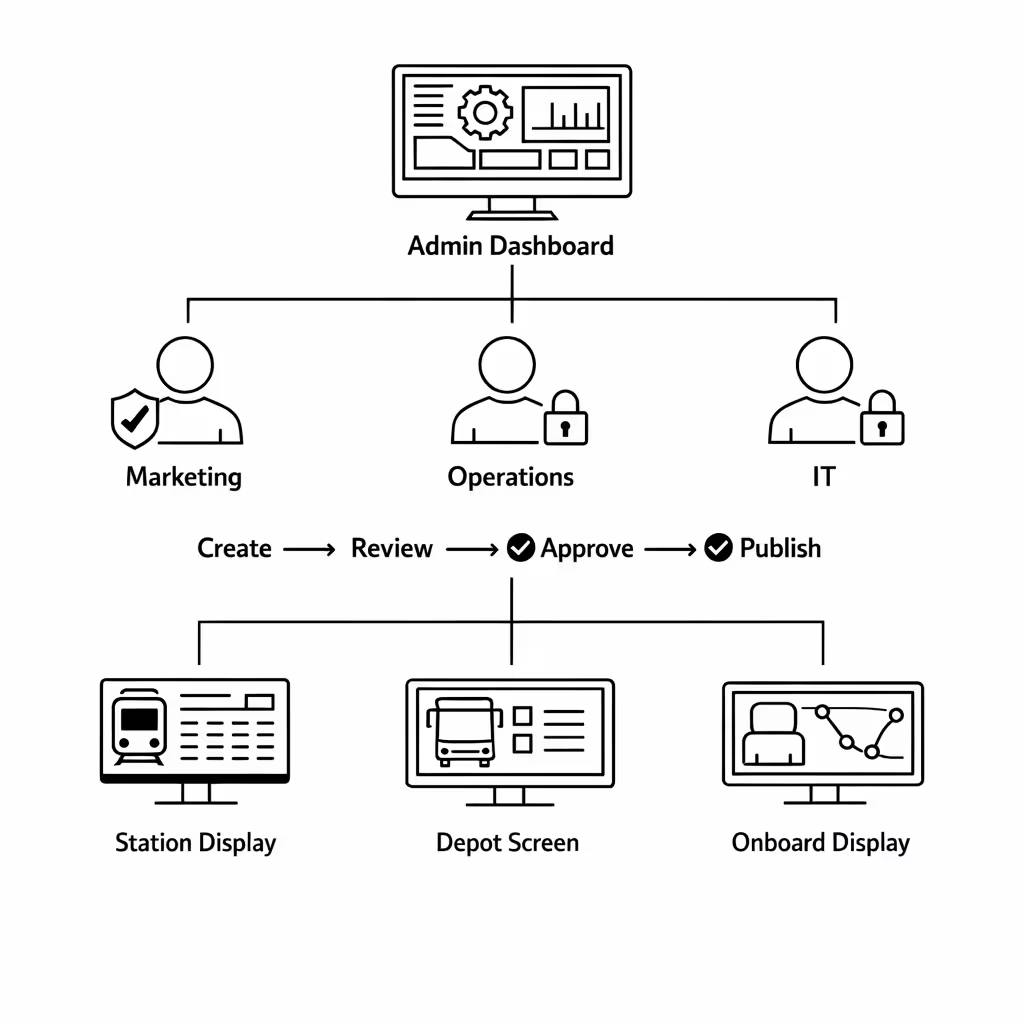
Run transportation digital signage from a single, secure workspace. Disign helps marketing publish faster, operations keep riders informed, and IT enforce governance through roles, approvals, and reliable playback across every location and screen type.
One platform for every route, station, and depot screen
Central control with local flexibility
Publish network wide messaging while allowing stations and terminals to add local updates like platform changes, accessibility notices, and service desk hours, all within approved templates and guardrails.
Schedule content by line, location, and screen type
Plan campaigns and rider information with precise targeting. Keep service messages consistent, time sensitive updates accurate, and wayfinding aligned across your transportation digital signage network.
Built for IT governance and secure access
Control who can create, approve, and publish with role based permissions and audit friendly workflows. Standardize playlists and policies so every transportation digital signage update meets your security and compliance requirements.
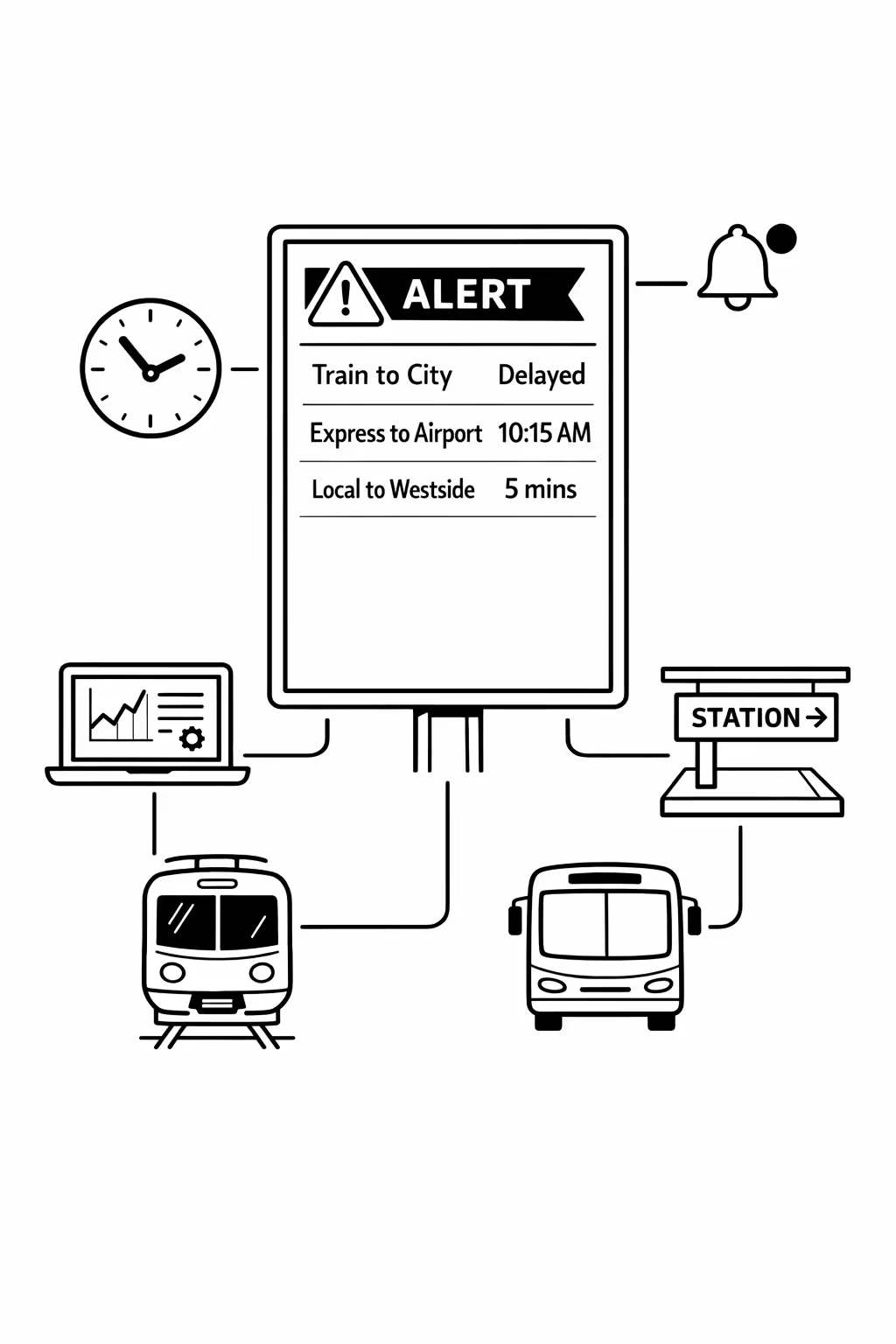
Real time updates for operations and rider communications
Push disruptions, delays, safety alerts, and platform changes in minutes. Keep screens accurate during peak periods and incidents, reduce manual calls, and ensure teams share the same message across the entire transportation digital signage network.
Scalability for growing transportation networks with transportation digital signage
Scale transportation digital signage across stations, depots, terminals, and offices from one cloud platform. Roll out service alerts, route changes, and passenger information in minutes while keeping governance strong and messaging consistent as your network expands.

Multi-site management from one cloud dashboard
Manage transportation digital signage across every location from a single view. Push updates instantly, verify what is playing on each screen, and maintain consistent passenger information across your entire transportation network.
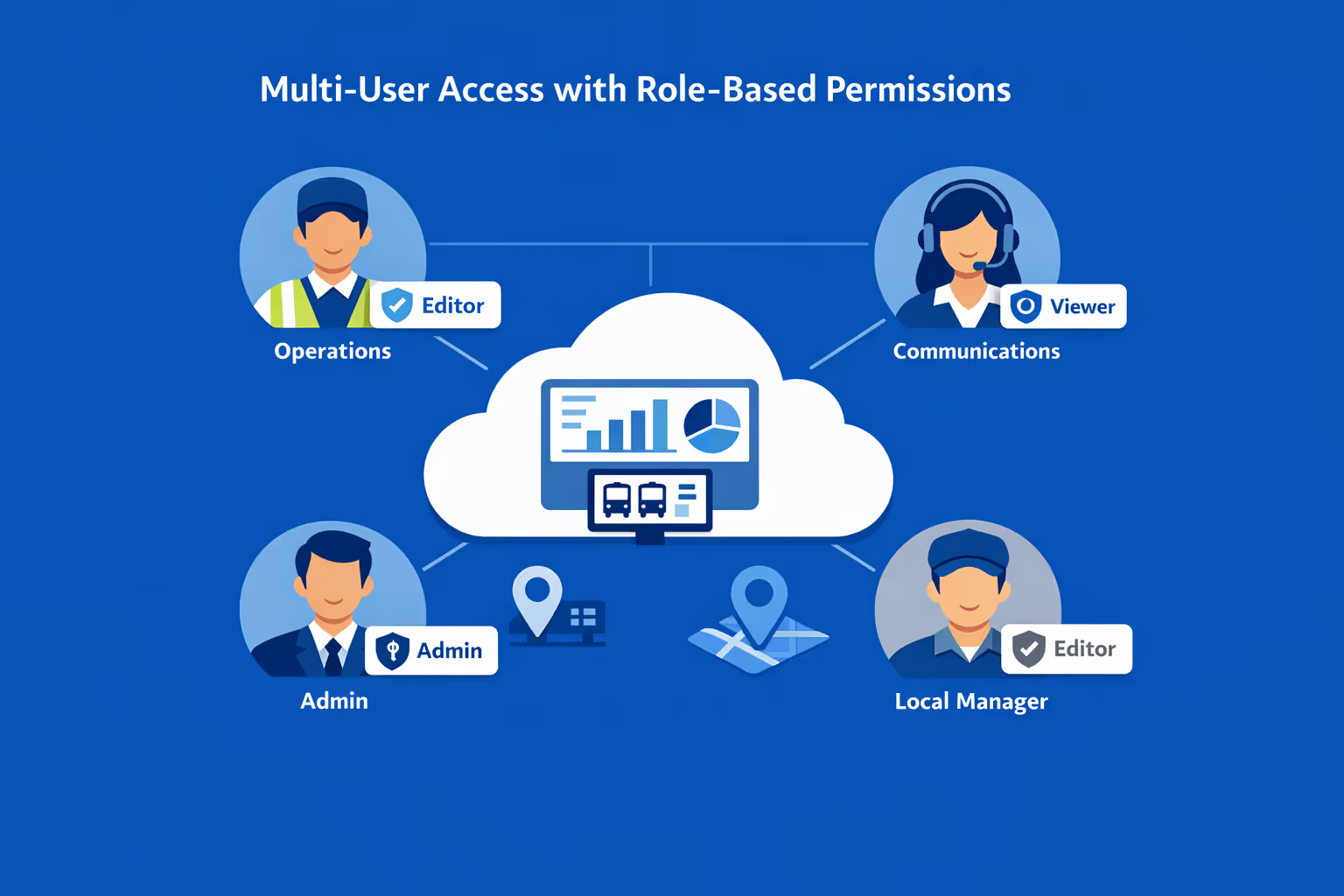
Multi-user access with role-based permissions
Give the right access to the right teams. Assign roles and permissions by region, depot, or department so operations, communications, and local managers can collaborate efficiently while keeping approvals and accountability clear.
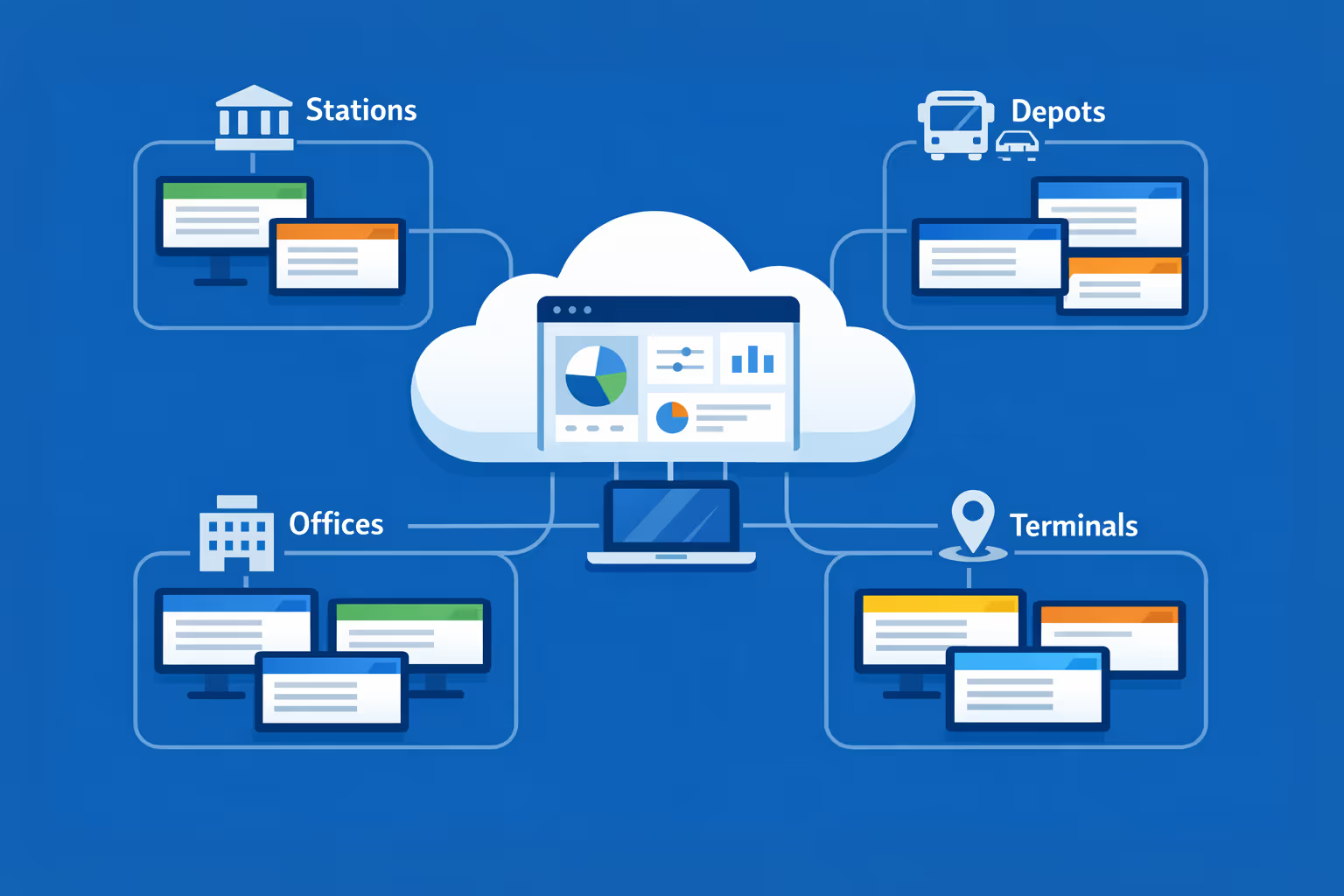
Multi-screen and multi-organization ready
Control thousands of screens and support multiple organizations in one account. Segment transportation digital signage by operator, brand, region, or terminal so you can scale fast while keeping local schedules, safety messaging, and wayfinding relevant.
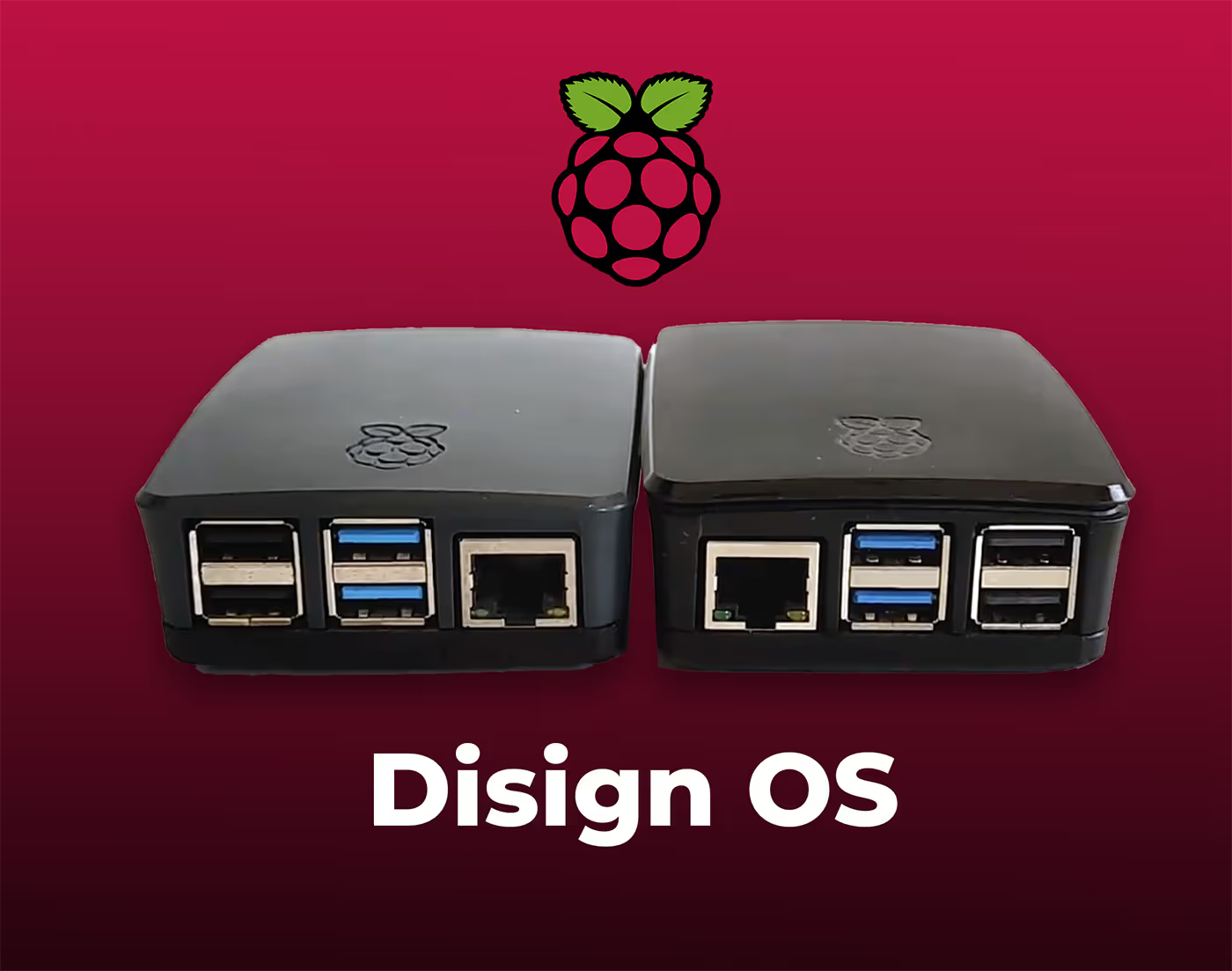
Disign is compatible with all screens for digital signage
Digital signage with Disign allows you to manage and display content across a variety of devices. Our solution is compatible with many external players such as Disign OS based on Raspberry Pi, BrightSign, and any Android hardware. Disign also supports technologies embedded in Samsung, LG, and Android TV screens. With this broad compatibility, you can easily deploy digital signage solutions on different types of hardware, ensuring simplified management and an optimal user experience.


Integrate with your favorite Applications
70+ Applications and infini integration with API, Database, and any data source
Easily integrate third-party applications and web content such as YouTube or Vimeo, optimized for seamless playback. Display data from RSS feeds or formats like CSV, JSON, or XML directly on your digital signage screens. Extend display capabilities with advanced applications like grids or collections to enrich Disign scenarios.

We designed Disign to be as open and customizable as possible, both in its visual scenes and in its data sources.
Florent MondoloniCo-Founder, Disign

Video
Utilisez vos medias

RSS Feed
Use your own RSS Feed

Database
Databases

Canva
Create your Design and import it

Google Sheets
Import CSV, Live data...

Website/API
Affiche your website or use API
Everything you need to know about Disign Digital Signage For Transportation
Transportation digital signage FAQ: practical answers for transit and mobility teams
Transportation digital signage is one of the fastest ways to keep passengers informed, reduce confusion, and improve the experience across stations, terminals, depots, platforms, and vehicles. When screens are managed centrally, updates become consistent and immediate, which is essential when schedules change, disruptions occur, or safety messages must go live quickly.
This FAQ is written for transportation leaders and teams who need a reliable signage solution: operations managers, passenger experience teams, communications, marketing, IT, security, and procurement. If you are looking for a platform like Disign for transportation digital signage, the questions below cover what matters in real deployments: speed, governance, reliability, accessibility, and measurable impact.
What is transportation digital signage and where is it used?
Transportation digital signage is a network of centrally managed displays used to communicate real time and scheduled information in mobility environments. It includes screens that inform passengers, guide foot traffic, promote services, and support staff coordination.
You typically find transportation digital signage in places such as:
- station entrances and ticket halls
- platforms and concourses
- gates and boarding areas
- bus shelters, depots, and interchanges
- parking facilities and park and ride locations
- customer service desks and information points
- baggage claim and arrivals areas in airports
- elevators, escalators, corridors, and wayfinding junctions
- staff only areas such as dispatch rooms, break rooms, and maintenance facilities
The goal is to deliver the right message to the right audience at the right time, with consistent branding and operational accuracy, without relying on posters or manual updates.
Why invest in transportation digital signage instead of printed posters?
Posters are familiar, but they are slow to update and easy to forget. In transportation, even a small change can affect thousands of passengers, and old information can lead to complaints and safety risks.
Transportation digital signage is used because it helps teams:
- update information instantly across multiple locations
- reduce passenger stress by providing clear next steps
- communicate service disruptions quickly and consistently
- reduce printing and installation costs over time
- keep messaging aligned with brand guidelines and accessibility standards
- improve trust by showing timely, accurate information
- run seasonal campaigns without shipping materials to every site
If you run multiple stations, routes, or facilities, signage becomes an operational channel, not just a communication tool.
What are the best use cases for transportation digital signage?
The strongest use cases combine passenger clarity, operational efficiency, and measurable outcomes. Transportation digital signage should answer the questions passengers ask most often: Where do I go, when is my service, what changed, and what should I do now?
Common use cases include:
- real time departures and arrivals
- platform, gate, or bay assignments
- disruption alerts and service recovery guidance
- replacement service information and rerouting instructions
- wayfinding and directional signage
- safety messaging and emergency instructions
- accessibility information such as elevator outages and alternative routes
- customer service info: ticketing hours, help desk locations, contact methods
- parking availability and guidance
- promotional content such as passes, subscriptions, or partner offers
- local area information for tourists and occasional riders
Disign helps you manage these use cases with scheduling, playlists, and structured permissions so updates are consistent across locations.
How can transportation digital signage reduce passenger confusion during disruptions?
Disruptions are where transportation digital signage proves its value. Passengers tend to accept delays more easily when they understand what is happening and what they should do next.
Well designed messaging reduces confusion by:
- stating the issue in plain language, not internal terms
- showing immediate actions such as use platform 4, board replacement bus at bay B, or expect 20 minute delays
- repeating the same instructions across all relevant screens to avoid conflicting guidance
- separating critical instructions from promotional content during incidents
- updating frequently, even if only to confirm the situation is unchanged
- using clear layouts that can be read quickly at a distance
Disign makes it easier to publish incident messages fast, target them to the impacted locations, and switch back to normal programming when service resumes.
Can transportation digital signage show real time departures and arrivals?
Yes, and this is one of the most common requirements for transportation digital signage. Real time information can be displayed in different ways depending on your systems and constraints.
Typical options include:
- displaying a web based view from an existing passenger information system
- embedding dashboards or widgets
- showing data from a feed when available, such as GTFS RT or internal APIs
- combining real time boards with scheduled content in a playlist
The practical question is not only whether you can show the data, but whether you can do it securely and reliably. Disign can display web content and support structured deployment so screens keep showing the right content even when locations differ.
Does transportation digital signage help reduce perceived wait time?
Yes. In transportation, perceived wait time can matter as much as actual wait time, especially in crowded terminals or during delays. Passengers feel less frustrated when they can see what is happening and what their options are.
Transportation digital signage helps by:
- confirming that the system is working and the passenger is in the right place
- providing countdowns and status updates when available
- explaining alternatives during disruptions, including accessible routes
- offering helpful information: ticketing tips, platform maps, baggage guidance, customer service locations
- setting expectations: next update in 5 minutes, or estimated departure at 14:20
Even without deep data integration, clear communication reduces uncertainty, which lowers stress and complaints.
What types of screens and layouts work best in transportation environments?
Transportation spaces have unique viewing conditions: long distances, glare, crowds, and limited attention. The best content is designed for quick comprehension and high contrast.
Effective transportation digital signage layouts typically use:
- large typography and short lines
- strong contrast and minimal clutter
- clear hierarchy: destination and time first, details second
- consistent placement for key elements like service status
- simple icons paired with text for quick scanning
- language that works for both regular commuters and occasional riders
If you need mixed content, for example departures plus messages, avoid squeezing everything into one dense screen. Use zones or separate screens where possible, and keep critical information dominant.
How do we manage content across multiple stations, depots, or terminals?
Multi site management is where a dedicated transportation digital signage platform becomes essential. Without structure, teams end up emailing files, duplicating effort, or updating screens inconsistently.
A scalable approach usually includes:
- grouping screens by location, line, route, or facility type
- assigning playlists to groups rather than individual screens
- scheduling by time of day, day of week, or service calendar
- using templates so local teams cannot break layouts
- monitoring screen status centrally to catch failures quickly
Disign is built for centralized management, so you can run a consistent network while still allowing local messaging where it makes sense.
Can transportation digital signage be targeted by location, route, or time of day?
Yes. Targeting is one of the biggest advantages of transportation digital signage compared to static signage.
Common targeting strategies include:
- location specific messaging for each station or terminal
- route or line based content, such as service notices for a corridor
- time based content, like peak hour guidance and off peak promotions
- day based messaging for events, weekend works, or holiday service
- language variations based on location demographics or tourism seasons
- different content for arrivals areas versus departures areas
Disign supports structured targeting through screen groups and scheduling so the message stays relevant and timely.
How do we keep transportation digital signage content accurate and governed?
Governance is critical because inaccurate messages create immediate operational and reputational risk. Transportation organizations usually involve multiple teams: operations, communications, safety, and sometimes commercial teams.
A safe governance model includes:
- role based access so only authorized users can publish to key screens
- approval workflows for non urgent content
- emergency publishing paths for disruption and safety notices
- templates that lock down layout rules and mandatory elements
- auditability: who published what, when, and where it appeared
- clear content ownership so updates do not fall between teams
With Disign, you can separate roles so content can be created efficiently without losing control over what appears on operational screens.
What security features should we require for transportation digital signage?
Screens are endpoints, and in transportation they can be high visibility and sometimes physically accessible. A transportation digital signage solution should support strong operational security.
Key capabilities to evaluate include:
- secure authentication and granular permissions
- encrypted connections for management and content delivery
- device management options and remote monitoring
- the ability to lock down what players can access
- logging of administrative actions for accountability
- support for network rules and controlled outbound access
Disign is designed to support structured access, central control, and the operational discipline needed for transportation environments.
Is transportation digital signage cloud based or on premises?
Both models exist. Many transportation teams prefer cloud based management for speed, easier scaling, and simpler updates across multiple sites. Some organizations have strict policies and may require specific network or hosting constraints.
With a cloud managed model like Disign, you typically gain:
- faster rollout to new sites
- centralized updates without local server maintenance
- easier scaling as screens and locations grow
- consistent governance across the network
Your IT team can still enforce transportation security policies through network controls, device standards, and access management practices.
What hardware is required for transportation digital signage?
Transportation digital signage generally requires:
- commercial grade displays suited to the environment
- a media player or compatible device running the signage player
- reliable connectivity, wired where possible for critical screens
- secure mounting and power
- protection suitable for the location, such as enclosures for outdoor or semi outdoor areas
In bright areas, higher brightness and anti glare can matter. In crowded places, wide viewing angles help. For mission critical boards, choose hardware rated for long operating hours.
Disign can work across different hardware approaches, which helps transportation teams standardize over time without needing to replace everything at once.
How reliable should transportation digital signage be and what monitoring is needed?
Reliability is non negotiable in transportation. When a screen is down, passengers feel the impact immediately, and staff have to answer more questions.
A reliable setup includes:
- monitoring to confirm screens are online and playing expected content
- alerts when a device goes offline
- clear ownership for troubleshooting, including escalation paths
- redundancy for critical information where possible
- a content strategy that keeps essential information readable even if one data source fails
Disign supports centralized management and monitoring so teams can detect issues quickly across the network.
Can transportation digital signage support emergency and safety communications?
Yes. Transportation digital signage is often part of a broader communication plan for safety. During incidents, you need the ability to override normal content and show clear instructions.
Common safety and emergency messages include:
- evacuation instructions and directional guidance
- platform closures and alternative routes
- severe weather notices
- crowd management instructions
- public safety reminders and prohibited items messaging
The key is not only the message, but the ability to publish it fast, target the right locations, and revert when safe. Disign supports rapid updates and structured control so emergency content does not get stuck behind routine approval steps.
How should we design transportation digital signage for accessibility?
Accessibility is essential for passenger experience and compliance. Screens should be legible and understandable for people with visual impairments, cognitive differences, and for non native speakers.
Good practices include:
- large, readable fonts and strong color contrast
- simple language and short sentences
- consistent placement of key information
- avoiding fast moving small text that is hard to track
- captions when video is used, since audio may not be heard
- clear icons paired with text, not icons alone
- ensuring that critical messages are not only color coded
With Disign templates, you can standardize accessible design rules so every location delivers a consistent experience.
How do we handle multi language content on transportation digital signage?
Transportation networks often serve residents, commuters, and visitors. Multi language messaging can reduce confusion and improve safety.
Effective approaches include:
- assigning different language playlists to specific locations
- rotating languages on the same screen with a predictable cadence
- using plain language and avoiding local abbreviations
- keeping key instructions consistent across languages
- ensuring that critical safety messages are always visible long enough to read
Disign makes it possible to schedule and target language content by location and time, so the right message reaches the right audience without manual coordination.
Can transportation digital signage be used for wayfinding?
Yes. Wayfinding is a high impact use case, especially in complex stations and terminals. Screens can reduce bottlenecks and help passengers move with confidence.
Wayfinding signage often includes:
- maps and simplified route diagrams
- directions to platforms, gates, exits, restrooms, and elevators
- transfer guidance and walking times
- accessibility routes and elevator status notices
- event day routing and crowd management directions
A strong wayfinding strategy combines consistent design, clear placement, and content that updates when layouts change or facilities are temporarily closed.
How do transportation teams keep commercial and operational content balanced?
Many transportation organizations use screens for both passenger information and commercial messaging, such as promoting passes, upgrades, retail, or partner offers. The challenge is keeping the operational information dominant and trustworthy.
Practical guidelines include:
- never letting promotions displace critical service information
- separating zones on screen, or using separate screens for ads and operations
- automatically prioritizing disruption messages over campaigns
- scheduling commercial content based on passenger flow times
- keeping brand and tone consistent so the network feels credible
Disign helps by organizing playlists and schedules so you can keep a clear hierarchy and protect the passenger experience.
How often should transportation digital signage content be updated?
Update frequency depends on the type of content:
- real time boards update as the data changes
- planned messaging, like weekend works, should update as details evolve
- operational reminders might change weekly or daily
- campaigns may rotate monthly or seasonally
- emergency content should be publishable immediately
The most important rule is to avoid stale screens. If passengers regularly see outdated notices, they will stop trusting the screens. With Disign, updates can be made quickly without needing local staff to manually change content.
Who should own transportation digital signage: operations, IT, or communications?
Transportation digital signage works best with shared ownership and clear boundaries:
- operations owns service accuracy, disruption messaging, and priorities
- communications or marketing owns tone, clarity, and passenger friendly language
- IT owns device standards, connectivity, security, and identity management
- station or facility teams can request local messages within approved templates
Disign supports this model with permissions, screen grouping, and governance so each team can contribute without creating chaos.
How do we measure ROI for transportation digital signage?
ROI in transportation digital signage is usually a mix of operational savings, passenger experience improvements, and commercial outcomes.
Common measures include:
- fewer passenger complaints and lower customer service load
- reduced confusion during disruptions, measured through incident feedback
- improved passenger satisfaction scores
- faster time to publish network wide messages
- reduced printing and installation costs compared to posters
- improved campaign performance for passes, upgrades, or retail partners
- better compliance with accessibility and brand standards
You can also track operational KPIs such as screen uptime, update speed, and content accuracy across locations.
What should we look for in templates and scheduling features?
Templates and scheduling are not just convenience features in transportation; they are how you keep information consistent across a complex network.
Look for:
- templates that preserve readability at distance
- locked zones for essential data and mandatory messaging
- flexible layouts for different screen formats and orientations
- scheduling by time of day, location, or service calendars
- quick duplication so a message can be adapted without rebuilding
- support for both operational messages and campaigns
Disign helps teams work faster by creating approved templates once, then reusing them across the network with controlled customization.
How quickly can we deploy transportation digital signage?
Deployment timelines depend on hardware readiness, procurement, network approvals, and how many sites are involved. Many transportation organizations start small and scale.
A realistic approach often looks like:
- a pilot at a few representative locations
- validation of content types, governance, and screen placement
- creation of a template library and publishing workflow
- rollout by station group, line, or region
- ongoing monitoring and optimization
Disign supports centralized rollout and repeatable setup so scaling to more locations becomes predictable.
What makes Disign a good choice for transportation digital signage?
Transportation teams need a platform that supports speed and control at the same time. Disign is designed to help you manage transportation digital signage across multiple sites without overloading local teams.
Disign helps by providing:
- centralized management for multi location networks
- structured permissions and governance for operational accuracy
- scheduling and playlist control to target messages precisely
- templates that support consistent, readable design at scale
- fast updates for disruptions, safety notices, and daily operations
If you are evaluating transportation digital signage, Disign is built to help you communicate clearly, respond faster, and deliver a more reliable passenger experience across every screen.
What are the next steps to start a transportation digital signage project?
Start by defining the outcomes you want and the operational reality you need to support:
- identify your priority use case, such as disruption messaging, wayfinding, or passenger information
- map stakeholders: operations, communications, IT, safety, and facility management
- choose pilot sites that reflect your network complexity
- decide which content needs approval and which needs rapid publishing
- build a template set for core messages and ensure accessibility standards
- plan monitoring and ownership so uptime stays high
Once those foundations are in place, transportation digital signage becomes a scalable communication channel that improves day to day operations and passenger confidence.



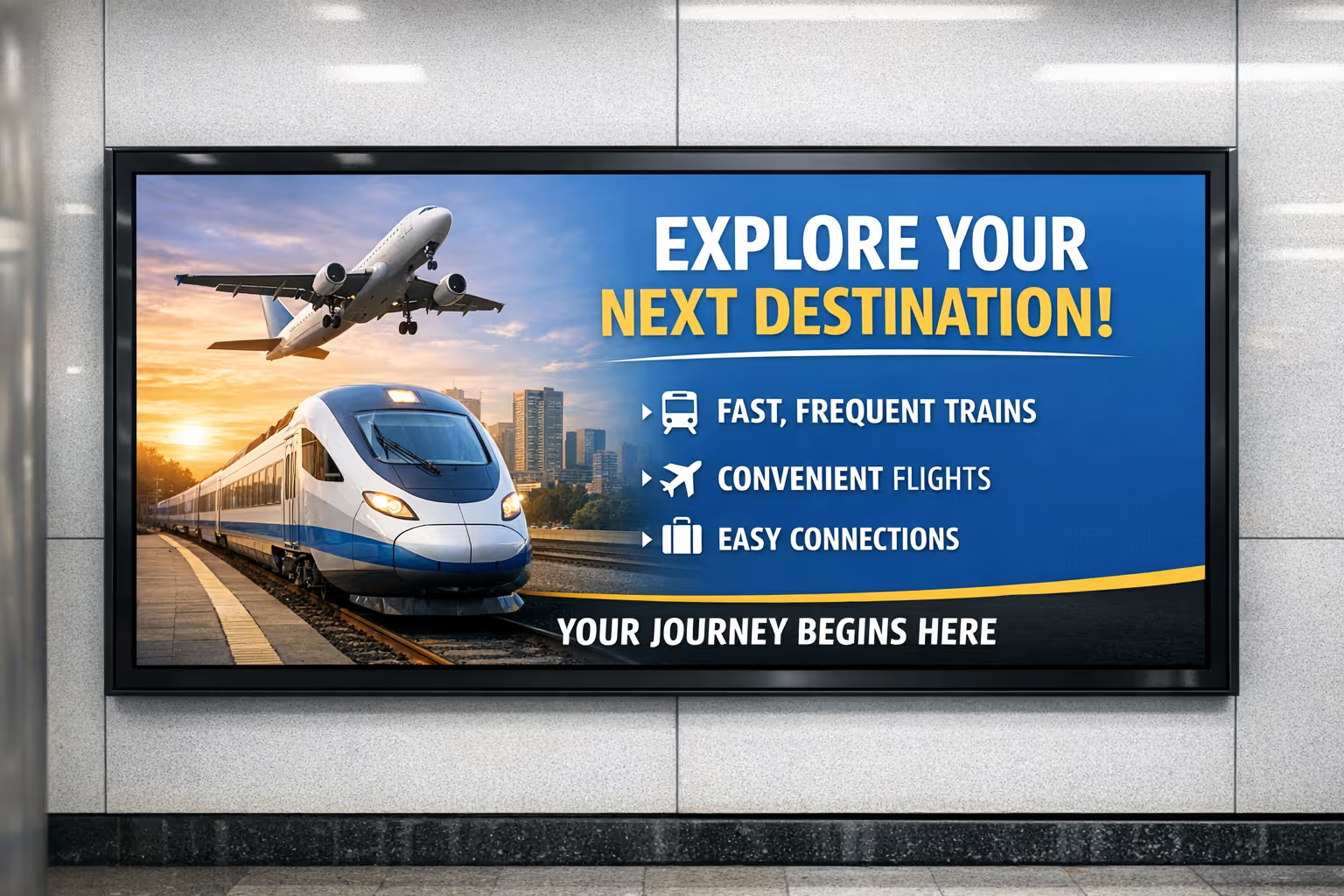


Join community of 4k+ people
Transportation digital signage that keeps passengers moving
Publish real-time updates on every screen in minutes. With Disign, transportation digital signage stays consistent across terminals, stations, depots, and hubs, so passengers always see the latest departure info, platform changes, service alerts, and wayfinding guidance.
Ready to try it in your network? Start your 28-day free trial to test Disign with your own transportation content, no credit card required. Prefer to talk first? Contact us and we will help you choose the right setup and get your first screens live quickly.