Quick service restaurant qsr digital signage for faster orders and bigger baskets
Disign quick service restaurant qsr digital signage that sells more, moves lines faster, and keeps menus accurate
Hook guests the moment they walk in with crave worthy menu boards, smart upsells, and real time promos. Disign helps QSR teams update prices, dayparts, allergens, and limited time offers in minutes across every screen, from counter to drive thru.
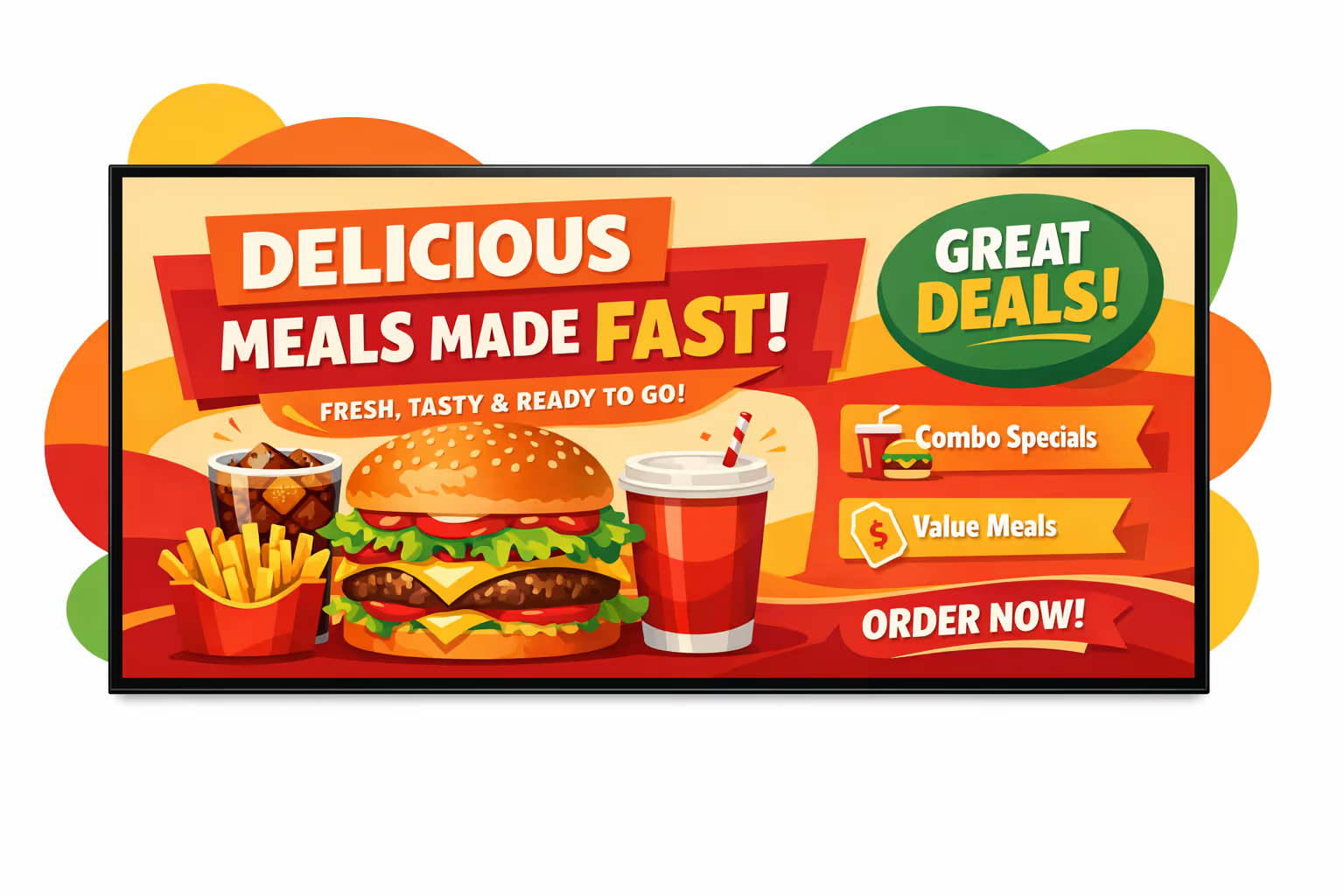
Challenges in the quick-service-restaurant-qsr industry: when store communication breaks down
In a fast-moving restaurant, guests expect clarity the moment they enter. When messages are missing or inconsistent, uncertainty turns into repeated questions, longer lines, and a poor first impression.
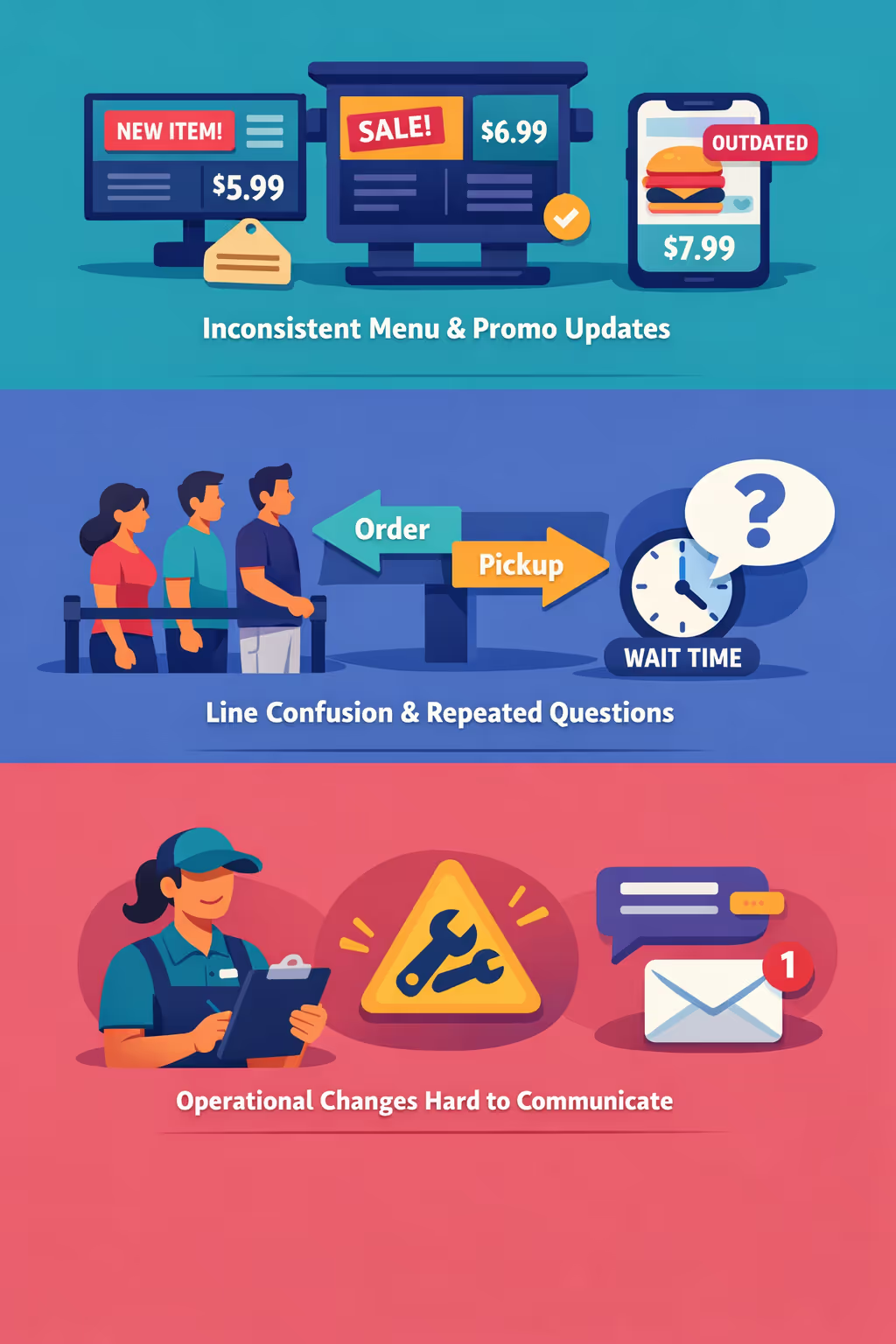
Prices, limited-time offers, and item availability can change during the day. When the counter, kitchen, drive-thru, and delivery channels share different information, guests lose trust and small issues quickly become complaints.
Guests want to know where to order, how pickup works, and what the wait time looks like. Without clear guidance, team members get interrupted constantly, slowing service and increasing pressure on the floor.
Sudden staffing gaps, equipment issues, or policy updates affect what you can serve and how you serve it. When messages are shared verbally or on paper, updates get missed, guests receive outdated instructions, and the team absorbs the frustration in real time.
Quick service restaurant QSR digital signage that increases sales and speed of service
Turn every screen into a revenue driver with Disign. Update menus and promos in seconds, steer guests to higher margin items, improve order accuracy, and keep messages consistent across locations. Reduce printing costs, react instantly to stock changes, and track what lifts average ticket size for clear ROI.
Update menus and promos in real time
Launch limited time offers, daypart menus, and price changes instantly across every store. Keep menu boards accurate without reprints, and adjust content quickly when items go out of stock.
Speed up ordering and reduce perceived wait time
Use clear menu layouts, combo builders, and at-a-glance callouts so guests decide faster. Show order status and helpful prompts to make lines feel shorter and keep service moving during peaks.
Increase average ticket with smarter upsell and cross sell
Promote high margin add ons, bundles, and upgrades at the right moment by daypart and location. Quick service restaurant QSR digital signage helps you run repeatable campaigns that drive measurable sales uplift.
Keep branding and pricing consistent across locations
Standardize templates and approvals so every restaurant displays the same brand look, required notices, and price rules. Maintain trust while staying agile for local offers.
Reduce costs and lighten store workload
Replace constant poster swaps with a centralized workflow. Cut printing and shipping, save staff time, and keep every screen updated from head office with less operational effort.
Localize content for each store and audience
Tailor messages by location, language, and daypart. Highlight nearby offers, regional favorites, or delivery and pickup instructions so content feels relevant while still aligned with your national strategy.
Quick service restaurant QSR digital signage use cases for faster service and higher sales
Across counter service, drive-thru, and pickup zones, quick service restaurant QSR digital signage helps teams communicate clearly at speed. Leading brands use Disign to keep menus accurate, reduce order friction, and build trust with consistent, real-time updates.
- Menu boards: update pricing, combos, and limited time offers instantly across every location to keep orders accurate and conversion high
- Drive-thru: highlight best sellers, suggest add-ons, and show wait time messaging to improve throughput and average check
- Pickup and delivery areas: display order numbers, status updates, and clear instructions to reduce counter questions and missed handoffs
- Back of house and staff zones: share shift updates, safety reminders, and performance goals so every team stays aligned during peak hours

How Disign digital signage works
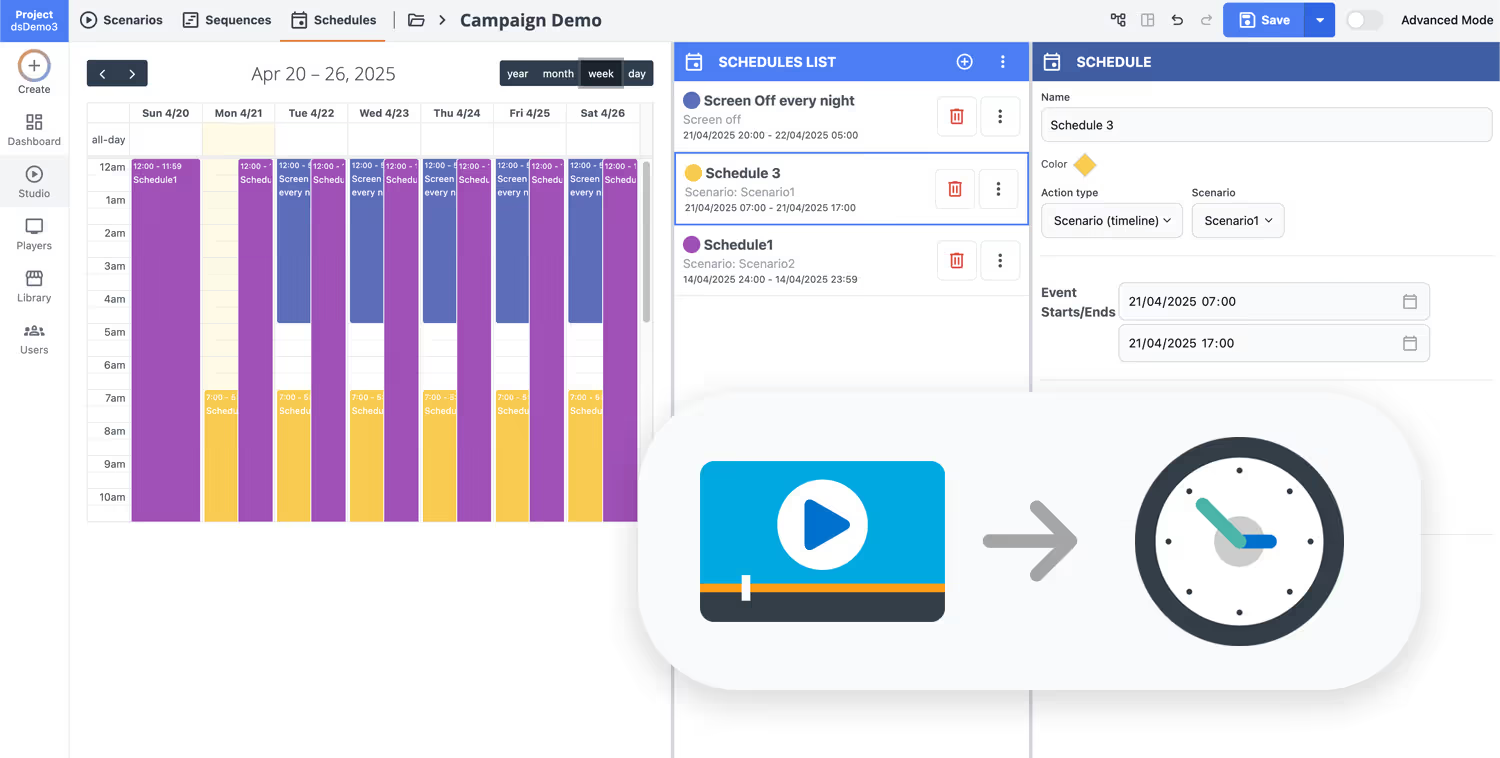
Schedule your content from anywhere with our cloud-based digital signage solution. Easily plan what plays, when, and where—across one screen or thousands.
Design custom scenarios and playlists tailored to your audience and goals.
Set precise dates and times for your content to play automatically.
Deploy content instantly across your digital signage network with just a click.
Launch quick service restaurant qsr digital signage in days, not weeks
Book a quick call with Disign and get a clear plan for menu boards, promos, and queue messaging across every location. Start with a 28 day free trial, no credit card required, and publish your first screens in minutes.
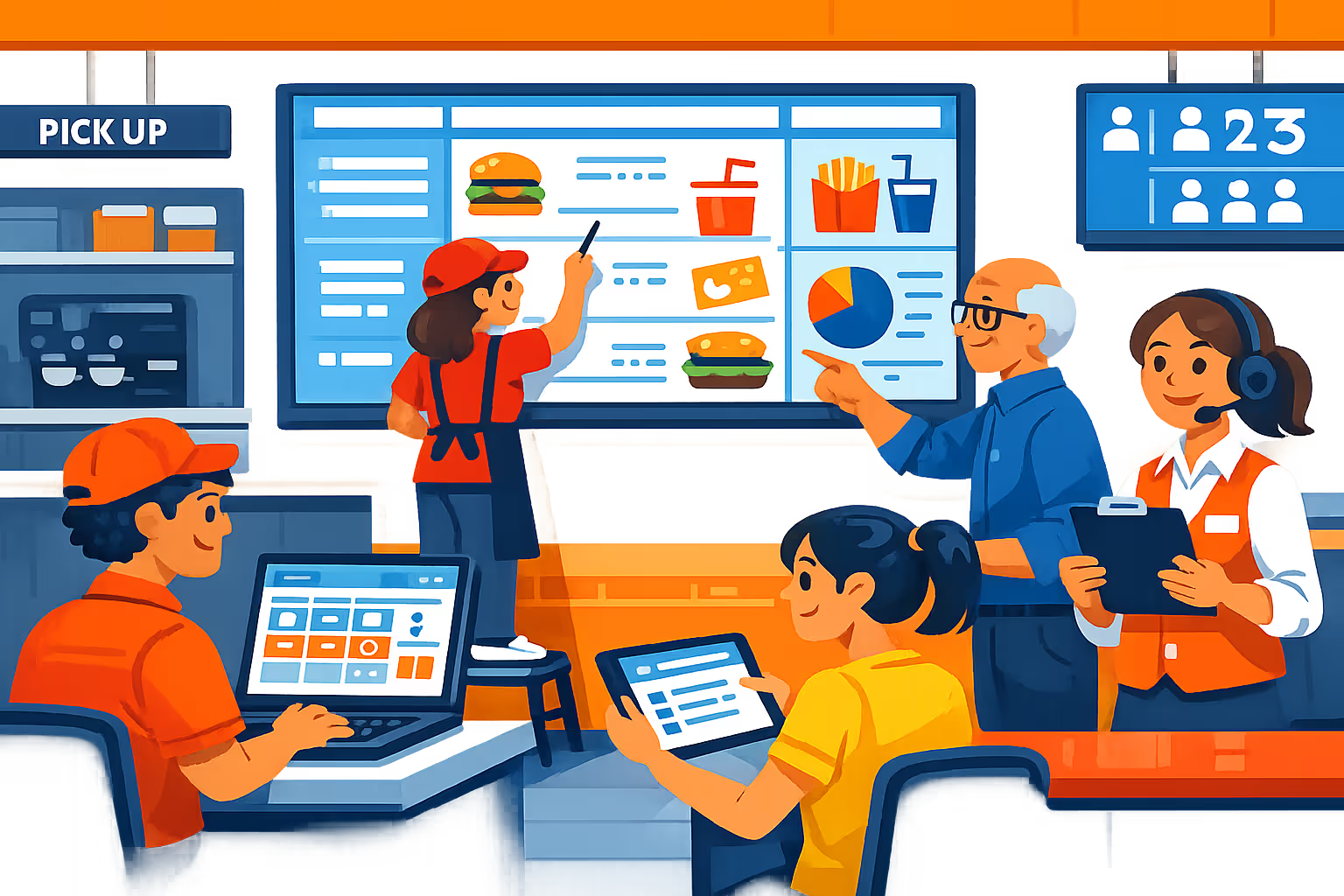
Quick service restaurant QSR digital signage built for speed, accuracy, and consistent brand execution
Power menu boards, order status screens, and in store promotions from one platform. Disign helps QSR teams update pricing in minutes, automate daypart content, and keep every location in sync with controlled access and reliable playback.
Centralized control for multi location QSR
Scale quick service restaurant QSR digital signage with precision
Publish menus and campaigns to one store or thousands using role based permissions, location targeting, and reusable playlists. Maintain brand consistency while letting local teams adjust approved content for regional pricing, inventory, and offers.
Secure access and device governance
Protect menus, player devices, and publishing rights
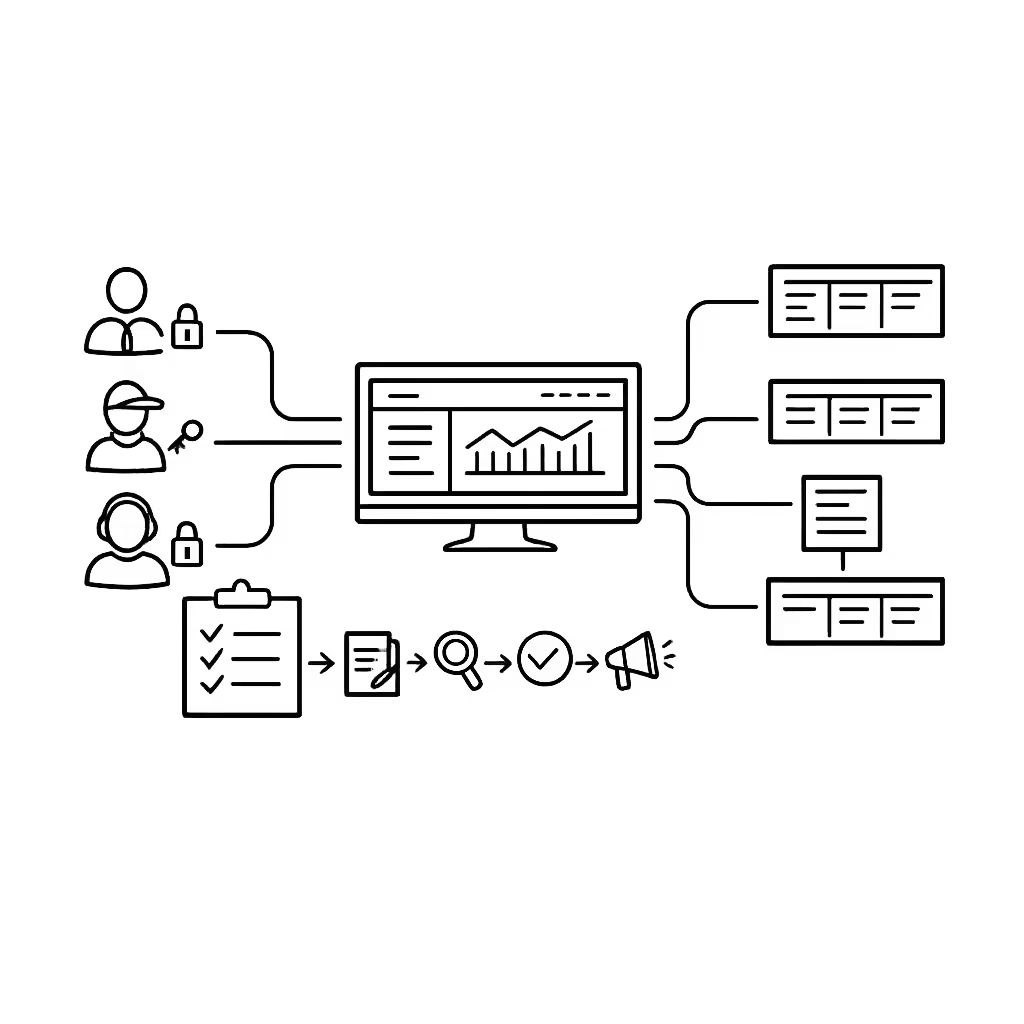
Control who can create, approve, and publish with granular roles. Support secure sign in, device pairing, and audit ready actions so your quick service restaurant QSR digital signage stays managed, traceable, and resilient.
Approval workflows for menu and promo changes
Reduce errors with structured review and publish steps
Standardize updates with draft, review, approve, then schedule. Keep version control on menu boards, price panels, and limited time offers so the right content runs in the right store at the right time.
Daypart scheduling and automated switching
Run breakfast, lunch, late night, and event menus automatically
Automate menu changes with time based schedules and recurring campaigns. Switch content for peak hours, POS driven promotions, or temporary notices so staff stay focused on service instead of screens.
Reliable playback with real time monitoring
Detect offline players and verify content delivery
Keep menu boards and customer facing displays running smoothly with device health visibility and remote diagnostics. Validate what is playing, receive alerts, and maintain consistent experiences across every QSR location.
Fast rollout and technical enablement
Support for IT, operations, and store teams
Move from pilot to full deployment with a repeatable setup. We help you standardize templates, onboard teams, and troubleshoot devices so your quick service restaurant QSR digital signage stays reliable, scalable, and easy to operate.
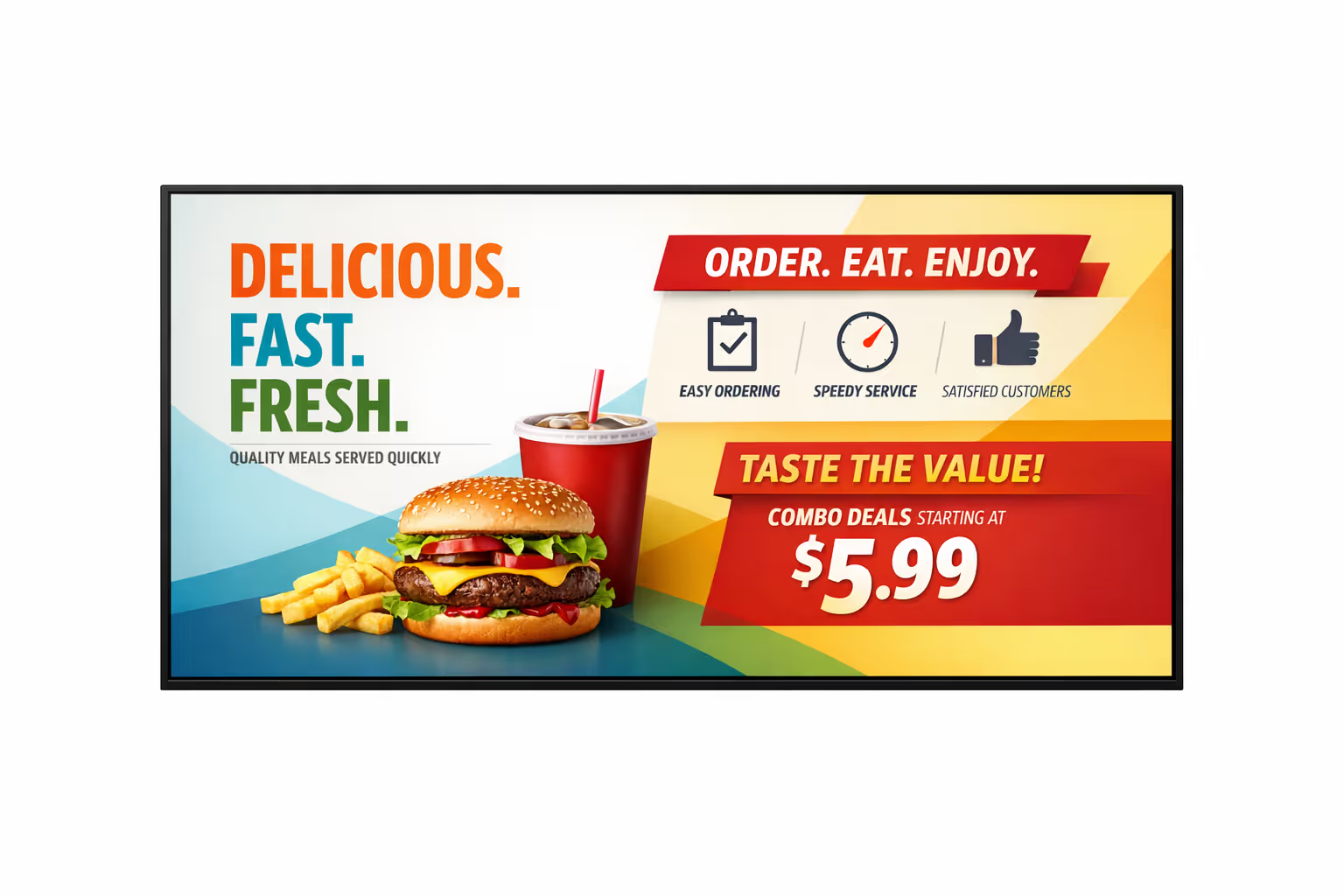
Centralized content management for quick service restaurant QSR digital signage
Run every menu board and in store screen from one secure Disign platform. Marketing can publish promotions fast, operations can keep service messages accurate, and IT stays in control with governance, permissions, and reliable playback across all locations.
One hub for every store and every screen
Central control with local store flexibility
Launch brand wide campaigns while giving each restaurant the ability to add approved local updates, like store hours, local offers, or order pickup guidance. Everything stays on brand, without slowing down teams on the ground.
Schedule menus and promotions by daypart, store, or screen
Plan breakfast, lunch, and late night content with confidence. Target specific stores, regions, or screen types so pricing, limited time offers, and operational messages stay consistent across your quick service restaurant QSR digital signage network.
Built for IT governance, access control, and compliance
Standardize how content is created and published with role based permissions, approval workflows, and consistent playback rules. Disign helps IT protect the network while keeping quick service restaurant QSR digital signage updates traceable and audit ready.
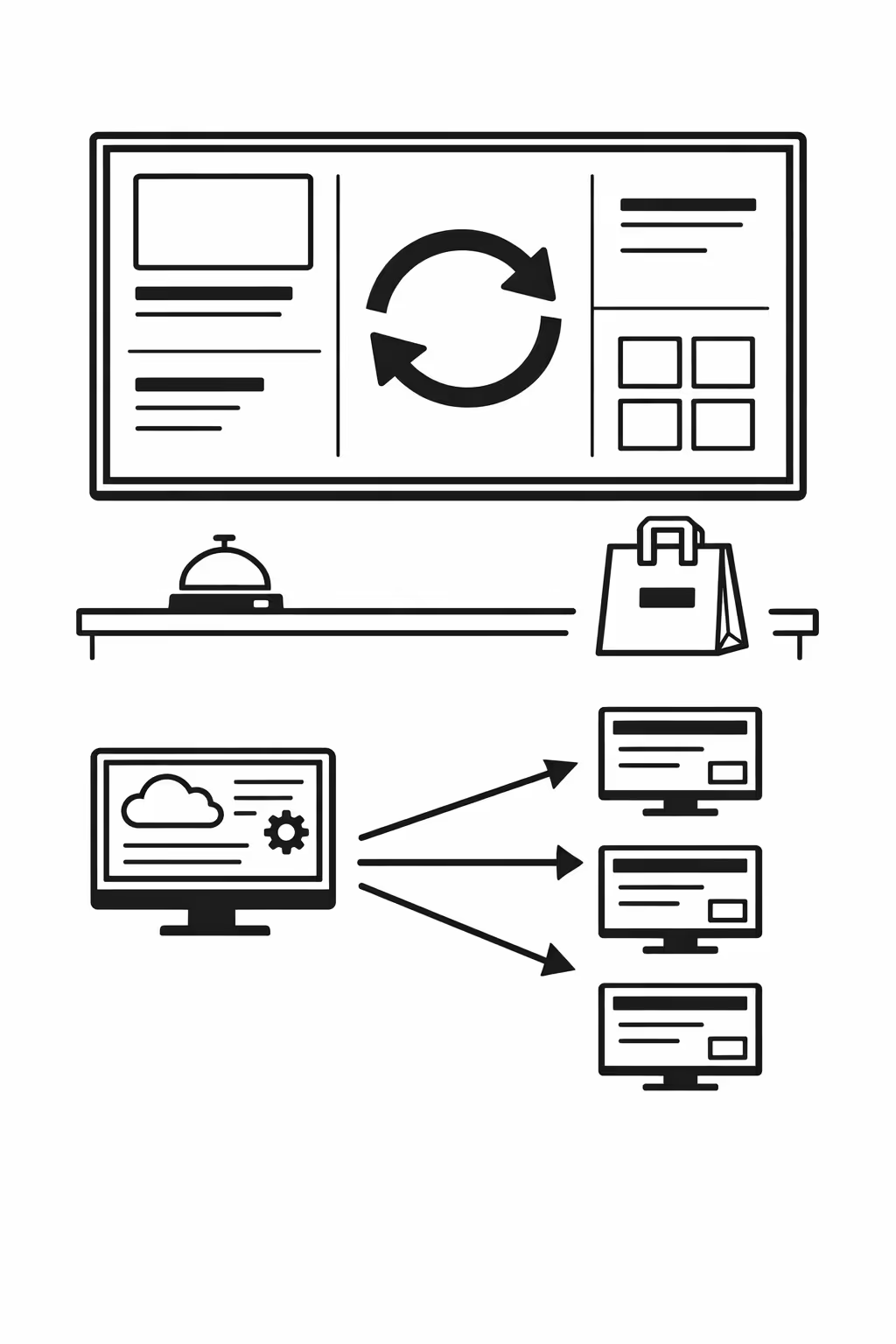
Real time updates for front of house operations
Push instant changes to menus, product availability, pickup instructions, and service alerts. Keep every screen current during rush periods, outages, or last minute promo swaps, without asking each store team to handle updates.
Scalability for growing quick service restaurant QSR networks with quick service restaurant QSR digital signage
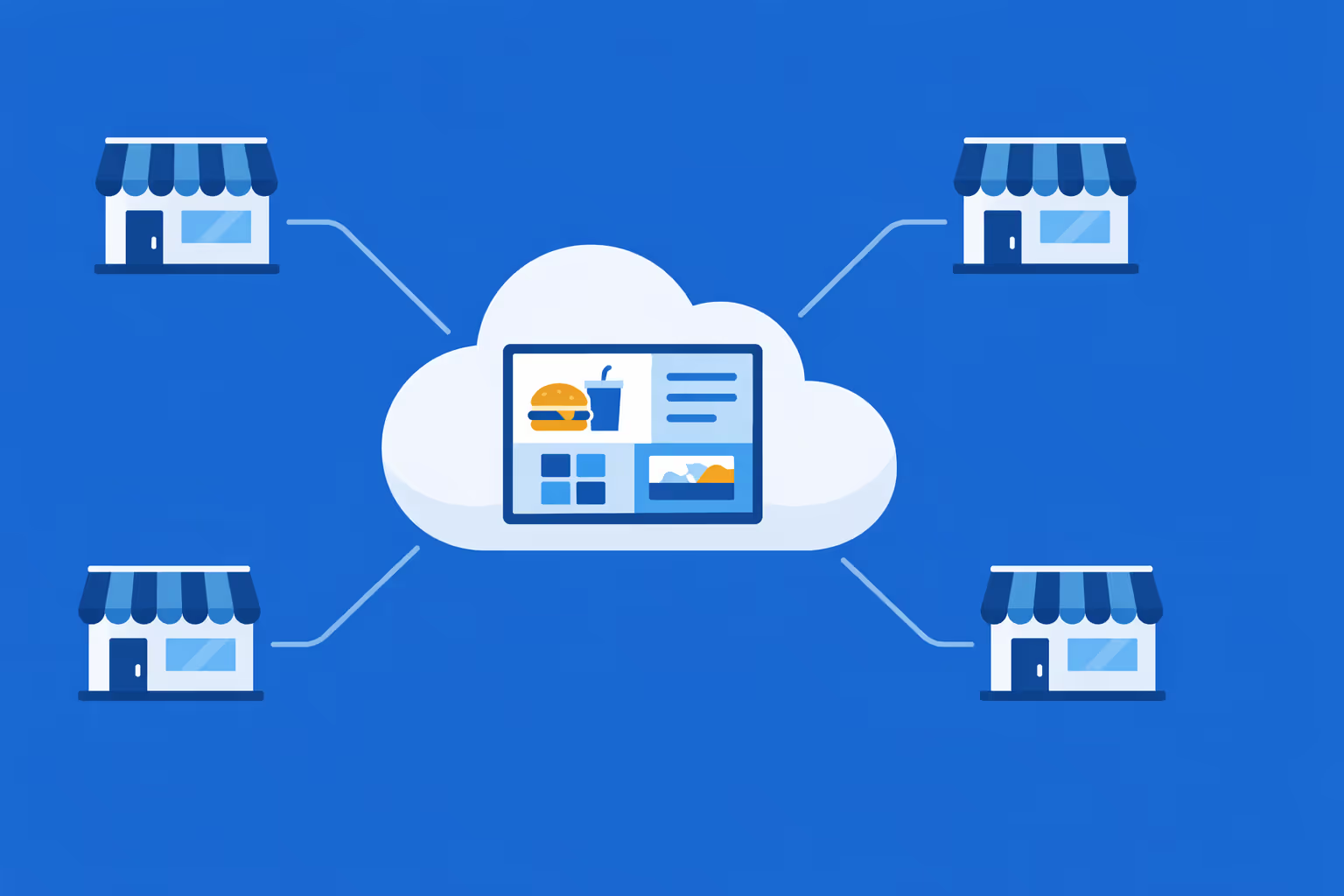
Scale quick service restaurant QSR digital signage across stores, regions, and brands from one cloud platform. Roll out updates in minutes, keep governance clear, and protect a consistent guest experience as your QSR network grows.
Multi site management from one cloud dashboard
Oversee quick service restaurant QSR digital signage across every location from a single view. Publish menu and promo updates instantly, verify what is playing, and keep brand standards consistent across your entire network.

Multi user access with role based permissions
Assign roles, permissions, and access levels by department, region, or store. Collaboration stays fast and secure, approvals are easier, and ownership is clear across your quick service restaurant QSR organization.

Multi screen and multi organization ready
Control thousands of screens and manage multiple organizations within one account. Segment quick service restaurant QSR digital signage by brand, region, store, or daypart so you can scale fast while keeping local relevance.
Disign is compatible with all screens for digital signage
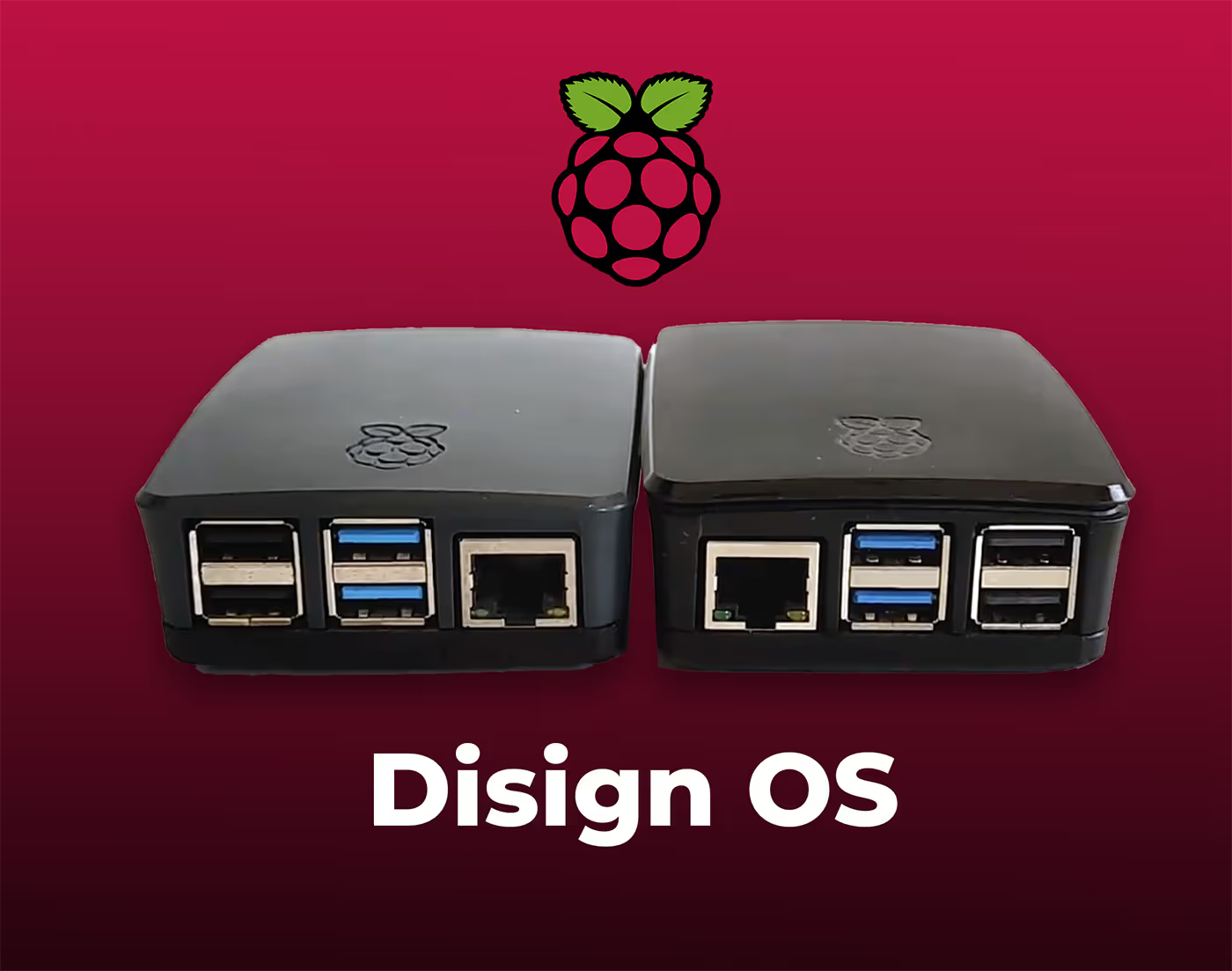
Digital signage with Disign allows you to manage and display content across a variety of devices. Our solution is compatible with many external players such as Disign OS based on Raspberry Pi, BrightSign, and any Android hardware. Disign also supports technologies embedded in Samsung, LG, and Android TV screens. With this broad compatibility, you can easily deploy digital signage solutions on different types of hardware, ensuring simplified management and an optimal user experience.


Integrate with your favorite Applications
70+ Applications and infini integration with API, Database, and any data source
Easily integrate third-party applications and web content such as YouTube or Vimeo, optimized for seamless playback. Display data from RSS feeds or formats like CSV, JSON, or XML directly on your digital signage screens. Extend display capabilities with advanced applications like grids or collections to enrich Disign scenarios.

We designed Disign to be as open and customizable as possible, both in its visual scenes and in its data sources.
Florent MondoloniCo-Founder, Disign

Video
Utilisez vos medias

RSS Feed
Use your own RSS Feed

Database
Databases

Canva
Create your Design and import it

Google Sheets
Import CSV, Live data...

Website/API
Affiche your website or use API
Everything you need to know about Disign Digital Signage For QuickServiceRestaurantQsr
Quick service restaurant qsr digital signage FAQ: practical answers for operators who need faster service and higher ticket sizes
Quick service restaurant qsr digital signage is one of the most effective ways to speed up ordering, improve accuracy, and keep your brand consistent across every location. For QSR leaders, franchise owners, operations teams, and marketing managers, screens are not just decoration. They are a sales channel, an operational tool, and a way to reduce friction at peak hours.
This FAQ is written for people running busy quick service restaurant qsr environments who are evaluating a platform like Disign. You will find straightforward answers about menu boards, drive thru, promotions, scheduling, hardware, integrations, and how to roll out screens across multiple stores without creating chaos for store teams.
What is quick service restaurant qsr digital signage?
Quick service restaurant qsr digital signage is a centrally managed system of screens that display dynamic content in QSR locations. Most commonly, it includes digital menu boards, drive thru screens, pickup area displays, and in store promotional screens. Instead of printing posters or swapping static menus, you update content from a central platform and push changes to one store or to hundreds of stores in minutes.
In a quick service restaurant qsr context, digital signage typically supports:
- menu presentation with prices, combos, and add ons
- limited time offers and seasonal items
- daypart menus like breakfast, lunch, late night
- drive thru ordering and upsell prompts
- order status screens in pickup zones
- brand storytelling, nutrition notes, and allergen reminders where appropriate
The core value is simple. You control what customers see at the exact moment they are deciding what to order.
Why do quick service restaurant qsr brands switch from printed menus to digital signage?
Printed menus are slow to update and easy to get wrong across multiple stores. A price change, a new combo, or a limited time offer can take days to execute, and errors directly impact customer trust and margins.
Quick service restaurant qsr digital signage helps because it lets you:
- update menus and prices quickly across all locations
- run consistent promotions without relying on store staff to change displays
- reduce printing and shipping costs over time
- react to inventory constraints, local regulations, or supply issues
- keep the menu clean and readable, even when items rotate frequently
For operators, the big win is operational consistency. You spend less time fixing signage problems and more time improving throughput.
Where is quick service restaurant qsr digital signage used inside a restaurant?
Most QSR deployments use a mix of customer facing and staff facing screens. The exact setup depends on your format, but common placements include:
- indoor digital menu boards behind the counter
- self order kiosk companion screens
- drive thru preview boards and ordering point screens
- drive thru confirmation screens
- upsell or suggestive selling screens near the cashier
- pickup area order status screens
- dining area brand and promotional screens
- staff only screens for shift messages, training, or targets
When mapped correctly, screens reduce decision time for customers and reduce repeated questions for staff.
Is quick service restaurant qsr digital signage only for big chains?
No. Quick service restaurant qsr digital signage is useful for single locations, small groups, and major chains. Smaller operators often see benefits quickly because they are agile and can test promotions fast. Multi location groups benefit from consistency and central control.
A practical approach for any size business is:
- start with one or two screens, usually the main menu board
- standardize templates so the menu looks professional
- add scheduling for daypart and limited time offers
- expand to drive thru and pickup screens once you have a stable workflow
Disign is designed to support both a pilot in one store and a rollout across many stores without changing your process later.
What results can quick service restaurant qsr digital signage drive?
Results depend on your menu, execution, and store traffic, but QSR teams typically target outcomes like:
- higher average order value through smart upsells and bundles
- improved order accuracy by showing clearer item names and images
- faster ordering because customers decide sooner
- fewer menu disputes because pricing is consistent and visible
- better promotional performance for limited time offers
- stronger brand perception through modern, consistent presentation
The biggest impact often comes from small, repeated improvements. One better upsell prompt, applied across every transaction, adds up fast.
How does quick service restaurant qsr digital signage help with upselling?
Upselling works best when it is timely and easy to understand. Digital signage lets you trigger and schedule messages that fit the moment, for example highlighting fries and drink upgrades during lunch, or dessert add ons after dinner.
Effective upsell tactics on QSR screens include:
- pairing: burger plus fries plus drink as a clear combo
- add ons: extra cheese, bacon, sauce, or toppings
- premium upgrades: larger size, specialty drink, or deluxe option
- limited time items placed near best sellers
- bundles that simplify the decision for families or groups
With Disign, you can design templates that make upsells look like a helpful suggestion, not a pushy ad. That matters in QSR because customers are moving quickly and do not want to feel pressured.
Can quick service restaurant qsr digital signage support dayparting like breakfast and lunch?
Yes. Daypart scheduling is one of the strongest reasons to use quick service restaurant qsr digital signage. Instead of changing menus manually, you schedule playlists that automatically switch at specific times.
Typical daypart examples:
- breakfast menu from opening to late morning
- lunch and afternoon menu
- dinner menu
- late night menu for extended hours locations
- weekend specific menus
- seasonal or event based menus, like game day bundles
This reduces staff workload and prevents the classic problem of the wrong menu being displayed at the wrong time.
How does quick service restaurant qsr digital signage help during peak hours?
Peak hours are where QSR operations either shine or break. The goal is to keep lines moving and decisions simple.
Digital signage supports peak performance by:
- making the menu easier to scan quickly with clear categories
- reducing time spent answering the same questions
- highlighting the fastest to serve items when you need throughput
- pushing order ahead messaging or pickup instructions
- showing clear pricing to reduce hesitation at the point of sale
When your menu is visually structured, customers feel more confident ordering. That confidence speeds up the line.
Does quick service restaurant qsr digital signage work for drive thru?
Yes. Drive thru is a major use case, and often the highest ROI area because most transactions happen there. Drive thru screens can show:
- preview board content before the speaker
- menu and combos at the ordering point
- upsell prompts tied to daypart
- confirmation displays so customers can verify the order
- operational messages such as lane closed or card only
Disign can help you manage drive thru content centrally so every location stays aligned, even when promotions change quickly.
What content works best on quick service restaurant qsr digital menu boards?
The best content is the content that customers can understand in seconds. A QSR menu board is not a brochure. It is a decision tool.
High performing content tends to be:
- clear item names with high quality images
- simple price presentation with consistent formatting
- strong hierarchy: best sellers, combos, sides, drinks
- limited time offers highlighted without cluttering the full menu
- clear call to action: upgrade, add a side, choose a size
Content to avoid:
- long paragraphs of text
- too many items on one screen with tiny fonts
- frequent animations that distract rather than guide
Disign templates help keep your menus structured so they stay readable even when the menu changes.
How often should quick service restaurant qsr digital signage be updated?
Update cadence depends on your business rhythm, but QSR teams usually follow a mix of planned and reactive updates:
- daily or weekly scheduling for daypart menus
- weekly updates for promotional rotations
- monthly refresh for creative variations to prevent banner blindness
- immediate updates for stock issues, price changes, or urgent messages
The best practice is to keep your core menu stable and use digital signage to rotate the parts that drive growth: limited time offers, bundles, and upsells.
Can quick service restaurant qsr digital signage be localized per store?
Yes, and localization is often essential. Some stores have different pricing, different product availability, different languages, or different promotions based on region.
Common localization options include:
- location based pricing or tax notes
- store specific promotions or community partnerships
- language variations for local audiences
- regional limited time offers
- different menus for airport, campus, or highway locations
With Disign, you can manage a brand standard menu template while allowing controlled local variations, so you stay consistent without being rigid.
How do franchisees and corporate teams share control without creating conflicts?
A good governance model prevents messy menu changes and protects brand consistency.
Many QSR brands use a structure like:
- corporate marketing owns templates, brand rules, and national campaigns
- operations approves operational messaging like hours and service flow
- franchisees can request local promotions within approved formats
- only a limited set of roles can publish changes to menu pricing
Disign supports role based permissions and store grouping, so you can give people access to what they need while keeping control over what matters most.
What hardware is needed for quick service restaurant qsr digital signage?
A typical setup includes:
- commercial grade displays for indoor menu boards
- weather rated displays or enclosures for drive thru environments when needed
- media players compatible with your screens
- reliable network connectivity
- mounts, cabling, and power planning
Commercial grade screens are strongly recommended in QSR because of long operating hours, brightness requirements, and heat. If you are starting small, you can pilot with existing displays, but plan to standardize hardware for reliability as you scale.
Do I need special screens for bright kitchens or sunny storefronts?
You may. In high brightness environments, standard consumer TVs can look washed out or fail sooner. For quick service restaurant qsr digital signage, consider:
- high brightness displays for areas with strong daylight
- anti glare and wider viewing angles
- commercial grade panels rated for long daily use
- appropriate cooling and ventilation for enclosed installs
A good partner will help you match screen specs to each zone, like counter, dining, and drive thru.
Can quick service restaurant qsr digital signage integrate with POS data?
It depends on your POS and integration approach, but many QSR teams connect digital signage to data sources in some form. The goal is to reduce manual work and respond to real conditions.
Common integration driven scenarios:
- automatically hiding items that are out of stock
- showing different promos when a product is overstocked
- updating prices centrally in a controlled way
- showing order numbers on pickup screens
- displaying performance metrics on back of house screens
Even without deep POS integration, Disign can still deliver strong value through scheduling, centralized updates, and consistent menu execution.
How do order status screens improve pickup experience?
Pickup is a sensitive moment. Customers are watching, waiting, and judging speed. Order status screens help because they:
- show clear order numbers or names in a visible place
- reduce repeated questions like is my order ready
- make the pickup process feel organized
- free staff to focus on preparation and handoff
For busy locations, this can reduce crowding around the counter and keep the dining room flow calmer.
Is quick service restaurant qsr digital signage reliable enough for daily operations?
Yes, when you use the right hardware and a platform built for scale. Reliability depends on:
- stable network connectivity
- commercial grade screens and media players
- monitoring and alerts when a screen goes offline
- a content publishing process that avoids last minute mistakes
Disign is designed for centralized management, making it easier to keep screens playing the right content across all locations.
What happens if the internet goes down in a restaurant?
A good quick service restaurant qsr digital signage setup should keep displaying the last published content if connectivity drops. That way, your menu does not disappear during a local outage.
Operational best practices include:
- ensuring players cache content locally
- using stable wired connections where possible
- monitoring connectivity and uptime
- having a basic fallback playlist for critical menu and pricing content
Ask your vendor about offline playback behavior, because QSR operations cannot pause just because the network is unstable.
How can quick service restaurant qsr digital signage help with compliance and allergen information?
Depending on your region and your menu, compliance can include pricing accuracy, calorie labeling, allergen disclaimers, or promotional terms. Digital signage helps by making it easier to keep information current and consistent.
Best practices include:
- using templates that reserve space for required disclaimers
- keeping legal text readable with adequate contrast and font size
- ensuring promotional dates are scheduled correctly
- maintaining a clear content approval workflow for regulated items
Disign can support structured workflows so updates are reviewed before they go live, reducing risk and last minute confusion.
How do I keep menus consistent across hundreds of stores?
Consistency comes from three things: templates, governance, and monitoring.
A scalable quick service restaurant qsr digital signage approach includes:
- standard menu templates that control layout and typography
- centralized asset libraries for approved photos and brand elements
- store grouping so you can publish to regions or formats in bulk
- scheduling rules for daypart and limited time offers
- monitoring dashboards that show which screens are online and what they are playing
Disign is built to manage multi location networks, so you do not need store staff to become signage experts.
What should I look for in a quick service restaurant qsr digital signage platform?
Focus on the operational reality of QSR: speed, accuracy, and control. Evaluate:
- ease of updating menus and prices
- daypart scheduling and automated playlist switching
- role based permissions for franchise and corporate structures
- template system for consistent menu design
- scalability for multi location deployments
- monitoring and proof of playback capabilities
- security features and user management
- support for different screen layouts, including multi screen menu walls
Disign is designed to balance ease of use for marketing with the control operations teams need.
How can digital signage reduce staff workload?
In QSR, every repeated question costs time. Screens can answer common questions before they hit the counter.
Digital signage reduces workload by:
- showing clear menus and pricing, reducing back and forth
- promoting combos so staff do not have to explain options repeatedly
- displaying pickup instructions and order status
- showing store hours, payment options, and policies
- supporting training reminders in staff areas
When the screen does the explaining, the team can focus on serving and speed.
How do I measure ROI for quick service restaurant qsr digital signage?
ROI in QSR usually comes from both revenue lift and cost reduction.
Common measurable drivers include:
- average order value increases from upsell and bundling
- improved promo performance for limited time offers
- fewer menu errors and fewer customer disputes
- reduced printing and distribution costs
- faster throughput at peak times, which protects revenue
- improved customer satisfaction and repeat visits
Also measure operational execution, such as how fast you can deploy a new promotion to all stores and how often screens are offline. Those indicators predict long term performance.
How quickly can we roll out quick service restaurant qsr digital signage?
Rollout speed depends on hardware readiness and installation capacity, but many QSR teams follow a simple staged plan:
- pilot in a few representative stores
- finalize templates, daypart schedules, and workflows
- install hardware in waves based on regions
- train a small set of content owners, not every store team
- set up monitoring so issues are caught early
Disign supports centralized rollouts so your team can scale without constantly firefighting.
What makes Disign a good fit for quick service restaurant qsr digital signage?
Disign is built for teams that need fast updates, consistent branding, and control across multiple locations. For quick service restaurant qsr digital signage, Disign helps you:
- manage menus and promotions centrally across many stores
- schedule daypart menus and limited time offers with confidence
- keep brand consistency through reusable templates
- control who can create, approve, and publish content
- reduce operational friction by making updates fast and repeatable
If your goal is to run cleaner menus, execute promotions reliably, and improve the guest experience from entry to pickup to drive thru, Disign provides a practical platform to do it.
What are the next steps to start a quick service restaurant qsr digital signage project?
Start with clarity and a pilot that mirrors real life operations:
- define your main goal: upsell lift, faster ordering, consistent promos, or better pickup flow
- list the screens you need first: indoor menu board, drive thru, pickup
- build a template set that matches your menu structure and brand
- define roles and approvals so changes are controlled
- run a pilot with real promotions and daypart schedules, then scale
Once the foundation is in place, quick service restaurant qsr digital signage becomes a reliable system that supports growth every day, not a one time design project.





Join community of 4k+ people
Quick service restaurant (QSR) digital signage that drives faster orders and clearer menus
Disign helps you run quick service restaurant QSR digital signage across every screen from one dashboard. Update digital menu boards, promos, combos, allergens, pickup instructions, and store announcements in seconds, so teams stay aligned and guests move through the line faster.
Ready to test Disign in your restaurant. Start with a 28 day free trial, no credit card required. Contact us if you want help choosing screens and getting your first QSR playlists live quickly.