Education digital signage for schools, colleges, and universities
Education digital signage that keeps every campus informed and on time
Turn screens into clear, consistent campus communication with Disign education digital signage. Share announcements, emergency alerts, schedules, wayfinding, and event promotions in minutes, across every building, with real-time control and the right message on the right screen.
Challenges in the education industry: when campus communication breaks down
In schools, colleges, and universities, people need clear guidance the moment they arrive. When updates are scattered across emails, posters, and word of mouth, confusion grows fast. That leads to repeated questions, longer lines, and a stressful experience for students, staff, and visitors.
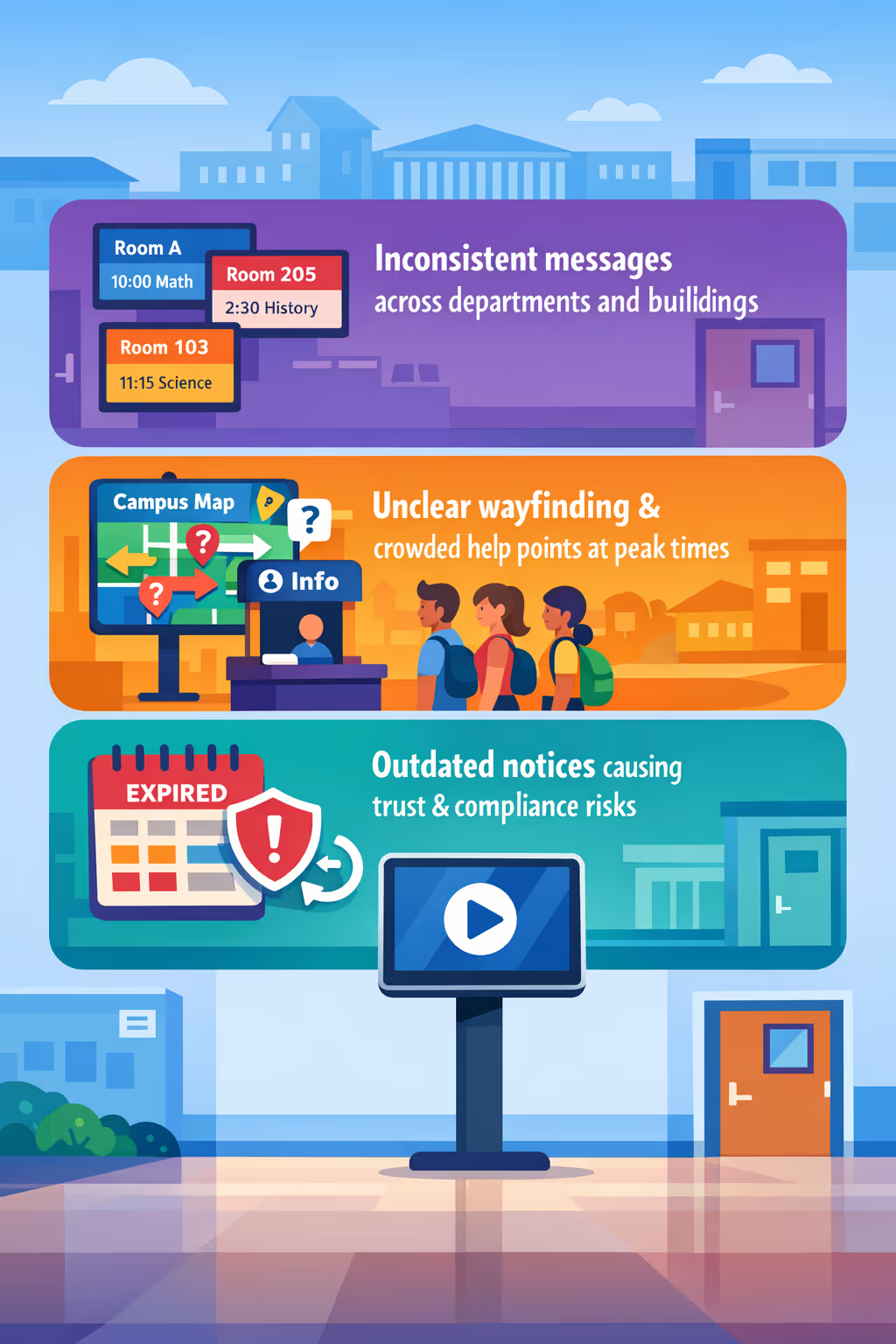
Timetables, room changes, event details, and administrative instructions change throughout the day. When offices, teachers, and reception share different versions, students miss information and staff spend time correcting the same misunderstanding.
New students and visitors need to know where to go, what documents to bring, and what happens next. Without visible directions and real time updates, front desks and staff get pulled into constant questions instead of supporting learning and student services.
Education communication must stay accurate for safety procedures, policy changes, exams, and accessibility information. When posters and local screens are not updated everywhere at the same time, people follow the wrong instructions, creating avoidable incidents and complaints.
Education digital signage that keeps campuses informed and connected
Share the right message at the right moment across every screen in your school, college, or university. Disign helps education teams update announcements instantly, improve wayfinding, increase event attendance, and reduce printing costs with measurable ROI.

Publish urgent alerts and campus updates in seconds
Keep students, staff, and visitors informed with instant updates for closures, schedule changes, safety messages, and daily announcements. Education digital signage reduces confusion and improves responsiveness across the whole campus.
Improve wayfinding and reduce front desk pressure
Guide visitors to classrooms, offices, libraries, and events with clear directions and building information. Better wayfinding means fewer repeated questions, smoother arrivals, and more time back for your administrative teams.
Show ROI by cutting print costs and speeding up communication
Replace posters, flyers, and last-minute reprints with one centralized workflow. Disign helps you lower recurring printing spend, reduce staff time spent updating noticeboards, and improve message reach across multiple buildings.
Keep messaging consistent with templates and approvals
Standardize your brand and tone across departments, campuses, and faculties with reusable templates. Add simple review steps so the right people approve content before it goes live, without slowing down urgent updates.
Reduce operational workload for busy education teams
Manage screens across classrooms, hallways, cafeterias, and residence areas from one place. Save time on manual updates, keep content fresh, and free staff to focus on students and services instead of wall displays.
Deliver inclusive content across languages and audiences
Share multilingual messages for diverse communities and tailor content for students, parents, staff, or visitors. Keep education digital signage relevant by location, building, or time of day while staying aligned with your communication strategy.
Education digital signage use cases for campuses, schools, and districts
From front offices to hallways and student services, education digital signage helps schools share timely information, reduce repeated questions, and build trust with clear, consistent communication that staff and families can rely on.
- Entrances and reception areas: welcome visitors, show directions, publish office hours, and reinforce visitor policies
- Hallways and common spaces: share announcements, event reminders, safety messages, and celebrate student achievements
- Cafeterias and lunch lines: display menus, allergen notes, nutrition info, and real time schedule updates
- Staff rooms and admin offices: align teams with district updates, emergency procedures, internal KPIs, and training reminders

How Disign digital signage works
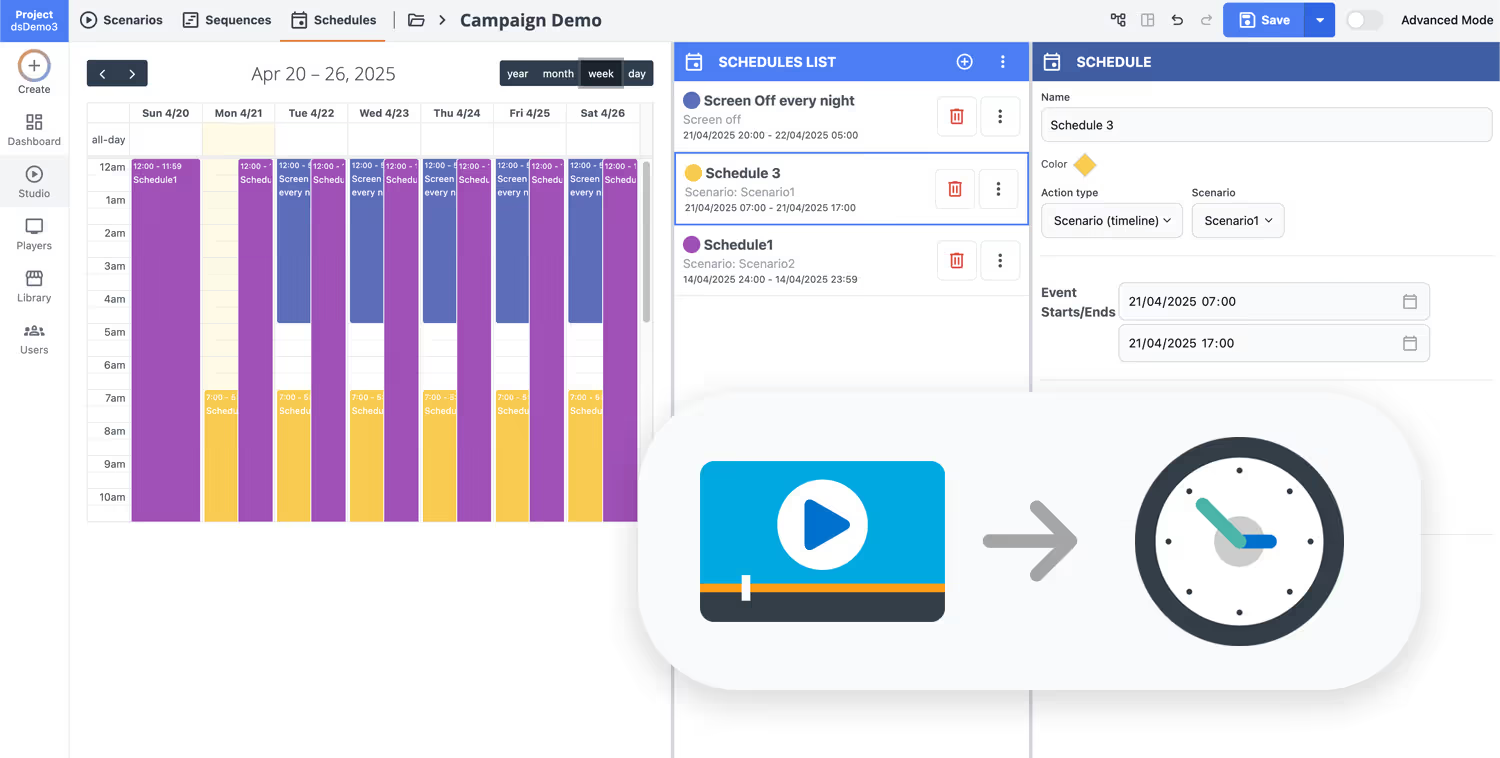
Schedule your content from anywhere with our cloud-based digital signage solution. Easily plan what plays, when, and where—across one screen or thousands.
Design custom scenarios and playlists tailored to your audience and goals.
Set precise dates and times for your content to play automatically.
Deploy content instantly across your digital signage network with just a click.
Ready to launch education digital signage in your school or campus?
Start a 28 day free trial with Disign, no credit card required. Create and schedule announcements, emergency alerts, events, wayfinding, menus, and classroom updates in minutes, then publish to any screen across your district with full control.
Education digital signage that improves campus communication on every screen
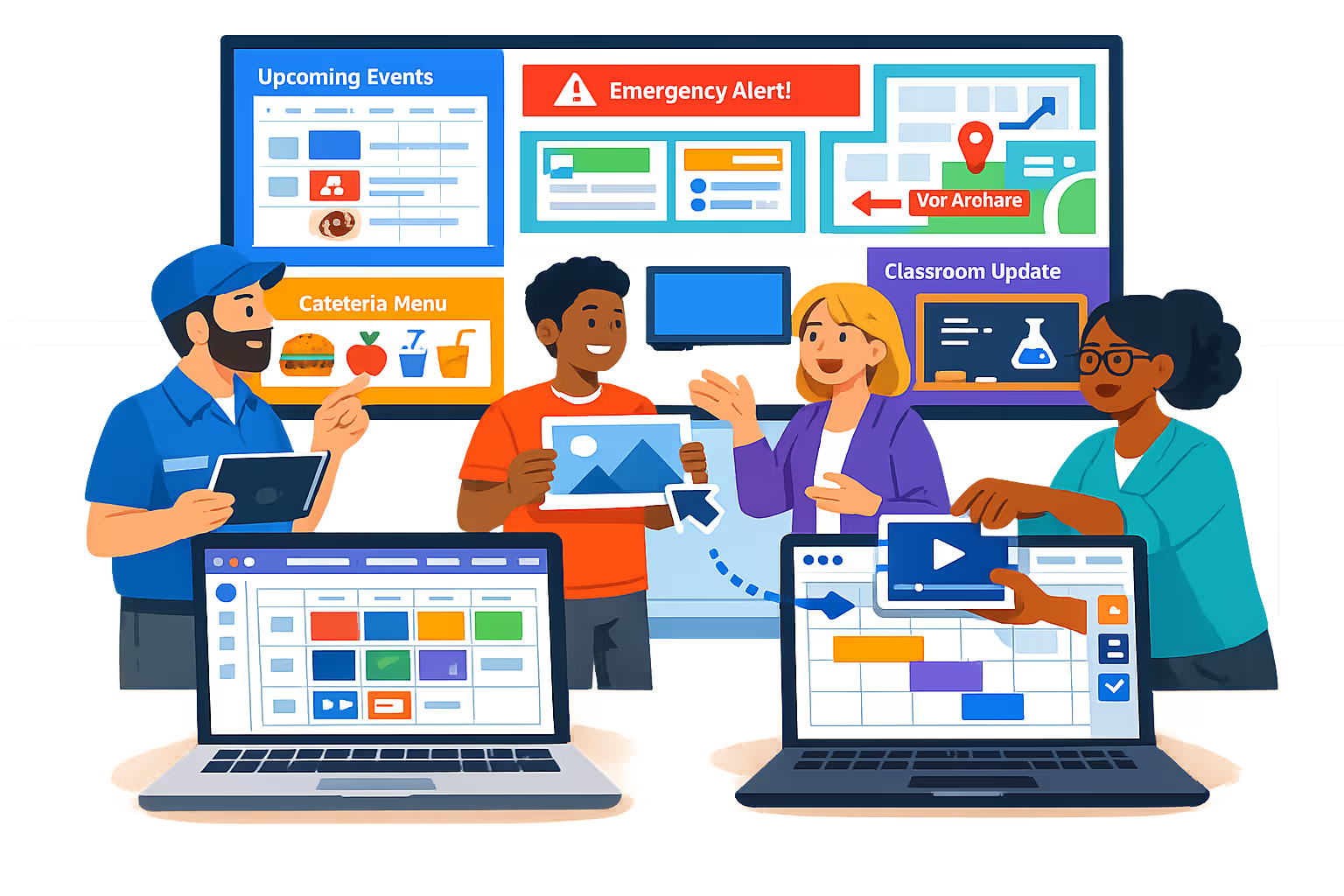
Keep students, staff, and visitors informed in real time with Disign. Publish announcements, timetables, emergency instructions, and wayfinding content from one dashboard with controlled access, audit history, and reliable playback across classrooms, hallways, cafeterias, libraries, and campuses.
Centralized multi-campus management
Control education digital signage from one console
Organize screens by school, building, floor, or room and publish to one display or thousands. Use location targeting and reusable playlists to keep district wide messaging consistent while enabling approved local updates for each campus.
Role based access and security
Keep content and devices protected
Define exactly who can create, approve, and publish content with granular permissions. Secure device pairing, controlled sign in, and audit logs help IT teams reduce risk and keep school communications trustworthy and traceable.
Approval workflows for accurate messaging
Draft, review, and publish with confidence
Standardize communications with clear stages and accountability. Route content through review before it reaches student facing screens, keep version history for policy notices, and reduce mistakes during busy school days.
Smart scheduling and automation
Time based playlists for every school moment
Automate education digital signage with schedules and recurring campaigns. Show bell schedules in the morning, cafeteria menus at lunch, event promos after class, and urgent notices immediately, without manual updates.
Device monitoring and reliable playback
Visibility into uptime, status, and delivery
Monitor screen health, detect offline players, and confirm that content is actually playing. Remote diagnostics help IT respond faster and keep critical campus information available across every building.
Deployment and technical support
Designed for education IT and campus teams
Roll out faster with practical support from planning to daily operations. We help you standardize templates, onboard users by role, and troubleshoot devices so your education digital signage stays dependable and easy to manage at scale.


Security and Emergency Communication with Digital Signage for Education
Ensure the safety of your institution with Disign. Its webhook system allows you to instantly display alerts, safety instructions, and vital information on all your screens. In case of emergency, broadcast real-time messages to guide students and staff to safety. With Disign, emergency communication becomes fast, reliable, and effective.
Get startedCustomize content
Engage students with highly targeted content
Improved student engagement
Attract students' attention with dynamic and appealing visual content. Engaging communication promotes increased interaction and strengthens the sense of community belonging.
Support for educational projects
Use screens to promote educational projects, student achievements, and pedagogical successes. Digital Signage can serve as a platform to recognize and celebrate accomplishments.
Modernization of orientation processes
Facilitate the orientation of new students by providing clear information about campuses, classrooms, and resources. Simplify navigation to enhance the arrival experience.

Centralized content management for education digital signage
Run your education digital signage from one secure platform. Create, review, schedule, and publish content across every campus, building, and screen, with the governance IT requires and the speed marketing and operations rely on.
One trusted hub for every campus screen
District control with campus flexibility
Maintain consistent district wide communication while empowering campuses and departments to publish local updates such as event reminders, room changes, and student services, within approved templates and rules.
District initiatives, campus events, and daily communications
Schedule content by campus, building, or screen type. Keep admissions messaging consistent, deadlines accurate, and key announcements aligned across your education digital signage network.
Built for IT governance and student data protection
Manage access centrally with role based permissions, approval workflows, and standardized playback policies. Every update follows your IT standards and supports audit ready accountability across education digital signage.
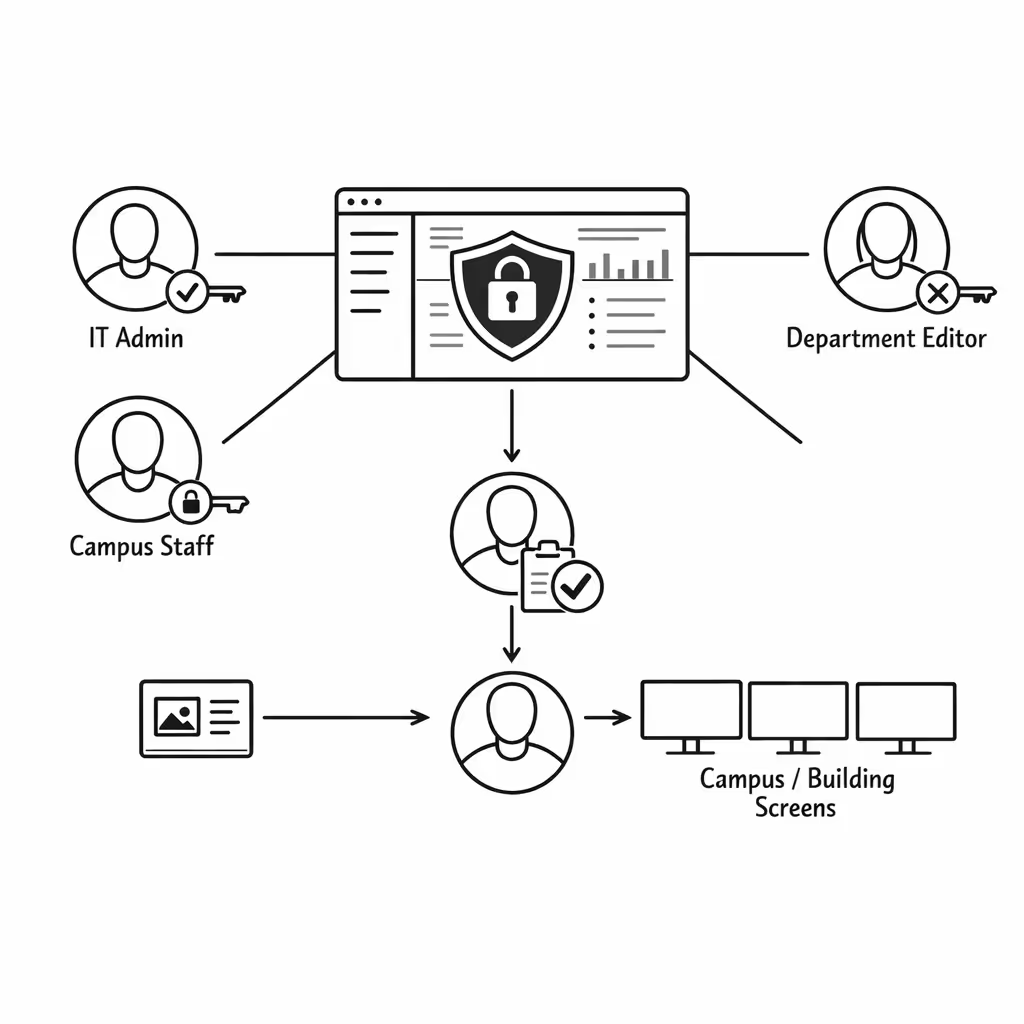
Real time updates for operations and campus services
Publish urgent alerts, timetable changes, facility notices, and service announcements instantly. Keep every display accurate during busy periods or disruptions, without updating each building one by one.
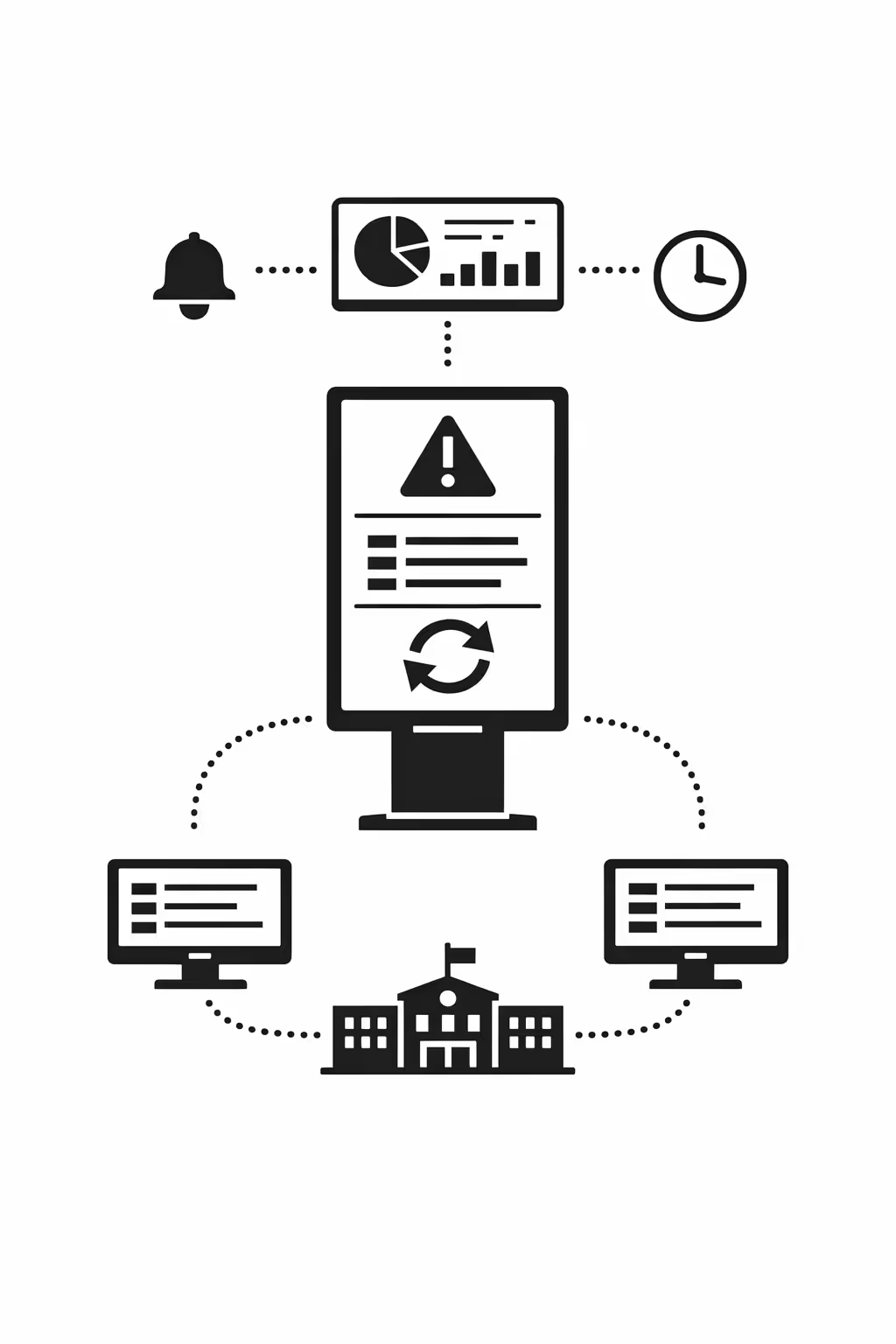
Scalability for growing education networks with education digital signage
Scale education digital signage across campuses, districts, and partner sites from one cloud platform. Roll out announcements, schedules, and safety messages in minutes, keep governance strong, and protect a consistent student and staff experience as your network grows.
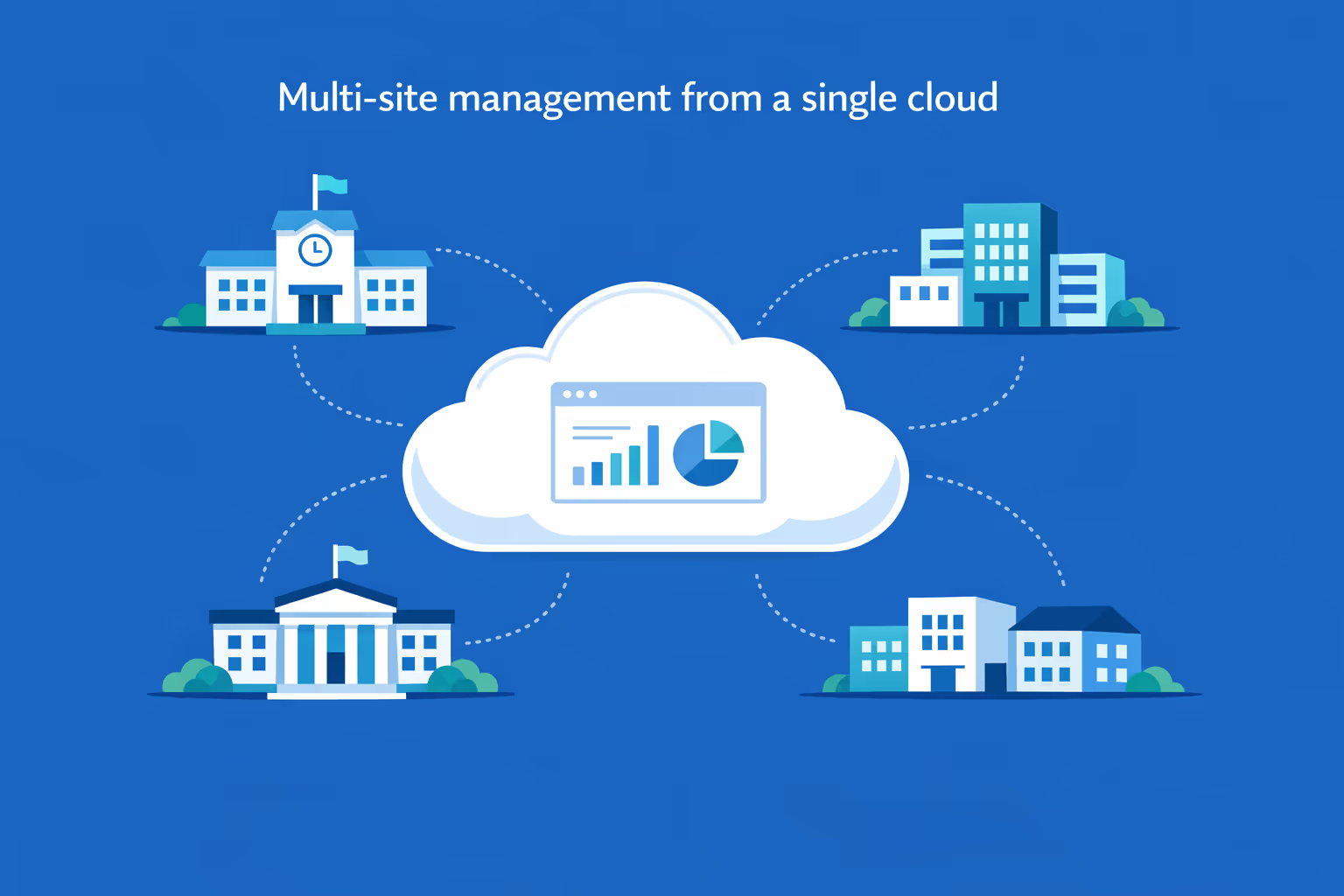
Multi-site management from one cloud dashboard
Oversee education digital signage across every school and building in one place. Publish content instantly, verify what is playing on each screen, and maintain consistent messaging across your entire education network.
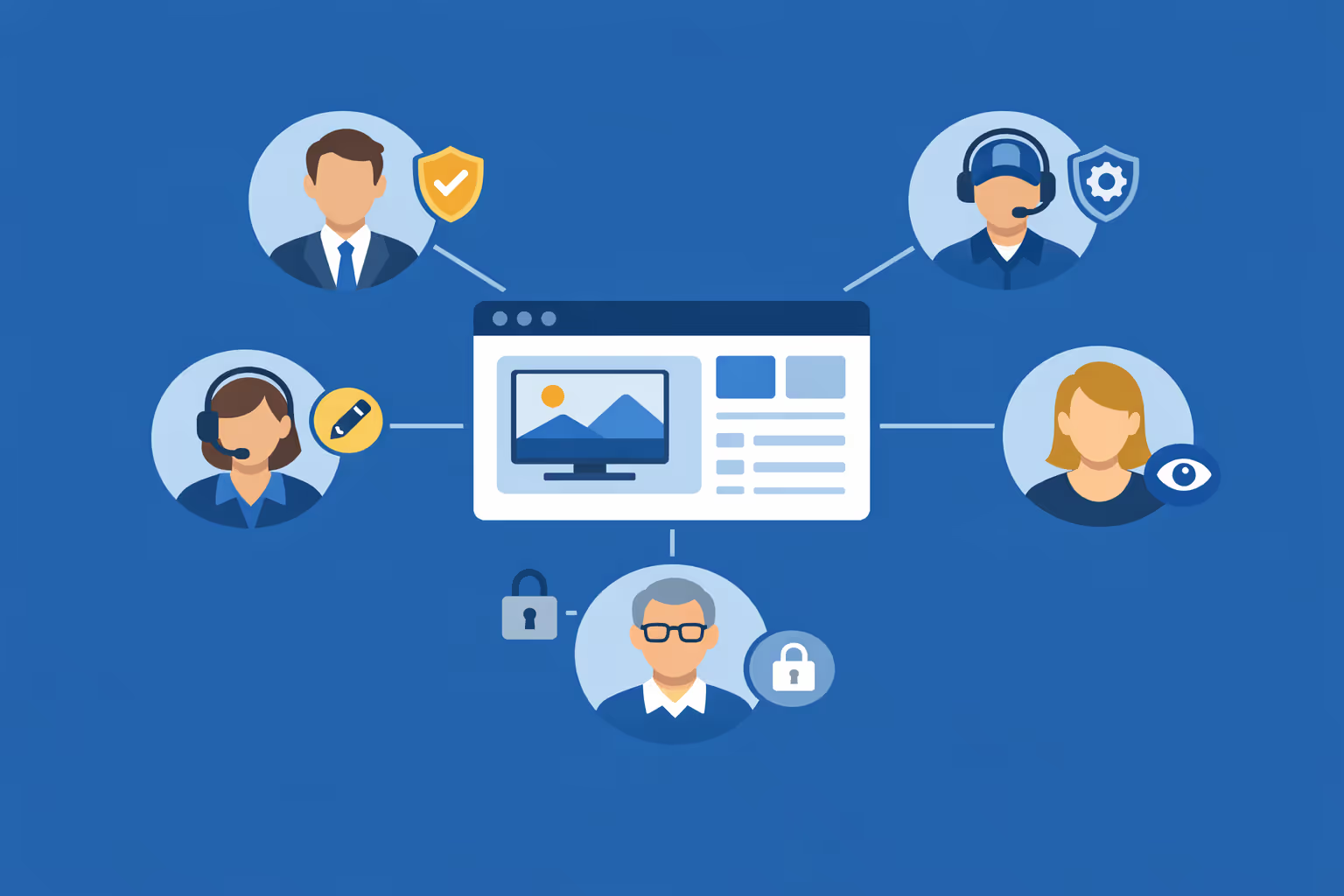
Multi-user access with role-based permissions
Assign roles and permissions to principals, communications teams, IT, and district admins. Keep collaboration organized and secure, support approvals, and ensure the right people can update the right screens across your education network.
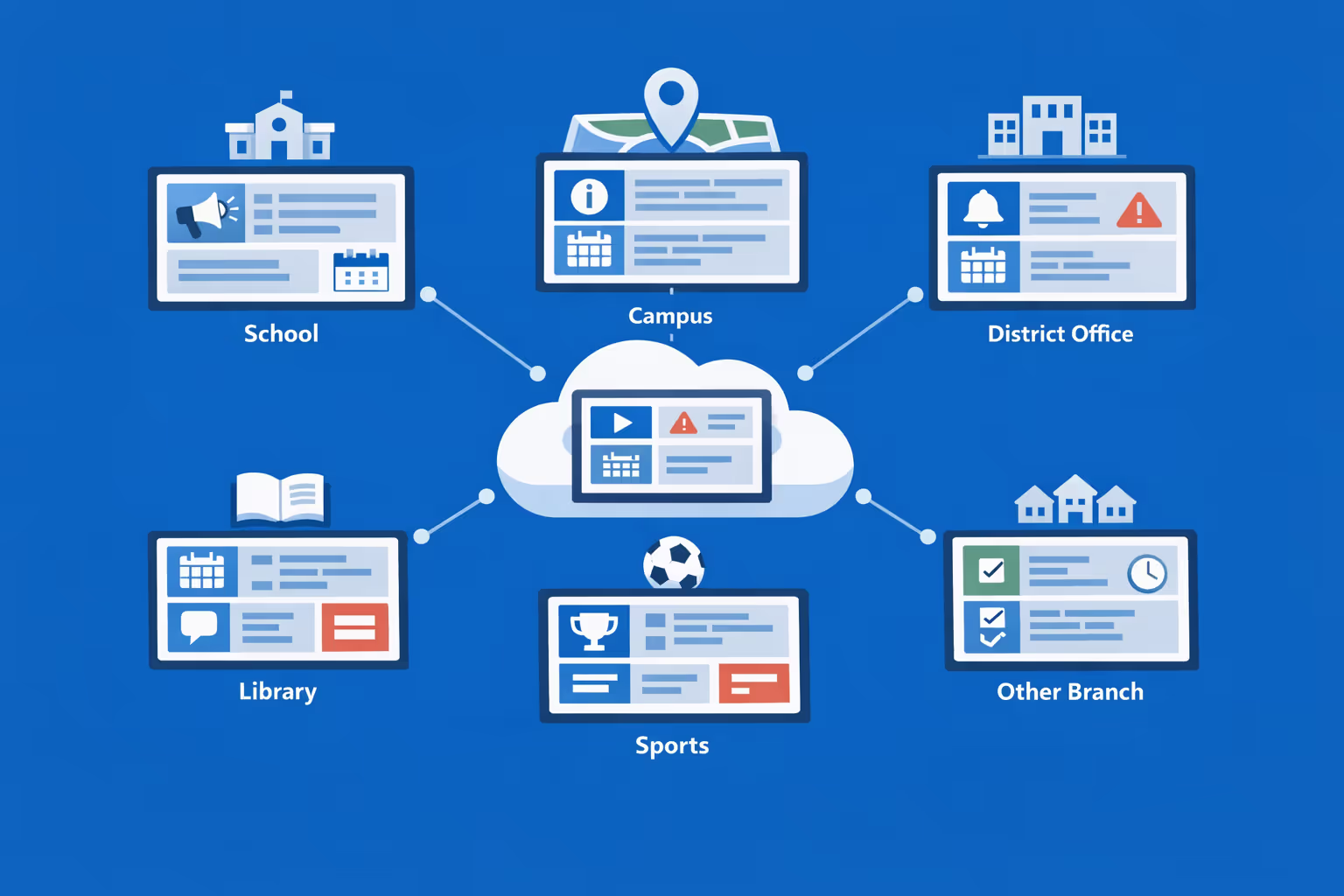
Multi-screen and multi-organization ready
Manage thousands of screens and multiple organizations from one account. Segment education digital signage by district, campus, building, or program so you can scale fast while keeping local content relevant.
Disign is compatible with all screens for digital signage
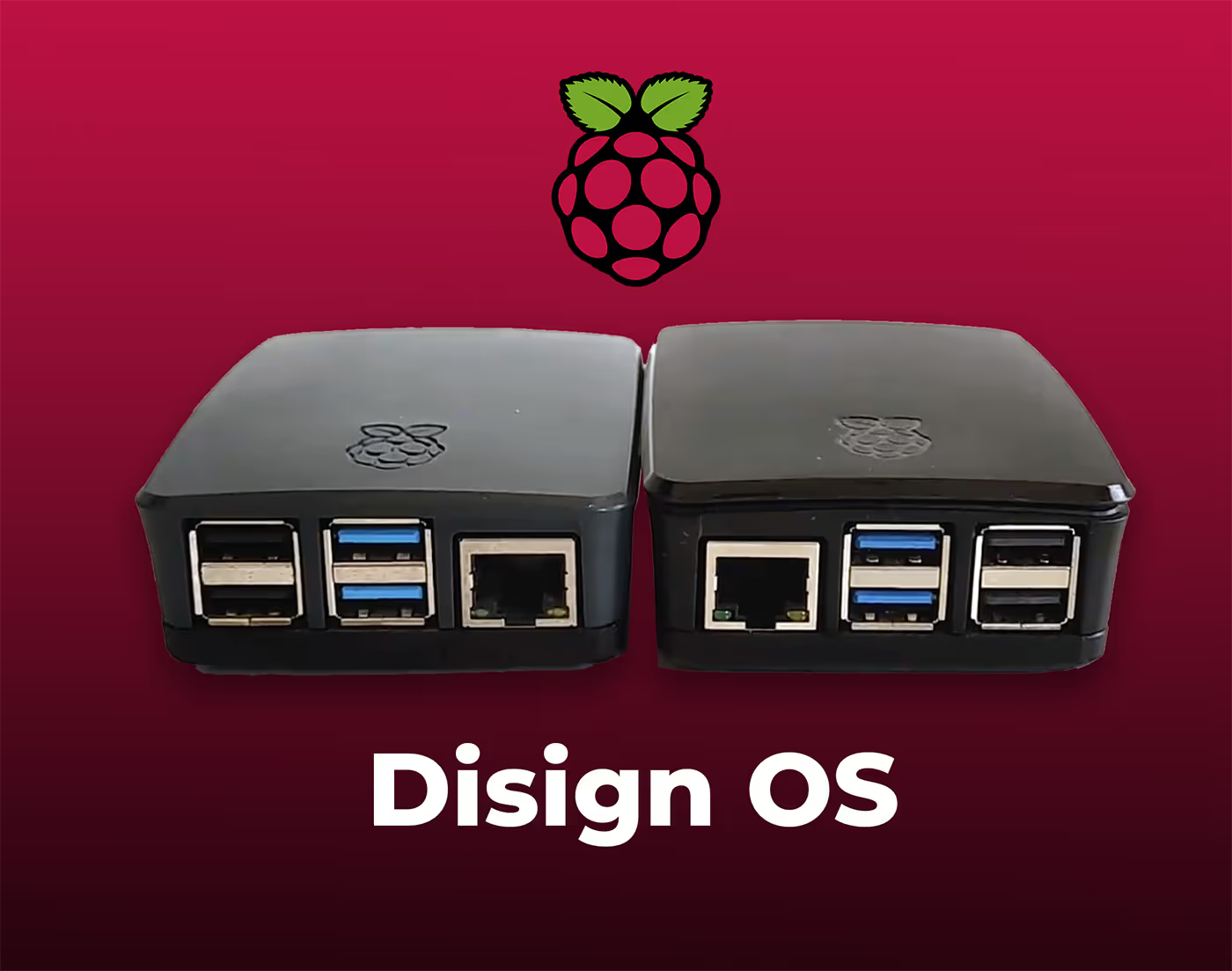
Digital signage with Disign allows you to manage and display content across a variety of devices. Our solution is compatible with many external players such as Disign OS based on Raspberry Pi, BrightSign, and any Android hardware. Disign also supports technologies embedded in Samsung, LG, and Android TV screens. With this broad compatibility, you can easily deploy digital signage solutions on different types of hardware, ensuring simplified management and an optimal user experience.


Integrate with your favorite Applications
70+ Applications and infini integration with API, Database, and any data source
Easily integrate third-party applications and web content such as YouTube or Vimeo, optimized for seamless playback. Display data from RSS feeds or formats like CSV, JSON, or XML directly on your digital signage screens. Extend display capabilities with advanced applications like grids or collections to enrich Disign scenarios.

We designed Disign to be as open and customizable as possible, both in its visual scenes and in its data sources.
Florent MondoloniCo-Founder, Disign

Video
Utilisez vos medias

RSS Feed
Use your own RSS Feed

Database
Databases

Canva
Create your Design and import it

Google Sheets
Import CSV, Live data...

Website/API
Affiche your website or use API
Everything you need to know about Disign Digital Signage For Education
Why adopt a digital signage solution for education?
Digital signage is much more than just an information display tool. It allows educational institutions to:
- Facilitate internal communication: administrative information, schedules, event reminders.
- Improve student engagement: broadcasting interactive educational content, motivational announcements, recognizing student achievements.
- Optimize space management: guiding visitors, displaying available rooms, managing student flows.
- Enhance security: real-time emergency communication, weather alerts, or evacuation instructions.
With a SaaS platform like Disign, screen management becomes simple, centralized, and accessible from anywhere.
Key use cases of digital signage in education
Broadcasting administrative and educational information
Digital signage screens allow real-time communication to inform students and staff about:
- schedule changes
- staff meetings
- school events (open days, conferences, competitions)
- important announcements (exam dates, registrations).
With a solution like Disign, updates are made instantly from an intuitive dashboard, without the need for printing or manual distribution.
Student communication and engagement
Digital signage is an excellent way to encourage student participation. Schools can display:
- congratulatory messages for deserving students,
- announcements about clubs and associations,
- reminders about social and cultural events,
- inspiring or educational videos.
The interactivity of screens also allows for the integration of polls or quizzes to make learning more fun.
Directional and dynamic signage
University campuses and large schools can be difficult to navigate. Thanks to digital signage, it is possible to:
- guide new students and visitors with interactive maps,
- display available rooms in real-time,
- indicate the location of administrative offices and student services.
This reduces confusion and improves the experience for students and parents.
Security and emergency communication
In case of an incident, responsiveness is essential. Digital signage allows you to immediately broadcast:
- security alerts,
- evacuation instructions,
- weather notifications.
Screens then become a key tool in ensuring the safety of students and staff.
How to choose the best digital signage solution for education in an educational institution?
1. Choose an easy-to-manage SaaS platform
A good digital signage software for education must be:
- easy to use, even for non-technical staff,
- accessible remotely, to update content from anywhere,
- compatible with different types of screens, for maximum flexibility.
2. Prioritize a secure solution
Educational institutions manage sensitive information. It is essential that the chosen solution offers:
- secure updates,
- restricted access to avoid unauthorized changes,
- cloud hosting that meets security standards.
3. Ensure good hardware compatibility
Digital signage can work on:
- traditional TVs with a player,
- interactive kiosks,
- projectors for lecture halls.
With Disign, it is possible to integrate different types of screens and manage the display remotely via a single interface.
Benefits of digital signage in education with Disign
Disign stands out from competing solutions by offering:
- an intuitive interface, easy to use,
- 100% cloud management, no need for a local server,
- advanced features, such as smart scheduling and interactivity,
- excellent value for money, tailored to educational budgets.
With Disign, educational institutions have a powerful and scalable solution to modernize their communication.
Integration of digital signage into the educational program
Digital signage is not just for administrative communication, it can also be a powerful educational tool. Teachers can use it to enrich lessons and make learning more engaging.
1. Displaying interactive educational content
Dynamic screens can broadcast videos, animations, infographics, and interactive presentations that make complex concepts easier to understand.
2. Creating an engaging learning environment
Integrating live quizzes, interactive challenges, and motivational messages can increase student engagement and stimulate their curiosity.
3. Making educational resources accessible to all
Teachers can share important documents, links to educational platforms, and homework or exam reminders directly on the screens.
The use of digital signage in education fosters a more dynamic teaching approach, suited to the new generation of learners.
Reducing paper printing and environmental impact
Many educational institutions are looking to reduce their ecological footprint. Digital signage helps limit paper use by replacing printed posters and documents with digital displays.
1. Paperless communication
With connected screens, schools can avoid printing thousands of documents every year, thus reducing paper consumption.
2. Less waste and simplified updates
Printed posters must be replaced as soon as information changes, which generates waste. With a digital solution like Disign, updates are instant and require no additional materials.
3. Raising environmental awareness
Schools can use digital signage to share environmental awareness messages and encourage eco-friendly practices.
By integrating digital signage, schools participate in an eco-responsible approach while modernizing their communication.
Managing queues and organizing student flows
Educational institutions welcome hundreds or even thousands of students every day. Digital signage helps optimize flow management and reduce waiting times.
1. Displaying schedules and available services
Cafeterias, libraries, and administrative offices can display real-time opening hours, service availability, and rules to follow to avoid overcrowding.
2. Ticketing system and queue management
Screens can be used to call students in turn, like in administrative offices or hospitals, avoiding long queues and reducing commotion in the hallways.
3. Improving campus circulation
With clear display of directions, available rooms, and recommended routes, dynamic screens make it easier for students and visitors to navigate the institution.
Digital signage thus brings better organization and improves the experience for students and administrative staff.
Digital signage and accessibility for all students
Educational institutions must ensure access to information for all students, including those with disabilities. Digital signage can adapt content to meet the specific needs of each user.
1. Subtitles and multi-language display
Screens can broadcast information with subtitles for hearing-impaired students or offer translations for international students.
2. Audio messages for visually impaired people
Some interactive screens include audio features that allow visually impaired students to access important information.
3. Accessible fonts and contrasts
Schools can customize the display with readable fonts and high contrast to help students with visual impairments.
By making information accessible to everyone, digital signage contributes to a more inclusive and equitable education.
Cost-effectiveness and ROI of digital signage in education
Investing in a digital signage solution may seem costly at first, but the long-term savings and organizational benefits make it a strategic choice.
1. Reduced printing and maintenance costs
Printed posters and informational panels require regular maintenance and recurring printing costs. With a digital solution, these expenses are eliminated.
2. Less administrative workload
Thanks to centralized and automated screen management, administrative staff spend less time updating information and can focus on other essential tasks.
3. Improved communication and student satisfaction
An efficient digital signage system enhances the student experience, reduces frustration from lack of information, and strengthens the institution's modern image.
In the end, implementing digital signage proves to be a cost-effective investment, providing benefits at every level of the educational institution.
Latest Related Digital Signage Blog Posts


Join community of 4k+ people
Education digital signage that keeps students and staff informed in real time
With Disign, education digital signage is simple to run across your campus. Publish timetables, room changes, event announcements, emergency alerts, menus, and wayfinding from one secure dashboard, so the right message shows on the right screen, at the right time.
Ready to test Disign in your school or university. Start your 28 day free trial with no credit card required, or contact us for help choosing screens and getting your first education digital signage content live quickly.