Airport digital signage by Disign
Airport digital signage that keeps passengers moving and staff in sync
Make every screen a clear, reliable source of truth. Disign airport digital signage helps you publish flight and gate updates, wayfinding, queue messaging, safety notices, and retail promotions in minutes with real-time control across terminals.

Challenges in the airport industry when communication breaks down
Airports run on timing, clarity, and trust. When passengers cannot quickly find the right information, small doubts turn into repeated questions, longer lines, missed connections, and a stressful terminal experience.
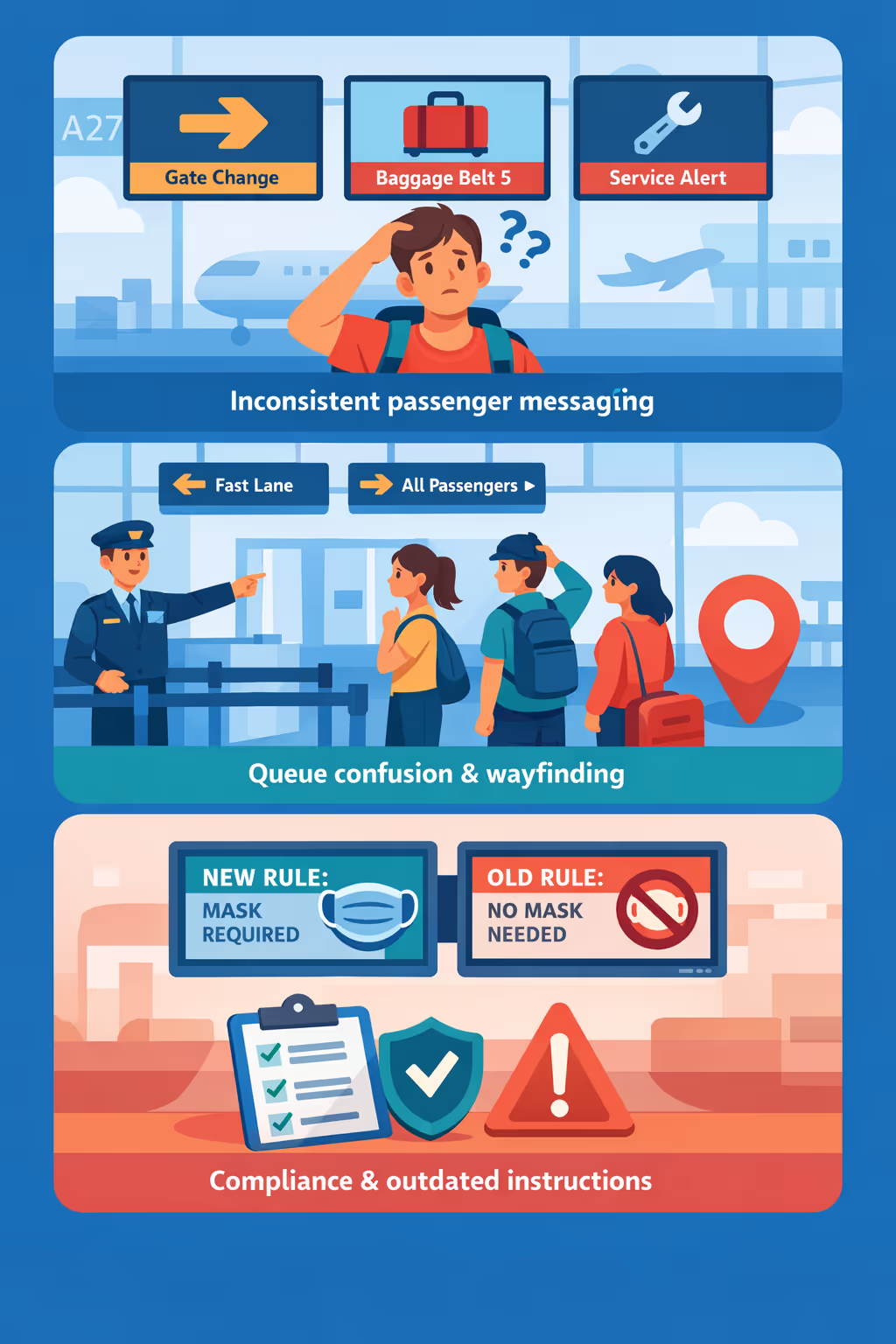
Gate changes, security wait times, baggage belt updates, and service notices shift throughout the day. When operations, airlines, and ground staff share different versions of the message, passengers lose confidence and frontline teams face avoidable escalation.
People need to know where to go, what to prepare, and which lane applies to them. Without clear, visible guidance, staff spend their time answering the same questions instead of keeping flow moving and supporting priority situations.
Airport communication must stay accurate, timely, and aligned with security rules and passenger rights. When notices are updated in one area but not across all screens and counters, travelers follow the wrong steps, creating delays, complaints, and compliance exposure.
Airport digital signage that elevates the passenger experience and drives ROI
Keep passengers informed and terminals moving with airport digital signage powered by Disign. Update flight information, wayfinding, safety notices, and retail offers in minutes, reduce printing and staffing effort, and deliver a consistent experience across every screen with measurable ROI.

Improve passenger communication in real time
Publish flight updates, gate changes, boarding reminders, and disruption messaging instantly across your terminal. Reduce confusion and pressure on staff by keeping information clear, current, and consistent.
Streamline wayfinding and passenger flow
Guide travelers with dynamic directions to check-in, security, gates, baggage claim, lounges, and transport. Clear digital wayfinding reduces bottlenecks, improves on-time performance, and supports a calmer terminal.
Increase non-aeronautical revenue with targeted campaigns
Promote duty free, food and beverage, lounges, parking, and partner services by location and time of day. Turn passenger dwell time into revenue and track performance with coordinated airport digital signage campaigns.
Support safety, operations, and compliance across the airport
Roll out emergency instructions, security reminders, service alerts, and regulatory notices from a central platform. Keep messaging accurate and auditable while maintaining a professional, trusted airport environment.
Cut printing costs and reduce operational workload
Replace posters and last-minute reprints with centralized content management. Save on production, logistics, and staff time while keeping every terminal screen up to date.
Deliver multilingual messaging for international travelers
Display content in the right language by zone, audience, or destination. Make guidance easier to follow for every traveler while keeping branding consistent across terminals and airport partners.
Airport digital signage use cases across terminals and operations
From check in to baggage claim, airport digital signage keeps passengers informed in real time, reduces pressure on staff, and builds trust through clear, consistent and verified information.
- Departures and gate areas: share live flight status, gate changes, boarding groups, and last call alerts
- Check in and security: set expectations with wait times, lane rules, accepted documents, and service updates
- Arrivals and baggage claim: guide passengers to belts, relay delayed baggage notices, and provide support steps
- Operations and staff areas: align teams with incident updates, safety reminders, KPIs, and shift communications

How Disign digital signage works
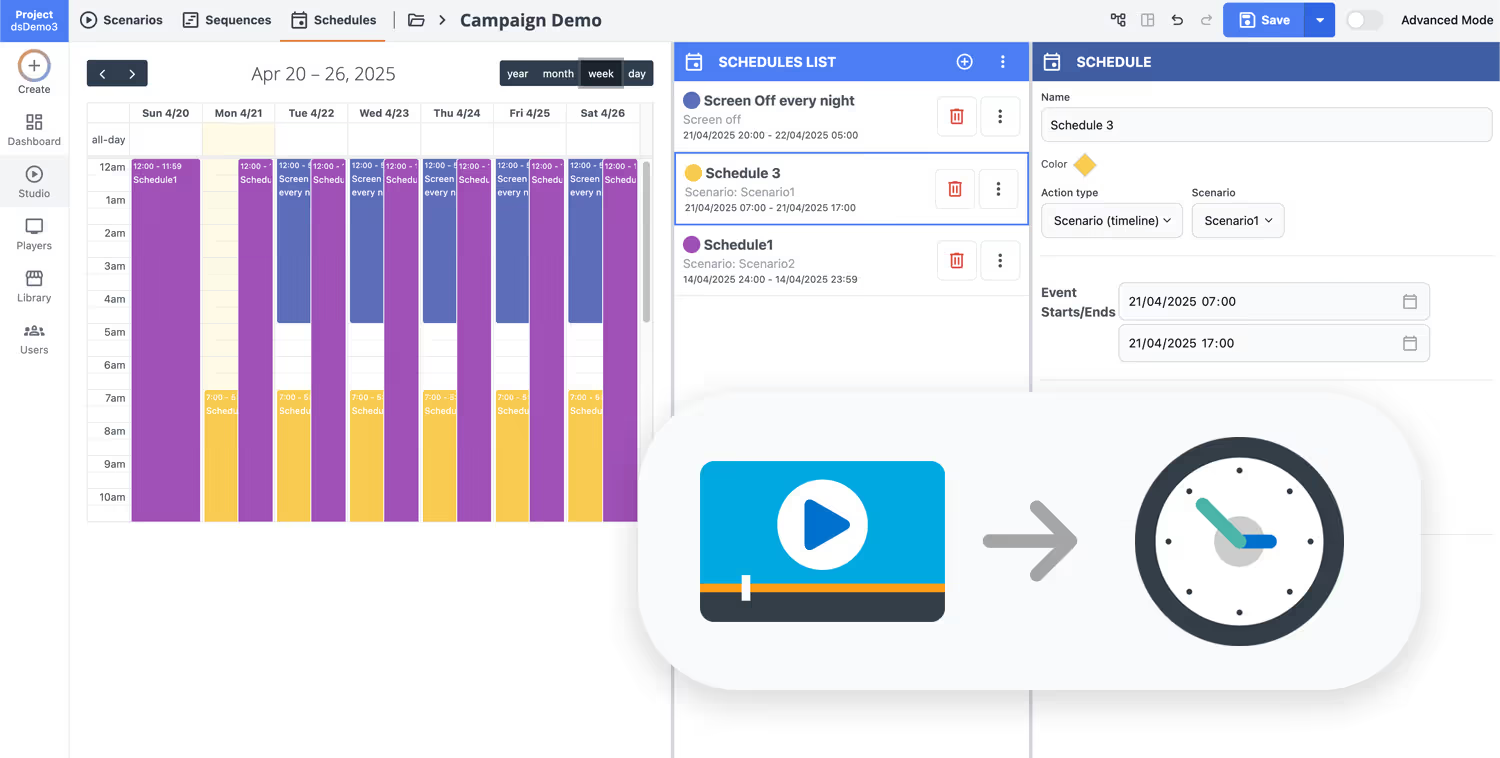
Schedule your content from anywhere with our cloud-based digital signage solution. Easily plan what plays, when, and where—across one screen or thousands.
Design custom scenarios and playlists tailored to your audience and goals.
Set precise dates and times for your content to play automatically.
Deploy content instantly across your digital signage network with just a click.
Ready to launch airport digital signage in days, not months?
Start a 28 day free trial with Disign and publish real time gate changes, wayfinding, security updates, retail offers, and service alerts from one simple platform. No credit card required, and your team can manage every screen in minutes.
Airport digital signage designed for real time passenger communication
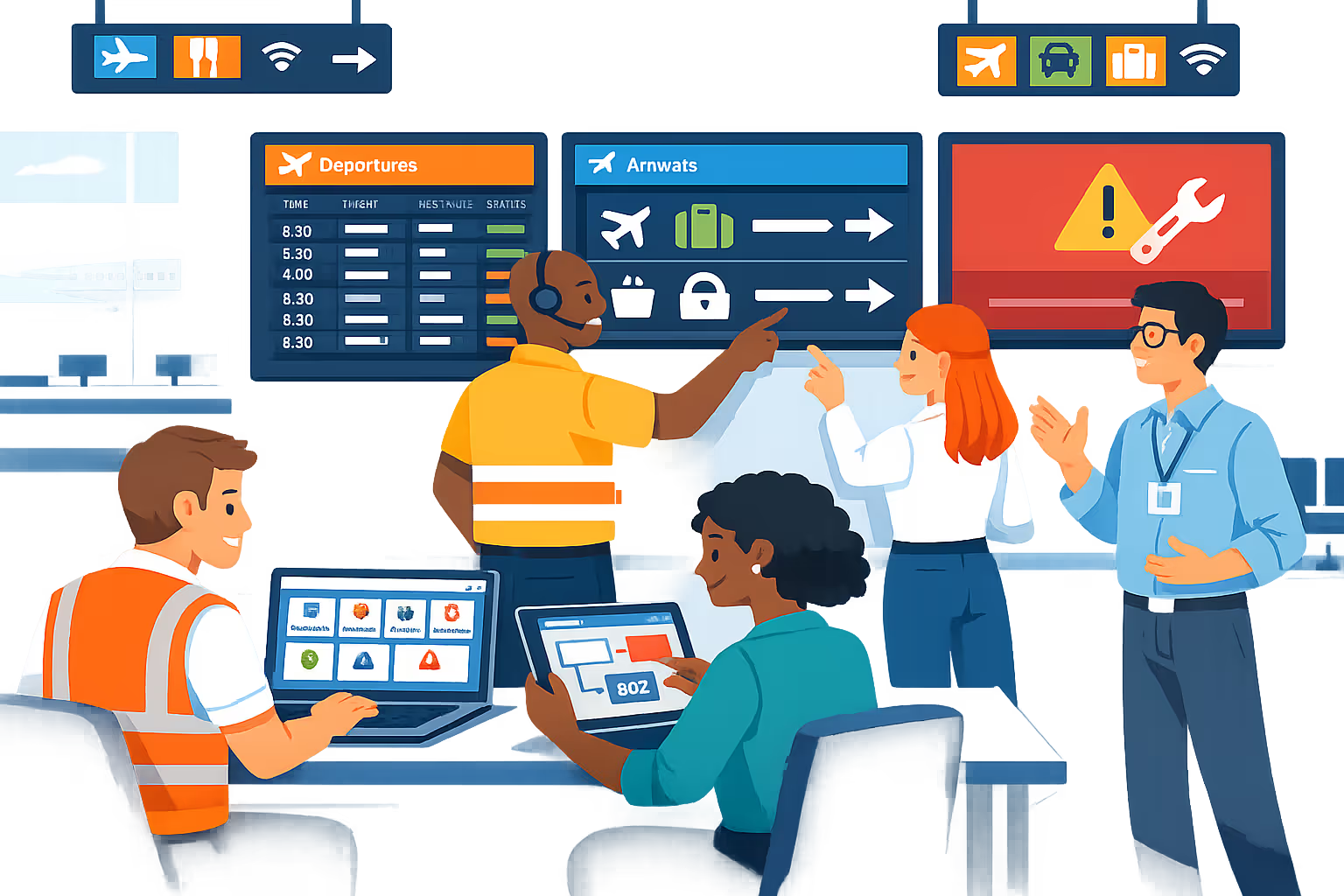
Keep travelers informed at every touchpoint with airport digital signage powered by Disign. Publish live flight updates, gate changes, wayfinding, security wait times, and service alerts from one platform, with controlled access and full traceability.
Centralized control across terminals
Manage airport digital signage at scale
Publish to a single screen or an entire airport network using terminal, concourse, gate, or zone targeting. Build reusable playlists and enforce role based publishing so each team updates what they own without breaking brand consistency.
Security, permissions, and audit trails
Protect content and operational access
Control who can create, approve, and publish airport content with granular permissions and location scoped roles. Track changes with audit logs, secure device pairing, and governance built for IT and airport operations.
Operational workflows for critical messaging
Structured review for time sensitive updates
Reduce mistakes with a publish workflow that supports drafting, review, approval, and controlled rollout. Ensure safety notices, disruption updates, and passenger instructions are accurate, versioned, and delivered to the right zones.
Scheduling and automated campaigns
Dayparting and trigger based updates
Automate airport digital signage with schedules, recurring campaigns, and dayparting. Switch content for peak traffic, boarding waves, late night operations, or emergency messaging without manual screen by screen work.
Playback reliability and device health
Monitoring built for 24 7 environments
Keep screens online with monitoring and remote diagnostics. Detect offline players, verify content delivery, and respond faster to incidents so passengers see accurate information when it matters most.
Deployment support for airport IT
Standardization, onboarding, and operations
Roll out airport digital signage with a practical approach that fits existing infrastructure. We help you standardize layouts, onboard teams, and troubleshoot devices so the system remains stable, secure, and easy to operate.

Centralized content management for airport digital signage
Manage airport digital signage from one secure platform. Create, review, schedule, and publish content across terminals, gates, check in, baggage claim, lounges, and staff areas with the governance IT requires and the speed marketing and operations depend on.
One control center for every airport screen
Network wide control with terminal level flexibility
Standardize passenger messaging across the airport while letting teams at each terminal or zone publish local content like gate changes, queue guidance, and service hours, within clear approval rules.
Campaigns and passenger information that stay on time
Schedule airport digital signage by terminal, zone, or screen type. Keep brand campaigns consistent, time sensitive notices accurate, and multilingual content aligned across the entire passenger journey.
Built for IT security and airport governance
Centralize access with role based permissions, approval workflows, and playback policies. Every change to airport digital signage follows your standards, supports audits, and reduces the risk of unauthorized publishing.

Real time updates for operations and passenger flow
Publish operational alerts, wayfinding updates, queue messaging, and service announcements in real time. Keep every airport digital signage screen accurate during peak travel, gate swaps, disruptions, or policy changes, without chasing each team.

Scalability for growing airport networks with airport digital signage
Scale airport digital signage across terminals, hubs, and partner sites from one cloud platform. Roll out updates in minutes, keep approvals and governance clear, and maintain a consistent passenger experience as your airport network expands.
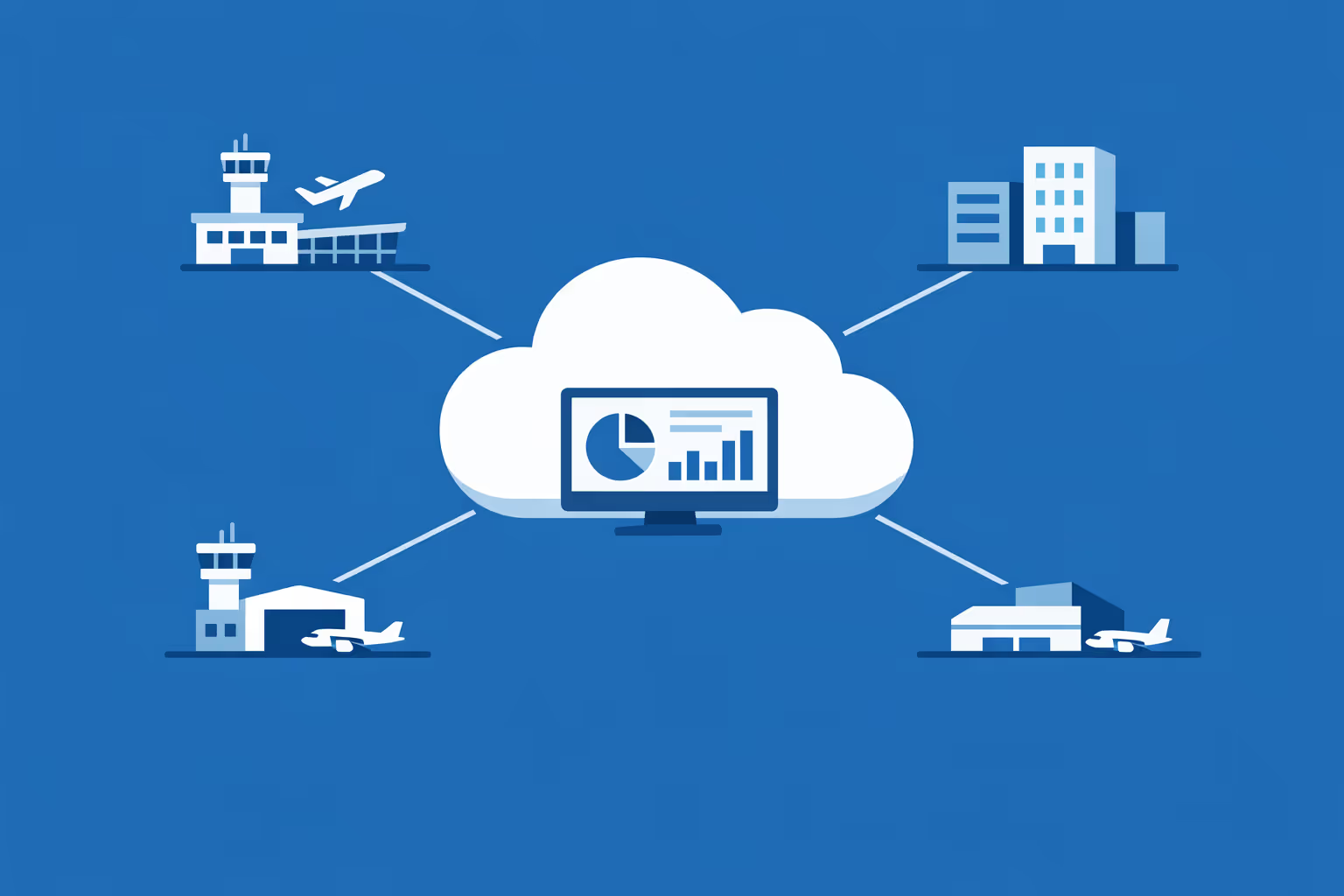
Multi-site management from one cloud dashboard
Oversee airport digital signage across every airport, terminal, and concourse from one place. Publish content instantly, verify what is playing on each screen, and keep brand consistency across the whole network.

Multi-user access with role-based permissions
Assign roles and permissions for operations, commercial, security, and communications teams. Keep collaboration smooth and secure, with clear ownership and audit ready workflows across your airport group.
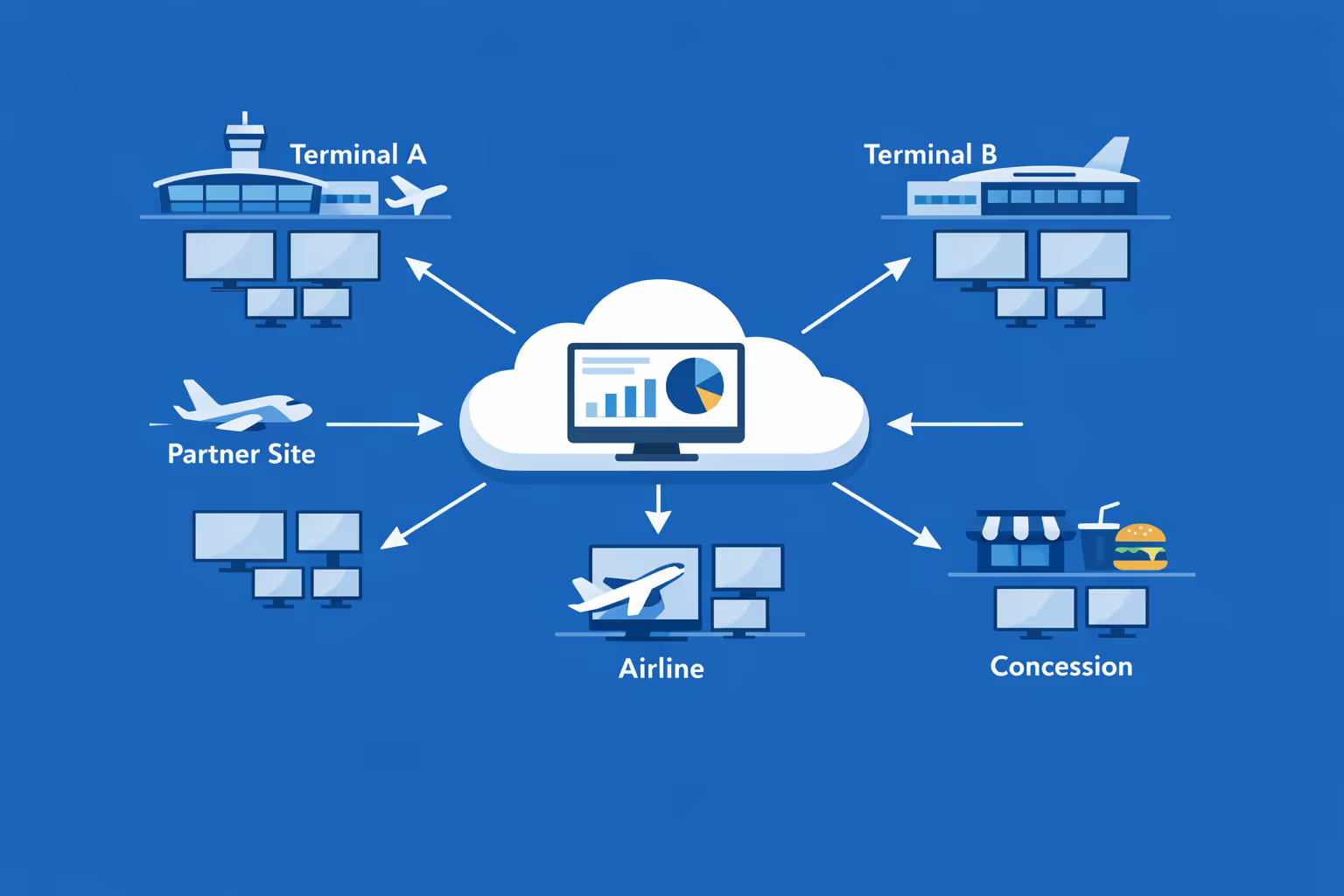
Multi-screen and multi-organization ready
Manage thousands of screens and multiple organizations from one account. Segment airport digital signage by airport, terminal, airline, or concession so you can scale fast while keeping local messaging relevant.
Disign is compatible with all screens for digital signage
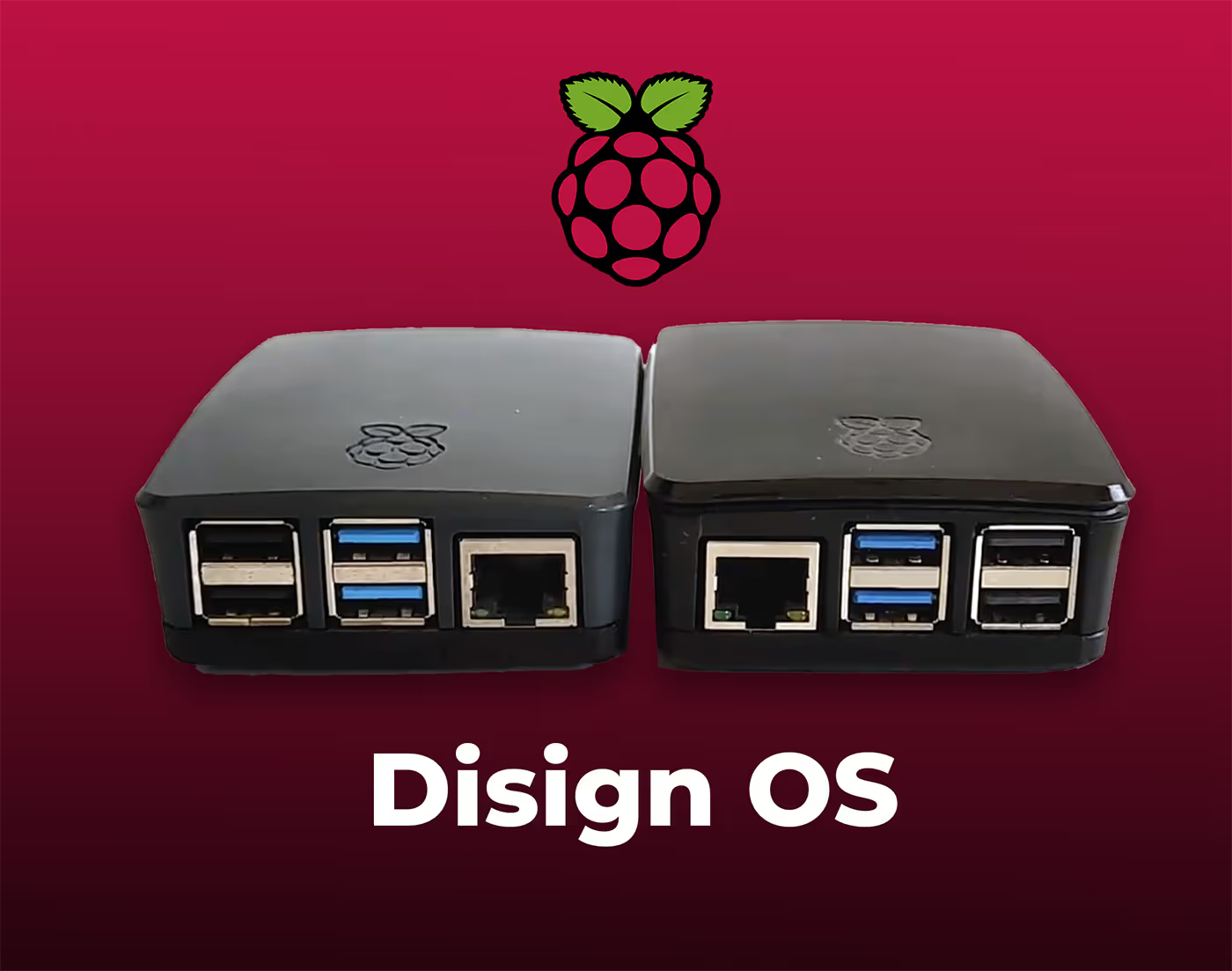
Digital signage with Disign allows you to manage and display content across a variety of devices. Our solution is compatible with many external players such as Disign OS based on Raspberry Pi, BrightSign, and any Android hardware. Disign also supports technologies embedded in Samsung, LG, and Android TV screens. With this broad compatibility, you can easily deploy digital signage solutions on different types of hardware, ensuring simplified management and an optimal user experience.


Integrate with your favorite Applications
70+ Applications and infini integration with API, Database, and any data source
Easily integrate third-party applications and web content such as YouTube or Vimeo, optimized for seamless playback. Display data from RSS feeds or formats like CSV, JSON, or XML directly on your digital signage screens. Extend display capabilities with advanced applications like grids or collections to enrich Disign scenarios.

We designed Disign to be as open and customizable as possible, both in its visual scenes and in its data sources.
Florent MondoloniCo-Founder, Disign

Video
Utilisez vos medias

RSS Feed
Use your own RSS Feed

Database
Databases

Canva
Create your Design and import it

Google Sheets
Import CSV, Live data...

Website/API
Affiche your website or use API
Everything you need to know about Disign Digital Signage For Airport
Airport digital signage FAQ: practical answers for airport operations, IT, and commercial teams
Airport digital signage is now a core communication layer across terminals. It helps airports keep passengers informed, reduce stress at key touchpoints, protect revenue from missed connections and confusion, and coordinate teams during disruptions. This FAQ is written for airport decision makers and stakeholders such as operations leaders, terminal managers, passenger experience teams, commercial and retail teams, IT and cybersecurity, facilities, and communications staff who are evaluating a solution like Disign for airport digital signage.
You will find clear, real world answers to the questions airports ask most often. The goal is to help you choose a platform that is reliable, secure, easy to govern, and fast to update across every screen in your network.
What is airport digital signage and where is it used?
Airport digital signage refers to centrally managed screens that display real time and scheduled content across the airport environment. It typically includes passenger facing screens and staff facing screens, managed from one platform with permissions, scheduling, and templates.
Common locations include:
- terminal entrances and curbside areas
- check in halls and bag drop zones
- security queue areas and wayfinding junctions
- departure lounges and gate holdrooms
- baggage claim, customs, and arrivals corridors
- retail and food court zones
- shuttle, parking, and ground transportation areas
- staff only areas such as ops rooms and break rooms
The main objective is to deliver the right information at the right time, in the right place, without relying on manual updates. Well run airport digital signage improves passenger flow, reduces avoidable questions at service desks, and keeps the airport brand consistent.
Why do airports invest in airport digital signage instead of static signs or printed posters?
Static signs are important for permanent wayfinding, but they cannot react to changing conditions. Printed posters are costly to produce and slow to update. Airports invest in airport digital signage because it makes communication immediate, flexible, and measurable.
Airports typically choose digital signage to:
- update gate changes, queue guidance, and service messages quickly
- reduce passenger anxiety by improving clarity and confidence
- support crisis communication during irregular operations
- promote retail and concessions with targeted campaigns
- decrease printing and installation costs over time
- standardize messaging across terminals and partners
- maintain consistent multilingual communication without reprinting
For a busy airport, speed and consistency matter. A digital signage platform turns screens into a controlled channel, not a collection of isolated displays.
What are the best use cases for airport digital signage in a terminal?
The strongest airport digital signage use cases combine operational clarity and passenger experience improvements, while also supporting commercial revenue.
Common use cases include:
- live flight information display systems content where applicable
- queue guidance: where to go next and what to prepare
- dynamic wayfinding for gates, amenities, and services
- estimated wait time messaging and peak hour instructions
- disruption alerts and rerouting information during delays
- passenger service content such as baggage rules and liquids guidance
- safety and security reminders, including prohibited items
- concessions promotions by zone and time of day
- accessibility messages and assistance information
With Disign, these scenarios can be scheduled, targeted by terminal or zone, and updated centrally without asking teams to manually refresh each screen.
How can airport digital signage reduce perceived wait time?
Perceived wait time is a major driver of satisfaction in airports. People become frustrated when they do not understand what is happening, how long it will take, or what they should do to be ready.
Airport digital signage reduces perceived wait time by:
- explaining the process clearly, step by step
- setting expectations about preparation and next actions
- providing helpful content that feels useful, not like advertising
- offering reassurance during peak periods and disruptions
- promoting alternative paths, self service, and service points
Even without direct queue integration, well designed content makes waiting feel more structured and fair. That can reduce tension at security, check in, and customer service counters.
Can airport digital signage support queue management and wait time displays?
Yes. Many airports use digital signage to support queue operations by displaying:
- queue status by area
- estimated wait time when data is available
- instructions for priority lanes and special assistance
- reminders about documents, liquids, and electronics
- calls to open counters or redirect passengers to quieter zones
Disign can display queue data when you connect a data source or when your queue solution provides a web view, feed, or endpoint suitable for secure display. If you do not have a queue system, airport digital signage can still improve flow through clear instructions and consistent messaging.
How do airports keep content accurate during gate changes and disruptions?
Airports operate in a fast changing environment. The risk is not only outdated promotions, but also outdated operational information. Accuracy comes from governance, permissions, and workflows.
A strong airport digital signage process usually includes:
- role based access so only authorized teams can publish
- pre approved templates for disruption messages and operational updates
- simple zone targeting so you update only the impacted areas
- scheduling and expiration so messages stop showing automatically
- rapid publishing for urgent notices with an audit trail of changes
With Disign, you can keep a central command model while still allowing local terminal teams to publish within defined rules.
What types of content work best on airport digital signage?
The best content is designed for scanning. Passengers often view screens while walking, queuing, or multitasking. Clarity always beats creativity.
High impact content types include:
- short directional messages with clear arrows and landmarks
- one instruction per screen with strong visual hierarchy
- time sensitive guidance for security or boarding
- service information: assistance, lost and found, WiFi, lounges
- disruption and reroute messages with next steps
- commercial campaigns localized to nearby retailers
- safety reminders and seasonal travel tips
Avoid long paragraphs and cluttered layouts. If a message takes more than a few seconds to understand, it will be missed.
Can airport digital signage be personalized by terminal, zone, or time of day?
Yes. Targeting is one of the biggest advantages of airport digital signage. Airports can show a consistent brand and still deliver highly relevant content in different areas.
Personalization options commonly include:
- different playlists by terminal, pier, or gate zone
- content by time of day: morning commuter versus evening leisure travel
- language rotations based on passenger profiles
- weather and ground transport updates by exits and curbside
- concessions messages aligned with nearby stores and opening hours
- special event campaigns during holidays or major city events
With Disign, you can manage this centrally so local relevance does not turn into local inconsistency.
How does Disign help keep branding consistent across an airport network?
Airports involve many stakeholders and many content contributors. Without a system, branding can drift quickly, especially across multiple terminals and contractors.
Disign supports consistent branding through:
- reusable templates that enforce typography, colors, and layout
- shared asset libraries with approved logos and imagery
- centralized playlists and campaign scheduling
- permissions by group so users cannot publish outside their scope
This helps airports maintain a professional passenger experience and protects brand standards even during busy peak periods.
What security features should an airport digital signage solution have?
Airports must treat screens as endpoints in a complex environment. The right solution supports secure management, secure playback, and controlled publishing.
Key capabilities to evaluate include:
- secure authentication and permission management
- encrypted connections for management and content delivery
- device level controls and remote monitoring
- separation of duties between creators, approvers, and publishers
- logging of administrative actions for accountability
- support for network policies and controlled outbound access as needed
Disign is designed to simplify centralized management while supporting the structured access and operational controls airports expect.
Is airport digital signage cloud based or on premises?
Many airports prefer cloud based management because it reduces infrastructure overhead and speeds up deployment, while still allowing strict network and security policies. Some airports require specific hosting constraints depending on internal standards.
With Disign, cloud management helps you:
- avoid maintaining local servers per terminal
- deploy and update content quickly across many screens
- scale easily when expanding to new areas
- keep governance centralized with consistent policies
Your IT team can still apply standard airport security practices such as network segmentation, endpoint hardening, and monitoring.
What hardware is needed for airport digital signage?
Most airports use commercial grade displays for reliability, along with a media player or compatible device for playback. Hardware needs depend on environment and duty cycle.
Typical components include:
- commercial displays sized for viewing distance and traffic patterns
- media players suited for 24/7 operation when required
- stable wired or managed wireless connectivity
- mounts, enclosures, and power considerations
- brightness planning for areas with natural light
Disign supports a range of hardware approaches so you can standardize over time rather than replacing everything at once.
Can airport digital signage scale across hundreds or thousands of screens?
Yes. Scalability is one of the main reasons airports choose a dedicated platform rather than ad hoc screen management.
A scalable airport digital signage rollout needs:
- centralized provisioning and grouping by location
- bulk content assignment by terminal and zone
- scheduling at scale without manual duplication
- monitoring to confirm screens are online and playing
- consistent templates that reduce design and approval workload
Disign is built for multi location management so you can run a consistent strategy across the entire airport while still tailoring messages to local zones.
How do airports organize content operations between communications, operations, retail, and IT?
Clear ownership prevents chaos. A practical operating model defines who creates content, who approves it, and who can publish to which screens.
A common airport model looks like:
- communications owns passenger messaging standards and tone
- operations owns disruption, safety, and flow messages
- commercial teams own retail and partner campaigns
- IT owns device onboarding, network, and security requirements
- facilities supports physical installation and maintenance
Disign supports this structure with permissions and groups, so teams can move fast without losing control.
How often should airport digital signage content be updated?
Passengers notice stale content quickly, especially when it is operational. At the same time, constant changes without a plan can make the environment feel noisy.
A practical cadence for airport digital signage is:
- real time updates for disruptions, gate area instructions, and urgent notices
- daily updates for operational reminders and service messages
- weekly updates for retail campaigns and seasonal travel guidance
- monthly refresh for evergreen educational content and visuals
With Disign, updates are fast, which makes it easier to keep content accurate and aligned with current airport priorities.
Can airport digital signage increase retail and concessions revenue?
Yes, when managed thoughtfully. The best commercial signage respects the passenger context. People are more likely to respond when the message is relevant to location and time.
Effective approaches include:
- promoting nearby offers in the immediate zone
- highlighting time sensitive options like grab and go near gates
- rotating campaigns based on flight bank peaks
- pairing brand campaigns with clear wayfinding to stores
- featuring loyalty programs, bundles, and seasonal menus
Disign helps by enabling scheduling and targeting, so retail content reaches the right audience without overwhelming operational messaging.
How do airports measure ROI for airport digital signage?
ROI in airports often combines passenger experience, operational efficiency, and commercial performance.
Common ROI drivers include:
- fewer avoidable passenger questions and better flow
- reduced cost and lead time versus printed campaigns
- faster response during irregular operations
- improved retail conversion through better targeting
- stronger brand consistency and partner execution quality
Operational KPIs also matter, such as how quickly you can publish a disruption message, whether every screen is playing the correct playlist, and how often content is refreshed.
What should an airport look for in templates and scheduling?
Templates and scheduling are not just design features. They are governance tools. They help you publish quickly while staying consistent and compliant with internal standards.
Look for:
- templates that protect layout and ensure readability at a distance
- standardized components for alerts, wayfinding, and promotions
- scheduling by terminal hours, dayparts, and campaign windows
- easy reuse across multiple screen formats and orientations
- structured approval workflows when needed
Disign makes it practical to build approved templates once, then reuse them across the airport network, even during high pressure operational periods.
How do airports handle multilingual content on digital signage?
Multilingual communication is essential in international travel. The goal is to reduce mistakes and keep passengers confident.
Good practices include:
- prioritizing the most common languages for your airport
- using plain language and avoiding local slang
- supporting multiple languages in rotation when appropriate
- keeping critical instructions short and consistent
- using icons and visual cues that reinforce meaning
With Disign, you can create language specific playlists, assign them to terminals or zones, or rotate languages based on your passenger mix strategy.
Can airport digital signage be used for internal staff communication?
Yes. Staff communication is often overlooked, but it can be one of the highest impact uses of the network.
Airports commonly use internal screens for:
- daily ops priorities and shift briefings
- safety reminders and incident updates
- training and compliance deadlines
- staffing updates and resource allocation
- recognition and culture messages
Because Disign is centrally managed, internal updates can be published quickly without relying on email chains or printed notices.
How can airport digital signage support safety, security, and passenger trust?
Airports must communicate safety and security guidance in a way that is calm and clear. Digital signage can reinforce good behaviors without creating alarm.
Examples include:
- reminders about liquids, prohibited items, and screening steps
- guidance for unattended baggage reporting
- cyber safety tips for public WiFi
- assistance information for vulnerable passengers
- emergency messaging when required
This content builds trust, reduces confusion, and can lower the workload on frontline staff who otherwise repeat the same instructions all day.
What about accessibility and readability in airport environments?
Accessibility is critical because airports serve people of all ages, abilities, and stress levels. Readability is also affected by glare, distance, and movement.
Effective guidelines include:
- large fonts and strong contrast
- minimal text with clear hierarchy
- avoiding fast moving small tickers
- captions for video when audio is not appropriate
- consistent placement of key information
- designs tested from real viewing distances
With Disign templates, you can standardize accessible design and ensure every screen communicates clearly.
How quickly can an airport deploy airport digital signage?
Deployment timelines depend on hardware readiness, network approvals, and content governance. Many airports start with a pilot in one terminal or zone, then scale.
A typical rollout path is:
- pilot a small set of screens in varied locations
- validate readability, workflows, and IT controls
- finalize templates for operations and commercial use
- roll out terminal by terminal with repeatable provisioning
- monitor screens and refine content based on feedback
Disign supports centralized rollout, helping reduce the operational overhead of managing updates screen by screen.
What makes Disign a strong choice for airport digital signage?
Airports need a platform that is easy to use under pressure, but controlled enough to protect operations, brand, and security.
Disign helps airport teams with:
- centralized management for multi terminal environments
- structured permissions and governed publishing
- fast updates for disruptions, safety, and passenger guidance
- scheduling and targeting by zone for relevance
- templates that keep messaging consistent and readable
If you are evaluating airport digital signage, Disign is built to help you modernize communication across the terminal without adding complexity for frontline teams.
What are the next steps to start an airport digital signage project?
A strong start focuses on clarity, governance, and a pilot that reflects real airport complexity.
Practical next steps include:
- define your top priorities: passenger flow, disruption messaging, retail performance, internal comms
- identify stakeholders: operations, communications, commercial, IT, facilities, security
- choose pilot zones with different needs, such as check in, security, gates, and baggage claim
- create a template set for alerts, guidance, wayfinding support, and promotions
- agree on publishing rules, approvals, and escalation paths for urgent updates
Once these foundations are in place, airport digital signage becomes a scalable program that improves the passenger experience and strengthens airport operations across every screen.






Join community of 4k+ people
Airport digital signage that keeps passengers moving and teams aligned
Run consistent, real time airport digital signage across check in, security, gates, baggage claim, and staff areas. Disign helps you publish flight info support messages, wayfinding, queue guidance, and service alerts from one secure dashboard.
Ready to try Disign in your terminal? Start with a 28 day free trial with no credit card required, or contact us if you want help choosing the right setup for your screens and locations. You can launch your first airport digital signage content today.