The simplest, most powerful digital signage software
Disign is an all-in-one digital signage solution for creating and scheduling your content on your screens. You manage your screens very easily in a centralized, efficient, and highly customizable way.
Trusted by businesses and organizations of all sizes





Digital Signage: Create and share content easily on screens
Disign is a powerful digital signage software that helps you create and share content effortlessly on any screen. From retail to corporate environments, it's designed for flexibility, speed, and impact.
Easily manage your screens, schedule content, and integrate real-time data or interactivity—all from the cloud. With Disign, digital signage becomes intuitive, scalable, and ready for any device.

Smart digital signage solutions for every industry
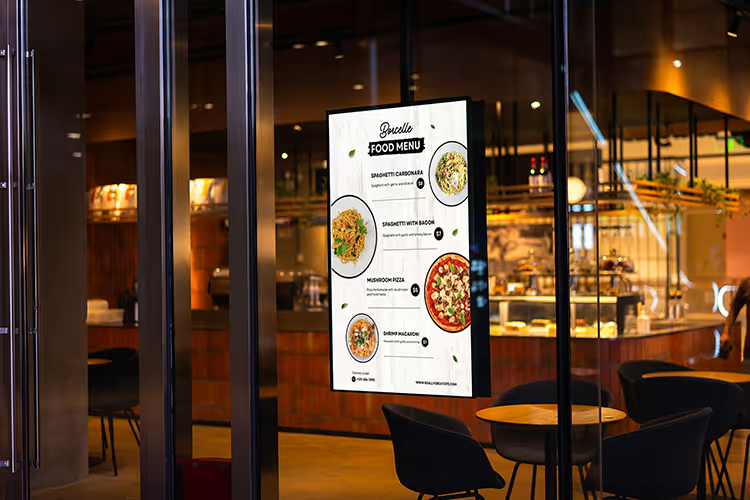
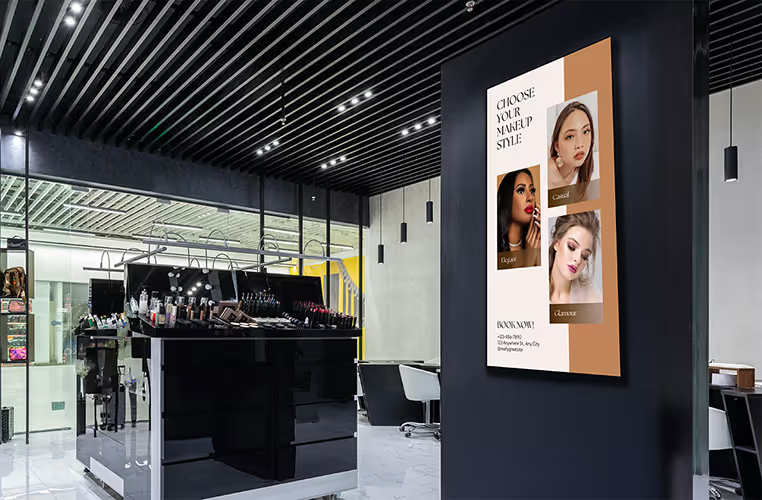
From retail environments to corporate offices, Disign provides versatile digital signage solutions tailored to your industry. Boost engagement, streamline communication, and deliver content that captivates your audience—anytime, anywhere.


Get started quickly to broadcast on your screens
Digital signage with Disign is very easy, and our solution allows you to quickly start scheduling your content on your screens, kiosks, and totems.

1. Create your campaign from the Disign Studio
You manage your content and all Disign applications in scenarios. This is presented in the form of a playlist which is very easy to use.

2. Create a Disign player
A Disign player is the projection of physical hardware (screens or external players) in the Disign studio. To create one, it's very easy! Just give it a name and assign your campaign to it.

3. Associate your Disign player with hardware
Last step: The association. A code appears on the screen, you just have to enter it on the Disign player in the Studio. And voilà, you fully manage the digital signage on the screen!
Advanced digital signage scenario control
Easily create, schedule, and manage playlists and display scenarios across all your screens. With Disign, you have full control over what content plays, when, and where—ensuring your digital signage is always relevant, timely, and engaging.

Manage your digital signage content in 3 easy steps
Schedule your content from anywhere with our cloud-based digital signage solution. Easily plan what plays, when, and where—across one screen or thousands. Whether you're in the office or on the move, our intuitive platform lets you update content in real-time, ensuring your messaging is always timely, targeted, and consistent across all your locations.
Design custom scenarios and playlists tailored to your audience and goals.
Set precise dates and times for your content to play automatically.
Deploy content instantly across your digital signage network with just a click.

Design smarter with our interactive digital signage scene editor
Bring your digital signage to life with our intuitive scene editor. Create eye-catching, animated content that reacts to data, supports touch interactions, and seamlessly integrates with your apps. From dynamic displays to immersive brand experiences, our editor gives you the creative freedom to craft stunning, responsive visuals.
Easily design and personalize templates to match your branding.
Bind real-time data to keep your content always updated.
Add interactivity to engage viewers through touch and smart triggers.

Disign is compatible with all screens for digital signage
Digital signage with Disign allows you to manage and display content across a variety of devices. Our solution is compatible with many external players such as Disign OS based on Raspberry Pi, BrightSign, and any Android hardware. Disign also supports technologies embedded in Samsung, LG, and Android TV screens. With this broad compatibility, you can easily deploy digital signage solutions on different types of hardware, ensuring simplified management and an optimal user experience.


Manage digital signage efficiently

What makes our digital signage solution unique
Our modern digital signage solution offers an intuitive interface, advanced customization, real-time analytics, and full support.
A user-friendly interface makes content creation and management easy for users of all levels.
Disign allows for a wide variety of content types, from images and videos to real-time social media feeds, enabling dynamic and engaging communication.
The ability to manage all screens and content from a single platform simplifies management and ensures consistency across all locations.
Advanced customization options allow users to create unique experiences tailored to their specific needs.
Advanced scheduling features enable content to be delivered at the right time and place, maximizing its impact.
Our solution offers seamless integration with other systems and software, providing a consistent and smooth user experience.
Advanced Apps dedicated to digital signage
Transform the way you communicate with your customers or employees by using dynamic signage apps and templates. Leverage the power of our cloud-based digital signage software to easily create dynamic and engaging content.

The benefits of disign digital signage software
Enjoy an innovative, high-performance and ultra-high availability application and broadcast what you want, where you want, and when you want. With Disign Studio, unleash your creativity and manage your screen network remotely with ease.
With our solution, you can easily expand your digital signage network as your needs change, without compromising quality or performance.
Disign automates many tedious tasks such as content scheduling, playlist management, and software updates, allowing you to save time and focus on more important tasks.
En tirant parti du cloud computing, notre solution offre une connectivité instantanée et une accessibilité depuis n'importe quel appareil connecté à Internet, offrant une flexibilité maximale et une disponibilité continue.
Disign intègre des fonctionnalités d'économie d'énergie et de gestion durable des ressources, contribuant ainsi à réduire l'empreinte environnementale et à promouvoir la responsabilité sociale des entreprises.
Un service client réactif et dédié est disponible pour vous aider à chaque étape du processus, de la configuration initiale à la résolution des problèmes et au-delà.
Notre logiciel est conçu avec une interface intuitive, des fonctionnalités flexibles et un support complet, pour répondre aux besoins de tous les niveaux de compétence utilisateur.
" I am impressed by the flexibility of this software. It adapts perfectly to our changing needs and allows us to broadcast our message effectively. "
Lise
Pedicure, Podiatrist
" We have tested several digital signage solutions, but this one really stands out. The ease of use and the quality of customer support are exceptional. "
France
Press, bookshop
An effective solution with exemplary customer support
" Our experience was smooth, fast and very satisfying. The software perfectly meets our digital signage needs, with a clear interface and stable operation. The whole process, from installation to daily use, went without any difficulty thanks to proactive and efficient customer support. "
(translated from French)
Frequently Asked Questions about Digital Signage
Browse our FAQ to find answers to the most common questions about digital signage and discover how Disign can meet your visual communication needs.
What is digital signage?
Digital signage (also called dynamic display) means showing videos, images, text and live data on professional screens, and updating them remotely from software. It replaces paper posters in shops, restaurants, offices, banks, hotels, healthcare, schools and public places.
A digital signage system lets you send the right message to each screen, from a single place, in real time. It is used for in-store promotions, internal communication, digital menus, wayfinding and digital out-of-home advertising (DOOH). See how digital signage works.
What is digital signage used for?
Digital signage is used to inform, sell and engage: it makes messages more visible than paper, and changes them instantly without printing.
- Retail and restaurants: promotions, prices, digital menu boards and queue information. See in-store display and digital menus.
- Companies: internal communication, KPIs, safety messages and welcome screens in lobbies. See corporate digital signage.
- Advertising: selling screen time to advertisers on a screen network (DOOH), with proof of play.
- Public places, healthcare and education: schedules, wait times, wayfinding and emergency messages.
How does digital signage work?
A digital signage system has three parts: software to manage content, a player that plays it, and a screen that shows it.
- The software (CMS): with a cloud solution like Disign, you manage content, playlists, schedules and screens from a web browser, with nothing to install.
- The player: it downloads the content and plays it on the screen, even offline. It can be built into the screen (Samsung Tizen, Android) or an external box (Android, Disign OS, BrightSign, Windows). See digital signage players.
- The screen: a professional display, a video wall, an LED panel, a touch kiosk or a window display.
What equipment do you need for digital signage?
You need a computer with a web browser, one player per screen, and a professional screen.
If your screen already runs Android, Tizen or another supported system, the player is the Disign app installed on it, so no extra hardware is needed. Otherwise, a small external player is plugged behind the screen: Disign sells one for €99, and also supports Android boxes, BrightSign and Windows. See compatible players and the Disign Android app.
Why use digital signage software like Disign?
Digital signage software lets you control every screen from one interface, update content in a few clicks and automate what each screen shows.
With Disign you can:
- manage screens of any brand (hardware-agnostic) from a web browser;
- schedule playlists by screen, location, day and time;
- build multi-zone layouts with videos, images, PDFs, web pages, weather, news and live data;
- create visuals with the built-in editor, Canva or Adobe Express;
- control screens remotely (reboot, shutdown, app reload) with built-in MDM tools;
- give each user a role, with content validation;
- connect your own systems with the API and webhooks.
See all Disign features.
Which screen should you choose for digital signage?
Choose a professional display rather than a consumer TV: it is built to run many hours a day, keeps its image quality over time and comes with a longer warranty.
- Indoors: 350 to 500 cd/m² brightness is usually enough.
- Shop windows or direct sunlight: choose a high-brightness screen (3,000 to 4,000 cd/m²) so the content stays readable.
- Outdoors: use a weatherproof screen or a protective enclosure.
- Size: choose it based on viewing distance and the space where the screen is installed.
A smart TV can be enough for a small setup. See digital signage on a TV.
Can content be scheduled and managed remotely?
Yes. With cloud-based digital signage software, you create playlists, schedule them in a calendar and publish them to all your screens in one click, from anywhere.
You can target each screen by location, audience, day or time slot. For example, you can show a campaign every 25 December from 9 AM to 7 PM, or a breakfast menu only in the morning. Players download content in advance, so screens keep playing even if the internet connection drops. See cloud-based digital signage.
How much does a digital signage solution cost?
With Disign, digital signage software starts at €8 per month per screen billed annually (€9 billed monthly), with a free 28-day trial and no credit card required.
The total cost depends on the number of screens and the plan (Media, Essential or Professional). Add the screen, and a player if your screen has no built-in system: the Disign external player costs €99. An external player gets regular updates and new features, while players built into screens are sometimes less up to date. See Disign pricing.
Is there a free version of Disign?
Disign has no free plan, but you can try the full software for free for 28 days, with no credit card required.
Disign also offers free tools (video editing, PDF to video, slideshow maker) and free content for your screens. See free digital signage software.
Does Disign work offline?
Yes. Disign players store content locally and keep playing it even when the internet connection is lost.
Changes are synchronized as soon as the connection comes back, and only new media are downloaded, which saves bandwidth. See digital signage reliability.
Who is behind Disign?
Disign is digital signage software developed by a French company based in Marseille, France, founded in 2008.
Disign is used by businesses of all sizes, from independent shops to networks such as Crédit Agricole, Forvia, Nestenn and Stéphane Plaza Immobilier. Customer support is available in English, French, German, Spanish, Italian and Portuguese. Learn more about us.
How do you choose the best digital signage software?
Compare software on five points: ease of use, compatible hardware, scheduling and automation features, reliability (offline mode, remote control) and total cost per screen.
Also check whether you can try it for free, whether support speaks your language, and whether it connects with your tools (API, Canva, data feeds). Our guide explains how to compare solutions: best digital signage software.

Are you looking to use Disign?
Do you want to energize and make your internal and external communication more visible, effectively and efficiently?
Opt for a digital signage software!
Disign caters to a variety of needs, from simple to advanced, in this field. Try Disign for free now!