Employee communication on every screen
Digital signage for internal communication: inform, engage and align every team
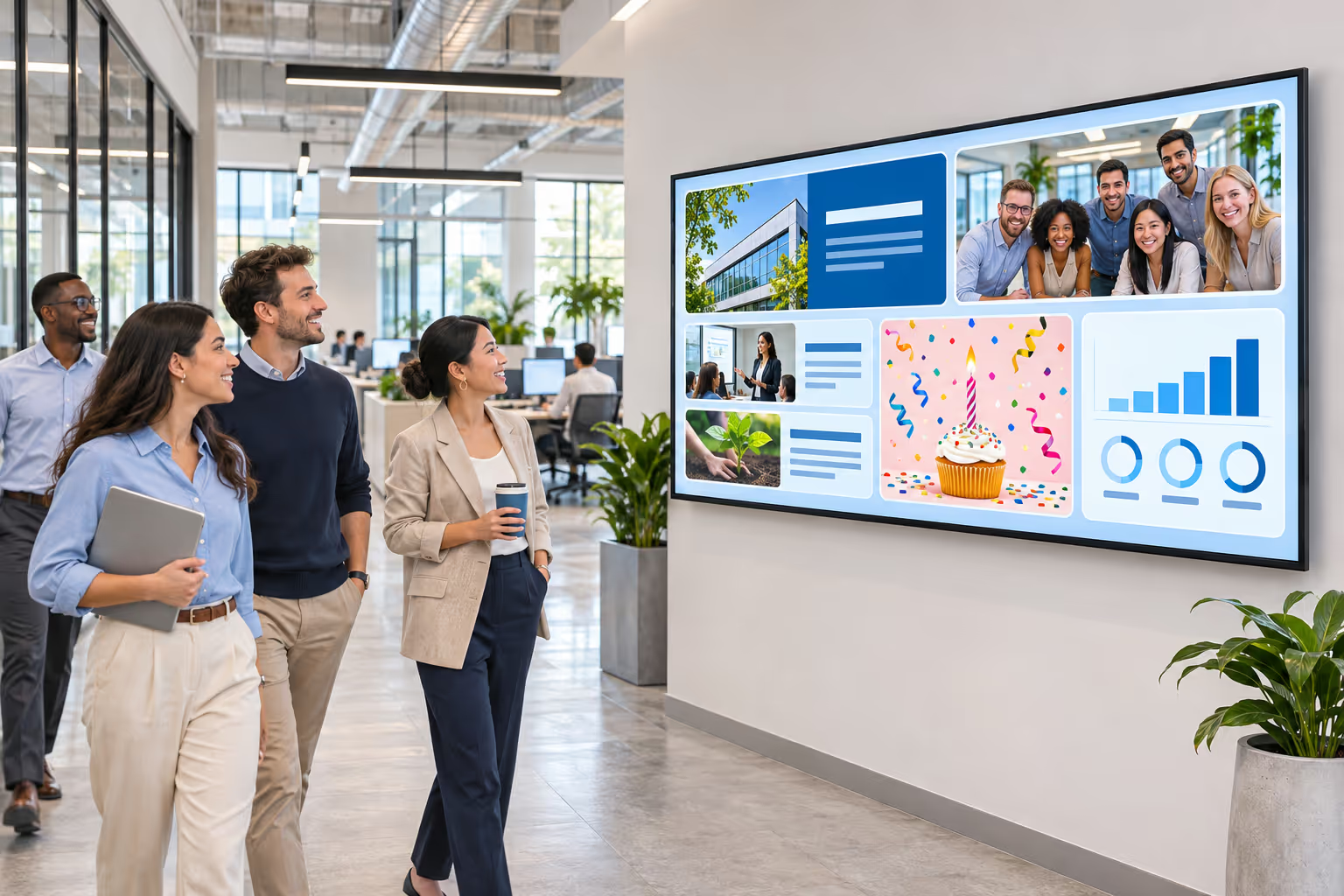
Disign turns the screens of your offices, sites and meeting rooms into a powerful internal communication channel: company news, live KPIs and Power BI dashboards, HR and safety messages, events and birthdays, all updated automatically and managed from one cloud platform.
- Company news
- Live KPIs
- HR & onboarding
- Safety & QHSE
- Meeting rooms
Internal content
What to display on your internal communication screens
Connect the tools your teams already use and let the screens update themselves. Every source below is a ready-to-use Disign app: no development, no copy-paste.
Power BI dashboards & reports
Show your Power BI dashboards or full reports, page by page, with automatic data refresh.
Microsoft & Power BI digital signage
SharePoint & Microsoft 365
Display SharePoint news, pages and documents stored in Microsoft 365 without duplicating them.
See the Microsoft integrations
News & RSS feeds
Company news from dynamic data, your blog or RSS feeds, plus industry news to keep everyone informed.
Employee onboarding
Welcome new hires with their photo, team and role so that everyone can greet them on day one.
Employee birthdays & anniversaries
Celebrate birthdays and work anniversaries automatically, driven by the dates of your own data.
Events & agenda
Town halls, trainings, afterworks and team building: promote upcoming events with a countdown.

LinkedIn page
Share your company LinkedIn posts internally so employees see, like and relay them.

Facebook page
Bring your Facebook page posts to the screens to strengthen your employer brand.
And many more apps
Weather, videos, Google Slides, web pages, YouTube, clocks, emergency messages and more.
Browse all Disign appsDisignDB
Manage your internal messages like a spreadsheet
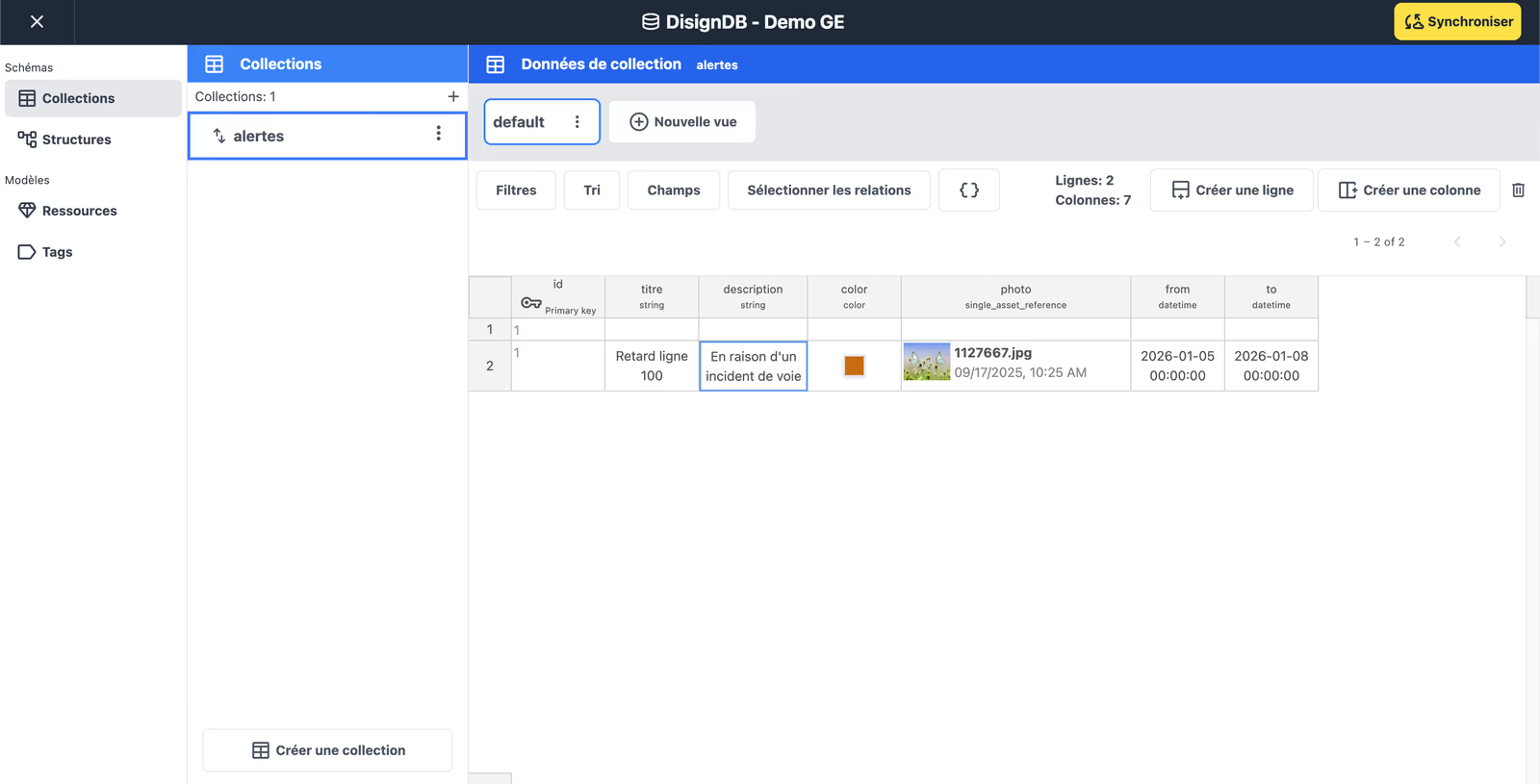
With DisignDB, your communication content becomes simple data: one row per news item, alert, new hire or event. Your teams edit a table, the screens update themselves with your own design.
- Your own data format: create the columns you need (text, color, image, date, relation…).
- Advanced filters and sorting to show only what matters on each screen, site or department.
- Date columns to publish and remove a message automatically at the right time.
- One click to synchronize: every screen using the data is refreshed.

Dashboards & KPIs
Share your KPIs with every team, always up to date
Sales, production, customer service, quality or projects: put your business intelligence dashboards on the wall so that teams see their results in real time, without opening a report. Disign displays the dashboards securely and refreshes them automatically.
Power BI
Dashboards and reports, page selection and slideshows.

Tableau
Tableau views and dashboards on any screen.

Looker Studio
Google Looker Studio (formerly Data Studio) reports.
Web Script Engine
Display your intranet and internal tools, even behind a login
Your intranet, HR portal or business tools were not designed for screens? The Disign Web Script Engine drives a web browser for you: it opens the page, signs in automatically (including supported two-factor authentication), goes to the right page and displays exactly what you want.
- Automatic login, even with 2FA
- Navigation to the page you need
- Automatic scrolling
- Hide menus and useless sections
A few simple lines are enough to display and manage your own tools. Our team can write and maintain these scripts with you: contact us.
- 1open"https://intranet.company.com"
- 2loginuser, password, otp
- 3click"News"
- 4hide"header, .sidebar"
- 5scrollauto// 30 px/s
- 6repeatevery 10 min
For HR teams
HR digital signage that builds a stronger company culture
Screens reach every employee, including those who rarely read emails or have no company computer: production, logistics, retail, field and frontline teams.
Discover HR digital signageOnboarding new employees
Introduce new hires, share welcome guides and practical information for their first weeks.
Birthdays and work anniversaries
Recognize people automatically every day, without anyone having to remember the dates.
Team building and events
Announce seminars, afterworks, sports challenges and charity days, then share the photos.
Safety and well-being
Safety instructions, emergency procedures, well-being programs and prevention campaigns.
Internal job offers and trainings
Promote internal mobility, training sessions and referral programs where employees actually are.
Surveys and employee feedback
Display a QR code to collect opinions and ideas, then share the results with everyone.
For Quality, QHSE and CSR teams
Make quality, safety and CSR visible every day
A procedure stored in a shared folder is rarely read. A message displayed at the right place, at the right time, changes behaviors. Digital signage gives your QHSE and CSR policy a daily presence on site.
Quality indicators
Display non-conformities, customer satisfaction and continuous improvement results by workshop or team.
Safety on site
Days without accidents, PPE reminders, safety talks and instant alerts in case of an incident.
Environment and CSR
Energy consumption, waste sorting, eco-gestures and the progress of your CSR commitments.
Audits and certifications
Prepare teams for audits, recall the key rules of your certifications and celebrate the results.
For communication teams
Why internal communication teams choose digital signage
Inboxes are saturated and paper posters age quickly. Screens placed in high-traffic areas (entrances, break rooms, elevators, workshops) deliver short, visual and always up-to-date messages that employees actually see.
- Consistent brand: templates and scenes keep every message on-brand.
- Plan your editorial calendar weeks in advance.
- Reach deskless employees who have no company email address.
- Instant updates on all sites when news breaks.
| Digital signage | Paper poster | ||
|---|---|---|---|
| Reaches deskless employees | |||
| Updated in real time on every site | |||
| Video, animation and live data | |||
| Not lost in a crowded inbox | |||
| Scheduled start and end dates | |||
| No printing or manual replacement | |||
| Targeted by site, floor or team |
Digital signage does not replace email or your intranet: it amplifies the key messages where employees are.
Projects and spaces
One space per team: HR, Communication and QHSE work side by side
With Disign projects and isolated spaces, each team has its own media, playlists, data and permissions. Everyone works autonomously without mixing resources, and the screens combine the content of each team.
- Onboarding
- Birthdays
- Job offers
- Company news
- Events
- Social media
- Safety instructions
- Quality indicators
- CSR actions
Office screens
A shared scenario combines the content of each team
Scheduling & automation
Prepare your internal communication in advance, let the screens do the rest
Plan your messages weeks ahead with schedules, or drive them with dynamic data: each content appears and disappears at the right time, on the right screens, without manual intervention.
- 1
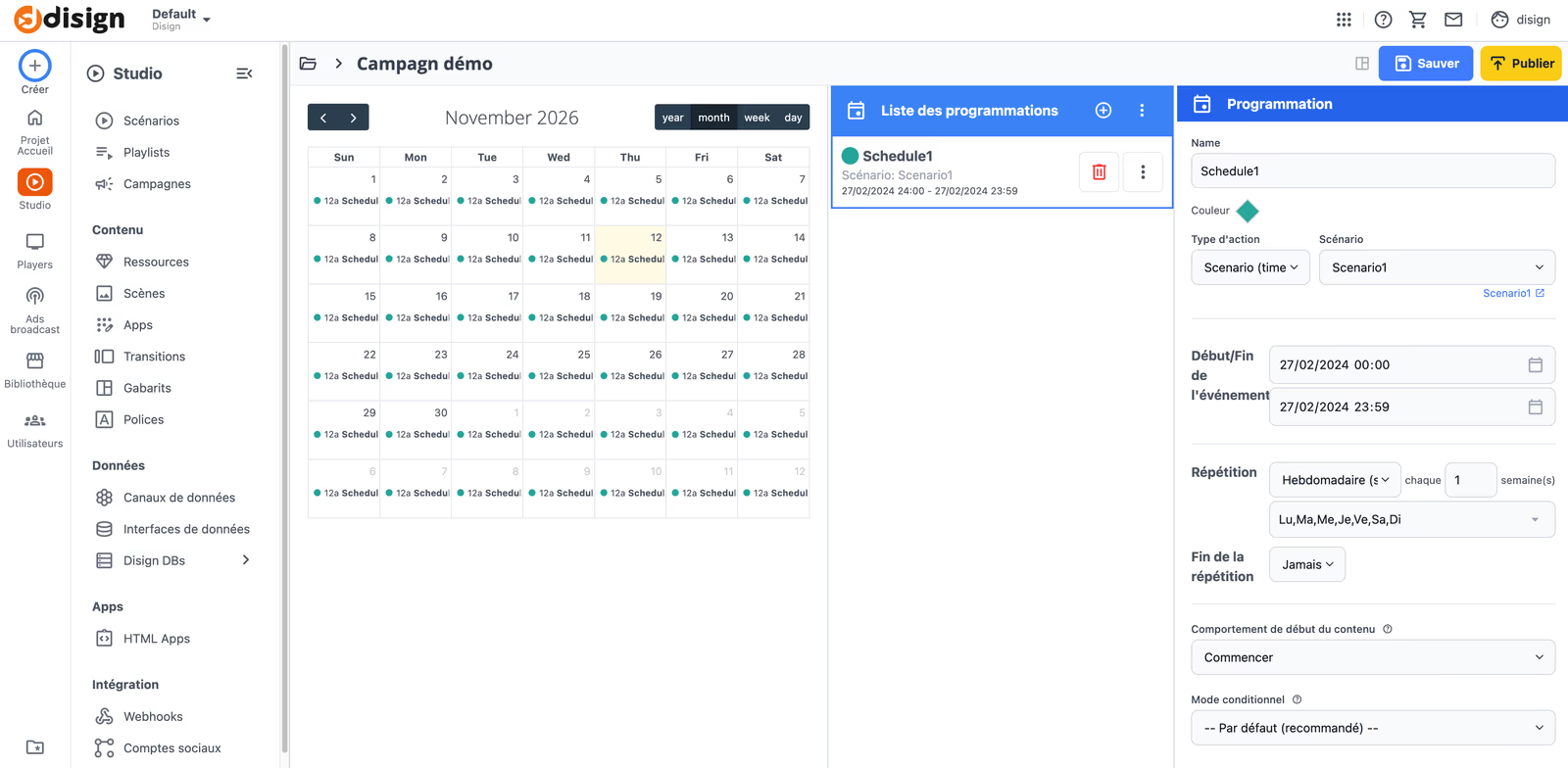
Campaigns and schedules
A campaign schedules what each screen does: play a scenario or a playlist, or turn the screen on and off, with start and end dates and daily, weekly or monthly repetitions.
- 2
Data-driven programming with DisignDB
Add date columns to your DisignDB collections and filter on them: a news item, an alert or a birthday is shown only between its start and end dates.
- 3
Availability hours per app
Assign availability hours to each app for even finer control: the canteen menu in the morning, the KPIs in the afternoon, the safety message all day.
- 4
Instant override for urgent messages
When something urgent happens, publish a message immediately on all or some of the screens, then return to the planned content.
Meeting rooms
Meeting room screens: room booking and internal communication
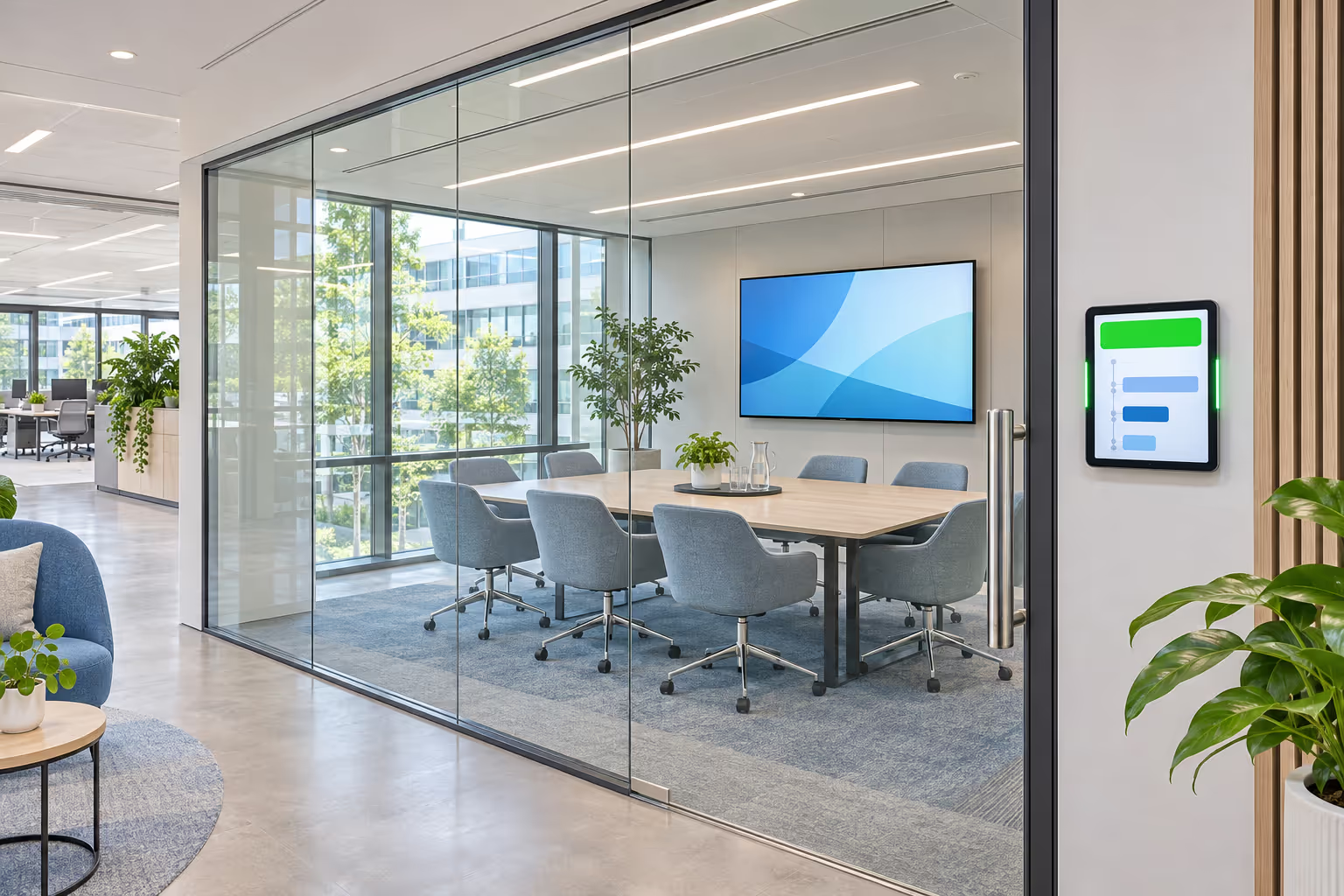
Connect Disign to Google Calendar or Microsoft Outlook calendars to show room availability and upcoming meetings at the door. The same screens keep displaying your internal messages between meetings: one device, two uses.
 Google Calendar
 Microsoft Outlook
- Free or busy status visible from the corridor
- Agenda of the day for each room
- Internal news and KPIs on the big screen inside the room
Custom apps & interactivity
Go further with custom apps, touch screens and sensors
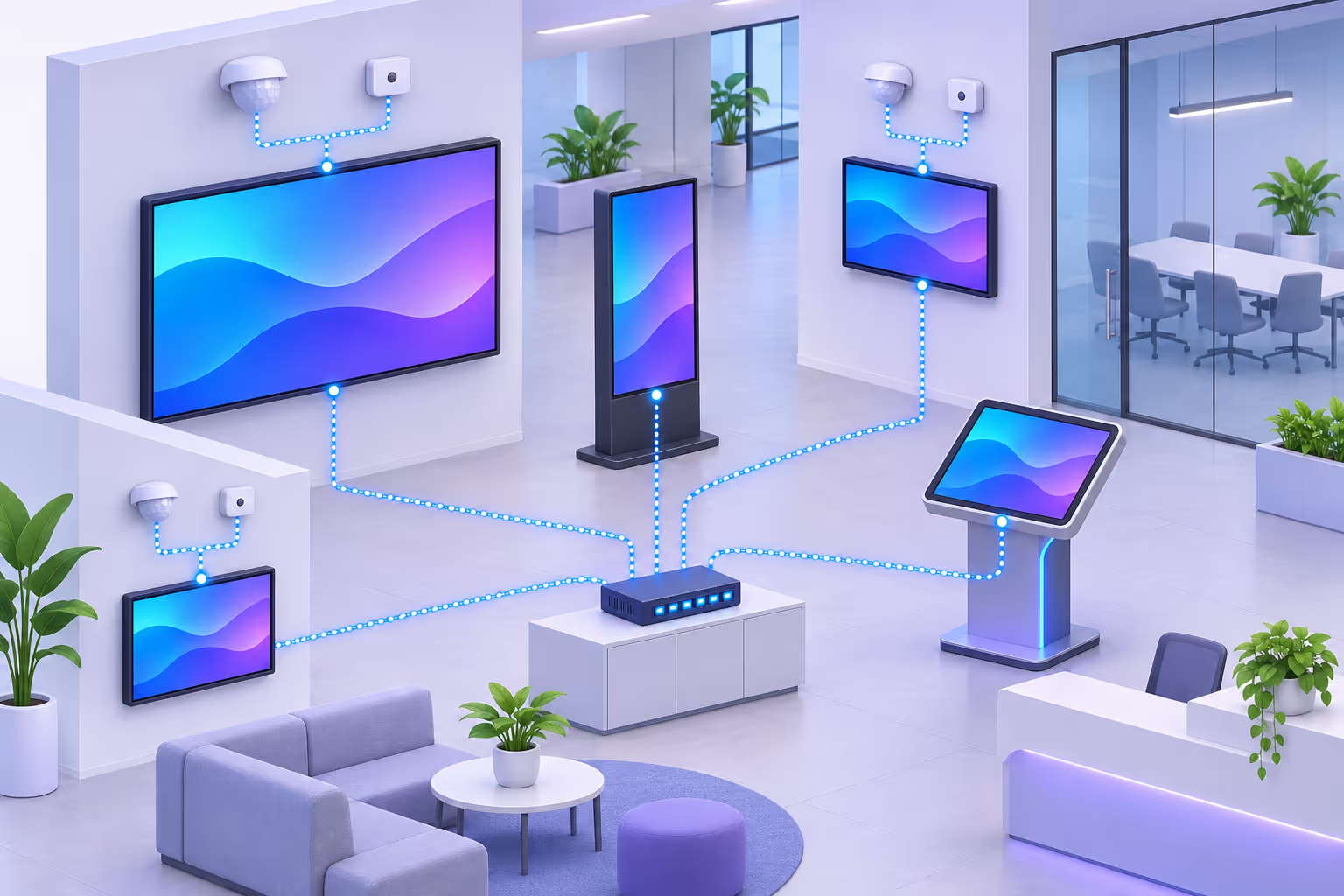
Disign scenes let you build tailor-made applications that display exactly the content you want, the way you want it. With the Interactivity Editor, screens become smart and work together.
Custom scenes
Your layouts, your data, your brand: tailor-made apps without starting from scratch.
Touch applications
Interactive directories, internal kiosks and touch apps that interact with each other locally.
Presence and light sensors
Trigger content when someone approaches or adapt it to the ambient light.
Local TCP/UDP communication
Screens talk to each other on the local network, without depending on the internet. Some companies use it to run team briefings.
One platform for all the screens of your workplace
Disign handles the whole display of internal communication in your offices and workspaces: reception, lobby, corridors, break rooms, meeting rooms, workshops and warehouses, across one or hundreds of sites.
Your questions about internal communication digital signage
Content, integrations, scheduling, permissions and hardware: the answers HR, communication and IT teams ask us most often.
What is internal communication digital signage?
Internal communication digital signage uses screens placed in offices, factories, break rooms or meeting rooms to share information with employees: company news, KPIs, HR announcements, safety messages and events. The content is managed centrally from a cloud platform like Disign and updated automatically.
What are the benefits of digital signage for internal communication?
Screens reach every employee, including deskless teams without a company email address. Messages are visual, always up to date, scheduled in advance and targeted by site or team, and they replace printed posters that quickly become outdated.
What content can I display on internal communication screens?
With Disign you can display company news, RSS feeds, Power BI, Tableau or Looker Studio dashboards, SharePoint content, LinkedIn and Facebook posts, new employee onboarding, birthdays, events, safety instructions, meeting room bookings, videos and web pages.
Can I display Power BI dashboards on digital signage?
Yes. Disign displays Power BI dashboards and full reports, with page selection, automatic slideshows and data refresh, without making your reports public.
How do I show my intranet or an internal tool on a screen?
The Disign Web Script Engine opens the page, signs in automatically (including supported two-factor authentication steps), navigates to the right page, hides useless sections and scrolls automatically. Our team can help you write these scripts.
Can HR, Communication and QHSE teams manage their own content?
Yes. Each team can work in its own isolated space with its own media, data and permissions, and a shared scenario on the screens combines the content of each team.
How do I schedule internal messages in advance?
Use campaigns to schedule scenarios, playlists or screen on/off times with repetitions, add date columns to your DisignDB data to show each message only between its start and end dates, and set availability hours on each app.
Can meeting room screens display room bookings?
Yes. Disign connects to Google Calendar and Microsoft Outlook calendars to show room availability and the agenda of the day, and the same screens can display internal communication between meetings.
What hardware do I need for internal communication digital signage?
Any professional screen with a compatible player: Android, Raspberry Pi, BrightSign, Samsung Tizen or LG webOS. You can start with a single screen and add more sites later.
Start your internal communication digital signage today
Connect your screens, plug in Power BI, SharePoint or DisignDB, give each team its own space and schedule your messages: Disign makes internal communication visible, automatic and engaging. Our team can help you design your scenes and scripts.
See Disign pricing